N7201A616E00_0317.pdf - 第251页
NPM-W 2 EJM7DE-MB-03O-0 0 3-2-12 -2 A B Returns to the previous screen. C Choose the display type. 2 (Detailed error information is displayed) Pickup information per head ( → P.3-2-1 -10 ) Production A B C
NPM-W2 EJM7DE-MB-03O-00
Produc-
tion
informa-
tion
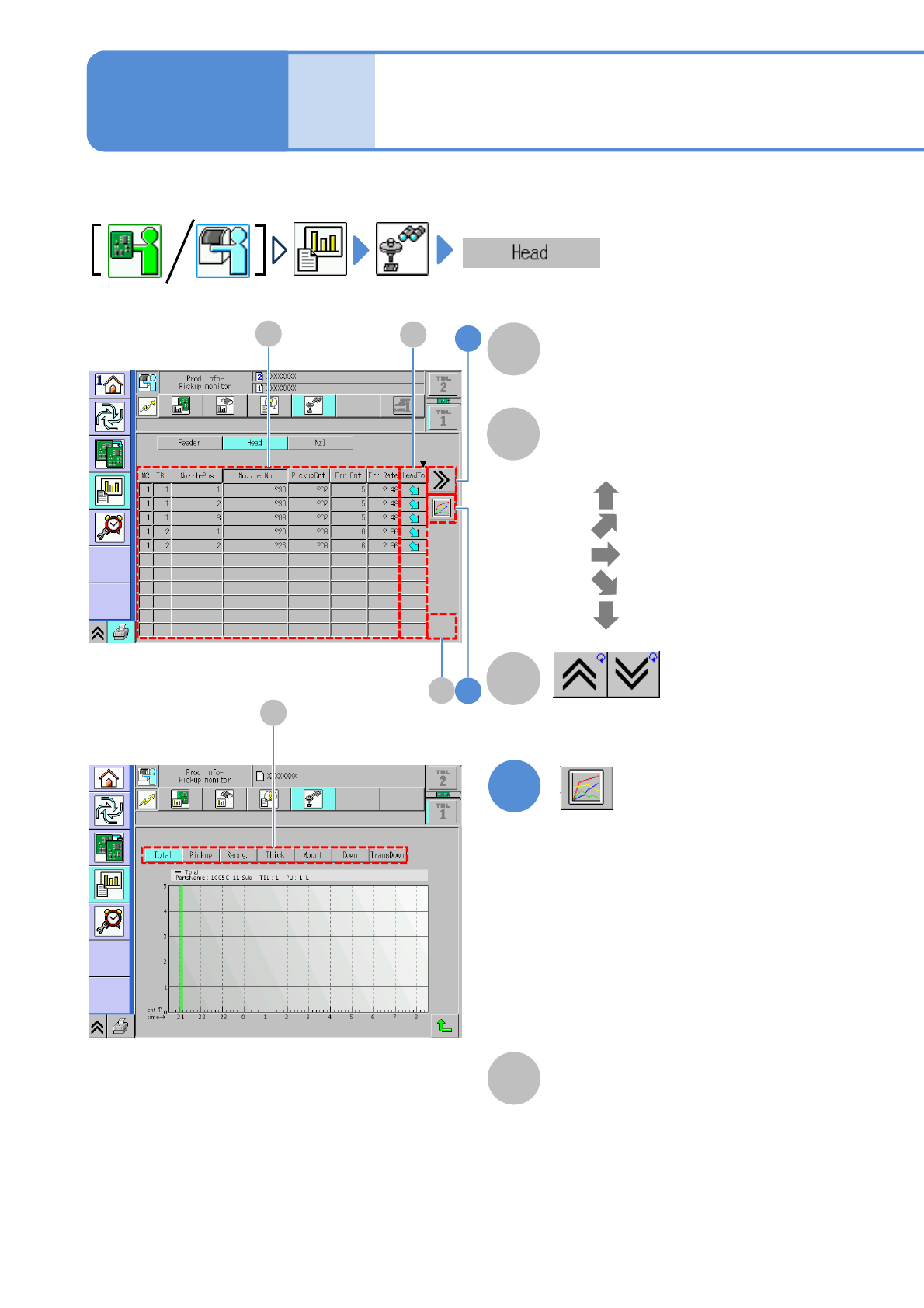
Head pickup monitor
3-2-12-1
You can check component pickup information of a nozzle, per nozzle.
1
B
(Displays component error count in a
graph)
A
LeadTo
Displays increase or decrease tendency
of the error rate.
●
●
●
●
●
: Ultra up tendency
: Up tendency
: Constant tendency
: Ultra down tendency
: Down tendency
Pickup information per head
(→P.3-2-1-10)
Shows the previous or next table.
C
●Error count of the selecting head
per hour is displayed on the graph.
Vertical axis: Error count
Horizontal axis: Time
●Choosing the total error or an error
item can change the display of the
graph
D
Total error and error item
(→ P.3-2-4-2)
D
Operating procedure
3-2-12
1
2
B
C
A
NPM-W2 EJM7DE-MB-03O-00
3-2-12-2
A
B
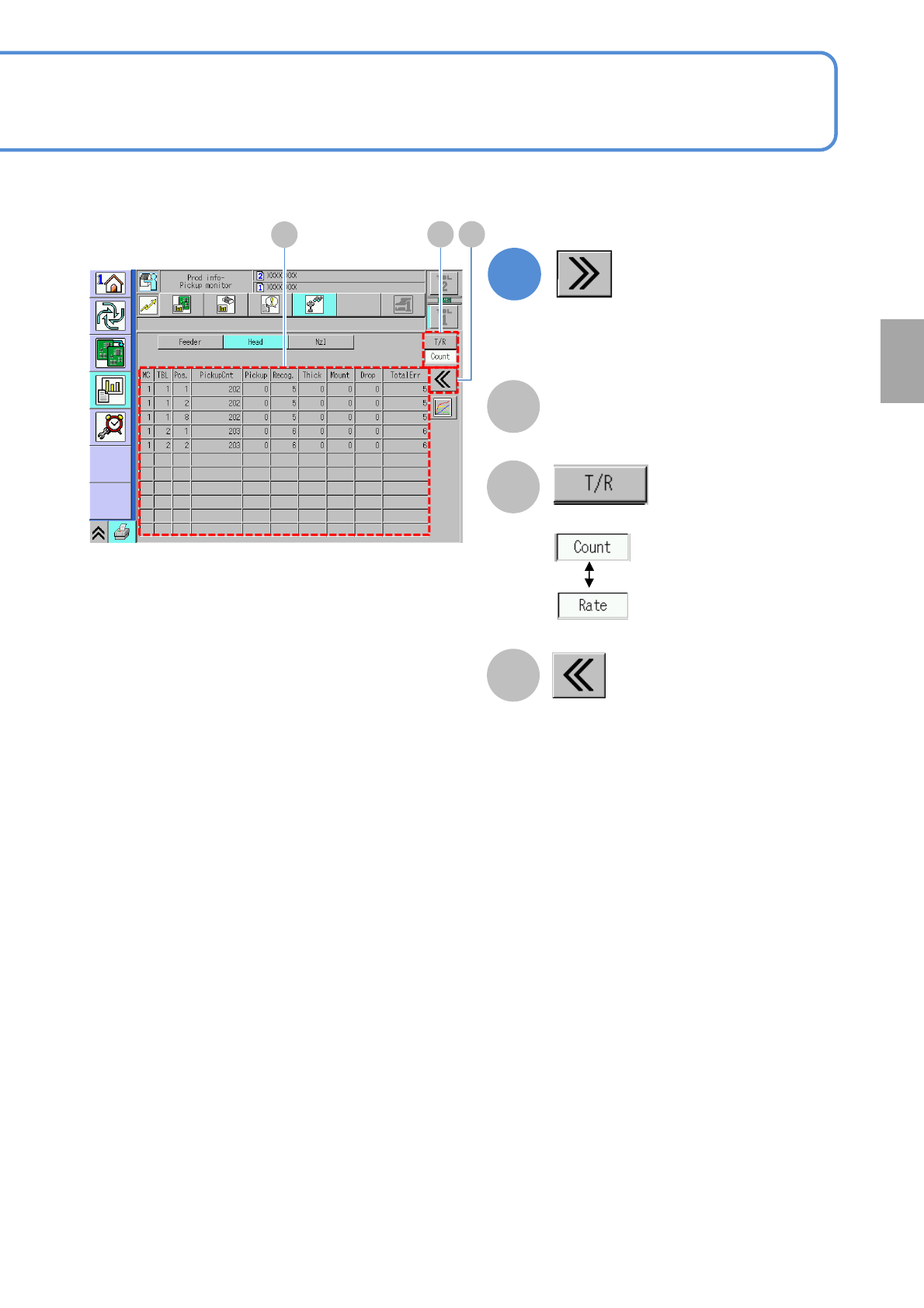
Returns to the previous screen.
C
Choose the display type.
2
(Detailed error information is displayed)
Pickup information per head
(→P.3-2-1-10)
Production
A
B C
NPM-W2 EJM7DE-MB-03O-00
3-2-13-1
Produc-
tion
informa-
tion
Dispensing monitor
(Dispensing head)
1
K
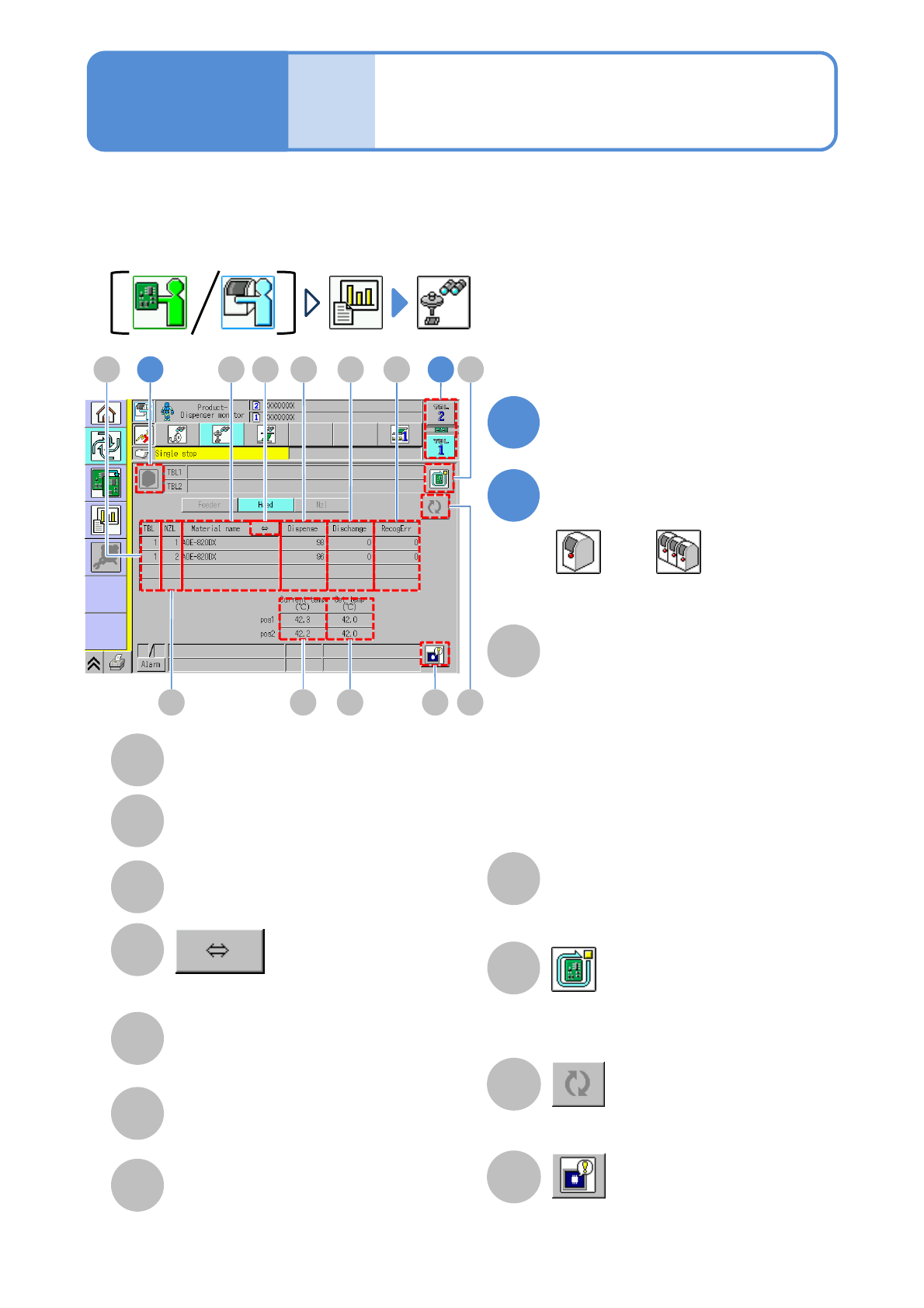
Updates the dispensing monitor information.
Set temp (℃)
Displays the temperature of the temperature
controller mounted on a syringe of nozzles.
The unit setting temperature.
Subsequent production is suspended
once PCB production at the pressing of
this button is completed.
J
H
I
Choose the table on the
dispensing head
TBL (table)
NZL
Displays the nozzle holder position.
Material name
C
A
B
Dispense
Displays the number of dispenser count.
It also counts even movement action.
E
Dummy dispensing
Displays the number of dummy
dispensing.
F
RecogErr
Displays the number of times that
recognition error of dummy dispensing
occurred.
G
L
Displays the head (error image).
(→P.3-2-4
-3)
D
Shows the rest of the component name
by scrolling.
You can check the dispensing condition of the dispensing head.
The dispensing monitor screen appears when the standalone view is selected and, the pickup monitor screen
appears when the line view is selected.
Current temp (℃)
Displays the current temperature of the
temperature control unit mounted on the syringe
of each nozzle.
Compared with the set temperature, the current
temperature is displayed in yellow if the
difference between the set and current
temperature exceeds ‘Operating temperature
difference warning value (judgment parameter).’
(Available only when the temperature warning
check option is set to ‘ON.’)
Operating procedure
3-2-13
2
Toggle the display of the
machine/line using
and
A 1GE
B
C F2
KH I L
JD