N7201A616E00_0317.pdf - 第462页
NPM-W 2 EJM7DE-MB-06 O-00 Produc- tion data teaching Component r ecognition teac h 5 Operating procedure 6-2-4 6-2-4 -9 Component recognition teach 4 17 18 + 18 Choose a recognition method ■ When a c omponent is r ecogni…
NPM-W2 EJM7DE-MB-06O-00
6-2-4-8
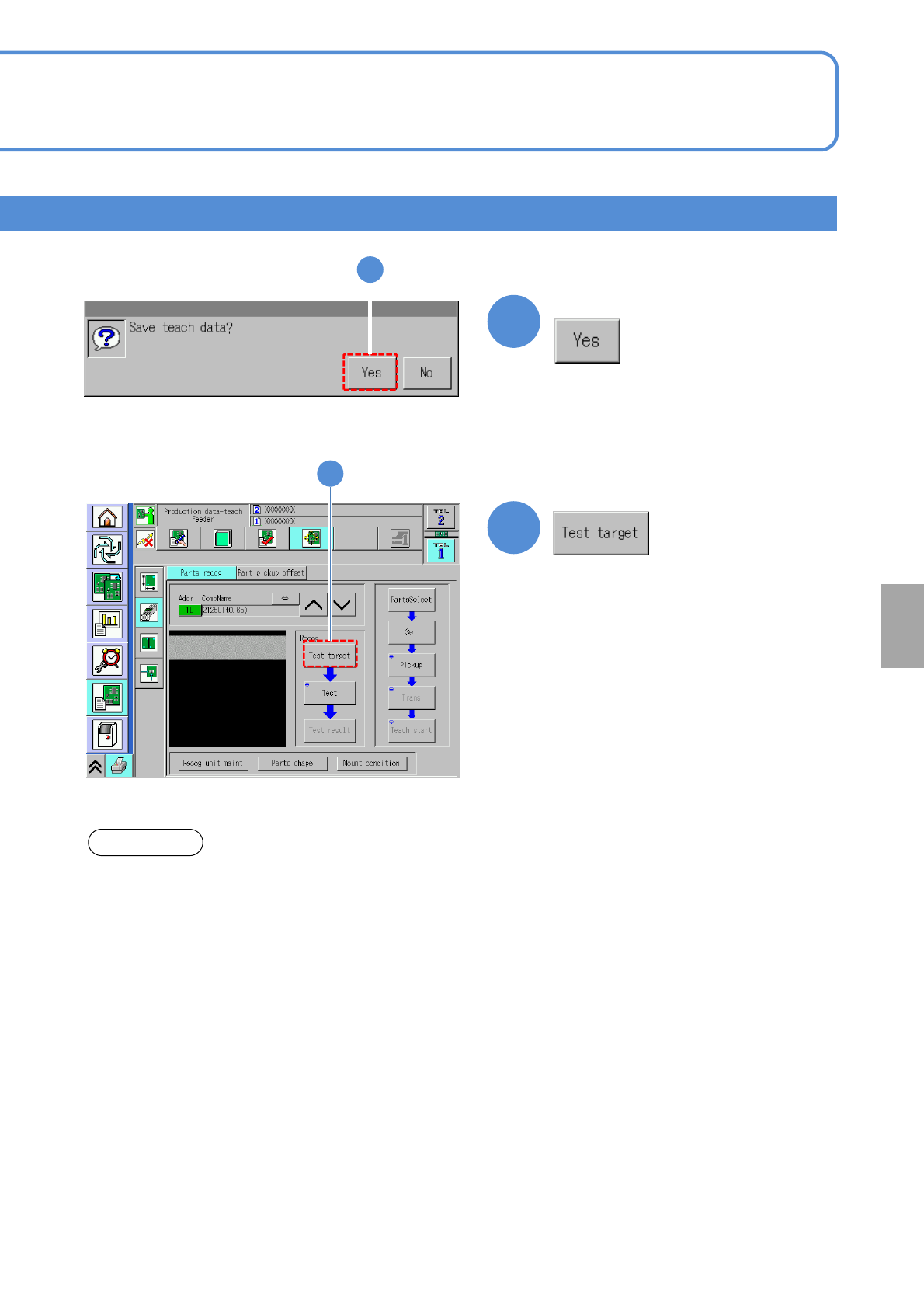
Setting
change
15
15
16
16
Confirm the message
(Recognition starts)
About the light setting of the multi-recognition camera [Type 3].
1. When the reflecting light is illuminated, the BGA ball height inspection is not performed.
2. The BGA lamp value is automatically converted inside the system. Therefore, when the BGA ball height
inspection is performed, the different value from the one set on the recognition screen may be displayed.
3.To keep the 3D inspection condition, sometimes the recognition system automatically changes the lamp
value.
ATTENTION
NPM-W2 EJM7DE-MB-06O-00
Produc-
tion data
teaching
Component recognition
teach 5
Operating procedure
6-2-4
6-2-4-9
Component recognition teach 4
17
18
+
18
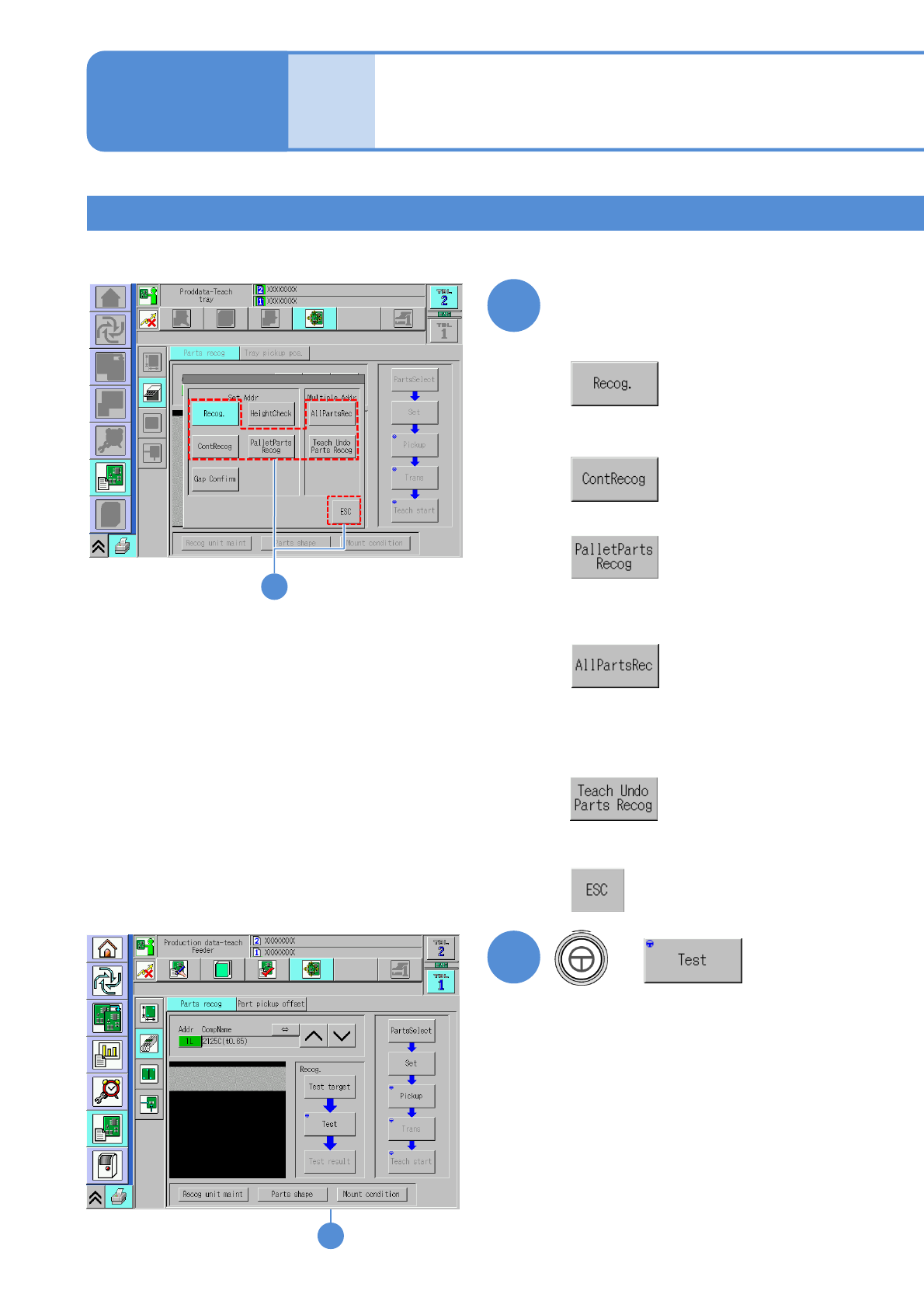
Choose a recognition method
■When a component is recognized once
■When a component is recognized ten
times
■When you do not choose the
recognition method
+
17
■When a pallet component is recognized
■When all components within the range
from the selected address to the last
address are recognized
■When all components which have not been
performed teaching within the range from the
selected address to the last address are
recognized
NPM-W2 EJM7DE-MB-06O-00
6-2-4-10
Setting
change
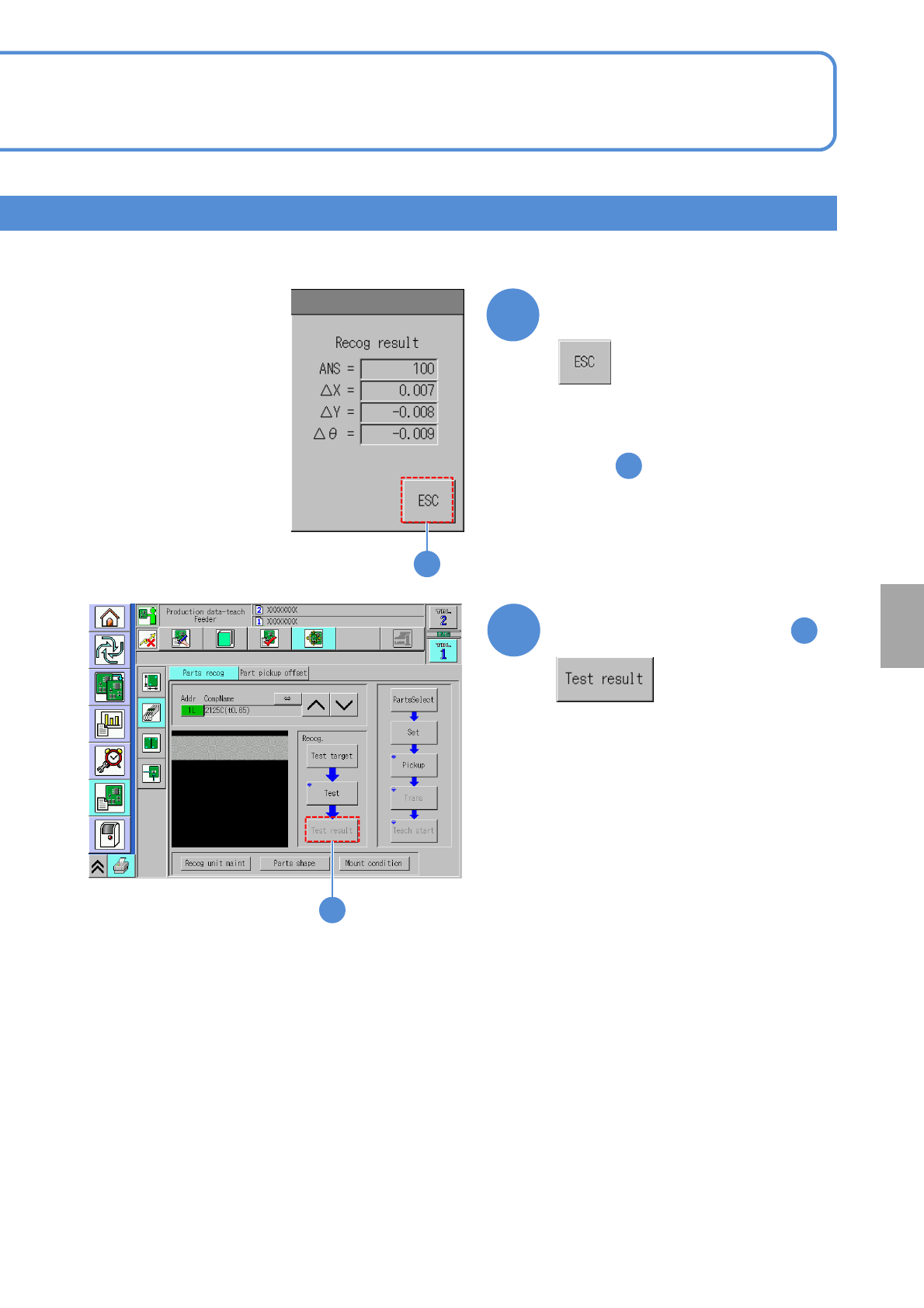
●Ensure [ANS=100] appears in the
recognition result field.
●If ANS is 100 or less, repeat
from .
Confirm the recognition result
1
20
19
19
20
To reconfirm the result of
19