N7201A616E00_0317.pdf - 第84页
NPM-W 2 EJM7DE-MB-02 O-00 Operating procedure 2-1-3 Select an operatio n mode on the defaul t screen displayed when the machine is started up. Insert a key disk ● Insert the SD ca rd (the a ttached key disk) to change th…
NPM-W2 EJM7DE-MB-02O-00
2-1-2-2
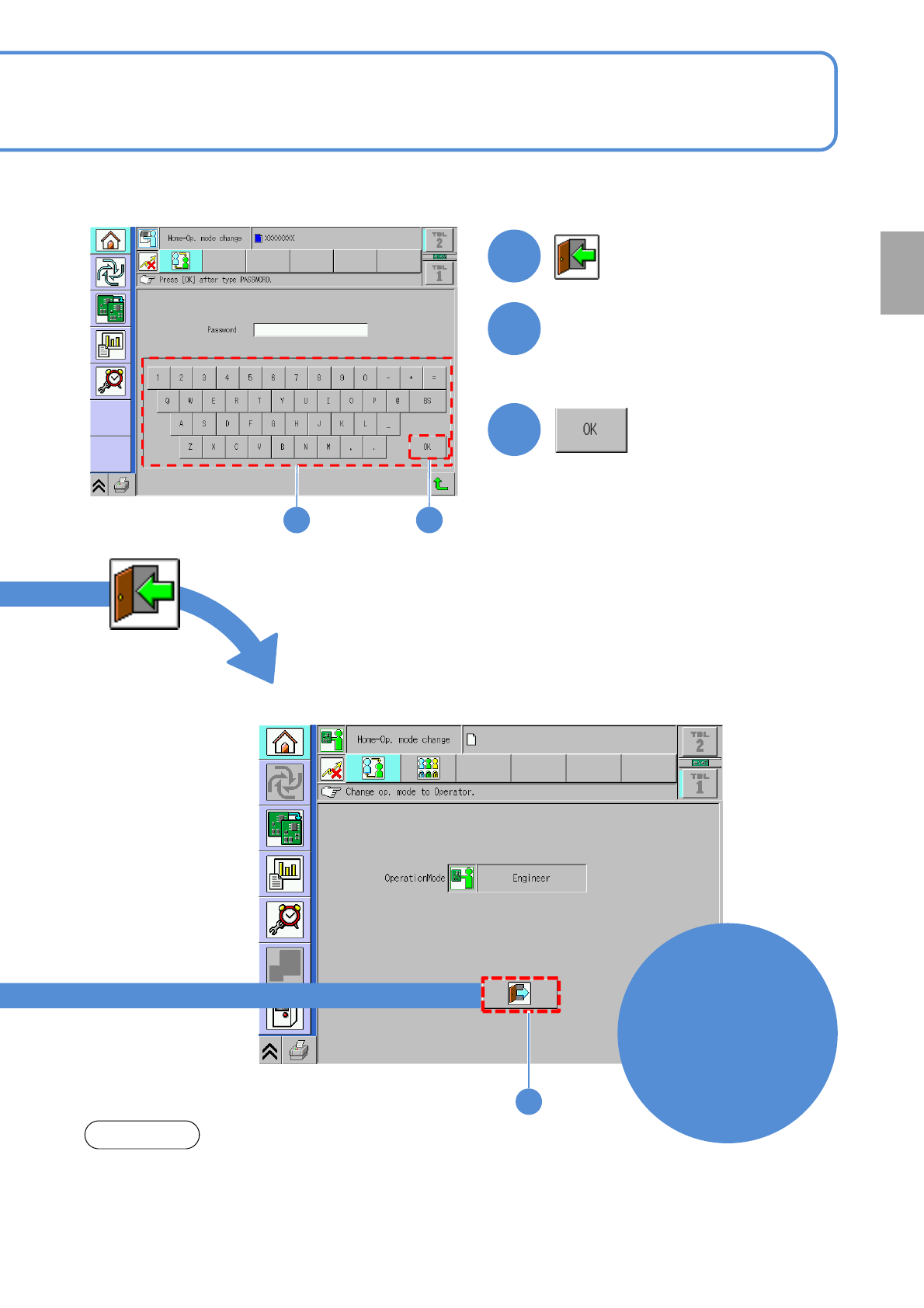
■To switch to Engineer mode
1
Select
Engineer mode
2
Input the password
3
2 3
●To set the password (→P.2-1-4)
●The password is not set before
shipment.
1
■Engineer mode screen
Engineer
mode
NOTE
If you leave from the machine, change the mode from Engineer mode to
Operator mode.
●When you set the time on [Op. mode auto. log off time[min]](→P.7-1-2-2),
the machine can be locked with password after predetermined time.
Preparation
NPM-W2 EJM7DE-MB-02O-00
Operating procedure
2-1-3
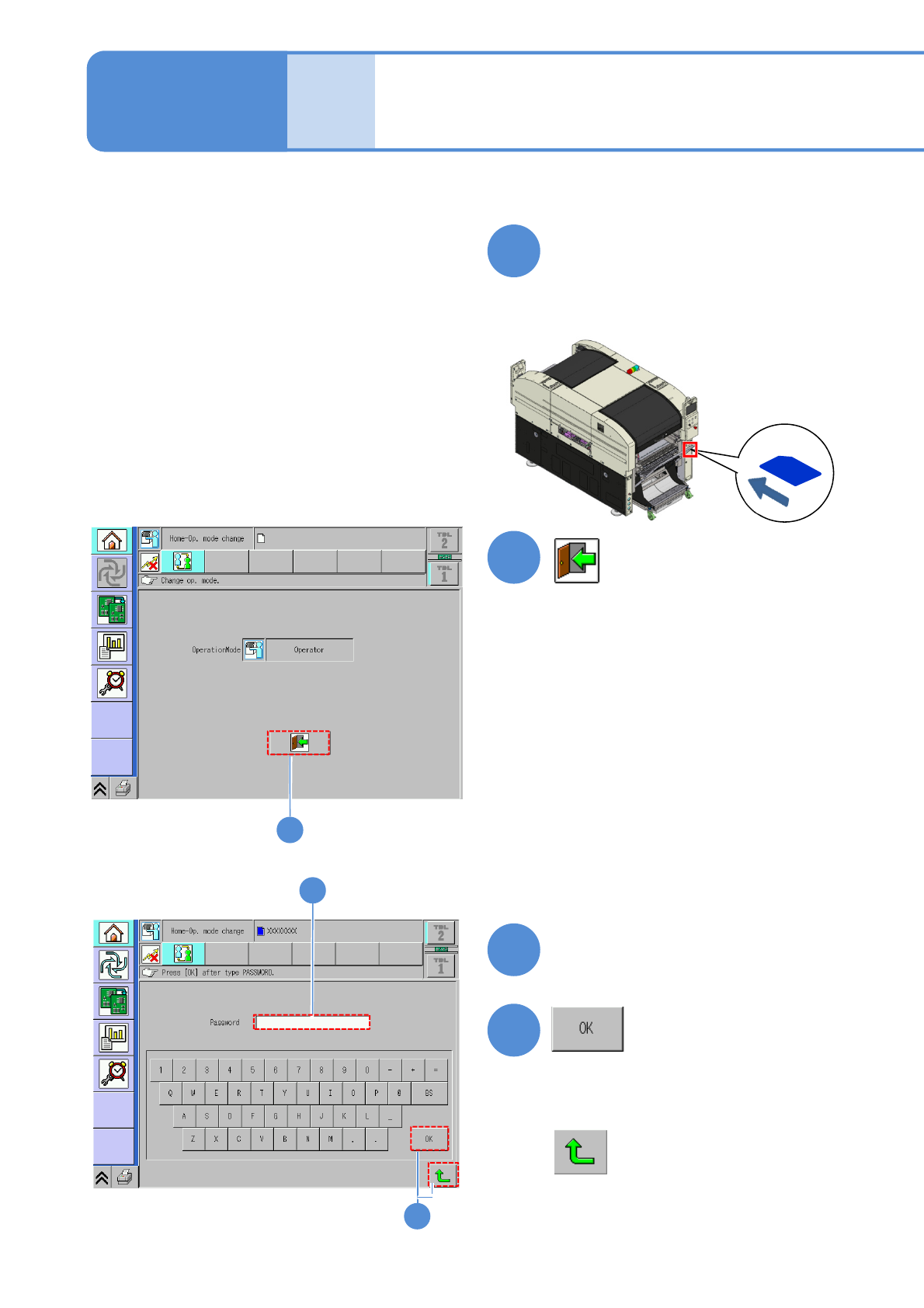
Select an operation mode on the default screen displayed when the machine is started up.
Insert a key disk
●Insert the SD card (the attached key
disk) to change the password into the
SD card drive.
1
2
3
4
Type in your password
2-1-3-1
4
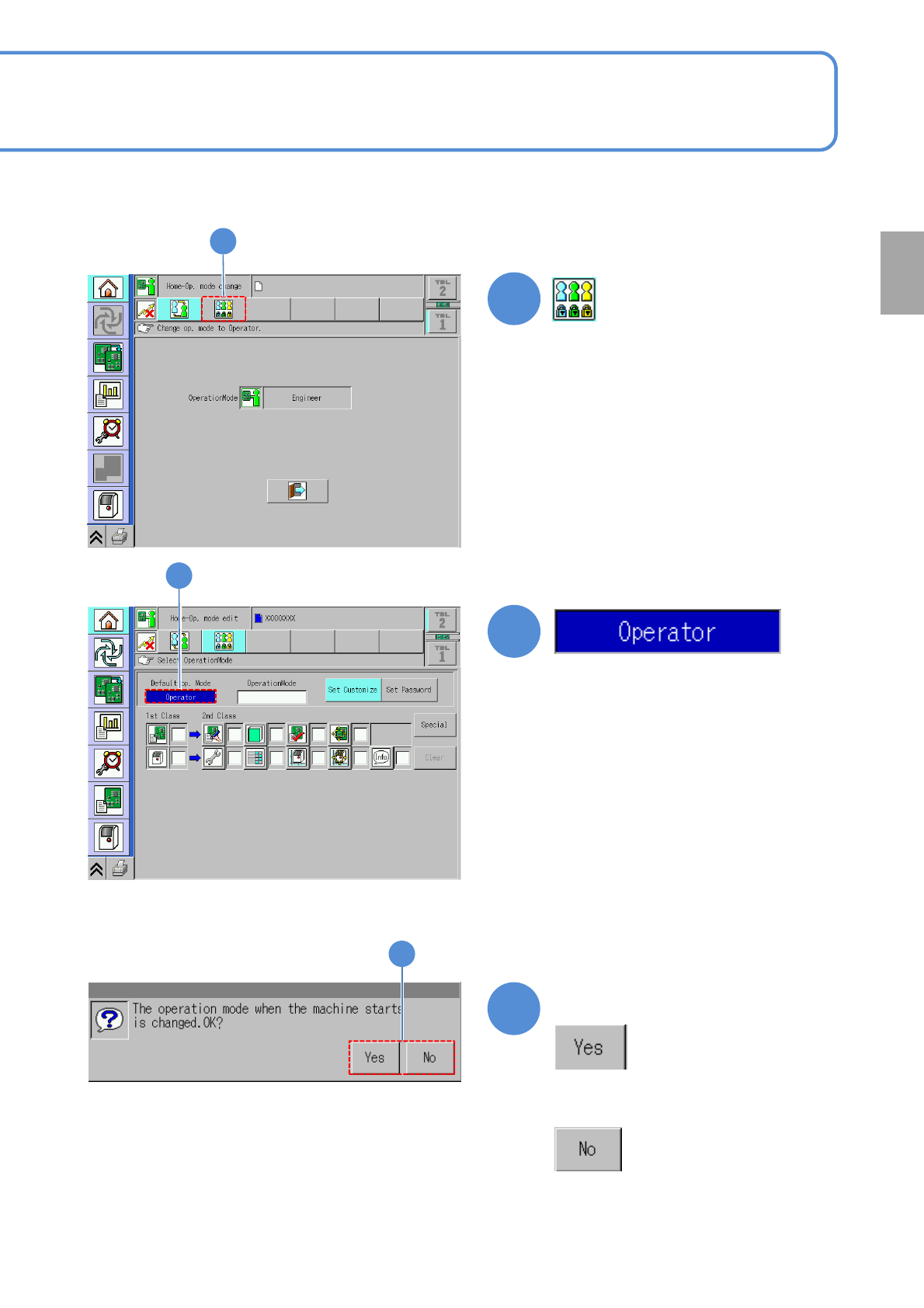
■If you do not switch to Engineer mode
The default operation
mode setup 1
2
3
Basic
opera-
tion
NPM-W2 EJM7DE-MB-02O-00
2-1-3-2
5
6
5
6
7
Confirm the message
■If you do not switch the operation mode
7
Preparation