00197042-04_SM_X-Serie-S_Customer_EN.pdf - 第393页
9 Component feeding 9.4 Docking Station for Component Trolley Service Manual SIPLACE X-Serie S 06/2019 393 Removal and installation 4 6 5 1 3 2 Fig.535: Removing the unlocking pushbutton 1. ON / OFF switch 2. Power supp…
9 Component feeding
9.4 Docking Station for Component Trolley
392 Service Manual SIPLACE X-Serie S 06/2019
Replacing the complete coupling for ground and compressed air
► Unplug the compressed air connection.
► Remove the fastening screw and remove the complete unit.
► Fit the new assembly and reconnect the compressed air supply.
► Switch on the compressed air supply.
► Check the set pressure of 5.5 bar at the pressure control valve (located at the back).
9.4.10 Replacing the unlocking pushbutton
Parts
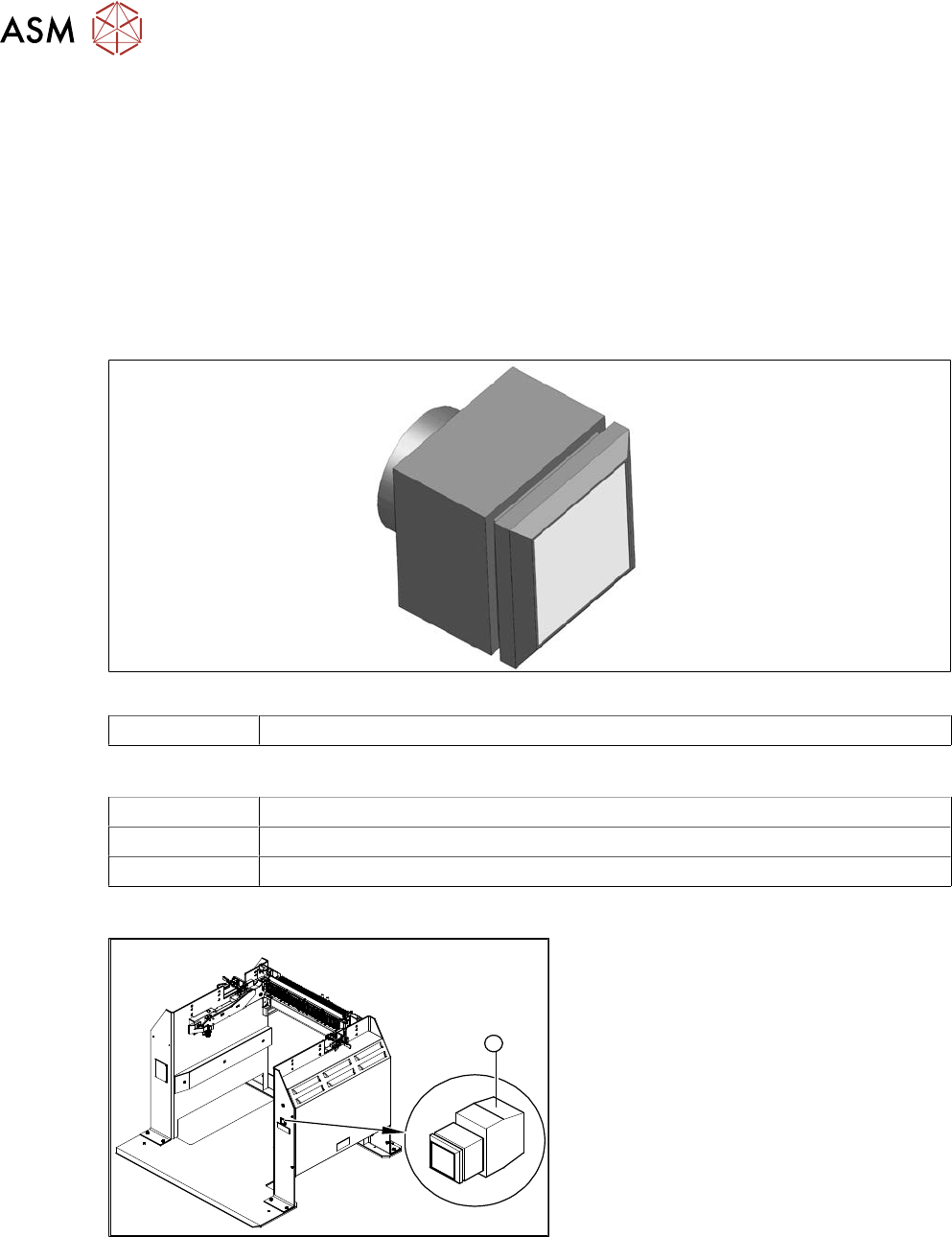
Fig.533: Pushbutton
00334095-xx Unlocking pushbutton
Equipment and tools
00353832-xx Allen key set
Wire cutters
Cable ties
Overview
1
Fig.534: Unlocking pushbutton on docking station
1. Unlocking pushbutton
9 Component feeding
9.4 Docking Station for Component Trolley
Service Manual SIPLACE X-Serie S 06/2019 393
Removal and installation
4
6
5
1
3
2
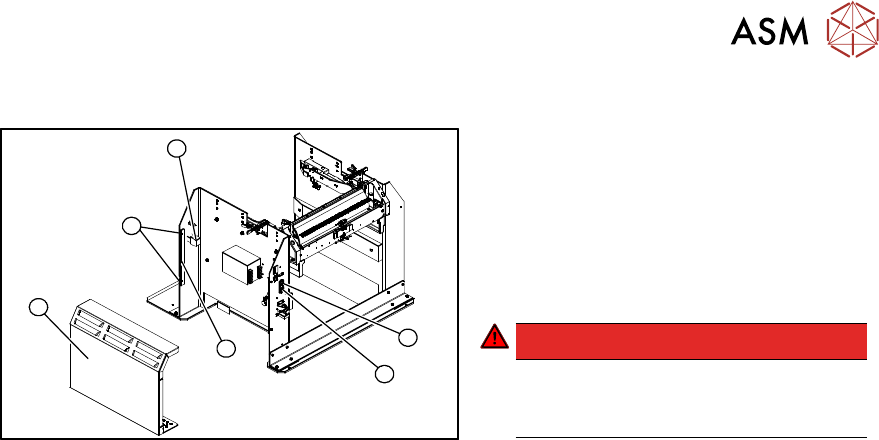
Fig.535: Removing the unlocking pushbutton
1. ON / OFF switch
2. Power supply plug
3. Cover
4. Bar for clamping the cover
5. Four screws fastening the cover
6. Terminal block for pushbutton
DANGER!
Switch off the voltage supply
Press the ON/OFF button (1) to switch off
and then unplug the power supply (2).
.
► Remove the four screws (5) fastening the cover (3). The cover is clamped in place with the
help of the bar (4).
► Pull the cover (1) out of the docking station.
► Take care not to damage the ground connection.
► Remove the screw fastening the terminal block (6) of the pushbutton.
► Turn the terminal block and extract it from its fixtures.
► Label the connection leads and disconnect these from the terminal block.
► Connect the connection cables to the new pushbutton.
► Fit the new pushbutton.
► Refit the cover.
► Connect the power pack connection cable and press the ON/OFF button to switch on.
► Check the function of the pushbutton by trying out the unlocking procedure.
9 Component feeding
9.4 Docking Station for Component Trolley
394 Service Manual SIPLACE X-Serie S 06/2019
9.4.11 Replacing the control valve
Parts
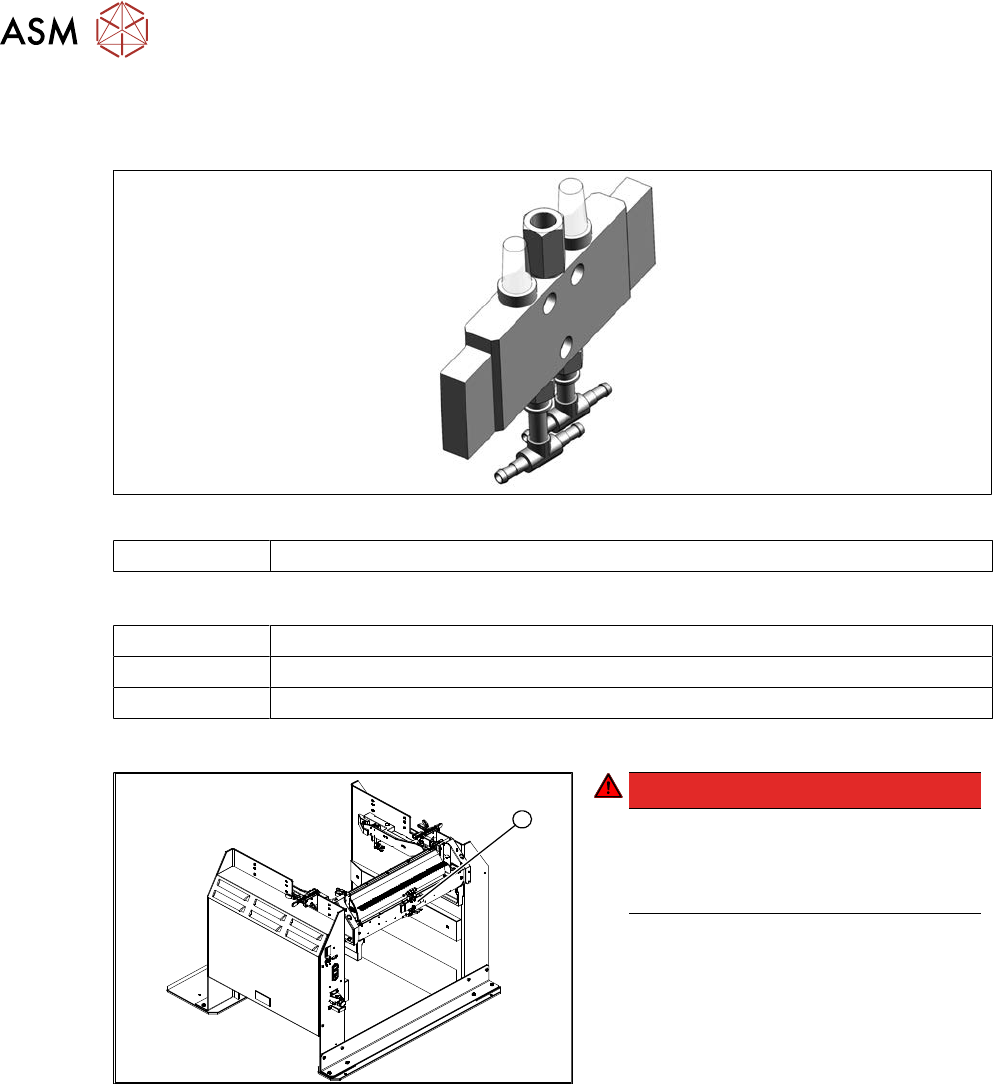
Fig.536: Control valve
03003489-xx Control valve
Equipment and tools
00353832-xx Allen key set
Wire cutters
Cable ties
Removal / installation
1
Fig.537: Removing the control valve
DANGER!
Switch off the voltage supply
Press the ON/OFF button to switch off
and then unplug the power supply.
Switch off the compressed air supply.
.
► Disconnect the electrical and pneu-
matic connections to the control
valve(1).
► Remove the screws fastening the con-
trol valve and then remove the control
valve.
► Install the new control valve.
► Reconnect to the electrical and com-
pressed air systems.