00197042-04_SM_X-Serie-S_Customer_EN.pdf - 第91页
3 Power supply 3.5 Power supply and transformer module (from serial number Hxxxx) Service Manual SIPLACE X-Serie S 06/2019 91 Fig.105: LED on the capacitor battery(CAP) ► Check the LED on the capacitor battery (CAP). …
3 Power supply
3.5 Power supply and transformer module (from serial number Hxxxx)
90 Service Manual SIPLACE X-Serie S 06/2019
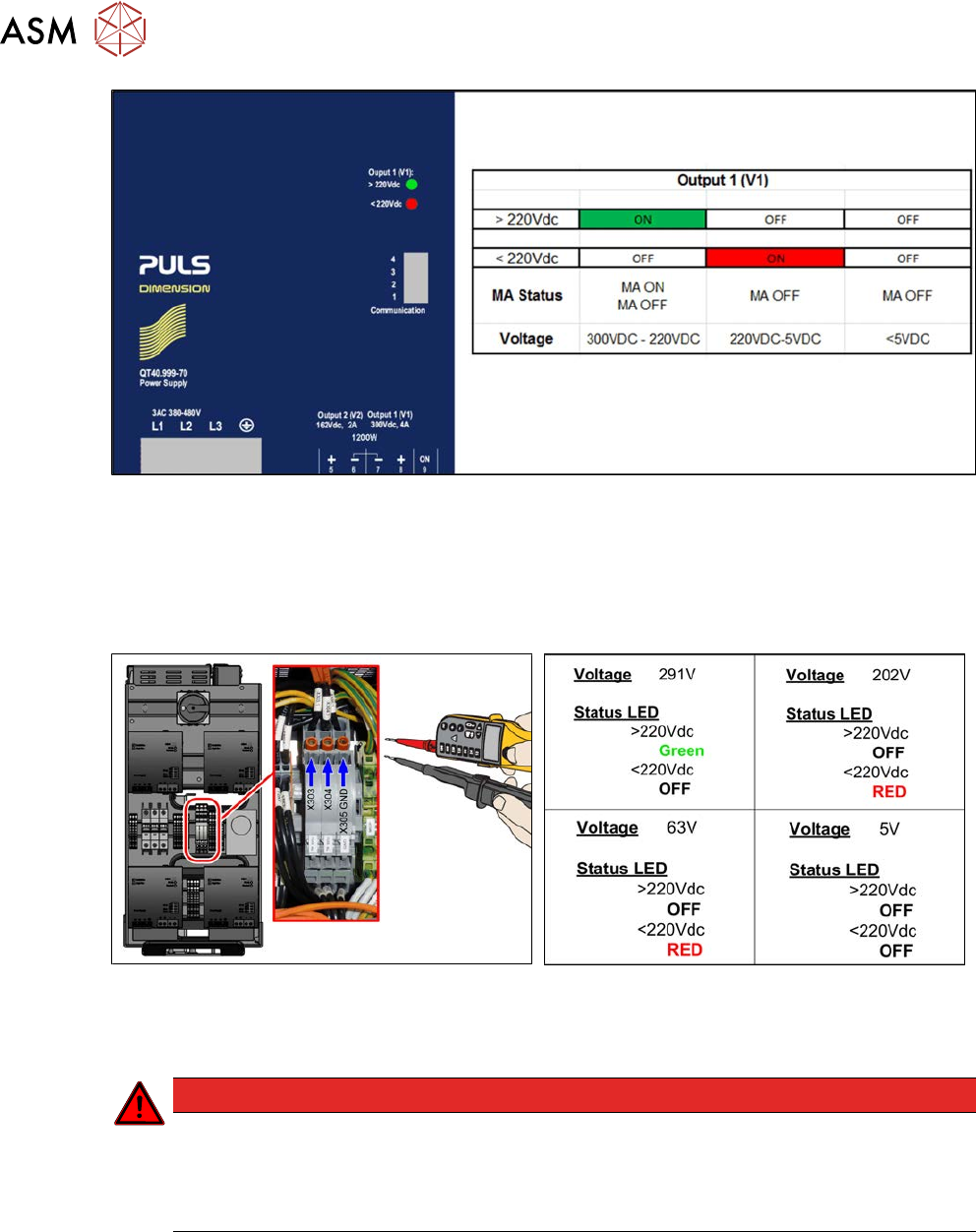
Fig.102: LED status
Monitoring the voltage absence after switch-off
The voltage at the measurement points only discharges slowly.
After switch-off, the voltage drops from 300VDC to under 5VDC in approx. five minutes.
It is only then possible to pull the SMPS out of the machine without hazard and work on it.
Fig.103: Checking voltages (X-Series S from Hxxxx)
Fig.104: Measurement values
As soon as the voltage has undershot a value of 220VDC, the LED display on the power pack
changes!
DANGER
Measurement values below 5VDC
Measure between the following points:
► X303 (IN) – X305 (GND) < 5VDC
► X304 (OUT) – X305 (GND) < 5VDC
3 Power supply
3.5 Power supply and transformer module (from serial number Hxxxx)
Service Manual SIPLACE X-Serie S 06/2019 91
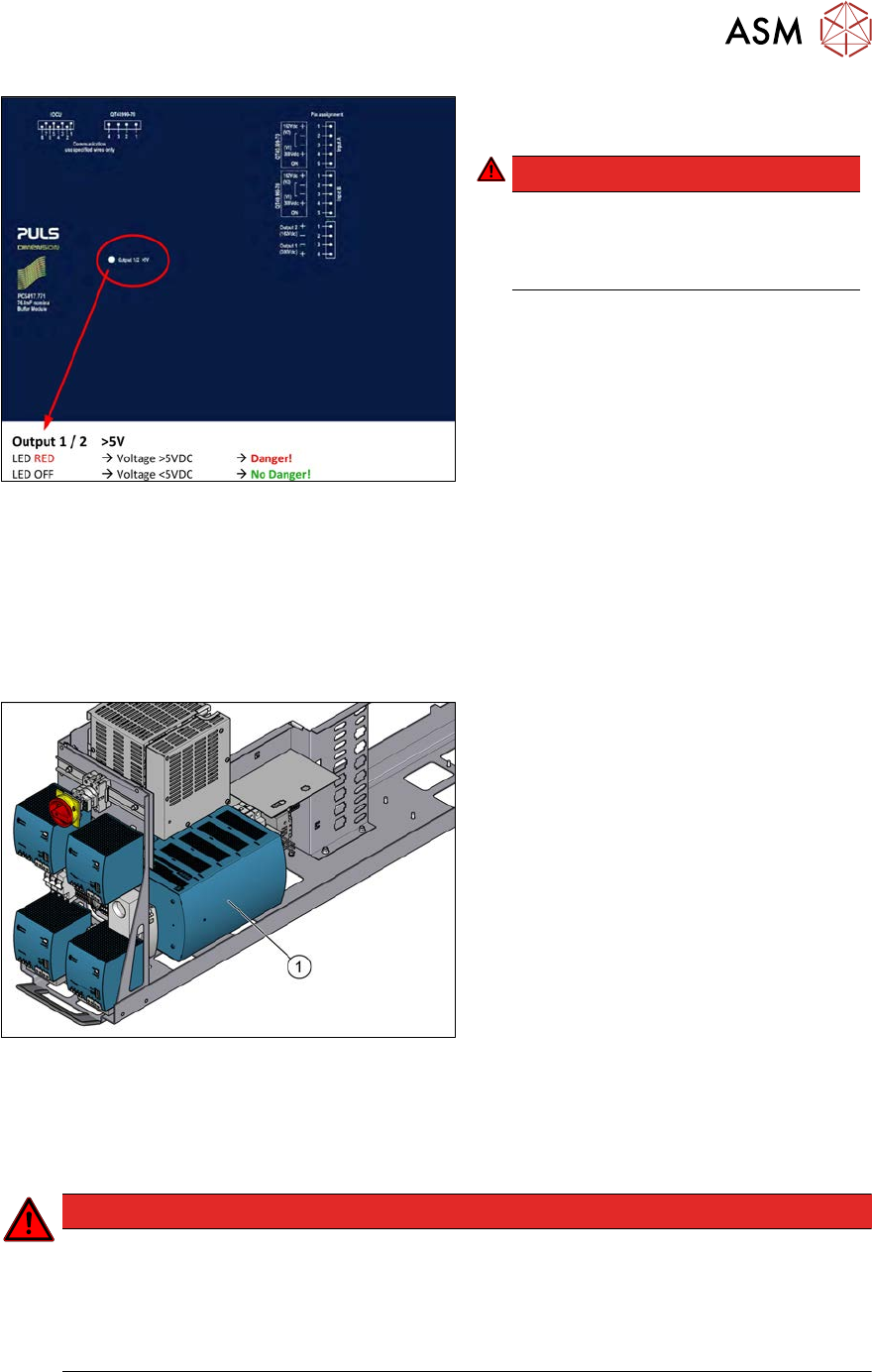
Fig.105: LED on the capacitor battery(CAP)
► Check the LED on the capacitor battery
(CAP).
DANGER!
Once the LED on the capacitor battery
(CAP) does not light any longer, it is
possible to work on the power supply
without hazard!
.
3.5.5 Replacing the buffer module
Parts, equipment and tools
●
Buffer module PCS417.771 [03106016-xx]
Overview
Fig.106: Buffer module
1. Buffer module
Removal
► Switch off the machine, disconnect it from the power supply and secure it to prevent
unauthorized reactivation. Observe the instructions in section 1.2 "Preparatory work..." [}16].
DANGER
High voltages
High DC voltages can be present in the buffer module.
► Observe the waiting period after power supply switch-off (5 minutes).
► Observe the LED display on the buffer module. This will show any residual voltages
still present.
3 Power supply
3.5 Power supply and transformer module (from serial number Hxxxx)
92 Service Manual SIPLACE X-Serie S 06/2019
DANGER
Checking for absence of voltage!
► Before you start working check the power supply for absence of voltage and observe
the waiting times! For more information about this read section 3.5.4 "Checking For
Absence of Voltage" [}86].
► Slightly pull the power supply out of the machine.
WARNING
Carefully pull out the power supply
The power supply is not permanently fixed and can fall out of the machine.
► Pull the power supply out of the machine but not too far.
► If necessary, use suitable support e. g. a wooden beam.
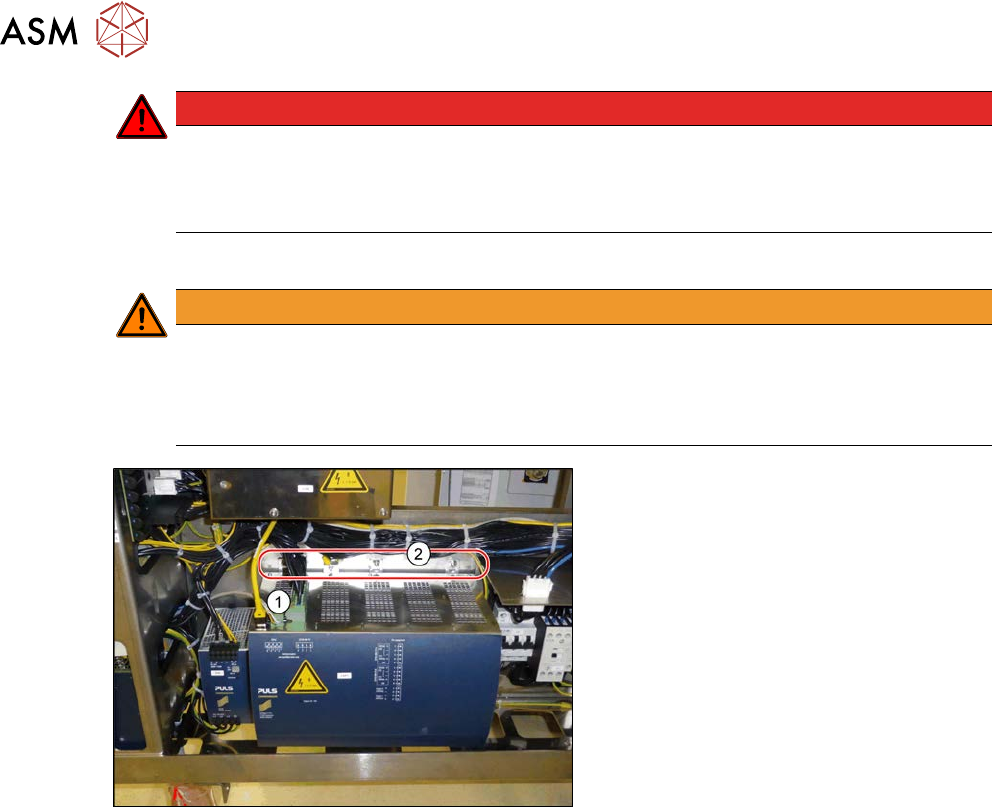
Fig.107: Removing the buffer module
► Unplug all electrical connections(1) for
the buffer module. If necessary, mark
their positions to make clear assign-
ment easier later on.
► Undo the fastening screws(2).
► Lift the buffer module off the rail.
Installation
► Follow the removal instructions in reverse order for installation.