APPENDIX.pdf - 第15页
Appendix A Optimizer A-9 Optimizer on the feeder lanes listed here. But y ou don't need to specify each lane in the <Prohibited> list box while considering the width of the feeder unit, ANC, and camera unit. T…
Samsung Component Placer CP-45F(V)/FS Operations Manual
A-8
A.4. Setup Menu/Feeder Lane
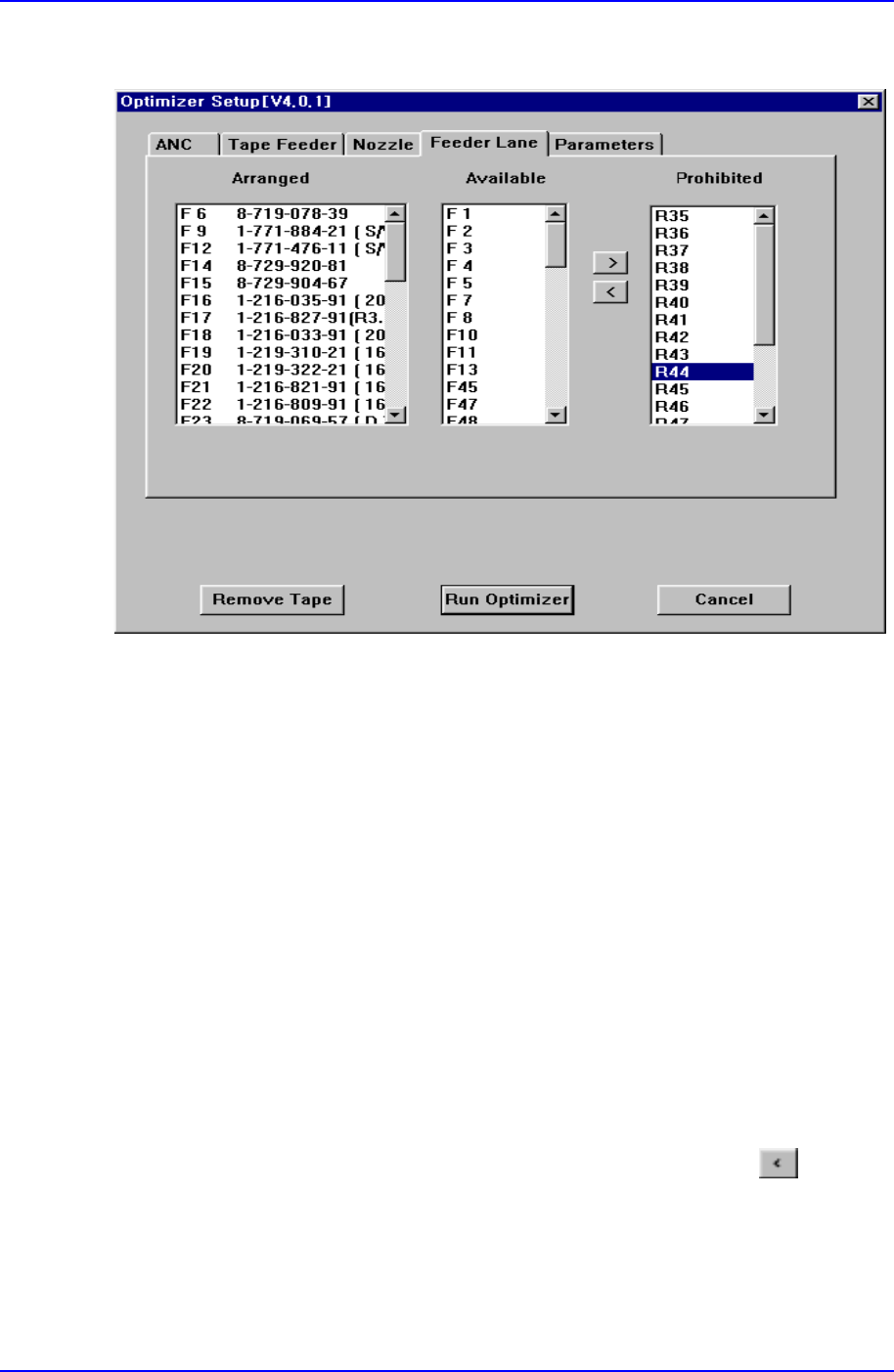
Figure A-5. "Optimizer Setup: Feeder Lane" dialog box
The screen to set the feeder lane to be used for feeder arrangement by the Optimizer. The
devices that can be arranged on the feeder lane are tape feeders, stick feeder units,
movable ANCs, camera units fixed on the feeder lane. This screen shows the current
arrangement status on each feeder lane. The feeder lanes on which devices shouldn't be
arranged in the Optimizer can be specified.
<Arranged> list box
Displays the status of already installed feeder lanes, installed tape feeders, movable
ANCs, and cameras. The F in the feeder lane number indicates the front feeder base,
R indicates the rear feeder base.
<Available> list box
Displays the feeder lanes on which the Optimizer can arrange tape feeders, stick
feeder units, movable ANCs, and fixed type camera units. If you don't want to
arrange any device on a certain feeder lane, click on the arrow button
and move
it to the <Prohibited> list box.
<Prohibited> list box
Specify the feeder lanes on which you don't want to arrange any feeder unit, ANC, or
camera, so that they are displayed in this group. No device is arranged by the

Appendix A Optimizer
A-9
Optimizer on the feeder lanes listed here. But you don't need to specify each lane in
the <Prohibited> list box while considering the width of the feeder unit, ANC, and
camera unit. The Optimizer is set to consider the width of the device to be arranged
on the feeder lane so that there is no mechanical interference. Use the arrow buttons,
and to move between the <Available> list box and the <Prohibited> list
box.
Samsung Component Placer CP-45F(V)/FS Operations Manual
A-10
A.5. Setup Menu/Parameters
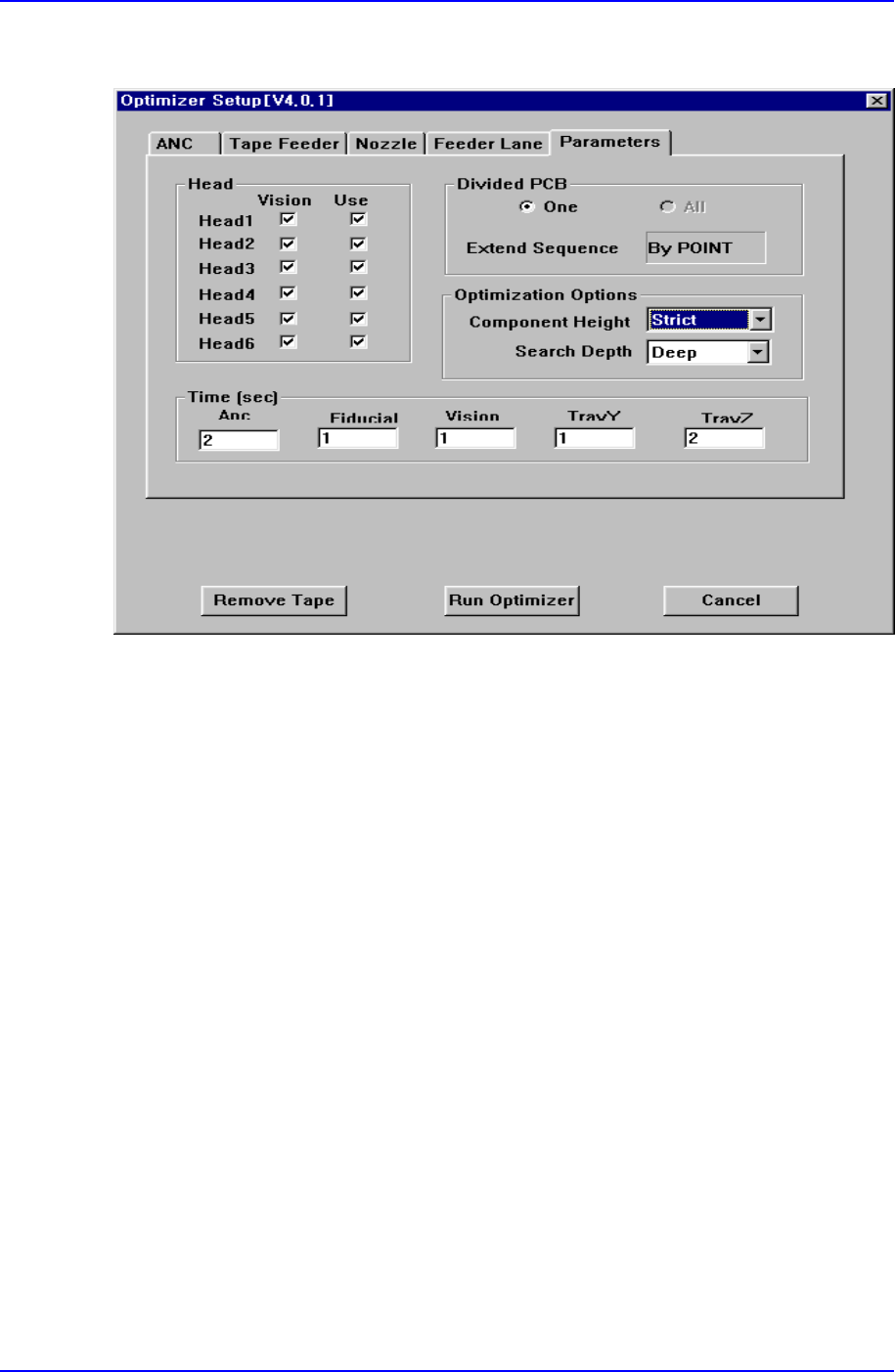
Figure A-6. "Optimizer Setup: Parameters" dialog box
Lastly, the screen to set the options and parameters for the Optimizer execution.
<Head> check box group
Set whether to use each head, and whether to operate on the vision arranged
components. Check the vision check box when the vision arranged components in the
corresponding head are to be operated. For full vision equipment like CP-45 model,
check all the vision check boxes. The use check box indicates whether to use the
corresponding head. For example, if there is a problem with Head3 and it is difficult
to operate, click on the use check box for Head3 and leave it blank. Then the
Optimizer creates an operation program without using the prohibited head. When all
the heads are prohibited, an error message is displayed immediately when the
Optimizer is executed.
<Divided PCB> box group
Used to specify optimization options and display method of the MMI step program
when the Array PCB is edited. The Array PCB can have only one unit PCB displayed
in the step program and have the same operation repeated for each PCB or have the
step program for the whole PCBs be displayed. This can be selected in the step edit
screen of the MMI. When the former is selected, it is indicated in the <One> button in