APPENDIX.pdf - 第22页
在线预览 APPENDIX.pdf PDF 文档。

Appendix A Optimizer
A-15
The arrangement status of tape feeders, ANCs, and nozzles is displayed in this group.
Pre indicates the number arranged by the user, New indicates the number newly
arranged in the Optimizer, and Total indicates the total number of arrangements.
<Pickup> group
The distribution of simultaneous component pickups is displayed in this group. As
the CP-45 model has 6 heads, there are 6 types of component pickups, from
individual pickup to 6 simultaneous pickups. The number of pickup points and its
percentage for each pickup type is displayed in this group.
I: Component pickup by one head only (individual pickup)
2S: Component pickup by two heads simultaneously
3S: Component pickup by three heads simultaneously
6S: Component pickup by six heads simultaneously
<Cycle> group
The status of component allocation, feeder allocation, and nozzle allocation in the
final step program is displayed in this group. Three radio buttons on the bottom let
the user to select one and see the allocation status. The number in the rightmost
column displays the number of cycle repetitions.
Component: In the component allocation status, the component to be operated by
each head is displayed with cx, x is the number given to a component. (Component
name is not displayed here)
Feeder: In the feeder allocation status, the feeder lane from which the head picks up
is displayed. The front feeder base is indicated by Fx, and the rear feeder base by Rx.
Here x is the feeder lane number. And, the stick feeder is indicated by Sx, and tray
feeder by Tx, here x is not a feeder unit name but a division by pickup point.
Nozzle: The nozzle allocation status shows which nozzle is used for which head.
The name of the nozzle to be used by each head is displayed.
Appendix B 3D Trouble Shooting Guide
B-1
Appendix B. 3D Trouble Shooting Guide
‘3D Trouble Shooting Guide’ (hereinafter Mark3TSG) is a program that illustrates
solutions for problems with 3 D animation.
B.1. Installation
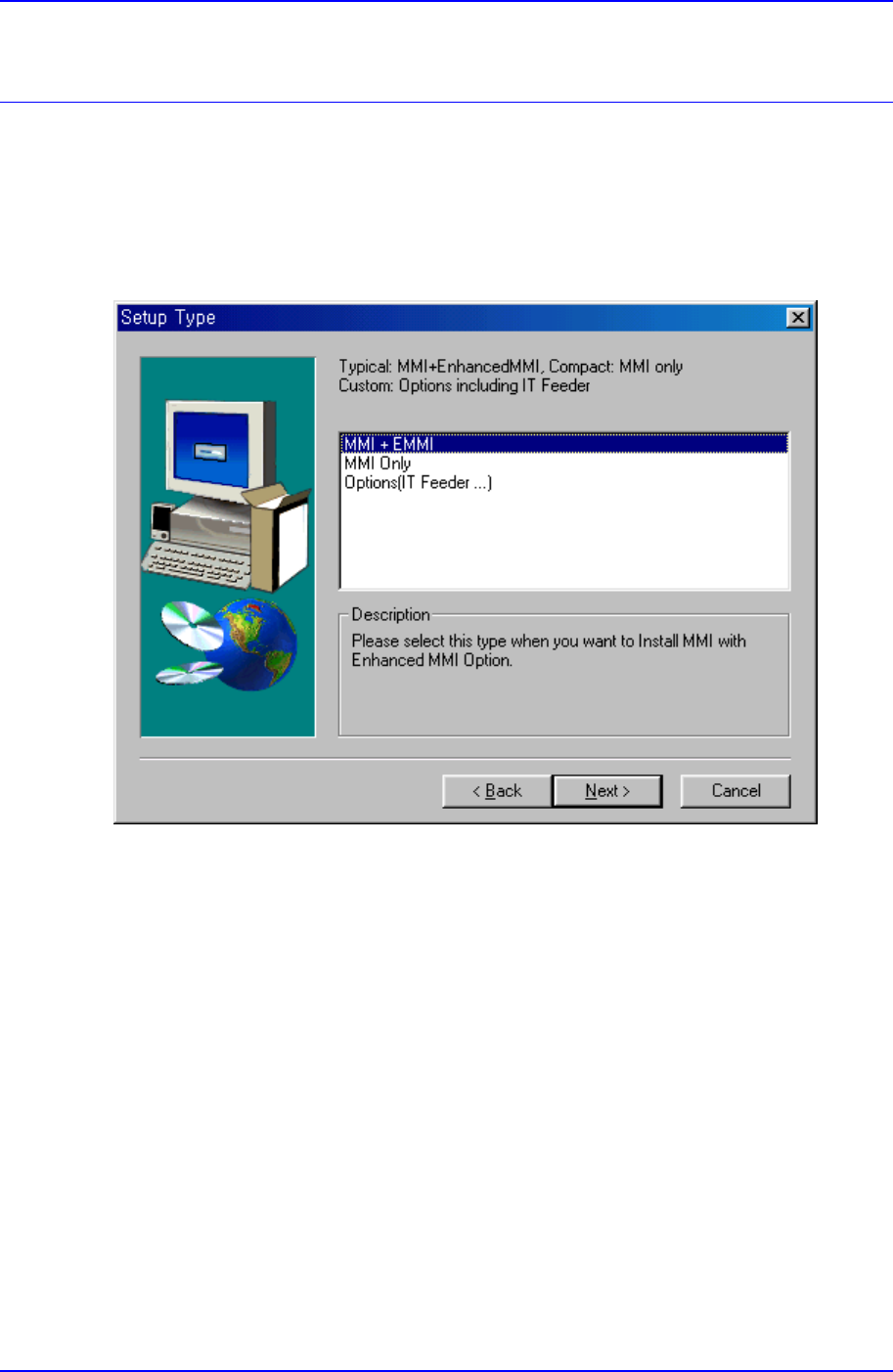
Figure B-1. "Setup" dialog box
After executing 'setup.exe' from the CP45 S/W installation diskette or CD-Rom, select
MMI+EMMI from the Setup Type dialog box earlier to install Mark3TSG at
‘~Mark3\bin\TSG\’.
After completing installation, check if the following items are added to the ‘[Option]’ area
in the 'Mark3.ini' file in the ‘Mark3/Bin’ folder.
[Option]
TSG=1
TSGShowWarning=0
TSGShowAnime=1
The details of each item are as follows.
TSG: If it is set to 1, when MMI is running, Mark3TSG is running too. If it is set to 0,