APPENDIX.pdf - 第60页
Samsung Component Placer CP-45F(V)/FS Operations Manual C-2 (Diagnosis T ray) in Figure C-2. Figur e C-2. "T ray Feeder Communi cation Diagnosis " dialog box The following operations can be checked in relatio…
Appendix C Shuttle Tray Feeder
C-1
Appendix C. Shuttle Tray Feeder
C.1. Registering Shuttle Tray Feeder
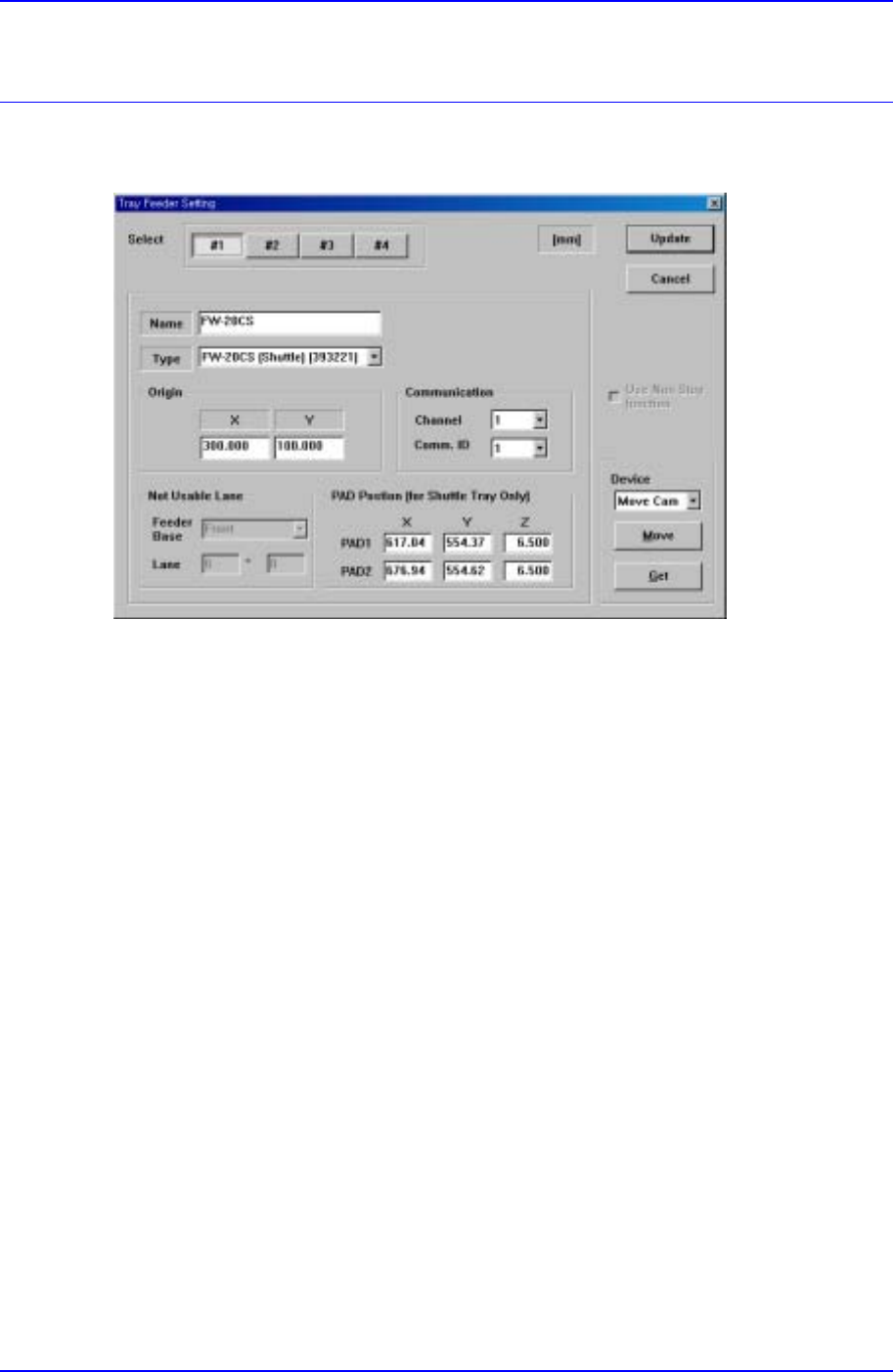
Figure C-1. "Tray Feeder Setting" Dialog box
After the Shuttle Tray Feeder has been installed, register it from the “Tray Feeder Setting”
dialog box (Sys. SetupTray) in Figure C-1 as follows.
① Enter the Tray Feeder name to specify in the Name item.
② Select ‘FW-20CS (Shuttle) (393221)’ from the Type item.
③ Enter the origin of Tray Feeder using the method same as that for setting the existing
Tray Feeder.
④ Set the Channel and Comm ID for the communication between the CP45 equipment
and the Tray Feeder.
⑤ Enter the PAD position of the Shuttle that is waiting for the component supply in the
CP45 equipment.
As the Shuttle Tray Feeder does not occupy a separate Feeder Lane unlike the existing
Tray Feeder, the default value is automatically set to Not Usable Lane.
C.2. Testing Shuttle Tray Feeder Operation
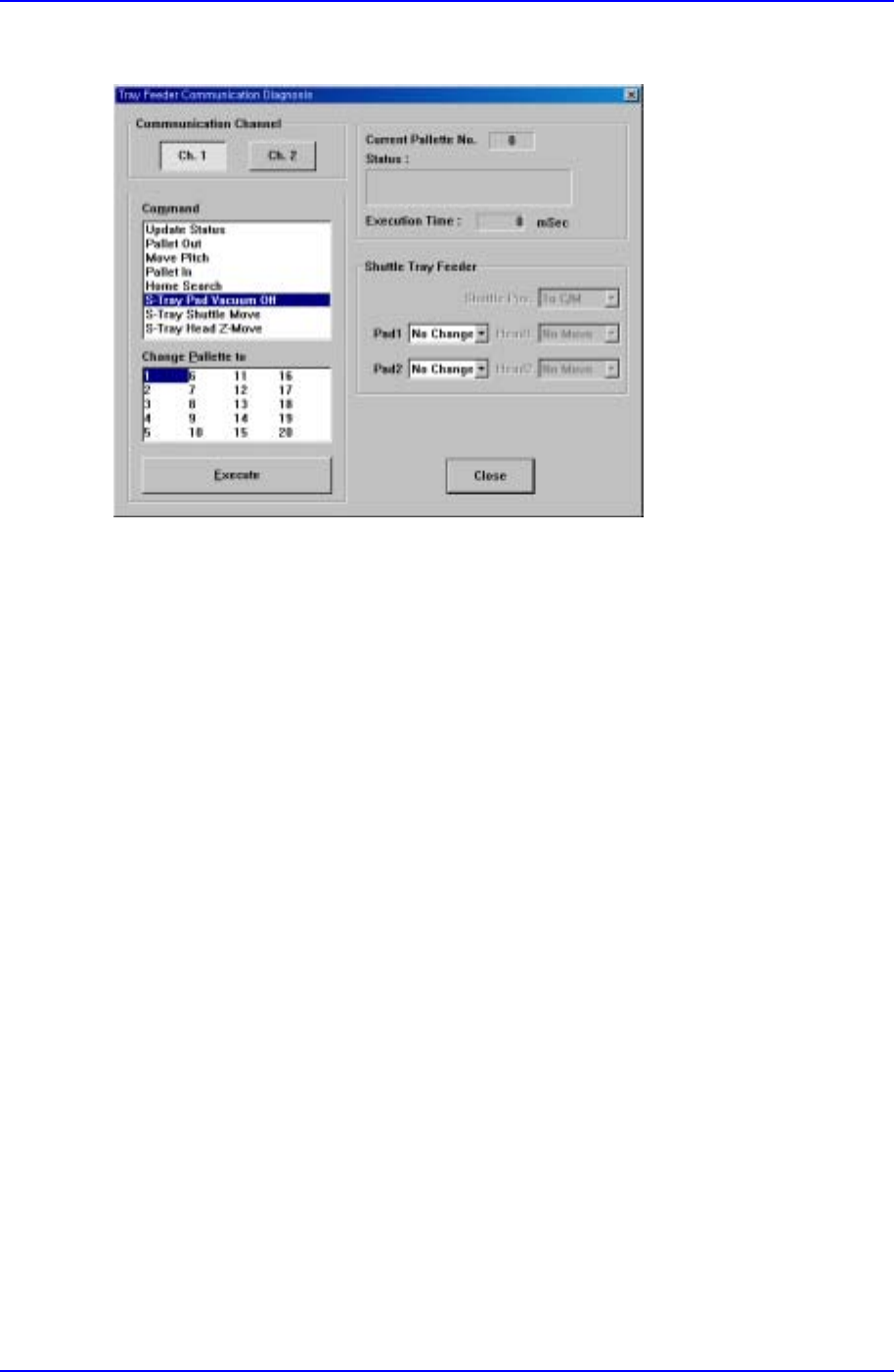
After the Shuttle Tray Feeder has been registered, the user can check whether it operates
normally from the "Tray Feeder Communication Diagnosis" dialog box
Samsung Component Placer CP-45F(V)/FS Operations Manual
C-2
(DiagnosisTray) in Figure C-2.
Figure C-2. "Tray Feeder Communication Diagnosis " dialog box
The following operations can be checked in relation to Shuttle Tray Feeder.
① S-Tray Pad Vacuum Off: Provides or stops air pressure to each PAD of the Shuttle.
② S-Tray Shuttle Move: Moves the Shuttle to the CP45 equipment or the Tray Feeder.
③ S-Tray Head Z-Move: Operates the head of the Tray Feeder.
Appendix C Shuttle Tray Feeder
C-3
C.3. Registering Components Supplied to Shuttle Tray Feeder
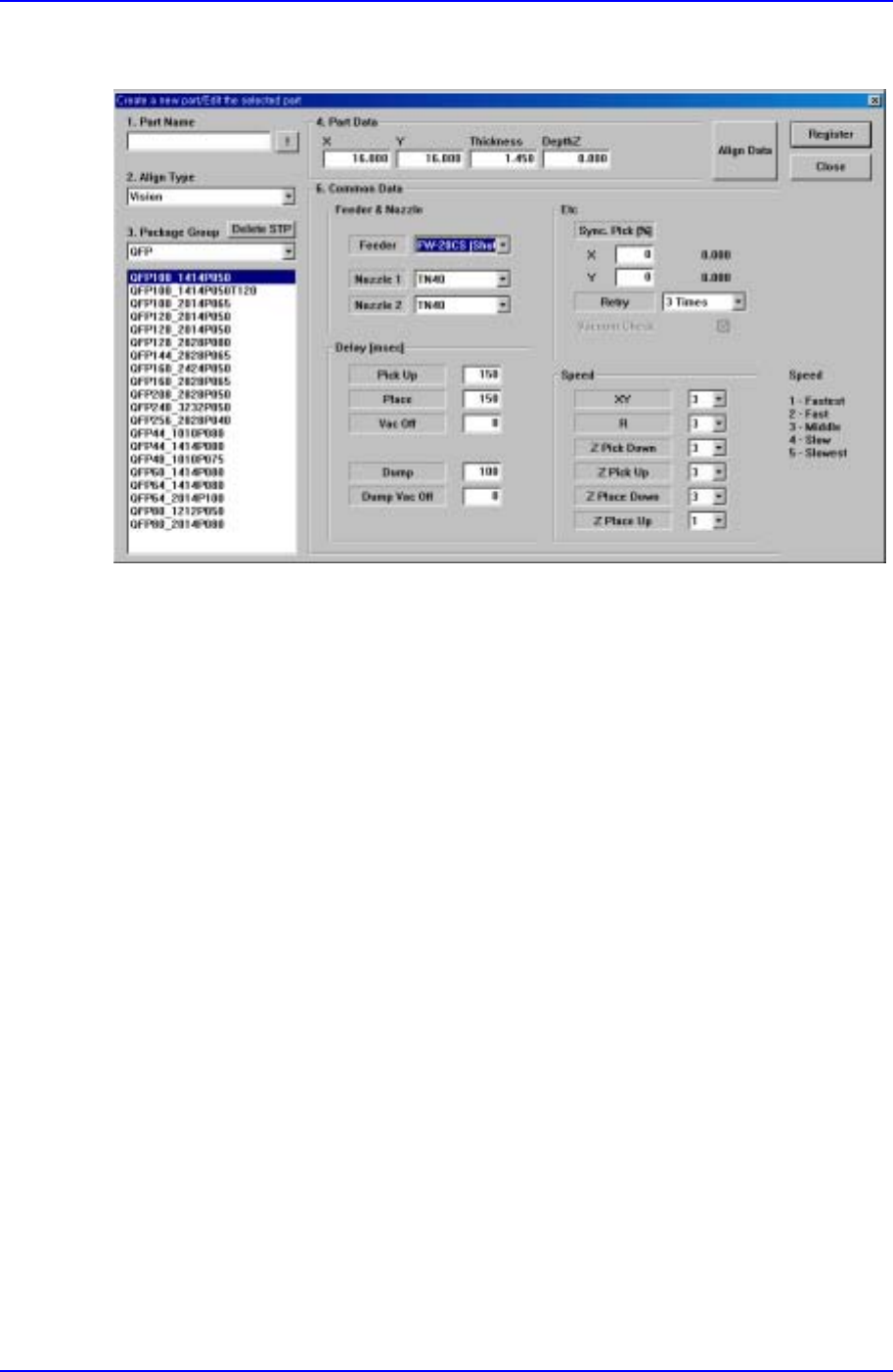
Figure C-3. "Create a new part/Edit the selected part" dialog box
The method of registering components supplied to the Shuttle Tray is the same as that for
the registration of existing components.
That is, as can be seen in Figure C-3, specify the Feeder item to ‘FW-20CS (Shuttle)’ in
the "Create a new part/Edit the selected part" dialog box (PCB EditPartNew Part…).