APPENDIX.pdf - 第26页
Samsung Component Placer CP-45F(V)/FS Operations Manual B-4 Next, the method of using ‘T rouble Shooting Guide’ is explained with examples. [Example 1] Solution for the error code $1000X 1. Select ‘Send Error Message to …
Appendix B 3D Trouble Shooting Guide
B-3
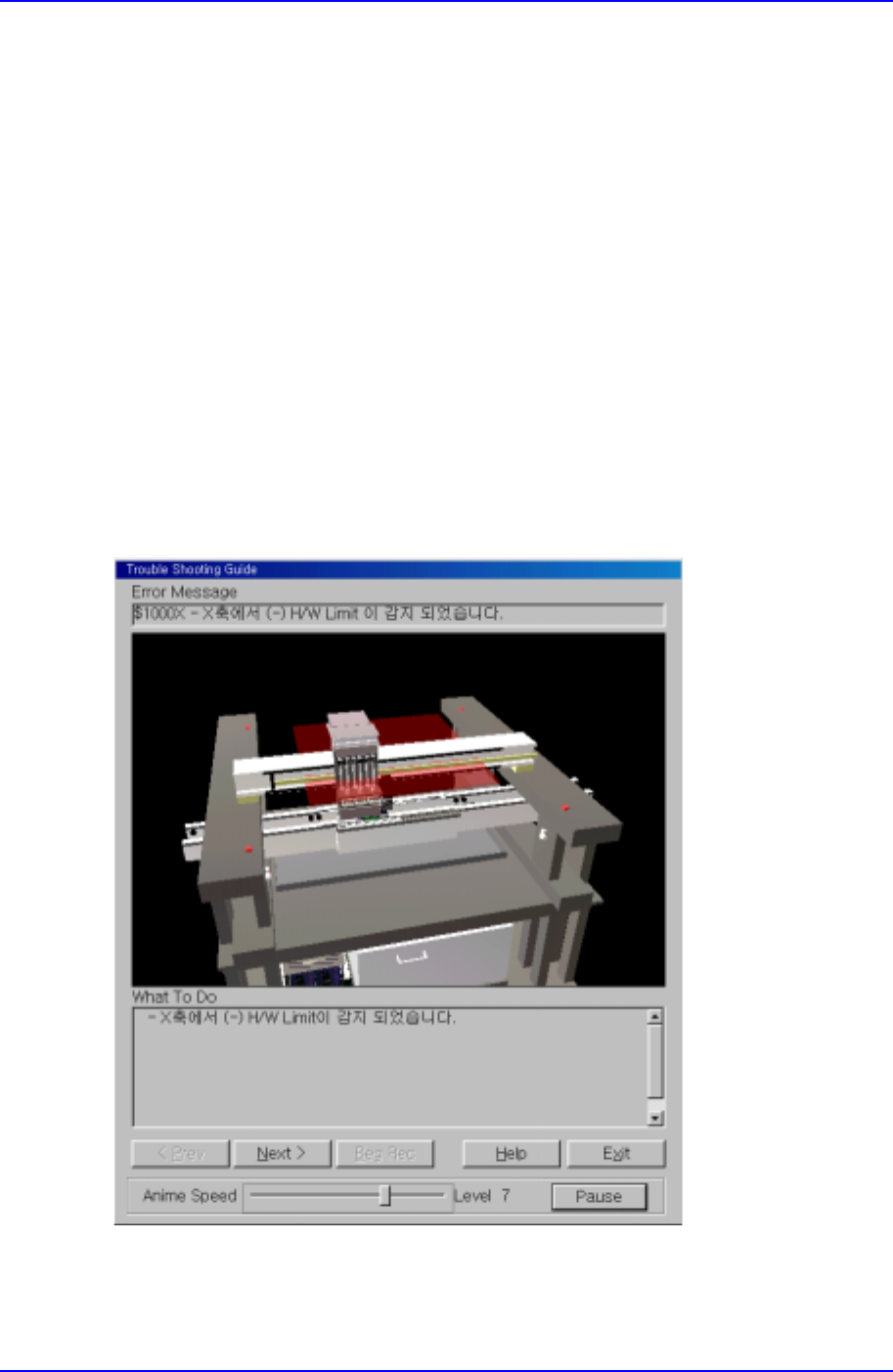
< Prev >
Use it to go back to the previous step of the solution.
<Next>
Use it to move to the next step of the solution.
When the <Next> button is pressed in the example shown in Figure B-5, the next item of
the solution appears as in Figure B-6.
<Help>
Use to check Online Help for the error.
<Exit>
Use it to end ‘Trouble Shooting guide’.
<Anime Speed>
Use it to adjust the replay speed of animation.
<Pause>
Use it to see the still picture of the animation being played.
Figure B-3. "Mark3TSG" screen
Samsung Component Placer CP-45F(V)/FS Operations Manual
B-4
Next, the method of using ‘Trouble Shooting Guide’ is explained with examples.
[Example 1] Solution for the error code $1000X
1. Select ‘Send Error Message to TSG’ from the View menu items on ‘Mark3’.
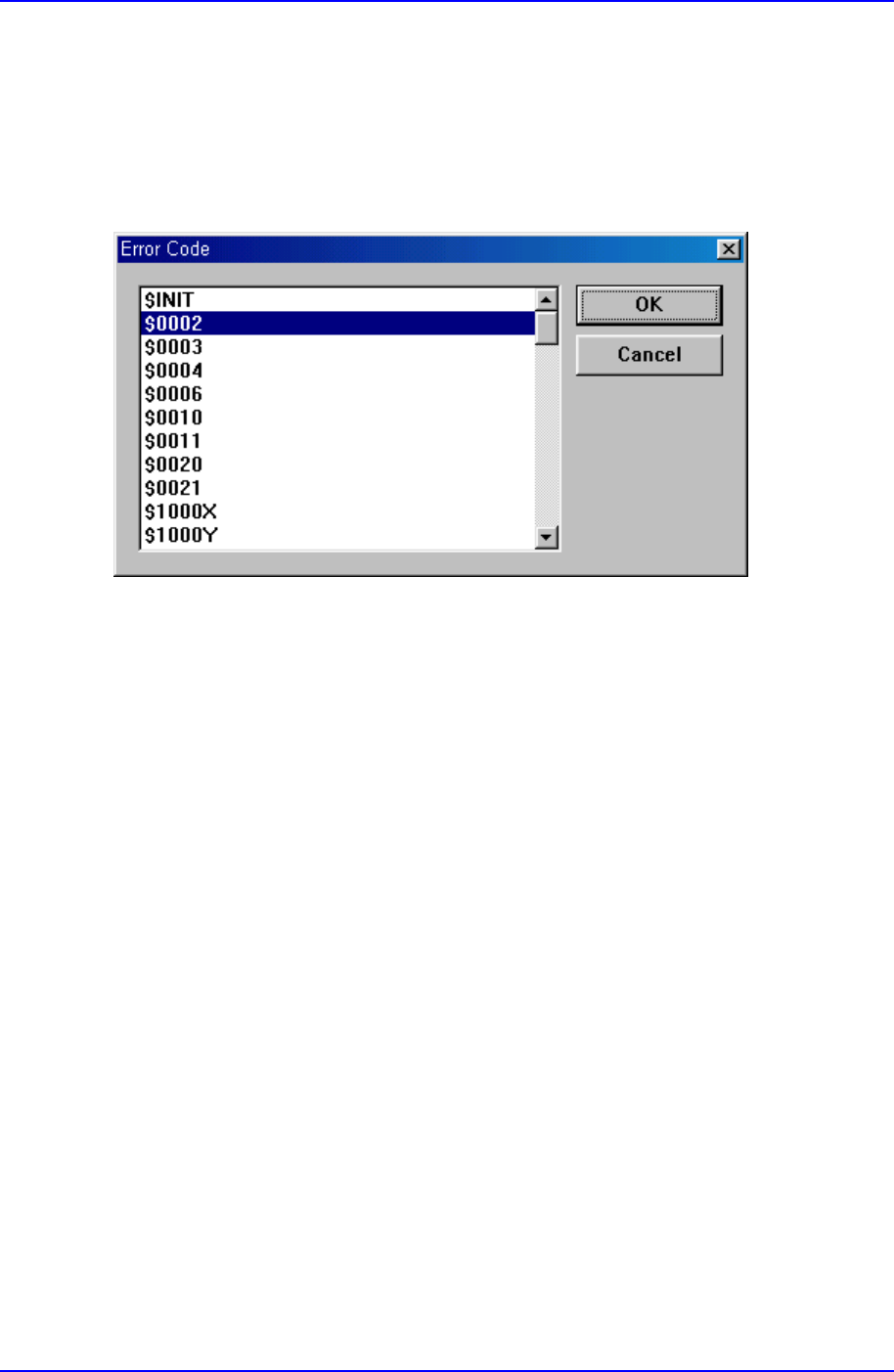
2. When the dialog box as in Fig. B-4 is displayed, select ‘$1000X’ and click on the ‘OK’
button.
Figure B-4. "Mark3TSG" screen
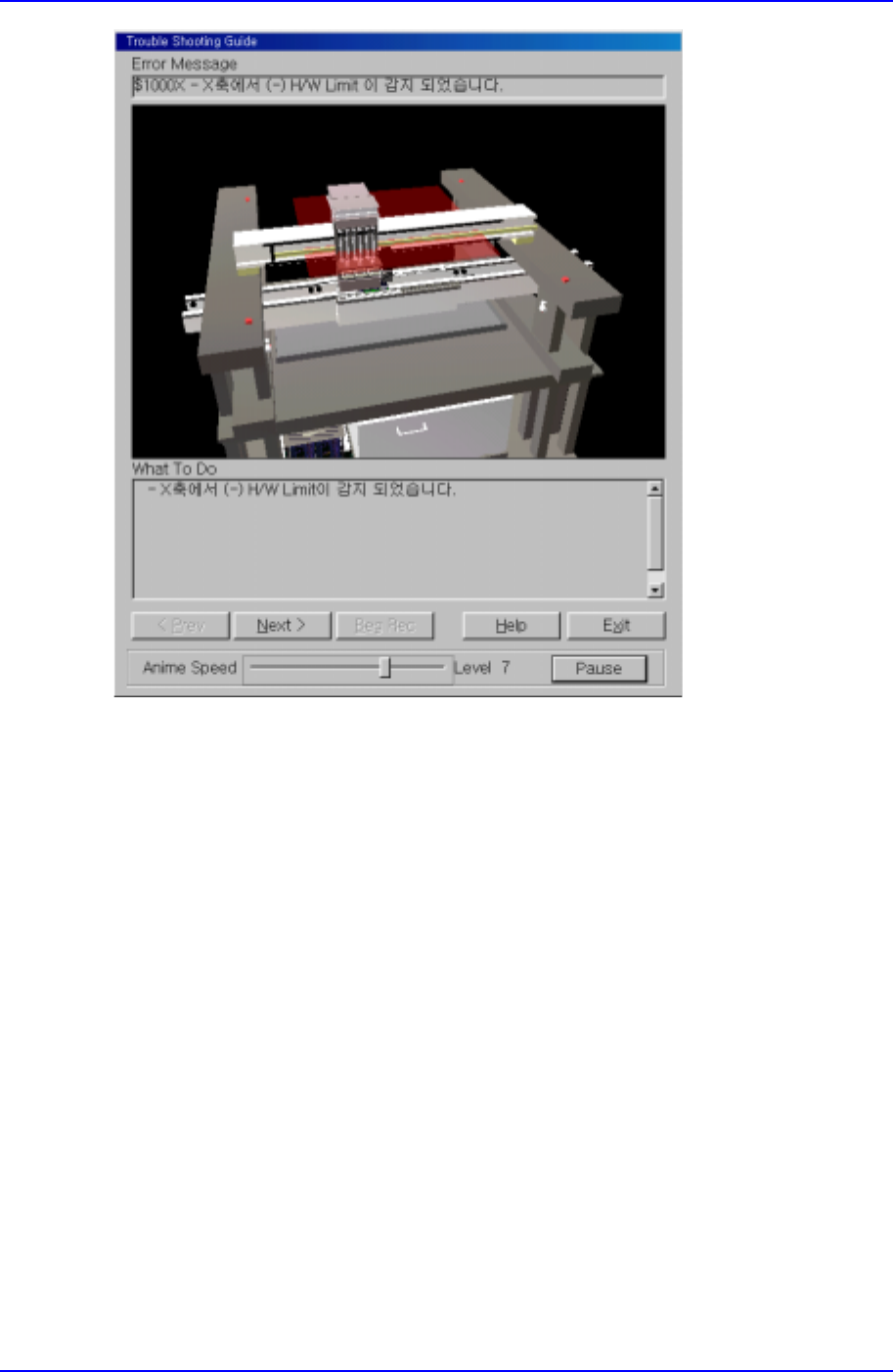
3. A ‘Trouble Shooting Guide’ screen as in Fig.B-5 is displayed. At this time, the user can
check the code, message, and situation of the present error with 3D animation.
Appendix B 3D Trouble Shooting Guide
B-5
Figure B-5. "Mark3TSG" screen
Check the error situation and click on the [Next>] button to move to the next step.
4. The screen changes to the next step as in Figure B-6. In actual situations, perform the
remedy shown in the ‘What To Do’ area and click on [Next>] to move to the next
step.