APPENDIX.pdf - 第28页
Samsung Component Placer CP-45F(V)/FS Operations Manual B-6 Figur e B-6. "Mark3TSG" scr een 5. The screen changes to the next step as in Figure B-7. In a selection step as in Figure B-7, the user must select th…
Appendix B 3D Trouble Shooting Guide
B-5
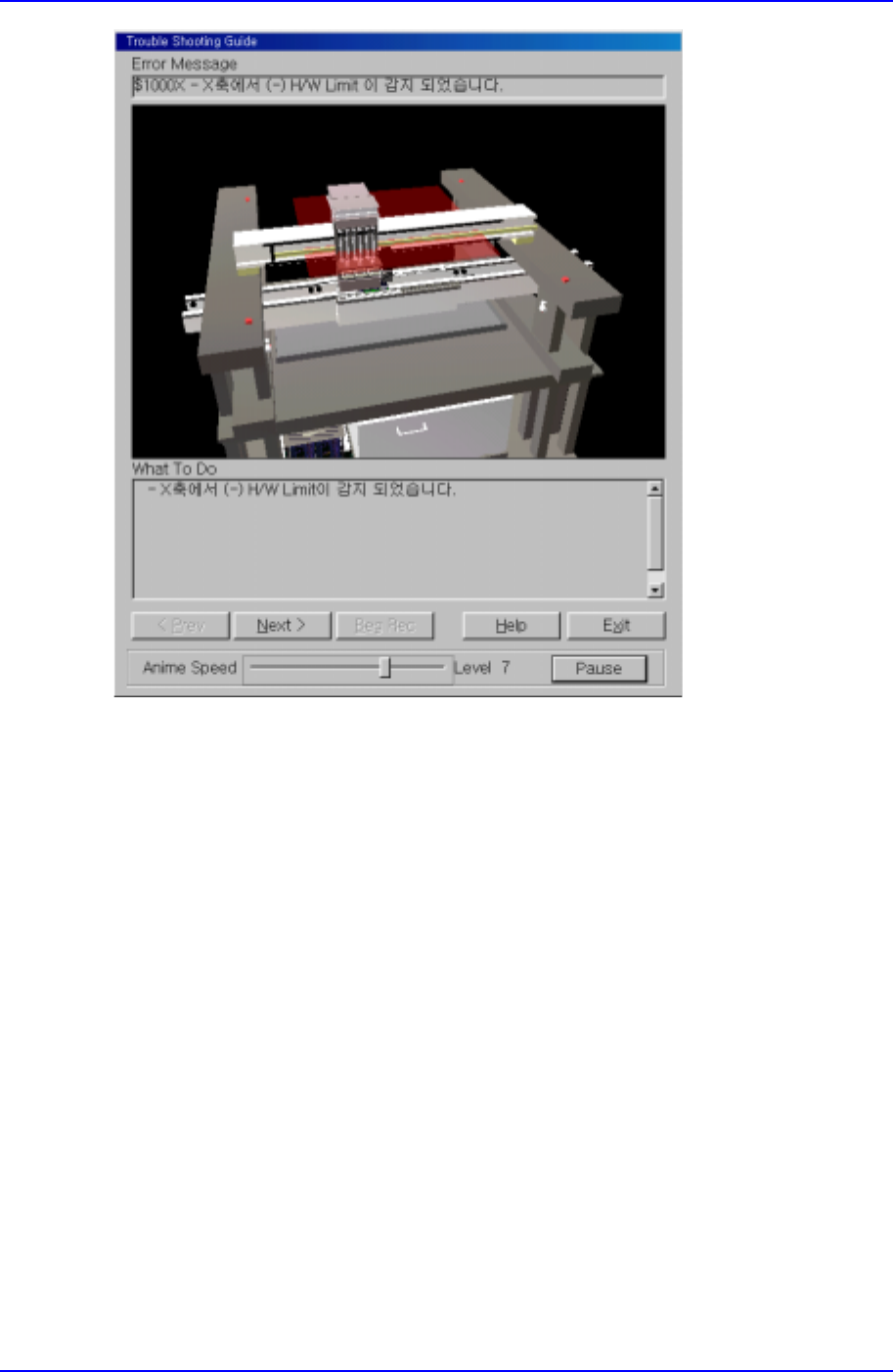
Figure B-5. "Mark3TSG" screen
Check the error situation and click on the [Next>] button to move to the next step.
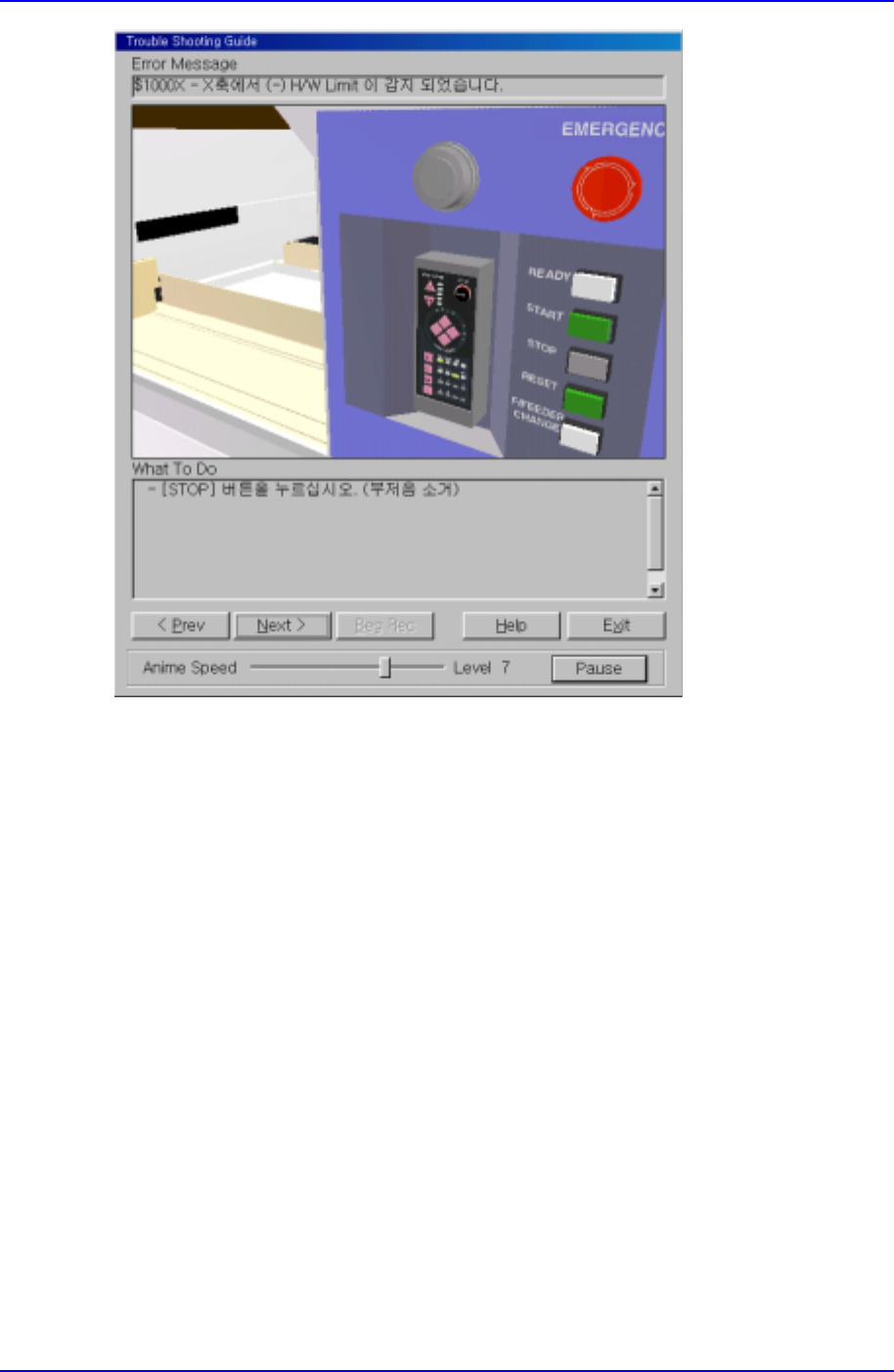
4. The screen changes to the next step as in Figure B-6. In actual situations, perform the
remedy shown in the ‘What To Do’ area and click on [Next>] to move to the next
step.
Samsung Component Placer CP-45F(V)/FS Operations Manual
B-6
Figure B-6. "Mark3TSG" screen
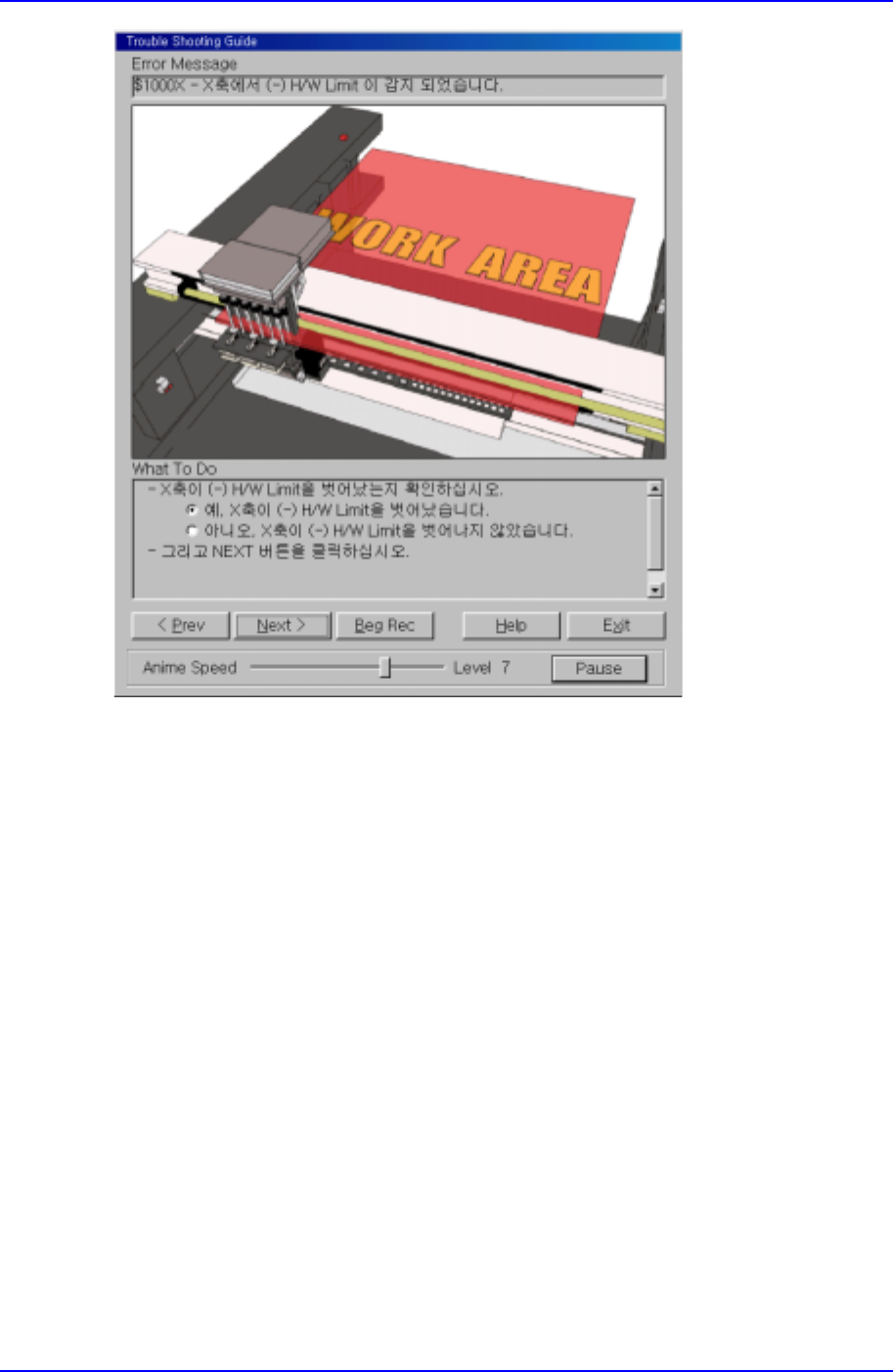
5. The screen changes to the next step as in Figure B-7. In a selection step as in Figure
B-7, the user must select the current situation to move to the next step. In this
example, the first situation is selected. Click on [Next>] to move to the next step.
Appendix B 3D Trouble Shooting Guide
B-7
Figure B-7. "Mark3TSG" screen
6. Proceed with the items of the solution as in the previous steps, then the last step
appears as in Figure B-8. When all the steps of the solution are completed, click on
the [Exit] button to end Trouble Shooting Guide.