APPENDIX.pdf - 第68页
Samsung Component Placer CP-45F(V)/FS Operations Manual D-4 8. Check if there is a problem with docking In/Out operation. 9. If needed , adjust the speed controller to have the desired speed since the more feeder take th…

Appendix D. Docking Cart
D-3
D.1.3.3. Feeder
In the CP-45 series, any type of Feeder that can be mounted on the Feeder Base can be
mounted.
Pneumatic Tape Feeder type: 8,12,16,24,32,44,56mm
(Reel Size: MAX 380mm but 330mm when the machine with 900mm height as the
height of PCB transport rail use the tape cutter device)
Stick Feeder: Multi Vibration, Multi Belt, Stack Belt
D.2. Operation Method
D.2.1. Prerequisites
After the Feeders are batch changed by the Docking Cart, the following items should be
checked for regular surface mounting operation.
Safety conditions of the machine when changing the Feeder Base.
OFFSET following the change of each Feeder Base.
D.2.2. Preparation
D.2.2.1. Setting the height of the Docking Cart
To set the height of the docking cart , perform the following steps.
1. Connect the air coupling to supply the compressed air.
2. Unscrew the fixed bolt to have the shaft turn.
3. Adjust the upper limit by rotating the shaft and then have the left shaft and the right
shaft with equal height.
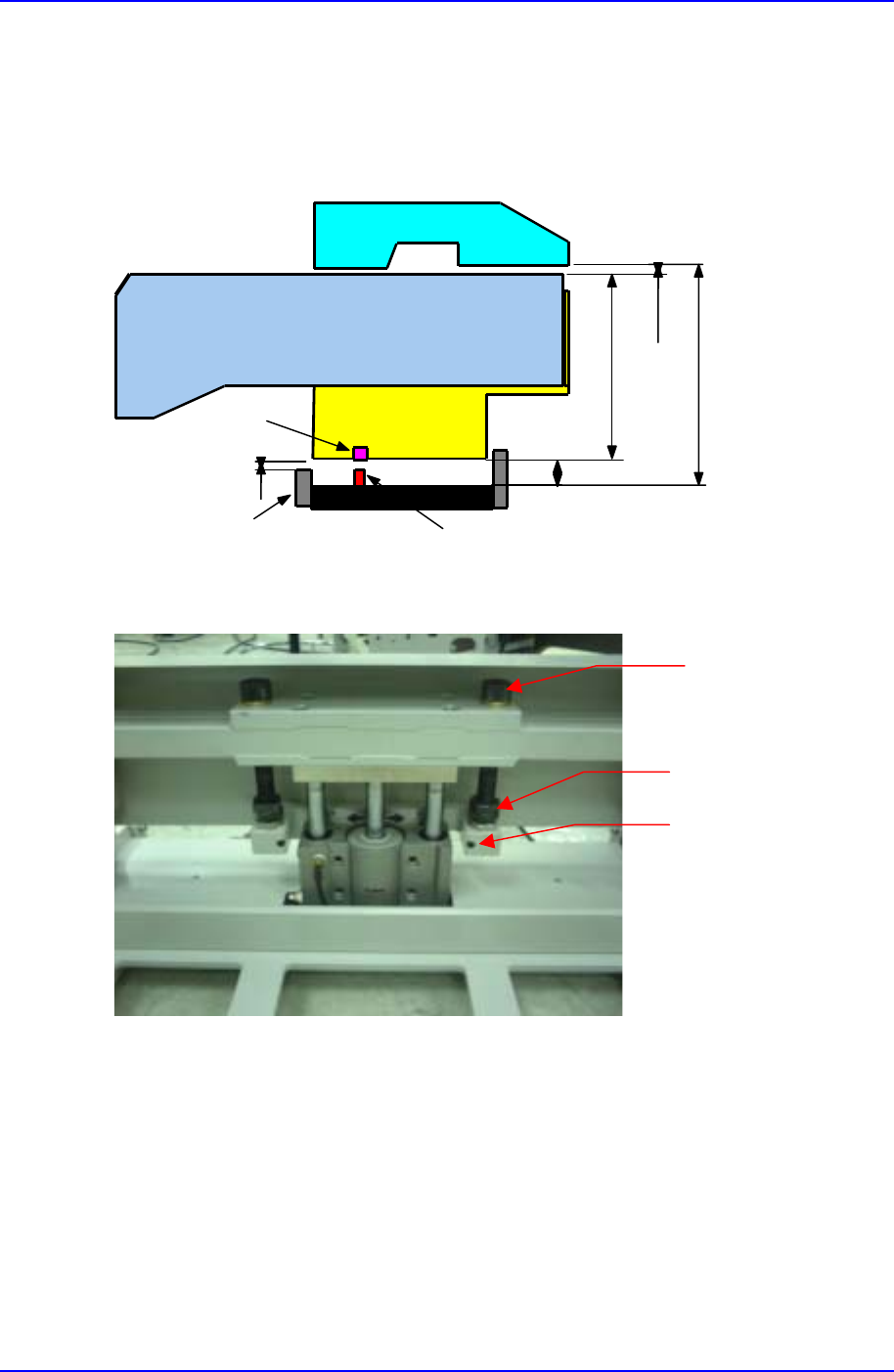
4. While referring to Figure 2-1, control the height of the DC-Feeder Base by raising the
Docking Cart(set it so that the bottom of the DC-Feeder Base is about 2mm higher than
the low stopper).
5. Rotate the nut for setting the low limit so that can keep the height of the docking cart
be about 5mm away from the DC-Feeder Base and then lock the nut for setting the low
limit.
6. While referring to Figure 2-2, screw the fixed bolt to keep the shaft from turning.
7. Raise the Docking Cart to the highest point and plug it into the machine.
Samsung Component Placer CP-45F(V)/FS Operations Manual
D-4
8. Check if there is a problem with docking In/Out operation.
9. If needed , adjust the speed controller to have the desired speed since the more feeder
take the more time to keep the docking cart up and the less time to keep it down
3mm
11mm
6mm
TAPE FEEDER
ALIGN BODY
DC-FEEDER BASE
PIN
BUSH
LOW LIMIT
STOPPER
A+17mm
A
Figure D-2. Setting the height of the docking cart
Figure D-3. The cylinder up
Shaft
Nut
The bolt for locking shaft
Appendix D. Docking Cart
D-5
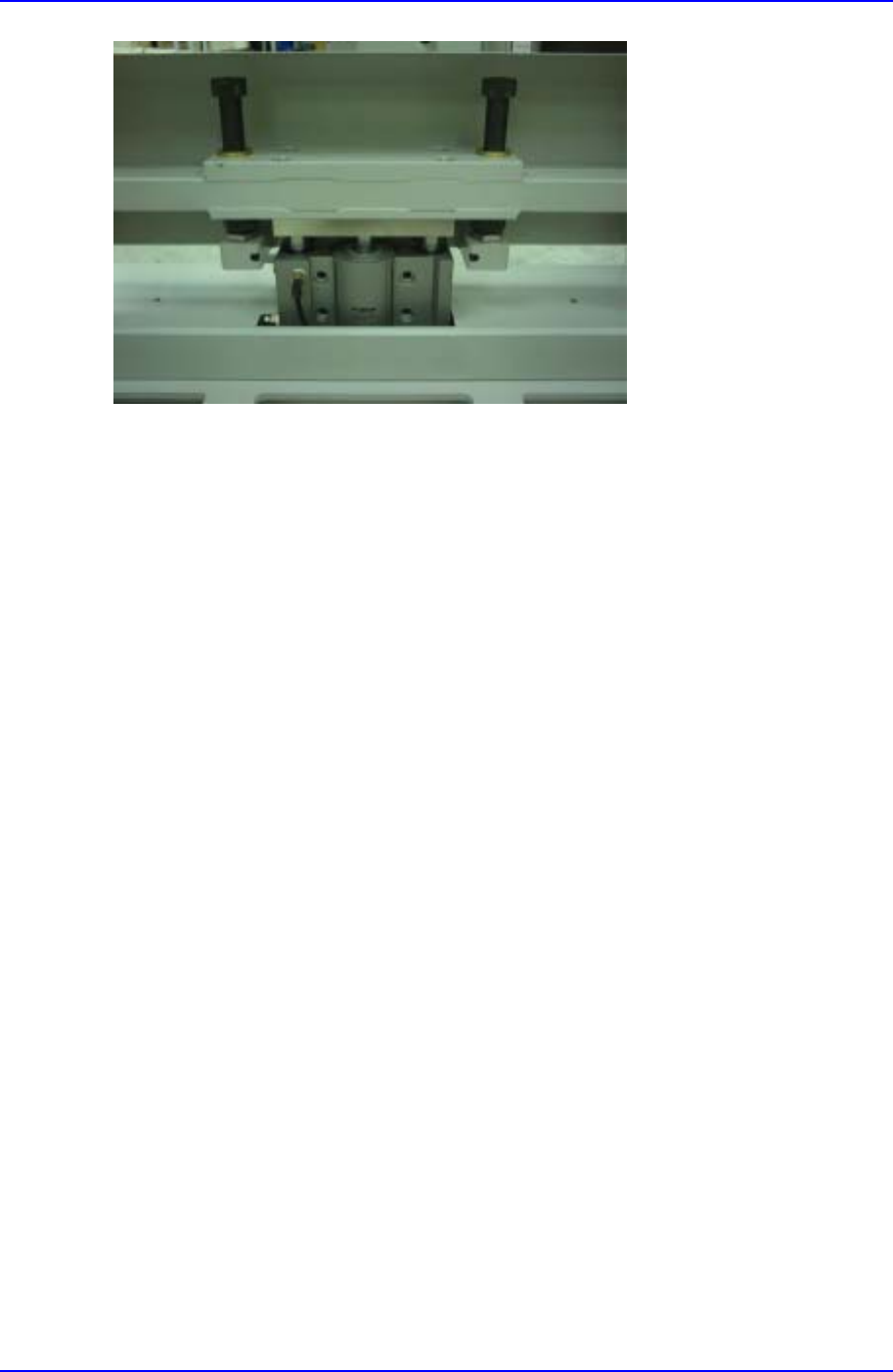
Figure D-4. The cylinder down
D.2.3. S/W Operation
D.2.3.1. Software specifications
Runs on MMI Version 2.108, VME 2.3 or later versions.
D.2.3.2. MMI System Setup Editing
Select System Preference from System Setup menu. Select Option tab on the System
Preference screen. And then you should set Feeder base system Option to Feeder
Base[Docking]. The numbers before each item indicate front feeder base(1) and rear
feeder base(2). (Referring to Figure E-5)