晶圆测试说明书Cascade-11861-6-Manual.pdf - 第53页
Chapter 3: Installing • 29 2. Remove the #8 scre w from the roll-out stage and remove the two foam blocks between the sliding plates. T o remove the GT chuck shipping restraints N OTE High temperat ure ther mal (HT) chuc…
28
• Summit 11K/12K Probe Station User’s Guide
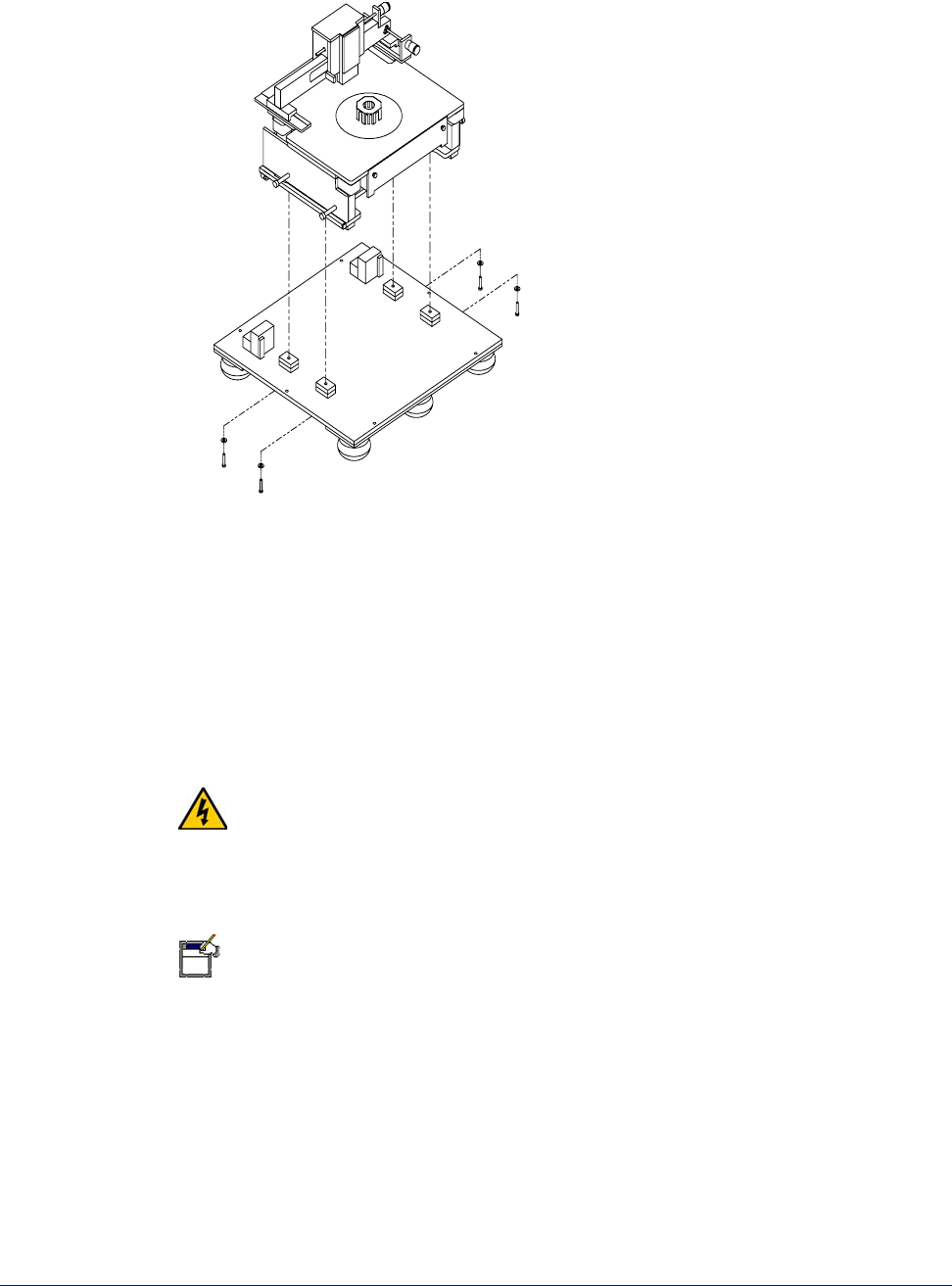
1. Unbolt (from underneath the pallet) the (4) bolts holding the probe station to
the bottom pallet (fig. 12).
2. Use the forklift to position the probe station next to, and at the same height
as, your workbench.
3. Four people should lift and slide the probe station onto the workbench.
4. Once the station is positioned, you can unscrew the lift handles and cover the
screw holes with the black snap-in covers.
WARNING
The probe station weighs 163 kg (360 lb). Prevent injuries by having at least four
people move it.
REMOVE AND SAVE SHIPPING RESTRAINTS
NOTE
Remove the shipping restraint screws with a 9/64-inch hex wrench that was
packed with the station.
Save the shipping restraints. If Cascade’s Customer Service requests that you
return the station, you will need to put the shipping restraints back into position.
To remove the roll-out stage shipping restraints
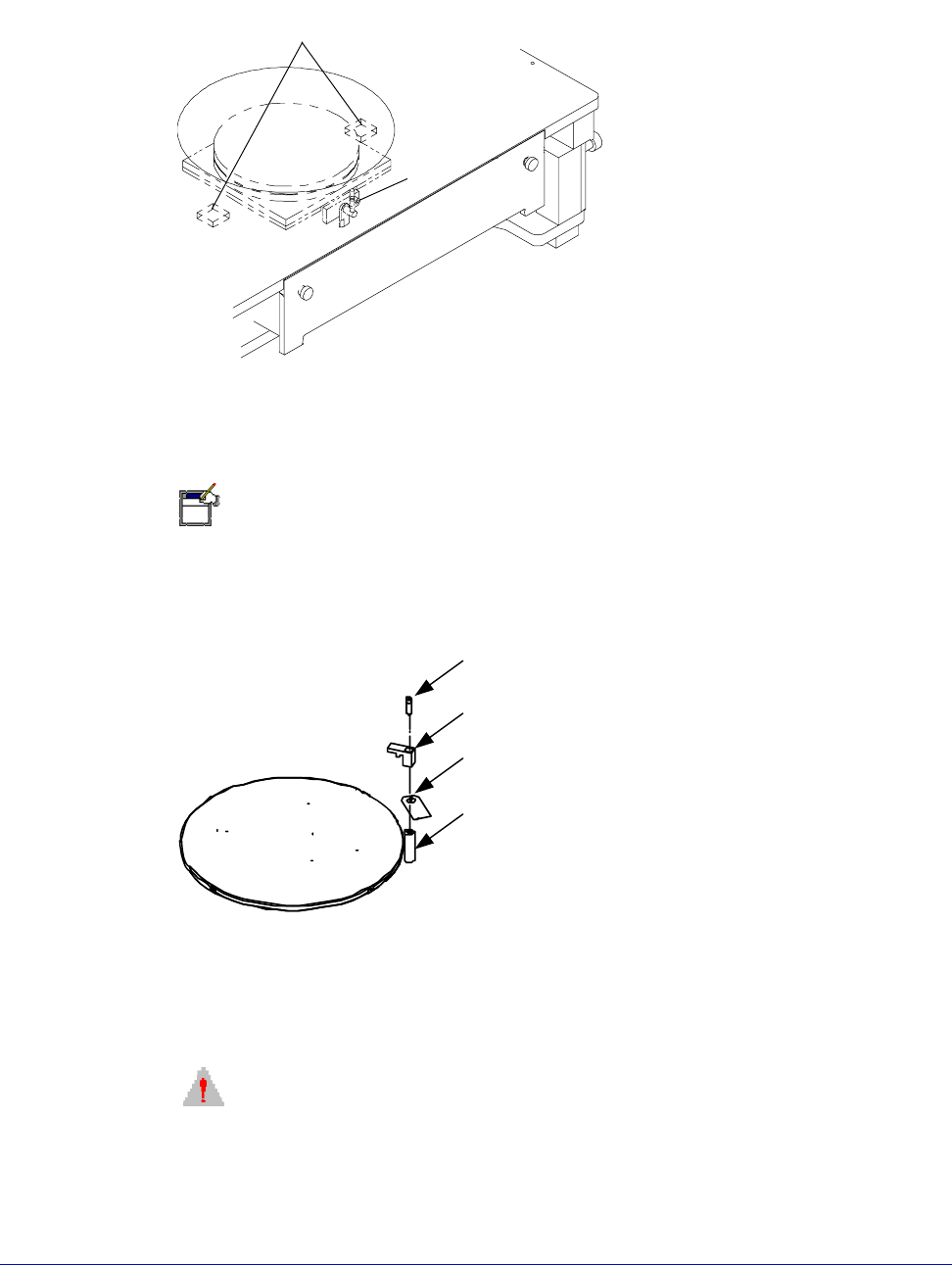
1. Turn the knobs inward and open the door (fig. 13).
Fig. 12. Hold-down bolts.
Chapter 3: Installing •
29
2. Remove the #8 screw from the roll-out stage and remove the two foam blocks
between the sliding plates.
To remove the GT chuck shipping restraints
NOTE
High temperature thermal (HT) chucks have similar shipping restraints (marked
with red tag).
1. Use a 7/64-inch hex wrench to remove the restraints.
2. Save all parts.
To remove the platen lift handle shipping restraint
1. Remove the #8 screw on the lift handle (marked with red tag).
CAUTION
Do not raise the platen lift handle until the following second step is completed.
Fig. 13. Shipping restraints between the sliding plates and roll-out stage.
foam blocks inside the microchamber
between the sliding plates and
the rollout stage (2)
#8 screw
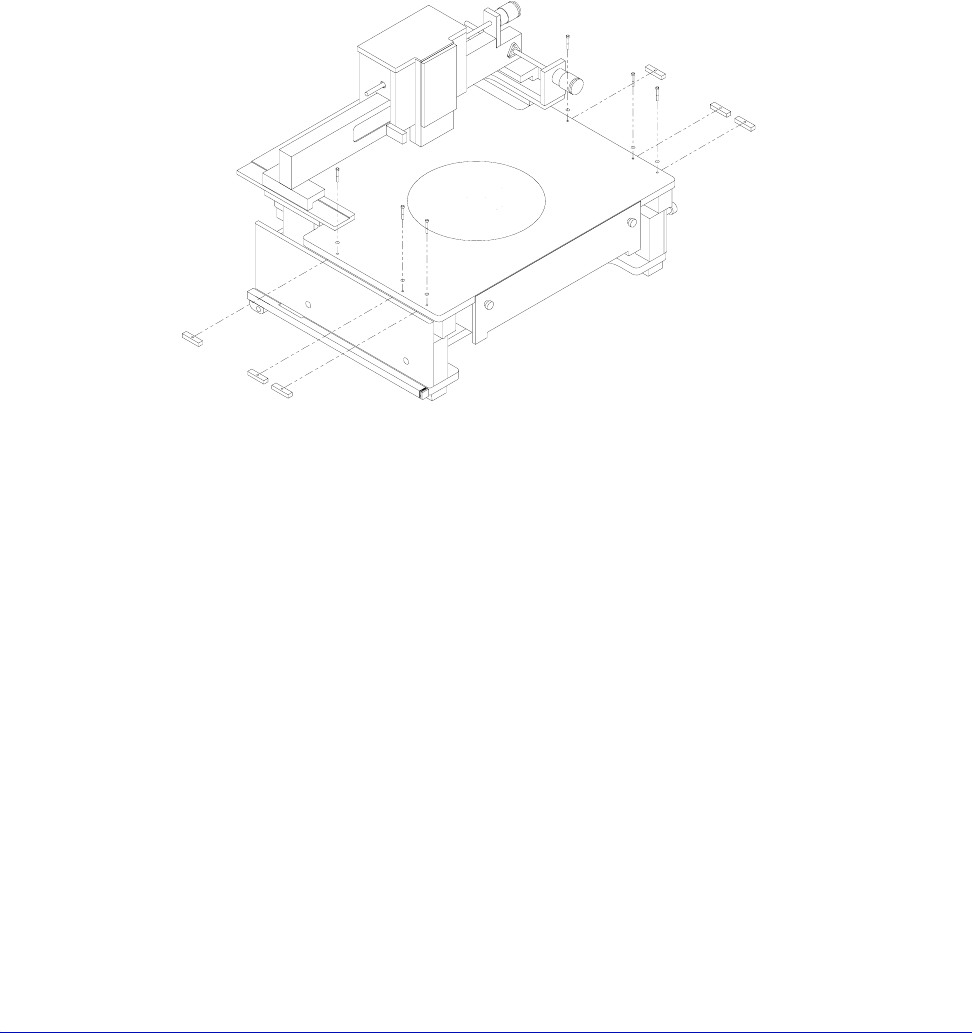
Fig. 14. High temperature chuck shipping restraints.
Bracket, top
Bracket, bottom
Bolt
Shipping bolt tag
30
• Summit 11K/12K Probe Station User’s Guide
To remove the platen shipping restraints
1. There are three short metal blocks screwed in place under the platen on the
right and left sides of the station. You must carefully remove the blocks to
prevent them from falling inside the station (fig. 15).
2. Loosen (1/16 to 1/8-inch), but do not remove, the top #8 screws holding the
blocks in place.
3. Slightly raise the platen (with the Z-lever) to release the pressure on the
shipping blocks.
4. Rotate each block one-quarter turn; hold onto each block; remove its screw;
then remove the block.
Fig. 15. Platen shipping restraints.