晶圆测试说明书Cascade-11861-6-Manual.pdf - 第55页
Chapter 3: Installing • 31 T o remove the x-y stage shipping restraint 1. Unscrew the (2) #8 screws holding the X-Y stage shipping restraint (marked with a red tag) and remove ( fig. 16 ). L ARGE -A REA M ICROSCOPE B RID…
30
• Summit 11K/12K Probe Station User’s Guide
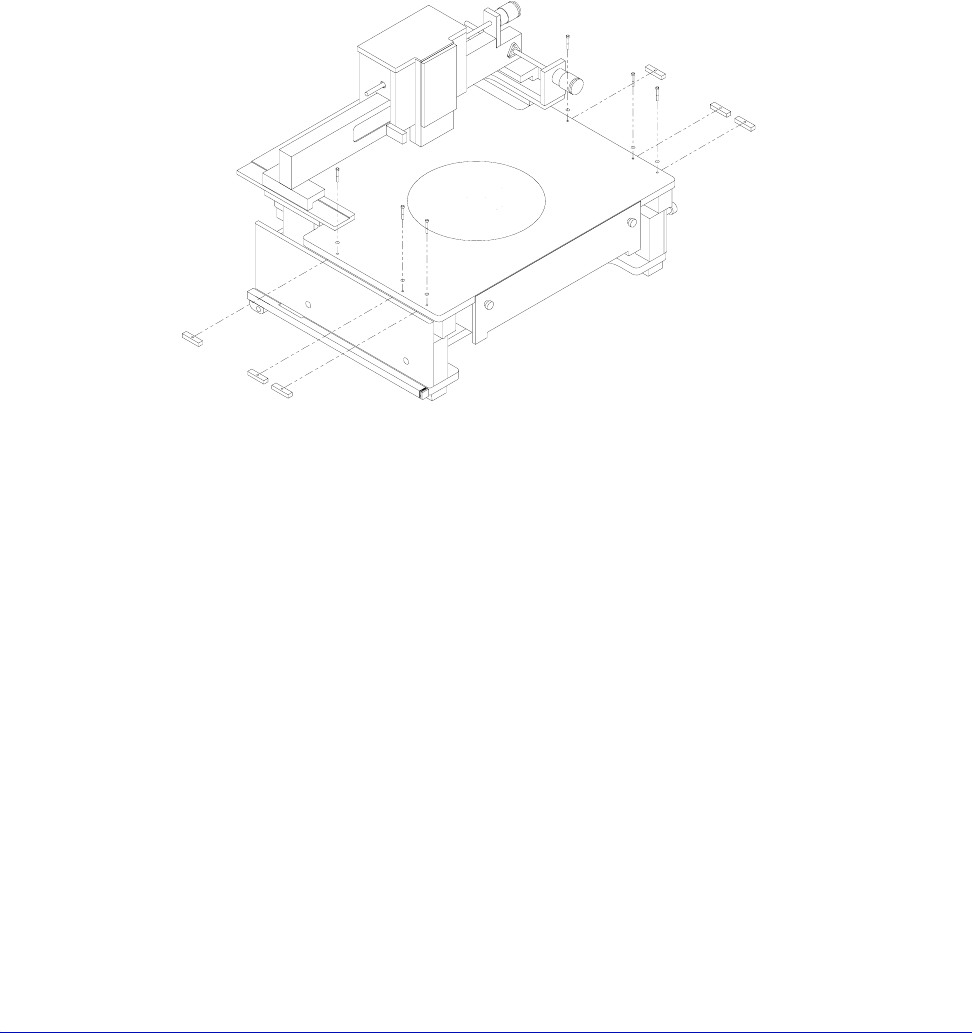
To remove the platen shipping restraints
1. There are three short metal blocks screwed in place under the platen on the
right and left sides of the station. You must carefully remove the blocks to
prevent them from falling inside the station (fig. 15).
2. Loosen (1/16 to 1/8-inch), but do not remove, the top #8 screws holding the
blocks in place.
3. Slightly raise the platen (with the Z-lever) to release the pressure on the
shipping blocks.
4. Rotate each block one-quarter turn; hold onto each block; remove its screw;
then remove the block.
Fig. 15. Platen shipping restraints.
Chapter 3: Installing •
31
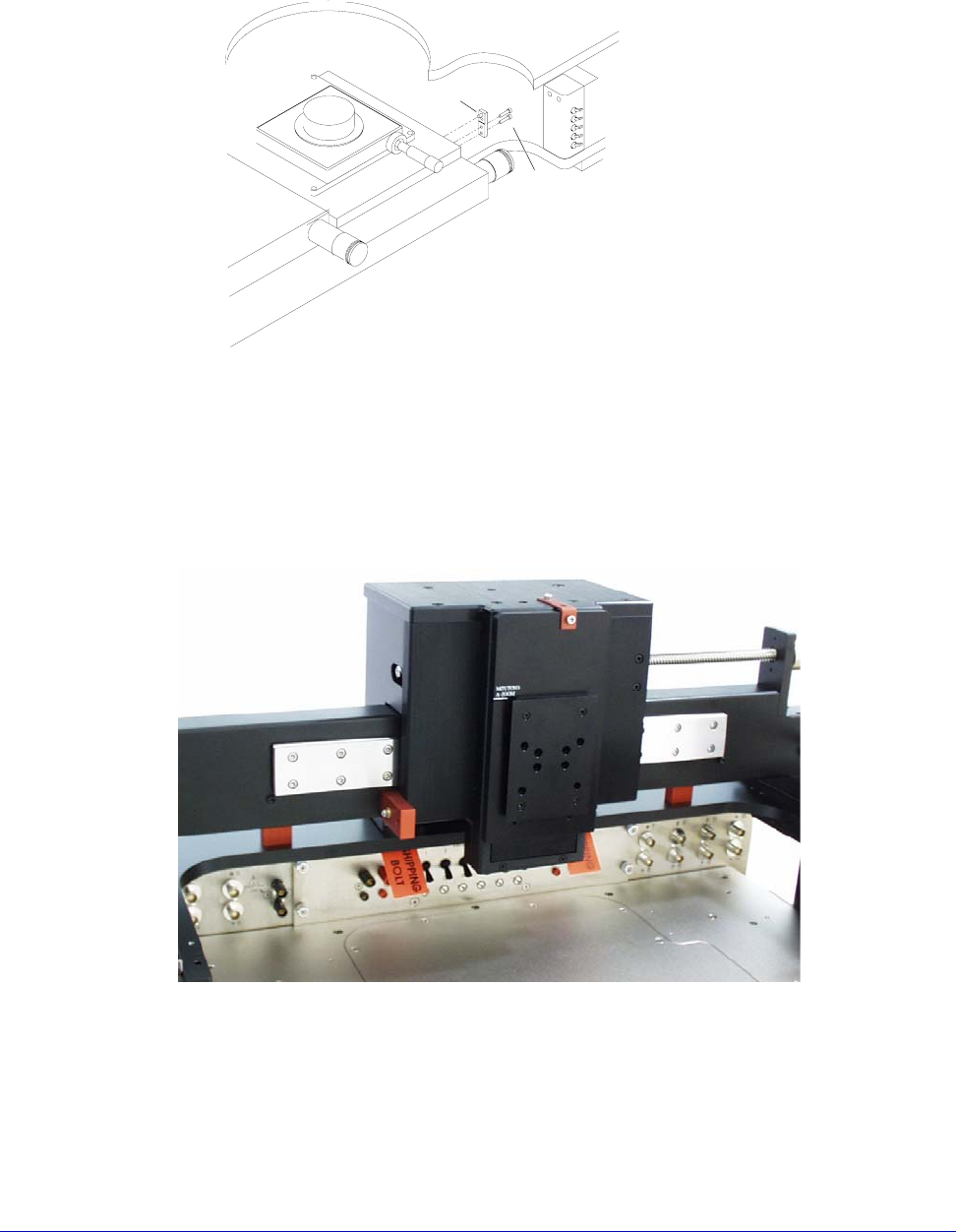
To remove the x-y stage shipping restraint
1. Unscrew the (2) #8 screws holding the X-Y stage shipping restraint (marked
with a red tag) and remove (fig. 16).
LARGE-AREA MICROSCOPE BRIDGE MOUNT
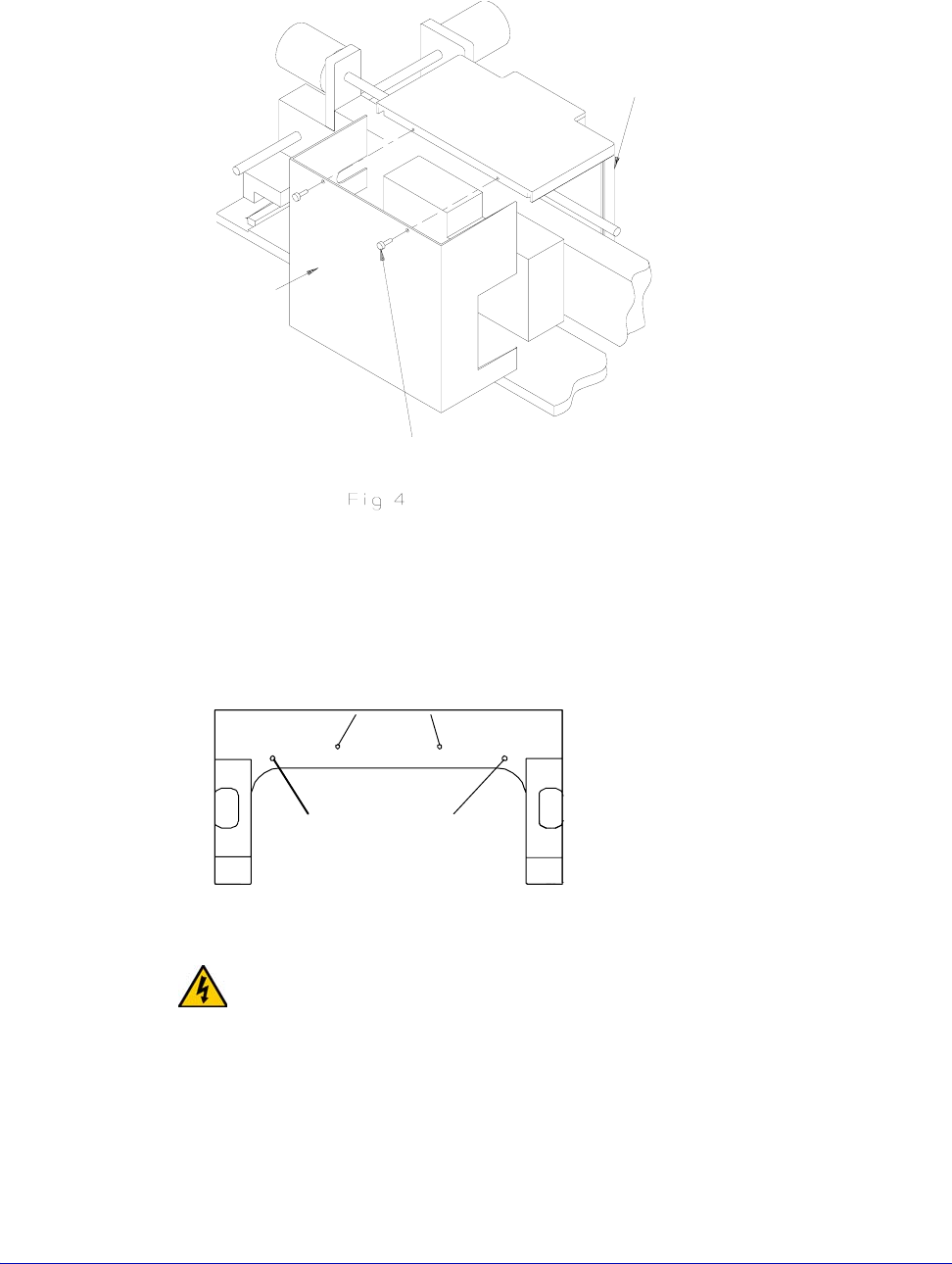
To remove the optics bridge mount shipping restraints
The optics bridge has six shipping restraints: two in the front, two in the back, and
two on the counterbalance. To remove them, you need a 9/64-inch hex wrench.
To remove the shipping blocks and spacers
1. With the 9/64-inch hex wrench, remove the two #8-32 screws securing the
shipping bracket to the front of the lift plate and the top plate (fig. 17). Save
the screws.
Fig. 16. X-y stage shipping restraint.
X-Y stage
shipping restraint
Capscrews
Fig. 17. Bridge shipping restraints.
32
• Summit 11K/12K Probe Station User’s Guide
2. Remove the (2) #6 thumbscrews from the back cover (fig. 18). Set aside for use
in a later step.
3. Slide the back cover off by moving it toward the rear of the station (fig. 18).
4. With the 9/64-inch hex wrench, remove the (2) #8 screws that hold the
counterbalance located under the rail plate (fig. 19).
WARNING
The counterbalance is heavy. Do not lift it by putting your hands on the
counterbalance itself. Otherwise, you could smash your fingers. Instead, lift the
counterbalance by pressing down on the microscope mounting plate and remove
the two restraints under the counterbalance.
5. Press down on the microscope mounting plate (fig. 17 on p. 31) to raise the
counterbalance about an inch. Hold the mounting plate down at the same
time you remove the shipping spacers from underneath the counterbalance.
See figure 20 for the location of the counterbalance spacers.
Fig. 18. Back cover removal.
Back
Thumb Screw
Front
Fig. 19. Screw removal on the rail plate (bottom view).
Screws to hold the
optics bridge mount
shipping restraints
Screws to hold the
counterbalance