晶圆测试说明书Cascade-11861-6-Manual.pdf - 第91页
Chapter 5: Maintaining • 67 5. Recheck the z-lever friction at all positions between fully up and dow n. M AINTAINING P RO B E S TATION A CCESSORIES If your probe station includes modules, such as a thermal unit that is …
66
• Summit 11K/12K Probe Station User’s Guide
• Wipe the outer metallic surfaces of the probe station with a soft, lint-free cloth,
lightly dampened with IPA (do not wipe the labels with IPA).
CAUTION
If the Z-lever friction is excessively loose, the platen may drop suddenly and
unexpectedly, crashing the probes onto the work surface and damaging the
probes, the positioners, and the wafer.
N
OTE
The friction corresponds to the tightness of the screws. Be careful to turn the
screws evenly and only a little at a time.
• a clockwise turn increases friction (tightens)
• a counterclockwise turn decreases friction (loosens)
CHECKING Z-LEVER FRICTION
The Z-lever is on the probe station's lower left side. To check the Z-lever friction,
raise and lower it. The platen should move up and down correspondingly. The Z-
lever should stay in place when you release it.
As more accessories are installed on the platen, the Z-lever friction increases to
hold up the platen. Check the z-lever friction monthly and when you change
probes or positioners.
To check Z-lever friction
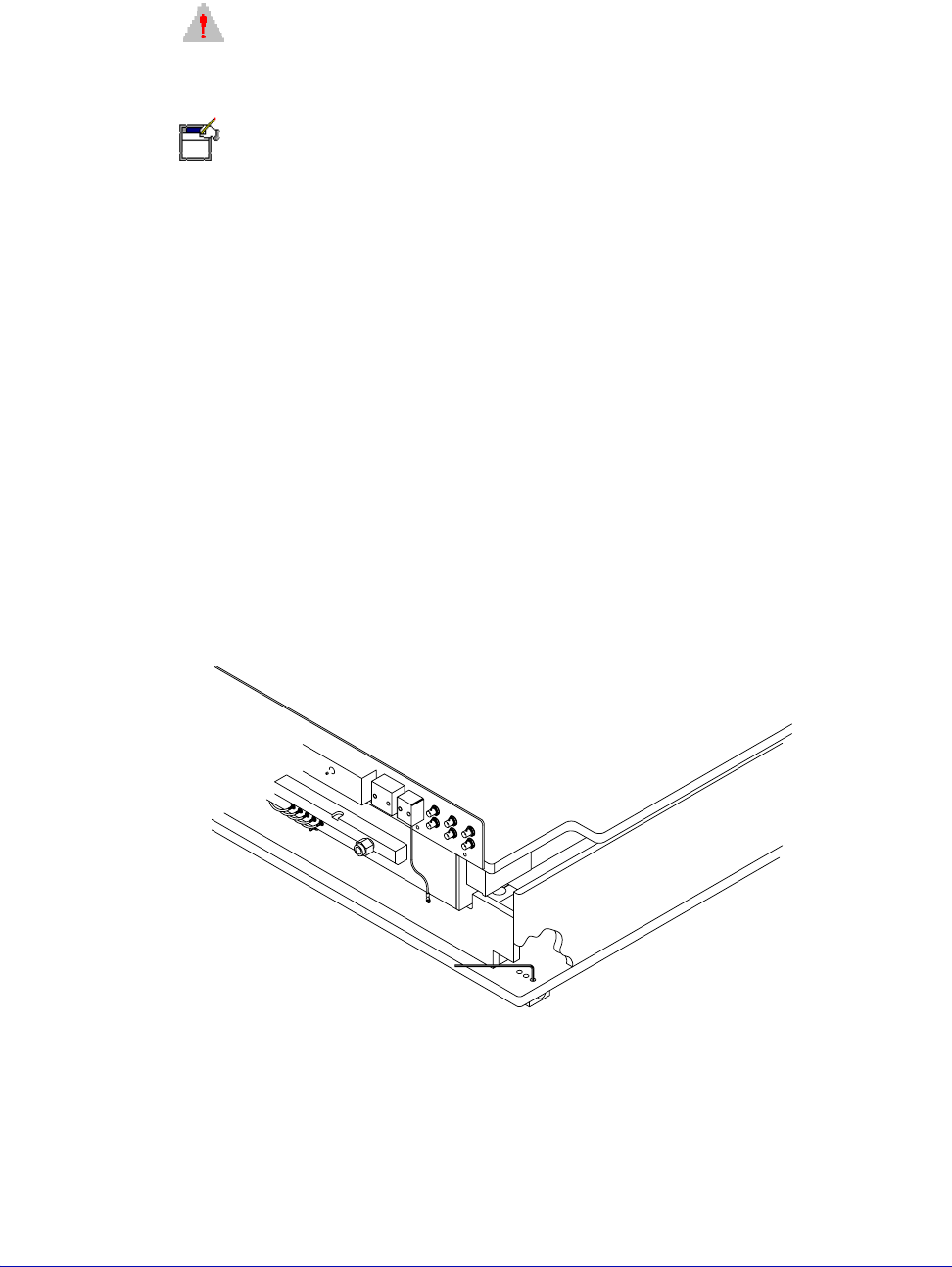
1. Locate the three Z-lever-friction adjustment screws, located near the probe
station's back left post. See figure 47.
2. Raise and lower the Z-lever, resting it at increments between its limits.
3. Using a 5/32-inch hex wrench, adjust the three Z-lever friction-adjustment
screws evenly, as needed, to increase or decrease friction.
4. Repeat step two after the final adjustment, to ensure that the friction is
appropriate for all Z-lever heights.
Fig. 47. Factory-set adjustable screw for Z-lever friction (rear of station).

Chapter 5: Maintaining •
67
5. Recheck the z-lever friction at all positions between fully up and down.
MAINTAINING PROBE STATION ACCESSORIES
If your probe station includes modules, such as a thermal unit that is not
manufactured by Cascade, refer to the manufacturer's documentation for
maintenance procedures. To maintain your Cascade probes and positioners, refer
to the user’s guides for those accessories.

68
• Summit 11K/12K Probe Station User’s Guide