晶圆测试说明书Cascade-11861-6-Manual.pdf - 第58页
34 • Summit 11K/12K Probe Station User’ s Guide 1. Remove the 5/16 x 1. 25-inch hex head screw, and sa ve it with the shipping washers and tag the parts. To remove the restraints in the following two diagrams, you wi ll …
Chapter 3: Installing •
33
6. Slowly raise the microscope mounting plate to return the counterbalance to a
resting position.
7. Replace the back cover by sliding it into the slots in the top and secure the
cover with the (2) #6 thumb screws set aside in step two. Make sure the front
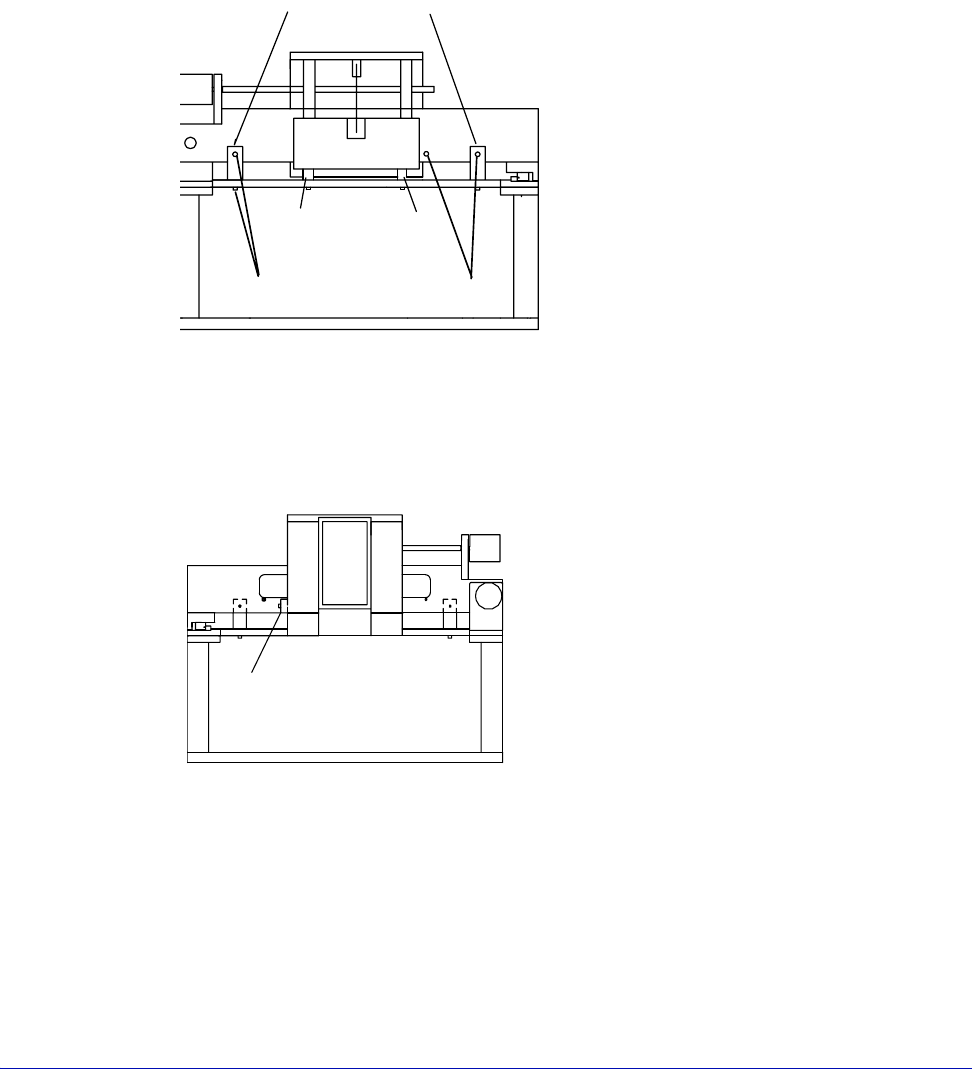
edge of the back cover slides into the slots in the front plate.
8. Use the 9/64-inch hex wrench to remove the (2) #8 screws (on the underside
of the rail plate) which hold the shipping blocks (fig. 20).
9. Use the 9/64-inch hex wrench to remove the (2) #8 screws holding the same
two shipping blocks to the beam, as shown in figure 20.
10.Use the 9/64-inch hex wrench to remove the (2) #8 screws holding the third
shipping block (fig. 20 and fig. 21) between the front plate and beam.
Save all shipping blocks and #8 screws with the rest of the packing materials.
HIGH-STABILITY MICROSCOPE BRIDGE MOUNT
To remove the optics bridge mount shipping restraints
This step requires a ¼-inch hex wrench.
Fig. 20. Shipping blocks and counterbalance spacers (rear view).
Shipping blocks
Shipping spacers
Screws for shipping blocks
Fig. 21. Shipping blocks (front view).
Shipping block
34
• Summit 11K/12K Probe Station User’s Guide
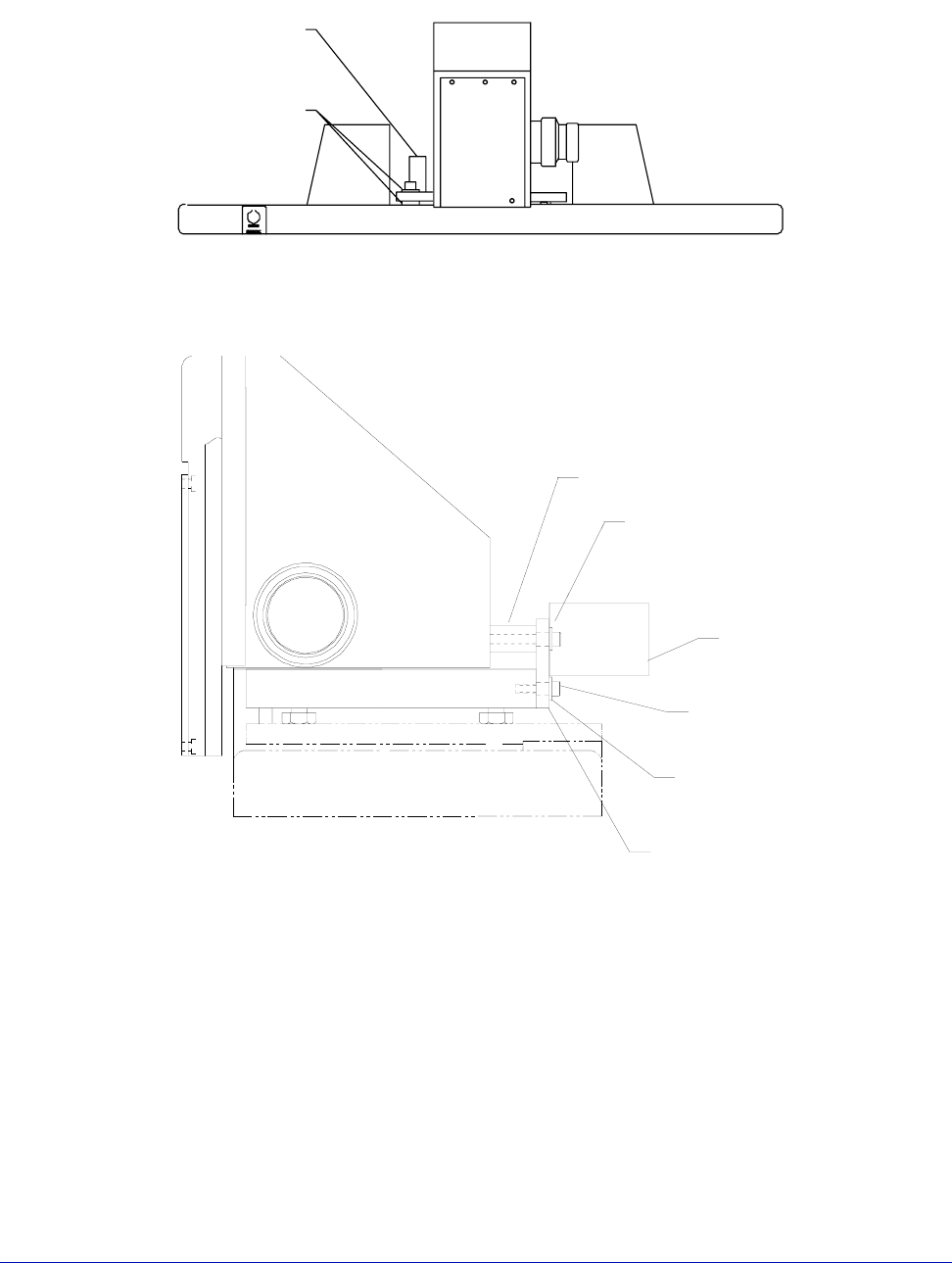
1. Remove the 5/16 x 1.25-inch hex head screw, and save it with the shipping
washers and tag the parts.
To remove the restraints in the following two diagrams, you will need a 9/64-inch
hex wrench.
Fig. 22. Shipping restraints (front view).
109-610
Tag, Shipping
Bolt, Red
100-145
Spacer, Bridge
(2 places)
Fig. 23. Shipping restraints (manual head).
100114
BRACKET, SHIPPING, RST-01
251-073
WSHR, #8, FLT
(2 places)
Shipping
Bolt
109-610
TAG, SHIPPING
BOLT, RED
BFW-175088
STANDOFF
SCS-0832-138
SCR, SHC, 8-32 X1.38
211-007
SCR, SHC
8-32 X 0.5
Chapter 3: Installing •
35
MOUNTING A MICROSCOPE
Your station can be used with one or more of the following microscopes (or
equivalents):
• Mitutoyo Finescope
• Optem A-Zoom
• Olympus Zoom Stereo
To mount the Mitutoyo FS-60 Finescope
Prior to mounting the microscope, ensure that the (2) setscrews located on the left
side of the microscope’s mounting plate are unscrewed back out of the way before
mounting on the microscope transport.
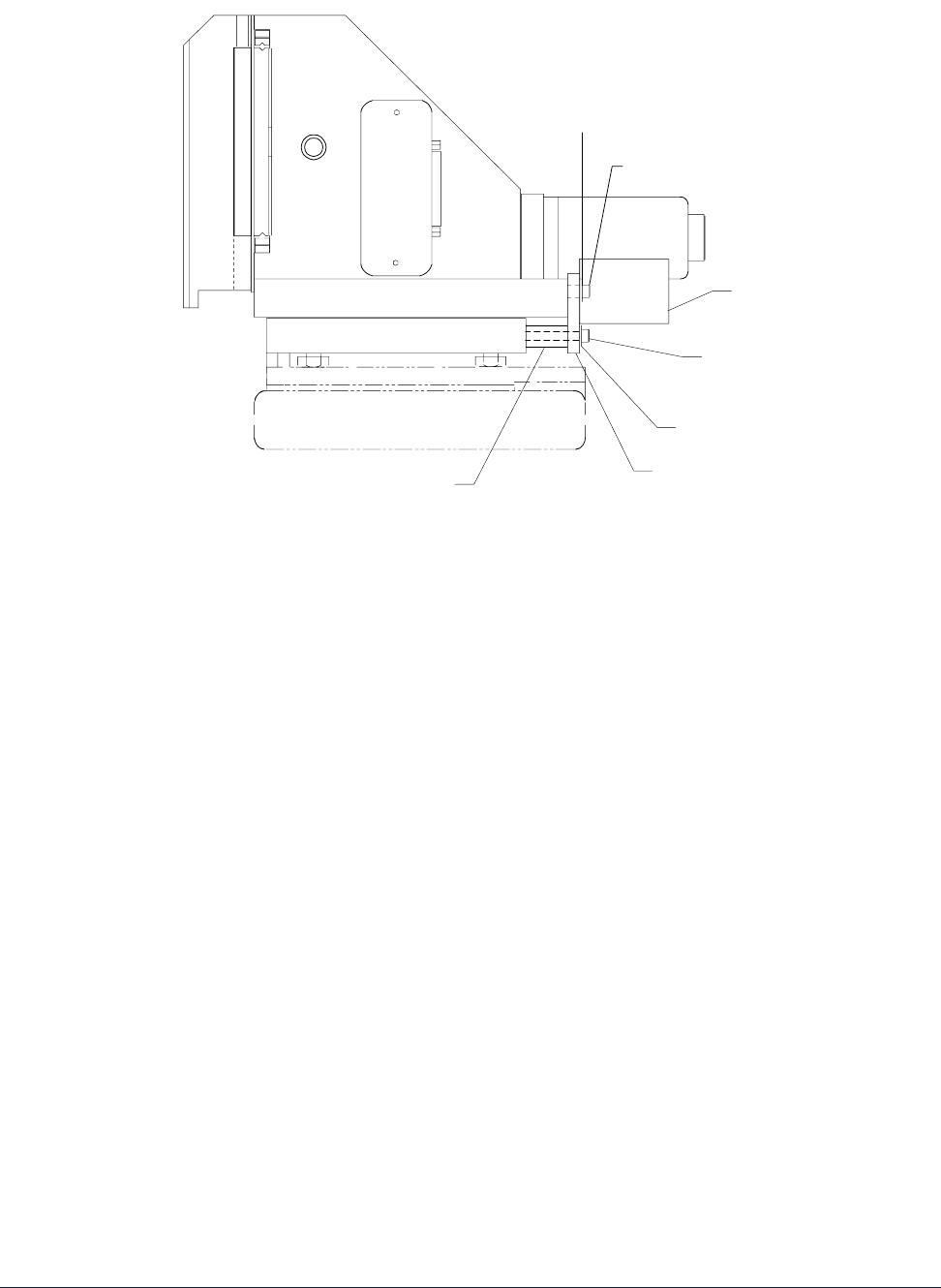
Fig. 24. Shipping restraints (motorized head).
Shipping
Bolt
BFW-175088
STANDOFF
100114
BRACKET, SHIPPING, RST-01
251-073
WSHR, #8, FLT
SCS-0832-138
SCR, SHC, 8-32 X1.38
109-610
TAG, SHIPPING
BOLT, RED
211-017
SCR, SHC
10-32 X 0.62
WSHR-010-FL
WSHR, #10, FLT