晶圆测试说明书Cascade-11861-6-Manual.pdf - 第61页
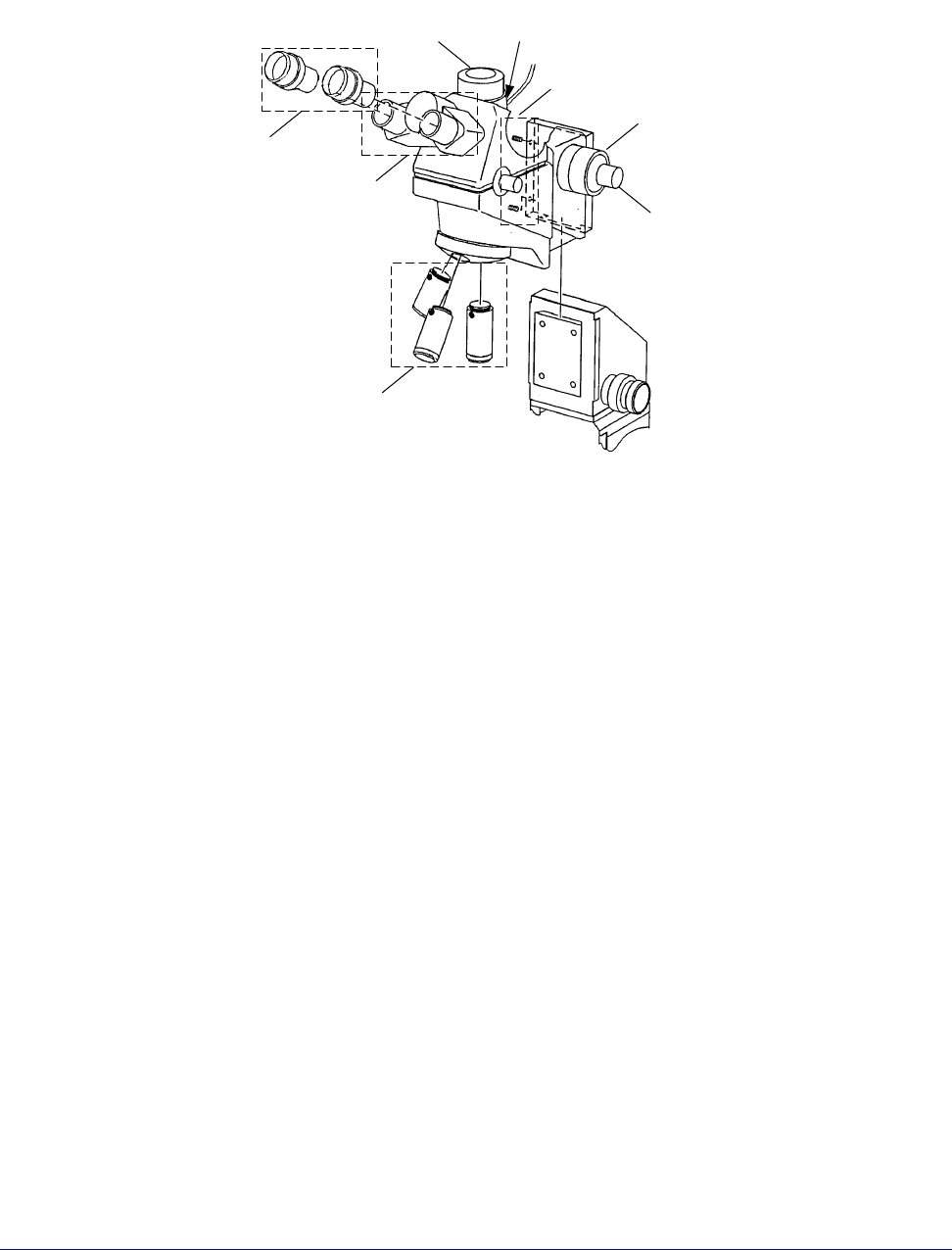
Chapter 3: Installing • 37 Obtain the appropriate tool and hardwa re to mount y our microscope on the optics bridge. See also, the Optem A-Zoom Instruction Ma nual for specific installation procedures. 1. Slide the A-Zoo…
36
• Summit 11K/12K Probe Station User’s Guide
1. Slide the Mitutoyo FS-60 Microscope on the dovetail mount and tighten the
two setscrews on the left side of the mount with a 5/64-inch hex wrench.
2. Slide the illuminator on the mounting post and hand-tighten the
thumbscrew.
3. Remove the dust guards from the eyepiece port and save them for future use.
4. Insert the eyepieces into the eyepiece ports.
5. Screw up to four objectives into the turret of the microscope.
To mount the Optem A-Zoom microscope
Prior to mounting the microscope, ensure that the (2) setscrews located on the left
side of the microscope’s mounting plate are unscrewed back out of the way before
mounting on the microscope transport.
Fig. 25. Mitutoyo FS-60 microscope assembly.
Setscrews
Objectives
Eyepieces
Eyepiece
Sockets
Iris Control
(Lever at rear)
Camera Port
Gross
Adjustment
Knob
Fine
Adjustment
Knob
Chapter 3: Installing •
37
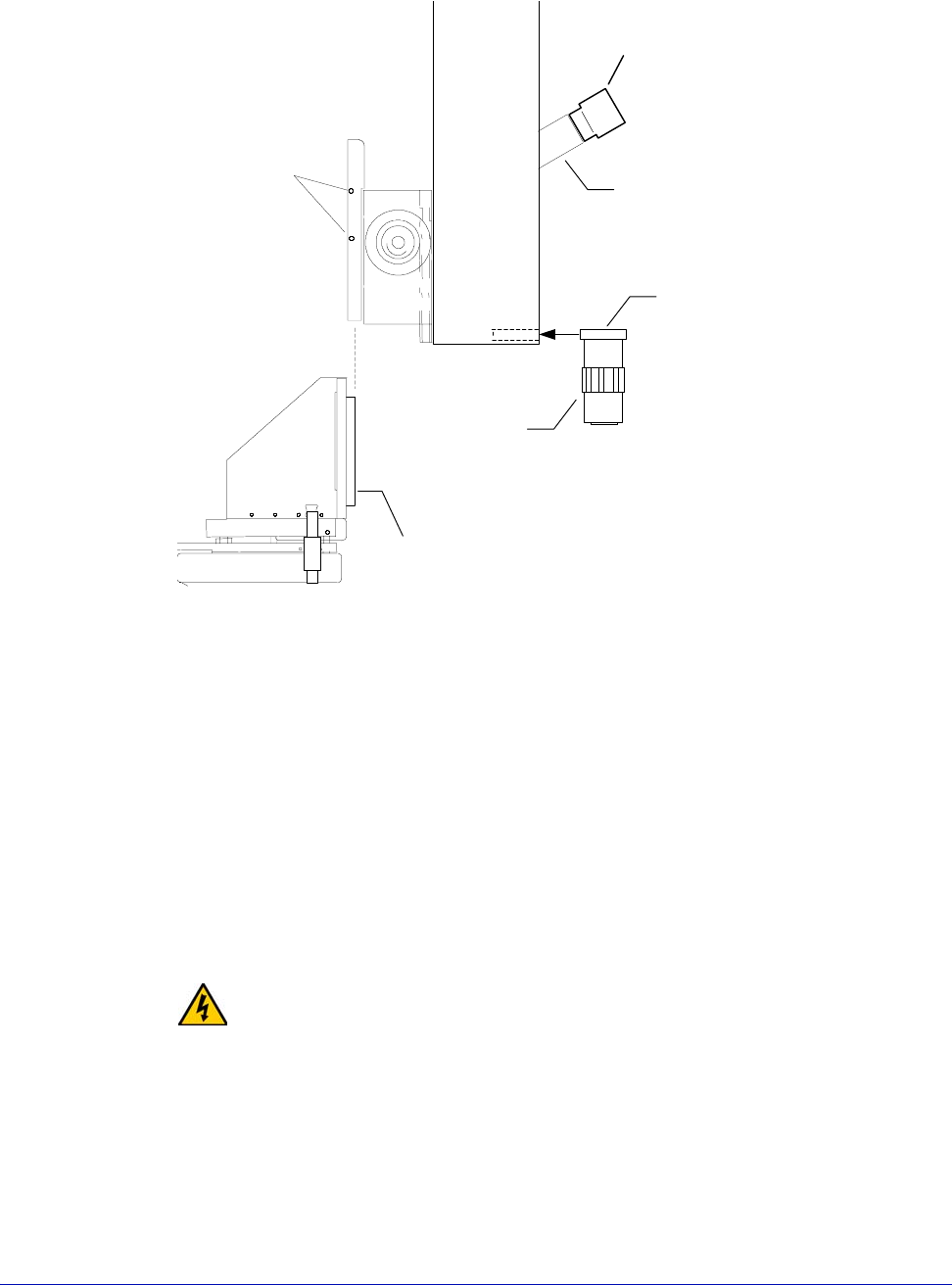
Obtain the appropriate tool and hardware to mount your microscope on the
optics bridge. See also, the Optem A-Zoom Instruction Manual for specific
installation procedures.
1. Slide the A-Zoom Microscope on the dovetail mount and tighten the two
screws on the left side of the mount with a 5/64-inch hex wrench.
2. Insert the fiber-optic cable into the illuminator and hand-tighten the
thumbscrews.
3. Insert the two eyepieces into the eyepiece sockets (only available with the
optional eyepiece kit). These eyepieces are normally 10x magnification.
4. Screw the objective into the objective mount (finger tight only). Slide the
objective mount into the slot at the bottom of the A-Zoom.
WARNING
Exercise care when mounting the microscope. The weight of the microscope can
cause the lift plate to lower unexpectedly.
5. Move the microscope up and down to test the counterweight.
6. Finish installing microscope video equipment according to the
manufacturer's instructions.
Fig. 26. Installing the Optem A-Zoom microscope.
Microscope Set
Screws
Optional
Eyepiece
Sockets
Dovetail
Objective
Mount
Objective
Lens
Eyepiece
38
• Summit 11K/12K Probe Station User’s Guide
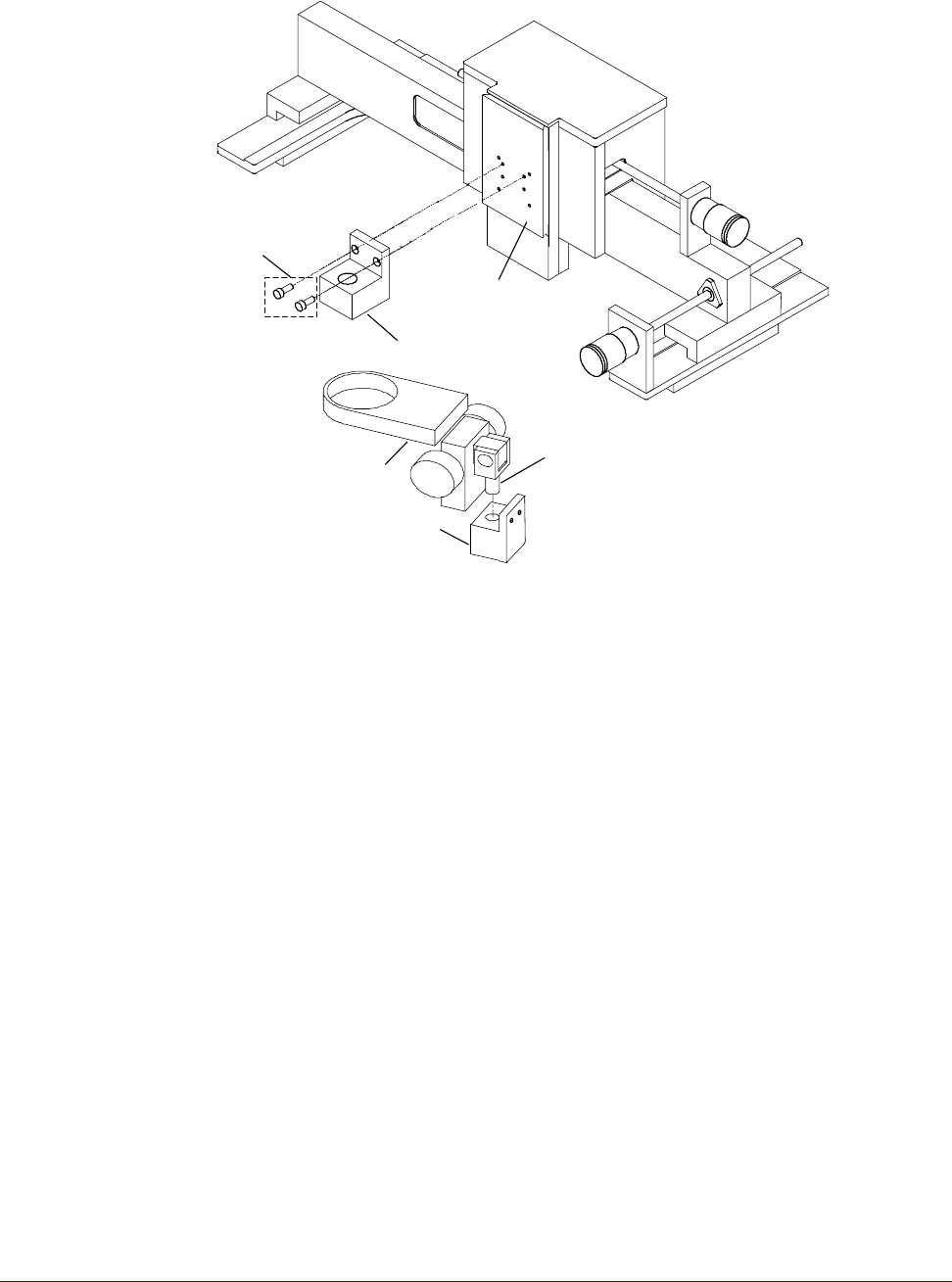
To mount the Olympus Zoom Stereo microscope
Prior to installation, obtain a 9/64-inch hex wrench to mount the Olympus
mounting block. Refer to Fig. 4-19 during the following procedure.
1. Mount the mounting block onto the microscope mounting plate, using two #8
x 3/8-inch screws.
2. Place the pivot post into the mounting block.
3. Install the 8-32 x 1/4-inch setscrew in the mounting block (not shown). The
setscrew in the mounting block can be tightened to lock the pivot in place, or
it can be tightened just enough to prevent the pivot post from being pulled
back out of the block, yet allowing the microscope to rotate.
4. Route the cables over the optics bridge and plug into the light source.
5. Plug the light source power into the microscope power extender cable or a
wall outlet.
6. Move the microscope up and down to test the counterweight.
Fig. 27. Installing the Olympus Zoom Stereo microscope.
Lift plate
Pivot post
Mounting Block
Microscope holder
Mounting Block
Screws