00198442-04_UM_TX-V2_EN.pdf - 第299页
Instruction manual SIPLACE TX 6 Station exte nsions From software version 714.0 12/2020 6.8 Support pin 299 6.8 Support pin Item no. 001 19680-01 Support pin Wide b oards tend to deflect du ring placement such that, unde…
6 Station extensions Instruction manual SIPLACE TX
6.7 IPC-Hermes-9852 From software version 714.0 12/2020
298
6.6.2.1 Safety instructions
6
6.6.2.2 Technical data
6
6.7 IPC-Hermes-9852
IPC-HERMES-9852 is a communication protocol for SMT lines and can replace the IPC SMEMA
interface. This protocol allows you to transfer more information than previously via the IPC
SMEMA interface.
This could be, for example:
– Unique board IDs
– Barcodes
– Conveyor speed,
– Board length and width
– Board thickness
– Transport clearance height
– Weight
All this information can be transmitted along the whole line without interruption.
For a detailed description, see the Administrator Manual IPC-HERMES-9852, item no.
[00198615-xx].
WARNING
Risk of collisions!
When changing the placement head from a TwinStar/VHF to a SpeedStar, the SpeedStar
collides with the camera housing.
Dismantle the stationary component camera for the TwinStar.
When changing the placement head from a TwinStar to a MultiStar CPP, the station-
ary component camera is fitted in the bottom position.
Component dimensions 0.5 mm x 0.5 mm to 55 mm x 45 mm
Component range 0402, MELF, SO, PLCC, QFP, electrolytic capacitors, BGA
Min. lead pitch 0.3 mm
Min. lead width 0.15 mm
Min. ball pitch 0.35 mm
Min. ball diameter 0.2 mm
Field of vision 65 mm x 50 mm
Illumination type Front-illumination (6 levels, programmable as required)
Instruction manual SIPLACE TX 6 Station extensions
From software version 714.0 12/2020 6.8 Support pin
299
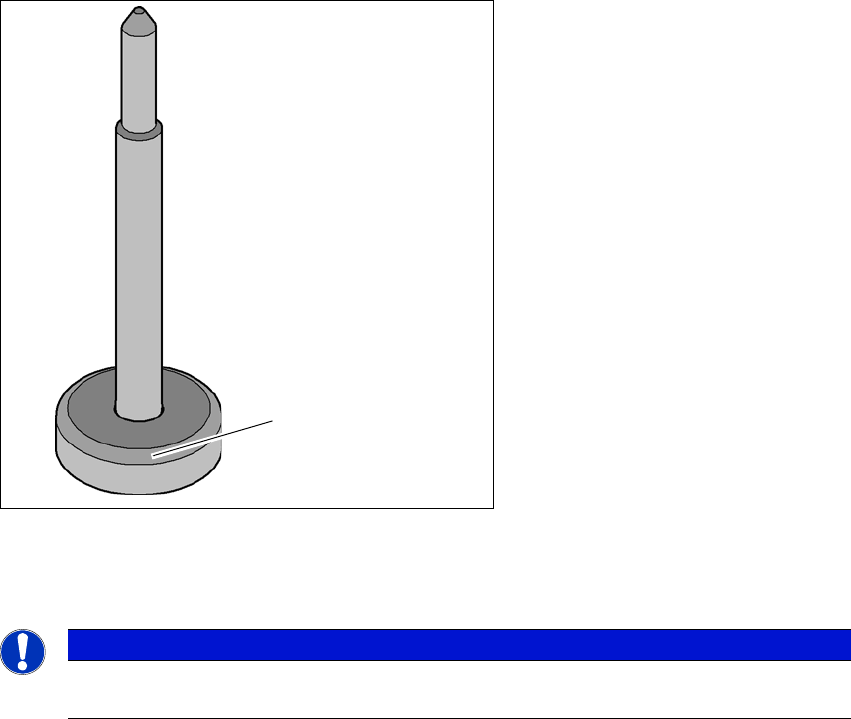
6.8 Support pin
Item no. 00119680-01 Support pin
Wide boards tend to deflect during placement such that, under certain circumstances, the compo-
nents can no longer be placed with the desired accuracy. Highly curved PCBs also affect the
placement accuracy. This problem can be easily rectified by fitting support pins on the lifting table.
6
Fig. 6.8 - 1 Support pin
(1) Magnetic base
6
PLEASE NOTE
Make sure that the magnetic base of the Support Pin is not placed under the side wall of
the conveyor. This could lead to the side wall profile being damaged.
(1)
6 Station extensions Instruction manual SIPLACE TX
6.9 Smart Pin Support From software version 714.0 12/2020
300
6.9 Smart Pin Support
Item no. 03165096-01 Gripper unit gantry 1
Item no. 03164367-01 Gripper unit gantry 2
Item no. 00588322-01 Smart pin magazine
Item no. 03089582-01 Support pin
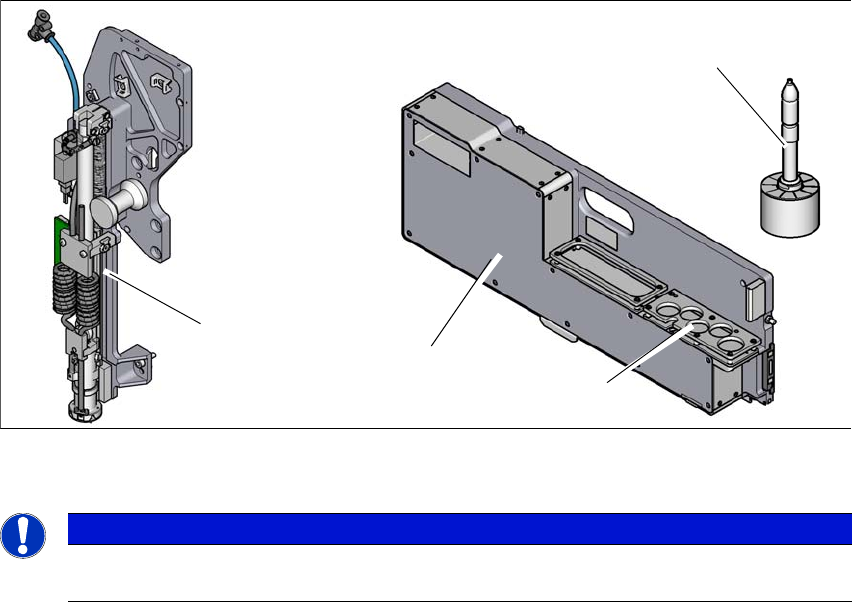
The Smart Pin Support option automatically places support pins on the lifting table. A gripper unit
is used to take the support pins out of the smart pin magazine and place them in the predefined
positions. Before placing the smart support pin, the placement area is cleaned of any impurities
with a gentle blast of air. In addition, the correct position of the support pin is checked after place-
ment with the PCB camera.
Smart pin magazine
There is a smart pin magazine T5 with 5 garages for automatic changing of max. 5 support pins.
The smart pin magazine T5 is fitted to the component trolley in location 1. The gripper unit fitted
to the side, next to the head, restricts the travel range of the head. The area of the changeover
tables which can not be reached is used optimally by the T5 pin magazine. When using smart pin
support, there are 68 x 8 mm tracks available.
6
Fig. 6.9 - 1 Smart Pin Support
6
PLEASE NOTE
For details about the Smart Pin Support option, please refer to the "Smart Pin Support
User Guide", German+English [item no. 00198632-xx].
Support pin
Gripper unit
Garages
Smart pin magazine