Installationsanleitung_SuSE9.3_en.pdf - 第21页
Customized LRL SuSE 9.3 Installation Description 38. If a printer is connected to the parall el port, the setting "Parallel printer" is retained. Click the " Next " button. 39. Click the " Next &…
Installation Description Customized LRL SuSE 9.3
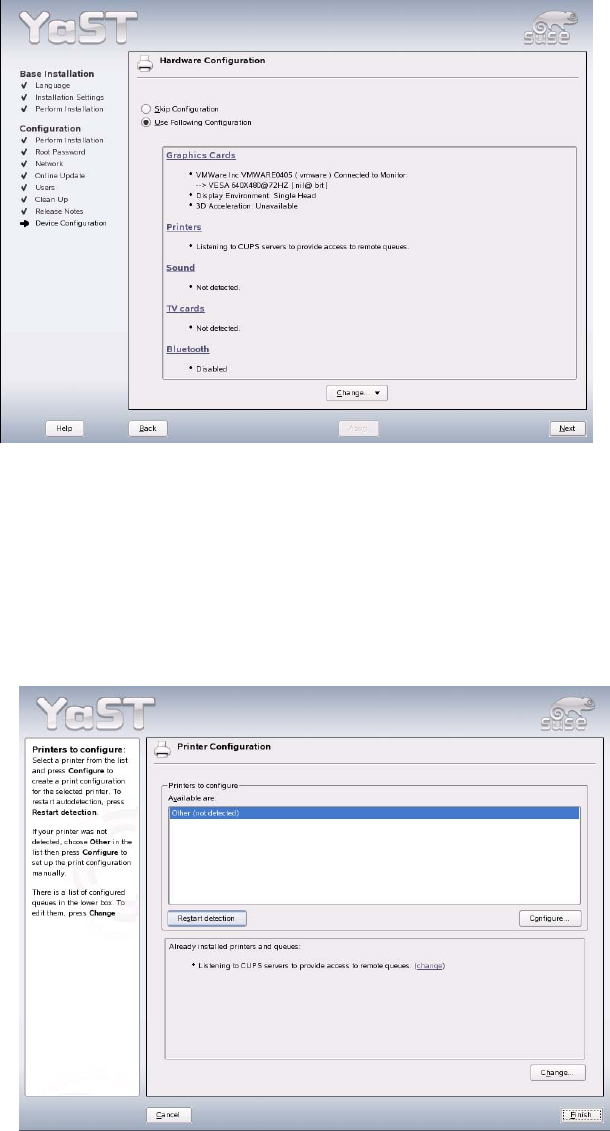
33. It is not necessary to reconfigure the graphics adapter. The recommended resolution can be retained
(you may wish to raise the refresh rate from 60 Hz to 72 or 80 Hz).
34. If there is no need to configure a printer, you can continue with point
44.
35. To configure an HP5850 printer, see section
4.5
36. Printers are installed by selecting the item "Printers".
37. If a printer is connected and the system detects this printer, select it, click the "Configure" button
and proceed with step
42 ("Edit configuration").
If this is not the case, the "Configure" button opens the "Printer Type" dialog box.
20 of 69
Customized LRL SuSE 9.3 Installation Description
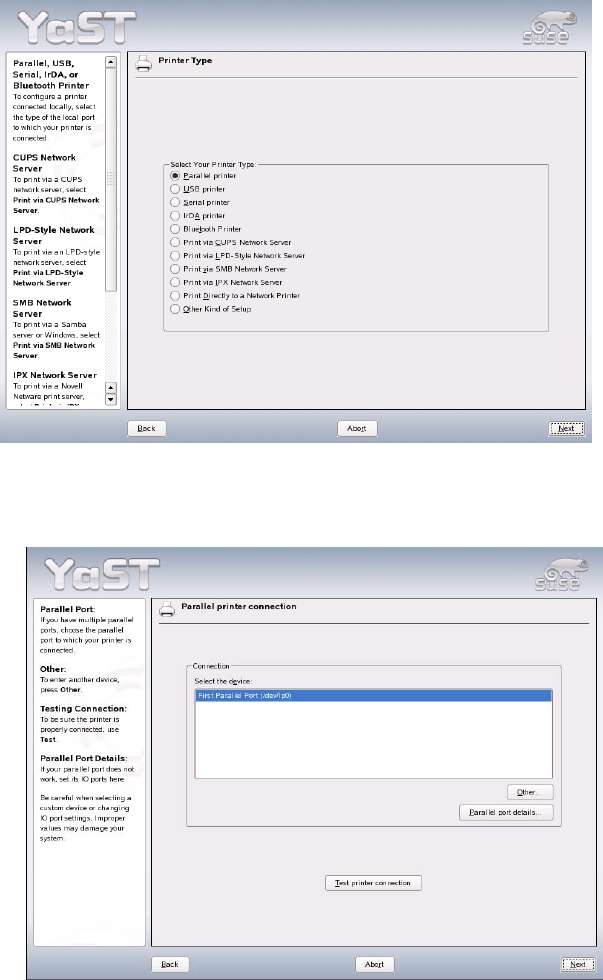
38. If a printer is connected to the parallel port, the setting "Parallel printer" is retained. Click the "Next"
button.
39. Click the "Next" button.
21 of 69
Installation Description Customized LRL SuSE 9.3
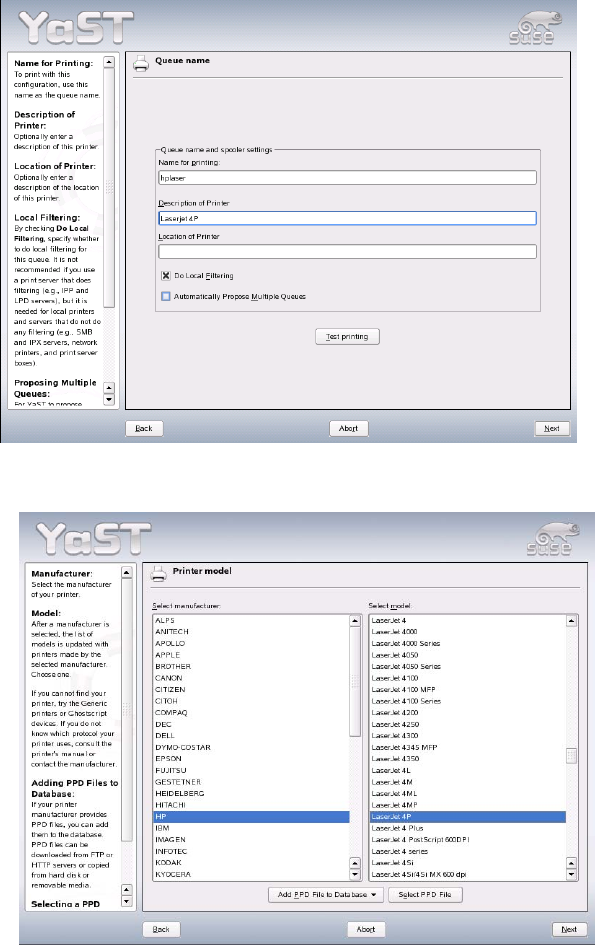
40. Click "Next" after you have entered the printer name and a description of the printer.
41. Select the printer manufacturer and model and click "Next".
22 of 69