Installationsanleitung_SuSE9.3_en.pdf - 第39页
Customized LRL SuSE 9.3 Installation Description 14. The "select printmode Configuration of paperformat. Please choose." di alog box appears. 15. Select A4 or Letter . 16. The message "Please take out the …
Installation Description Customized LRL SuSE 9.3
9. All the stations are now converted.
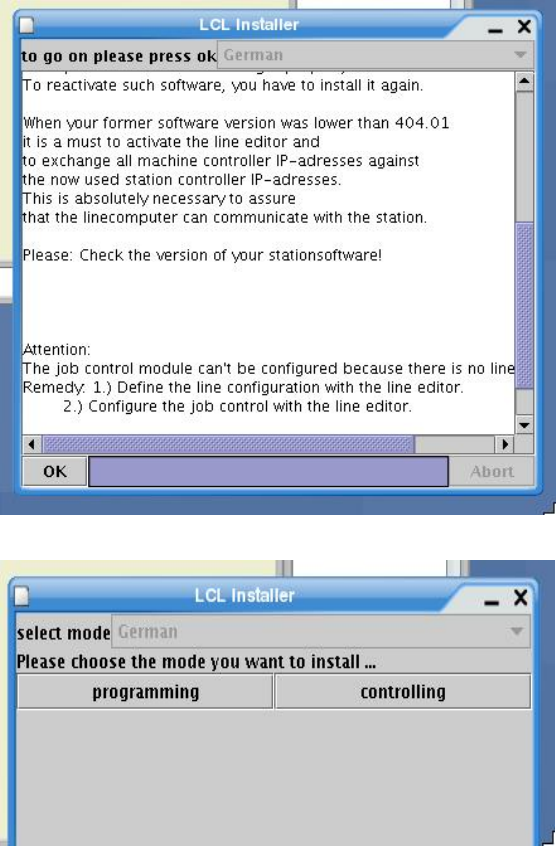
10. Once the installation is completed, the request “to go on please press ok” appears.
11. Confirm this message with "OK".
12. The “select mode Please chose the mode you want to install...” dialog box appears.
13. Select programming if the software is to be set up as a programming station or
controlling if the software is to be set up as a control station (line computer).
38 of 69
Customized LRL SuSE 9.3 Installation Description
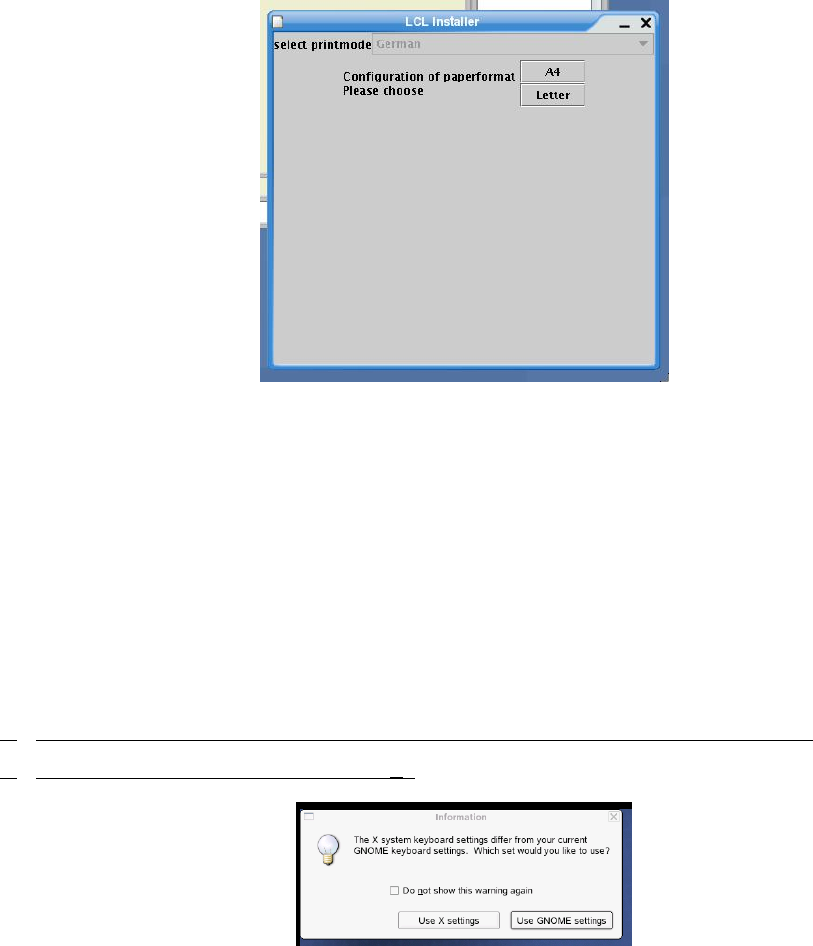
14. The "select printmode Configuration of paperformat. Please choose." dialog box appears.
15. Select A4 or Letter.
16. The message "Please take out the CD. Installation completed. Now we restart the system" is
displayed. Confirm the message with "OK".
17. The installation is now completed. Take out the CD.
18. Confirm the message "Please take out the cdrom ... and press any key" by pressing any key to
reboot the computer.
4.4.3 Logging in for the first time after installation
1. At the login prompt, log in as the user "plr".
2.
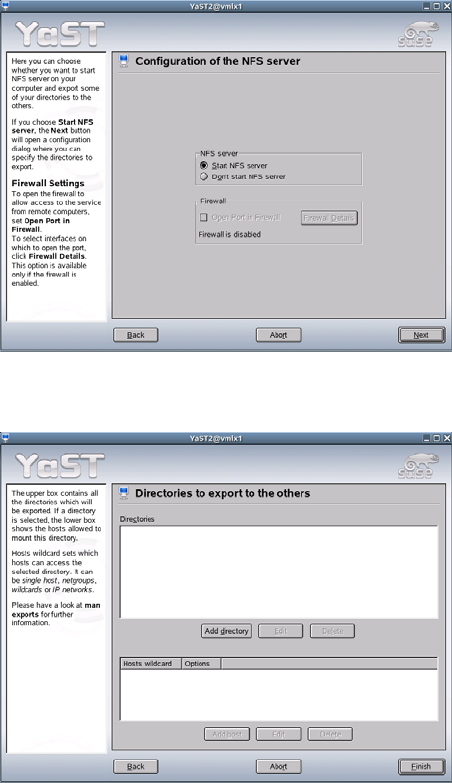
If you are using a keyboard other than an English one, the following dialog box appears.
3.
(If not, the procedure continues at point 5.)
4. The query asking you which keyboard is to be used appears. Select "Use X settings".
5. The line computer software is started.
39 of 69
Installation Description Customized LRL SuSE 9.3
4.4.4 NFS configuration ("Allow access")
There are two aspects of configuring an NFS connection:
• sharing a directory on the NFS server (e.g. the "central line computer")
• connecting to this directory from the NFS client (e.g. the "local line computer")
4.4.4.1 Configuring the NFS server
1. You configure the NFS client using the menu path
Options
Network
Permit access
2. The YaST configuration dialog starts.
3. Activate the option "Start NFS server"
4. Click the "Next" button.
40 of 69