Installationsanleitung_SuSE9.3_en.pdf - 第22页
Installation Description Customized LRL SuSE 9.3 40. Click " Next " after you have entered the printer na me and a de scription of the printer. 41. Select the printer manufact urer and model and clic k " N…
Customized LRL SuSE 9.3 Installation Description
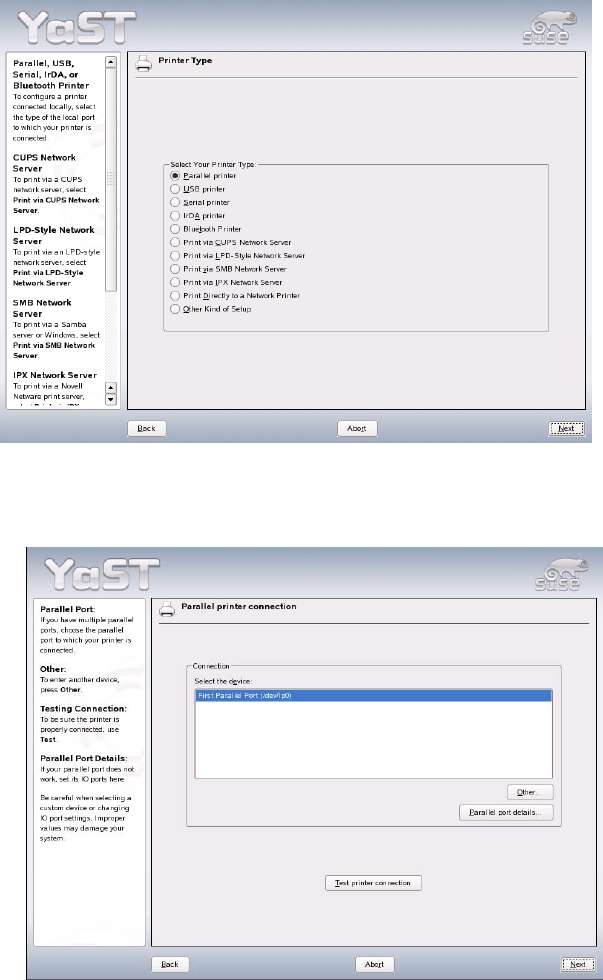
38. If a printer is connected to the parallel port, the setting "Parallel printer" is retained. Click the "Next"
button.
39. Click the "Next" button.
21 of 69
Installation Description Customized LRL SuSE 9.3
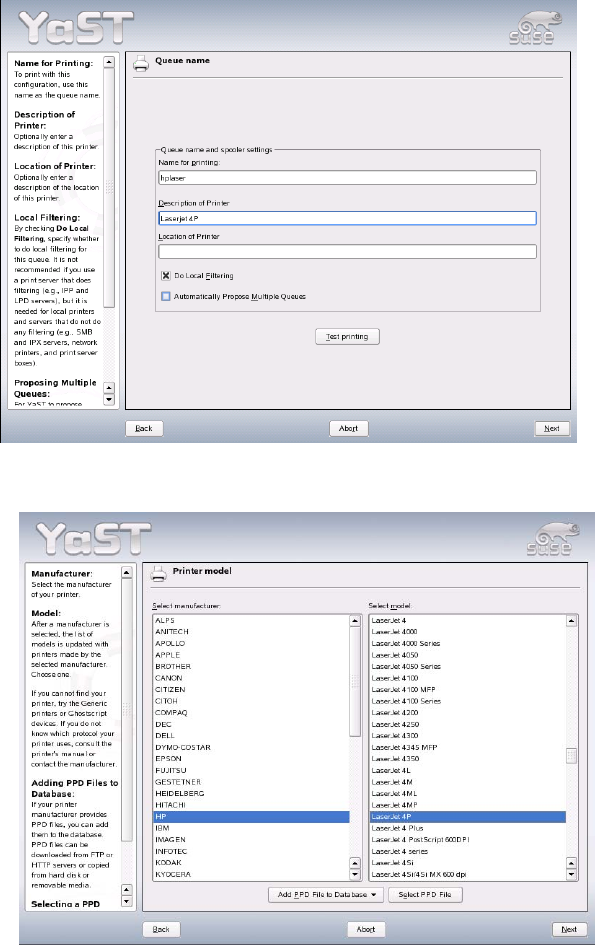
40. Click "Next" after you have entered the printer name and a description of the printer.
41. Select the printer manufacturer and model and click "Next".
22 of 69
Customized LRL SuSE 9.3 Installation Description
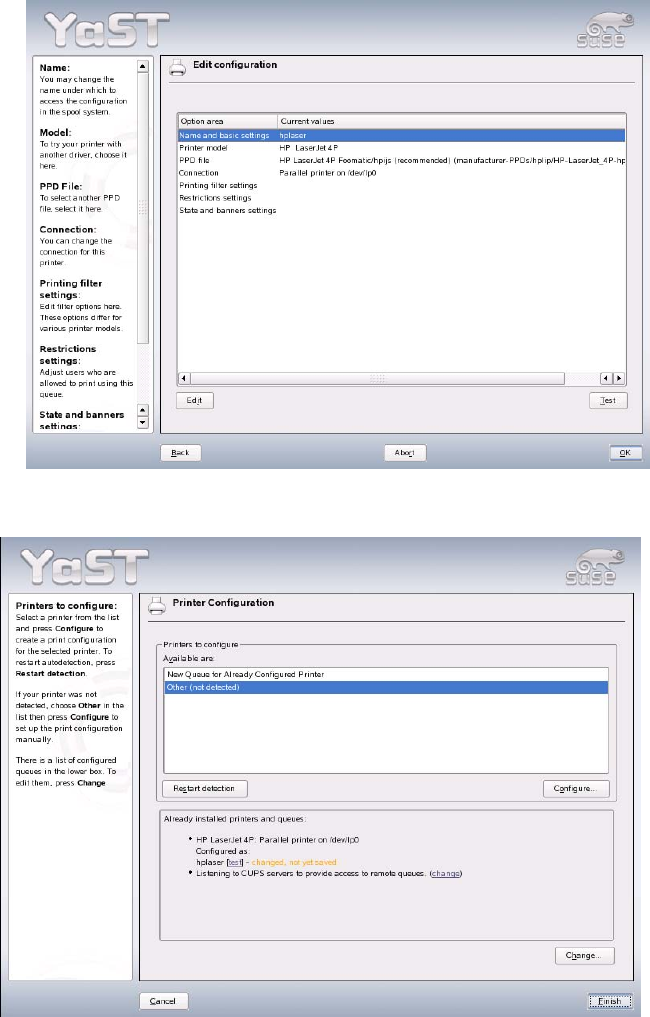
42. You can print a test page by clicking "Test". Close the dialog box by clicking "OK".
43. Close the "Printer Configuration" dialog box by clicking "Finish". This completes the installation of
the printer.
23 of 69