00195760-0102_UM_D3_SR605_EN.pdf - 第338页
6 Station extensions User Manual SIPLACE D3 6.17 Coplanarity laser module From software version SR.605.xx 07/2008 EN Edition 338 6.17.6 LED displays on the controller The statuses of the coplana rity module are indicate …
User Manual SIPLACE D3 6 Station extensions
From software version SR.605.xx 07/2008 EN Edition 6.17 Coplanarity laser module
337
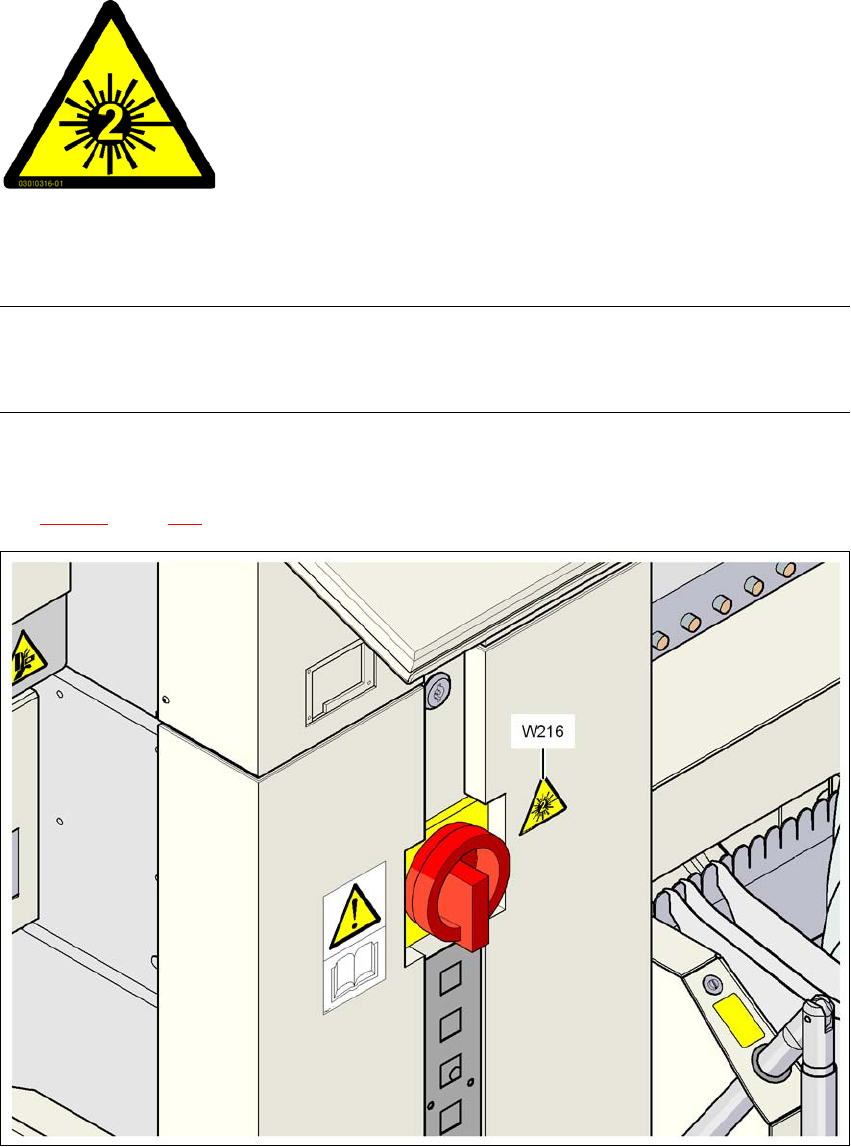
6.17.5 Identify machine with warning label W216
6
Warning label W216 "Laser class 2" on the cover beside the main switch,
item no. 03010316-01 (number per machine: 1)
PLEASE NOTE 6
When the coplanarity laser module is fitted, the machine must be classified as laser class 2. The
laser module is not integrated into the EMERGENCY STOP circuit.
→ Identify the machine with warning sign W216 "Laser class 2", item no. 03010316-xx.
→ Stick warning label W216 beside the main power switch on the cover (see Pos. W216 in Fig.
6.17 - 3
, page 337).
6
Fig. 6.17 - 3 Warning label W216 beside the main switch
6
6
6
6
6
6
LASER RADIATION!
Do not look into beam
Laser class 2

6 Station extensions User Manual SIPLACE D3
6.17 Coplanarity laser module From software version SR.605.xx 07/2008 EN Edition
338
6.17.6 LED displays on the controller
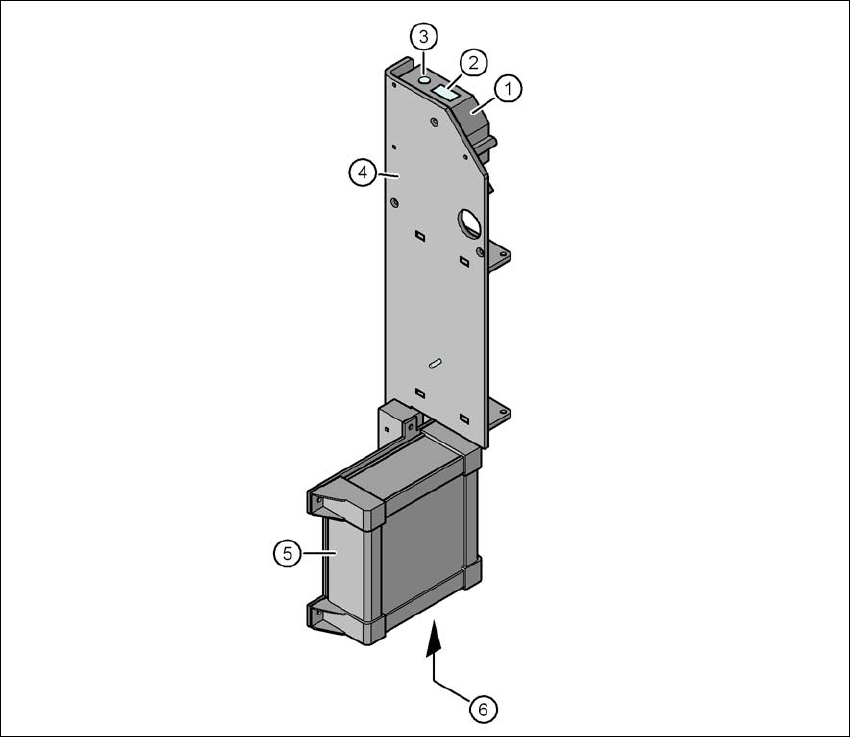
The statuses of the coplanarity module are indicated by LEDs. The LEDs can be found at the bot-
tom of the controller (see item 6 in Fig. 6.17 - 4
, page 339).
LED state Status display
Green Test object in measuring range
Yellow Middle of measuring range
Red
Outside the measuring range,
with low reflection
LED Off Laser switched off
LED Power Status display
LED lights up Supply voltage present
LED avg avg1 avg2
Off Off No averaging
Red Off Averaging 1
Off Red Averaging 2
Red Red Averaging 3
User Manual SIPLACE D3 6 Station extensions
From software version SR.605.xx 07/2008 EN Edition 6.17 Coplanarity laser module
339
6
Fig. 6.17 - 4 Coplanarity laser module
(1) Laser sensor
(2) Detector
(3) Laser emitter
(4) Assembly bracket
(5) Controller
(6) LED displays and connections on the controller