MEC-CP842-1.0E.pdf - 第179页
Adjustments >> Station Adjustments MEC-CP842-1.0E 7-43 7.1.13 Nozzle Change Function (ST14) Point The station 14 nozzle changer selects the correct nozzle from the 6 that are available, based on the part data. Nozz…
Adjustments >> Station Adjustments
7-42 MEC-CP842-1.0E
7 Use the cam handle to rotate the cam to 192°. The pusher should align smoothly
with the centering jig. If not smooth, loosen the fixing bolts and adjust the posi-
tion of the mechanical valve switching unit.
8 Loosen the height adjustment fixing bolts and use the height adjustment bolt to
adjust the gap between the mechanical valve and pusher bracket. Insert a
0.2mm feeler gauge, and then adjust the gap between the step on the mechani-
cal valve jig and pusher bracket to 0.4mm. Tighten the fixing bolts.
Note: Do not touch the speed regulator.
The air-blow pressure is set to 7.0 ± 0.5 kPa (ST9: 15.0 ± 0.5 kPa). The user should not
change the setting unless a manometer is available for adjustment.
9 With the jig still on the shaft, move the shaft to ST10, 180°.
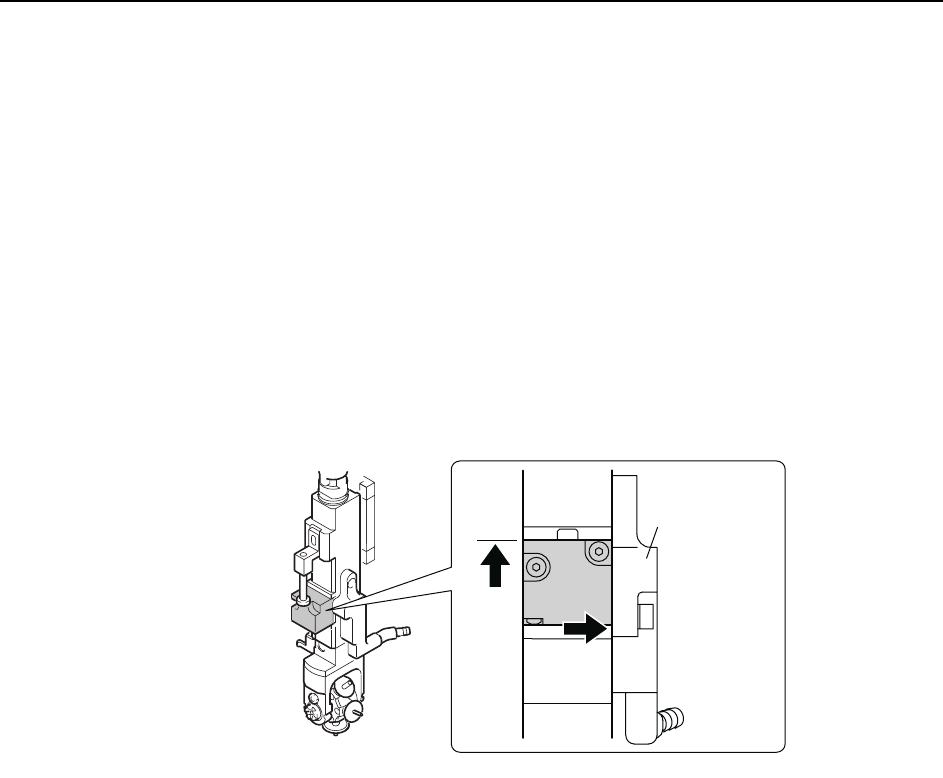
10 Remove the jig and return the mechanical valve and O-rings to the shaft. Lift
the mechanical valve against the top ridge and push it to the right against the
manifold (black plastic).
11 Tighten the mounting bolts with a torque of 0.8 N.m (8Kgf.cm).
C84PHD004E
/CPKHQNF
Adjustments >> Station Adjustments
MEC-CP842-1.0E 7-43
7.1.13 Nozzle Change Function (ST14)
Point
The station 14 nozzle changer selects the correct nozzle from the 6 that are available,
based on the part data.
Nozzle Change Clutch Position Adjustment
1 Press the EMERGENCY STOP button to take the 200V down to 100V.
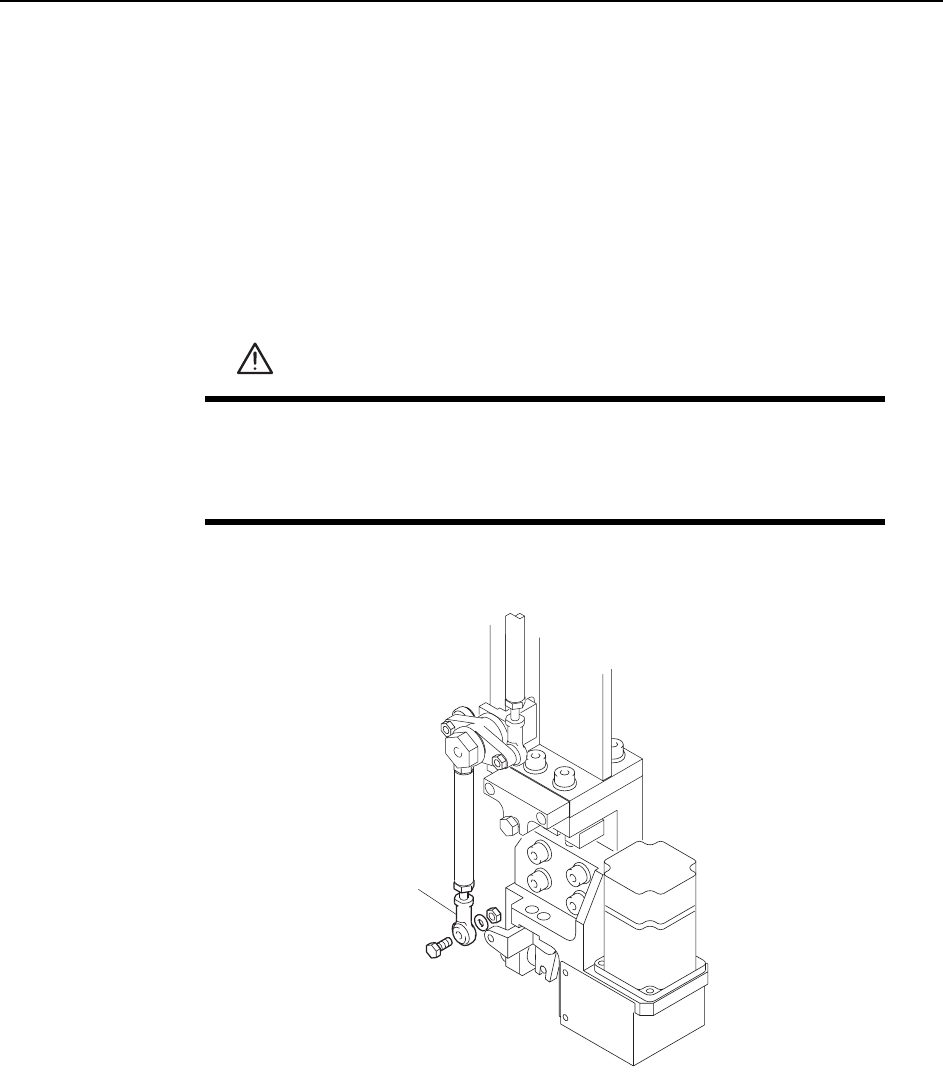
2 Remove the rod end from the nozzle changer.
3 Remove the nozzle holders of the reference head and the adjacent heads.
4 Use the inching keys to move the reference head to ST14.
5 Use the cam handle to rotate the cam to 200°.
WARNING
• Press EMERGENCY STOP before performing this procedure.
• Exercise extreme caution when working on the machine if the cam
is not at its origin (0 deg.). Spring recoil can rotate the cam inde-
pendently.
C7SM4064
Rod end
Adjustments >> Station Adjustments
7-44 MEC-CP842-1.0E
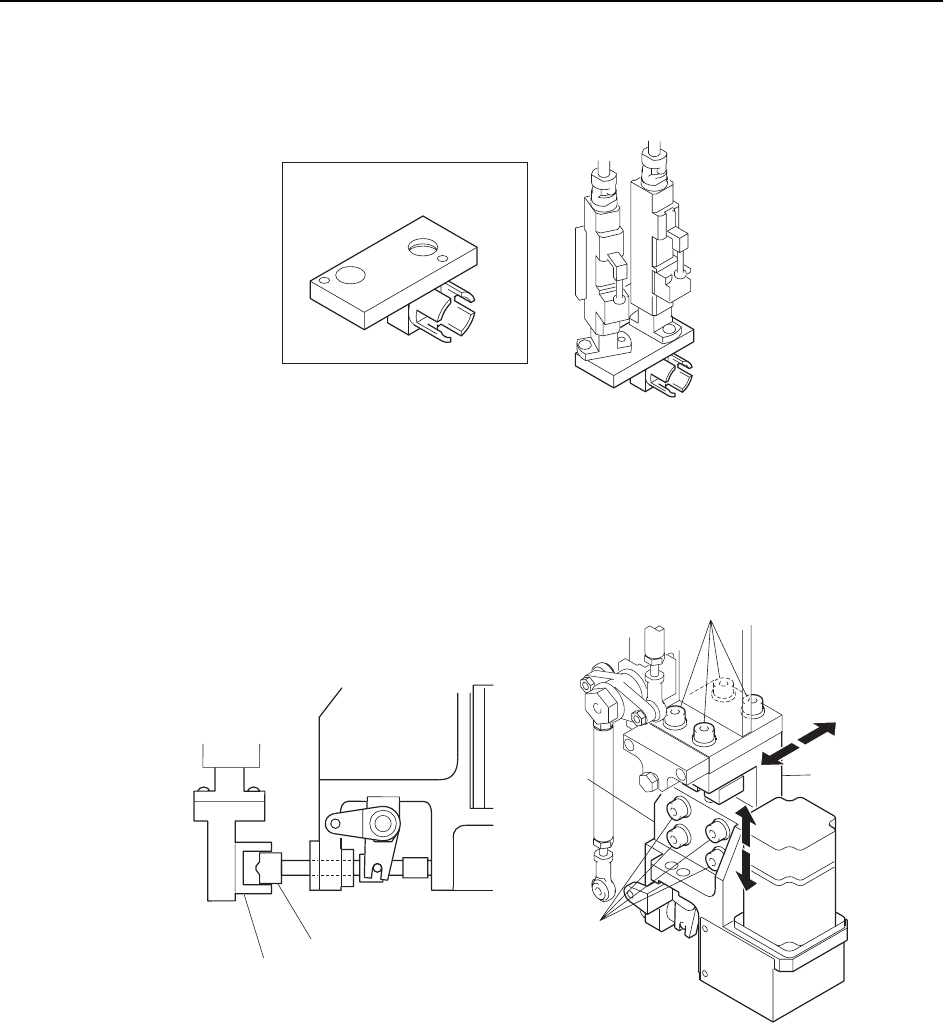
6 Attach the adjustment jig to the placing heads at ST14 and 15.
Note: Do not turn the cam with the jig attached to the placing heads; otherwise the heads might be
damaged.
7 Loosen the fixing bolts and adjust the clutch position so that the clutch fits
smoothly into the jig.
C7SM4063
ADCPJ8040
ST14
ST15
Adjustment jig
C7SM4065
Clutch
Bracket
Bracket
Fixing bolt
Fixing bolt
Adjustment jig