MEC-CP842-1.0E.pdf - 第64页
Maintena nce >> Cleaning 5-4 MEC-CP842-1.0E 5.1.4 Removing Parts from the Camera Glass (Every 8 Hours) Point Parts that fall on the camera glass may ca use vision processing errors. Check the cam- era glass regular…
Maintenance >> Cleaning
MEC-CP842-1.0E 5-3
5.1.3 Reject Parts Box (Every 8 Hours)
Point
Parts that are rejected during vision processing are discarded to a reject parts box.
After every 8 hours of operation, this box should be removed from the machine and
emptied.
Procedure
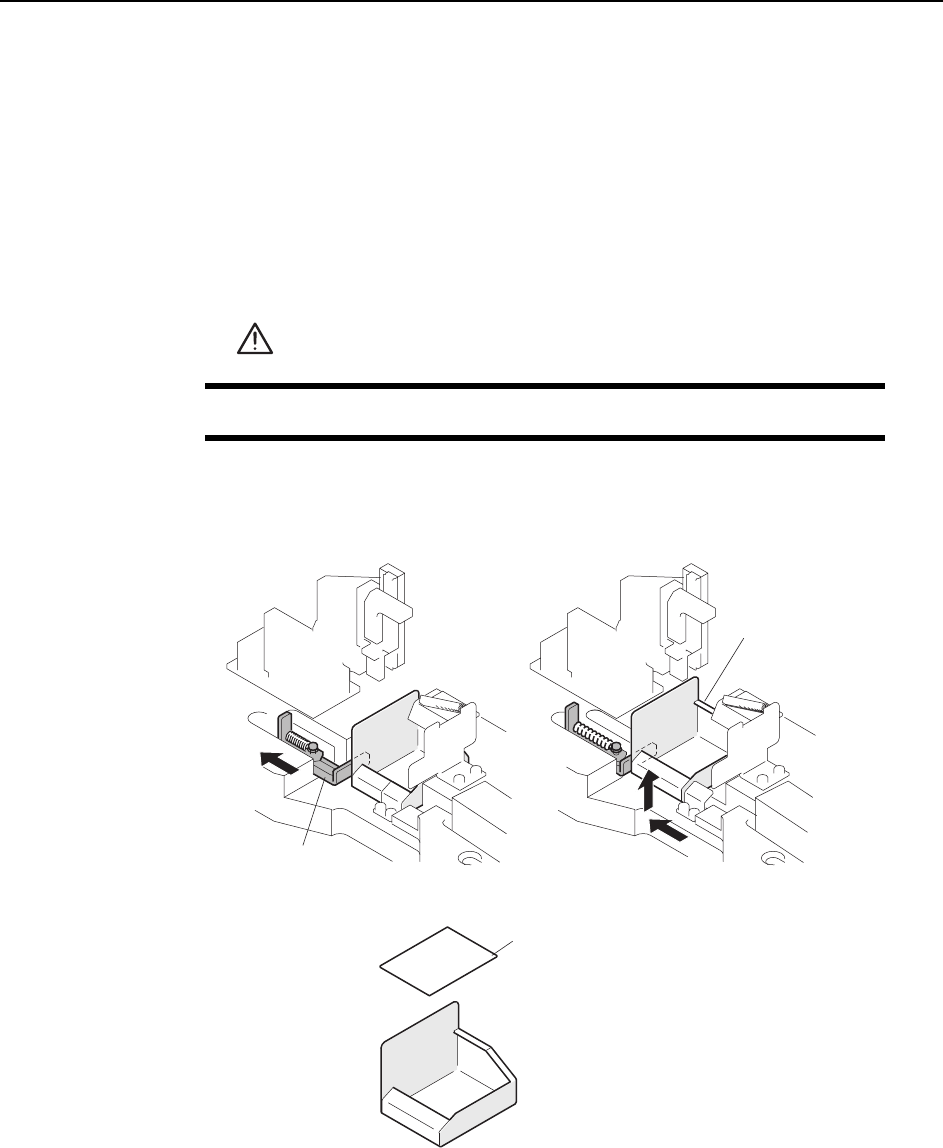
While pulling the lever to the left, slide the reject parts box out towards the front of
the machine.
When returning the reject parts box to its position, make sure that the cushion sheet
is in place at the bottom of the box.
WARNING
Press EMERGENCY STOP before performing this procedure.
C746M3003
Lever
Cushion sheet
Reject parts box
Maintenance >> Cleaning
5-4 MEC-CP842-1.0E
5.1.4 Removing Parts from the Camera Glass
(Every 8 Hours)
Point
Parts that fall on the camera glass may cause vision processing errors. Check the cam-
era glass regularly for objects that might have an effect on vision processing.
Procedure
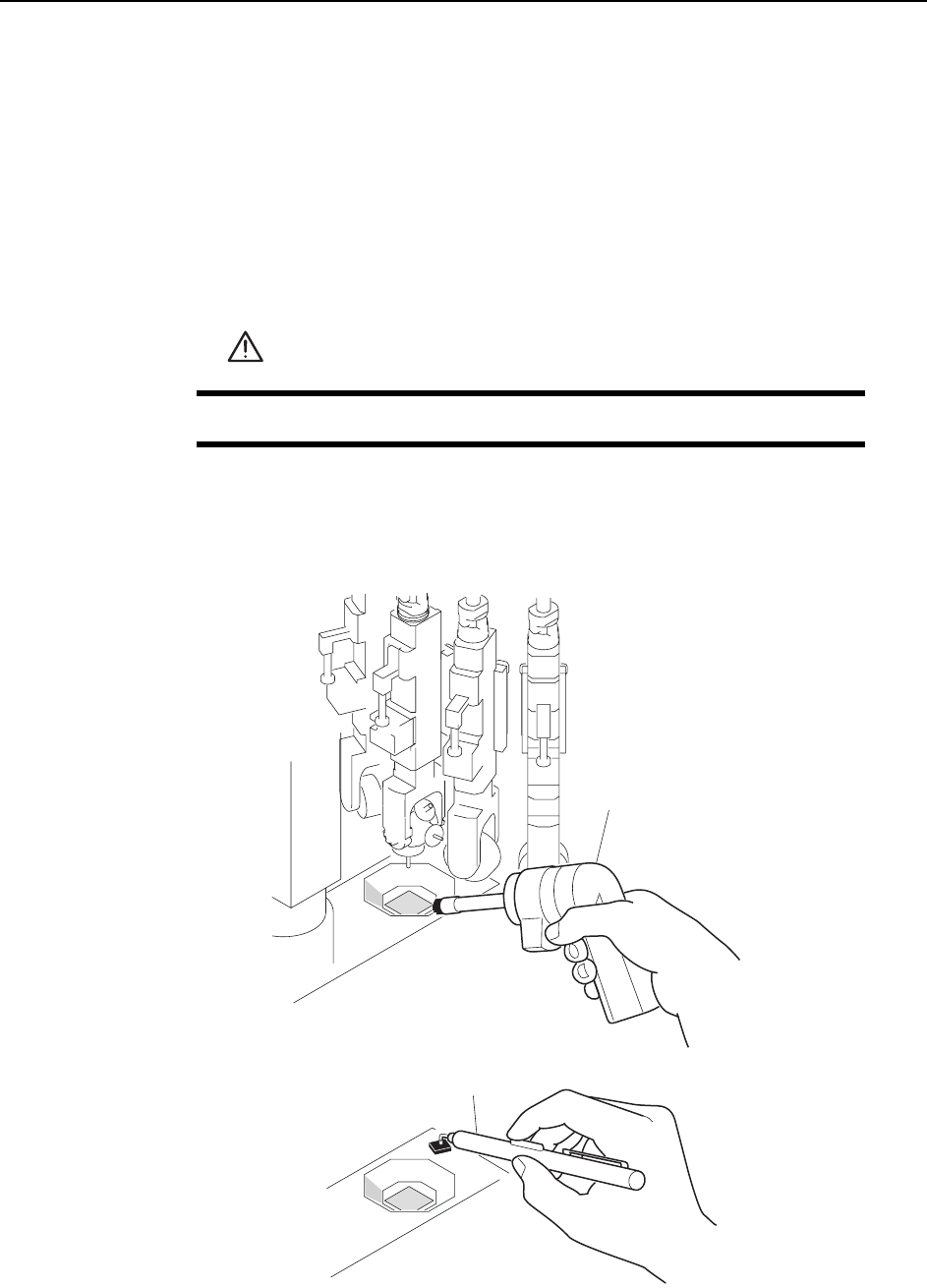
Use the parts camera cleaner jig (K3018H) to remove objects from the top of the camera
glass. Use an air pincette (H2101Z) to remove parts that cannot be removed with the
cleaner.
WARNING
Turn the main power off before performing this procedure.
C84PCA002E
%NGCPGT
#KTRKPEGVVG
Maintenance >> Cleaning
MEC-CP842-1.0E 5-5
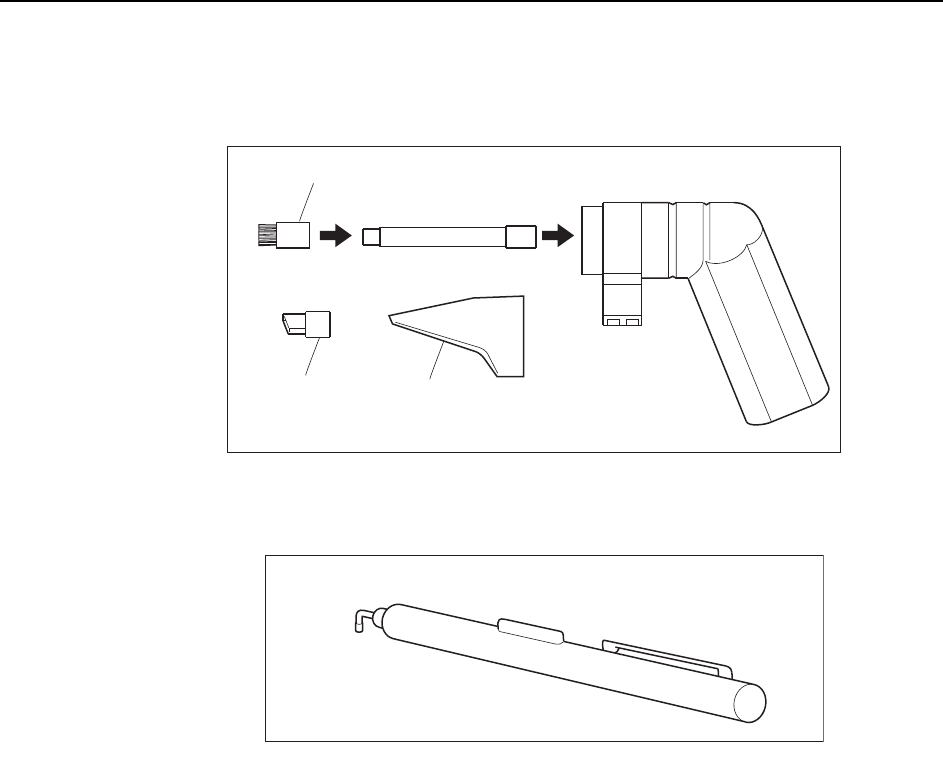
Note: Use the cleaner with the brush nozzle attachment. Using other nozzles on the cleaner may
damage the glass surface or other machine components.
C84PCA003E
$TWUJPQ\\NG
%NGCPGTK3018H)
5NQVPQ\\NG
&QPQVWUG
&QPQVWUG
5VCPFCTFPQ\\NG
C84PCA004E
#KTRKPEGVVG(H2101Z)