MEC-CP842-1.0E.pdf - 第225页
Setup >> Moving the Machine MEC-CP842-1.0E 9-9 9.5 Moving the Machine 9.5.1 Precautions when Moving the Machine When moving a machine, observe the safety measures described below to avoi d acci- dents. • All staff …
Setup >> Connecting the Data Transmission Cable
9-8 MEC-CP842-1.0E
9.4 Connecting the Data Transmission Cable
Point
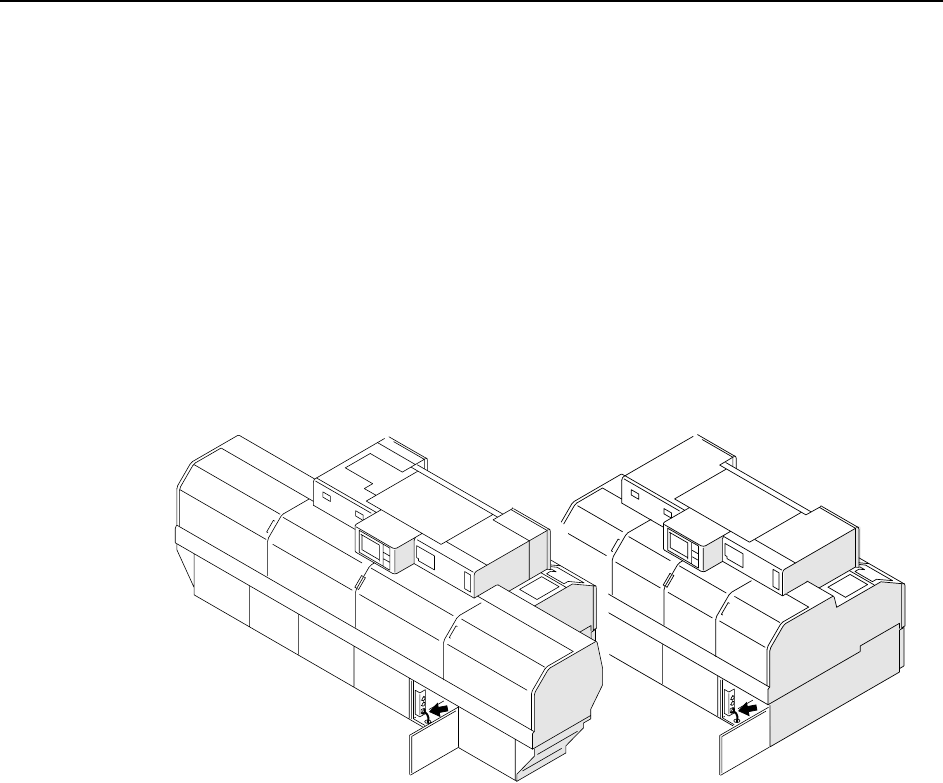
The machine is connected to the host computer by an Ethernet communication cable
(class 5) that enables program transmissions and production log compilation.
Procedure
1 Register the CP-842E/842ME in the line descriptor file at the host.
Note: Refer to the host computer manual for details regarding the registration procedure.
2 Connect one end of the transmission cable to the Ethernet connector at the host,
and connect the other end to the machine.
C746M6007
<CP-842E>
<CP-842ME>
Setup >> Moving the Machine
MEC-CP842-1.0E 9-9
9.5 Moving the Machine
9.5.1 Precautions when Moving the Machine
When moving a machine, observe the safety measures described below to avoid acci-
dents.
• All staff involved in the procedure should wear safety shoes and helmets.
• Prepare the transport path in advance, and keep people who are not involved in
the procedure out of the area.
• The machine should be moved only by qualified personnel.
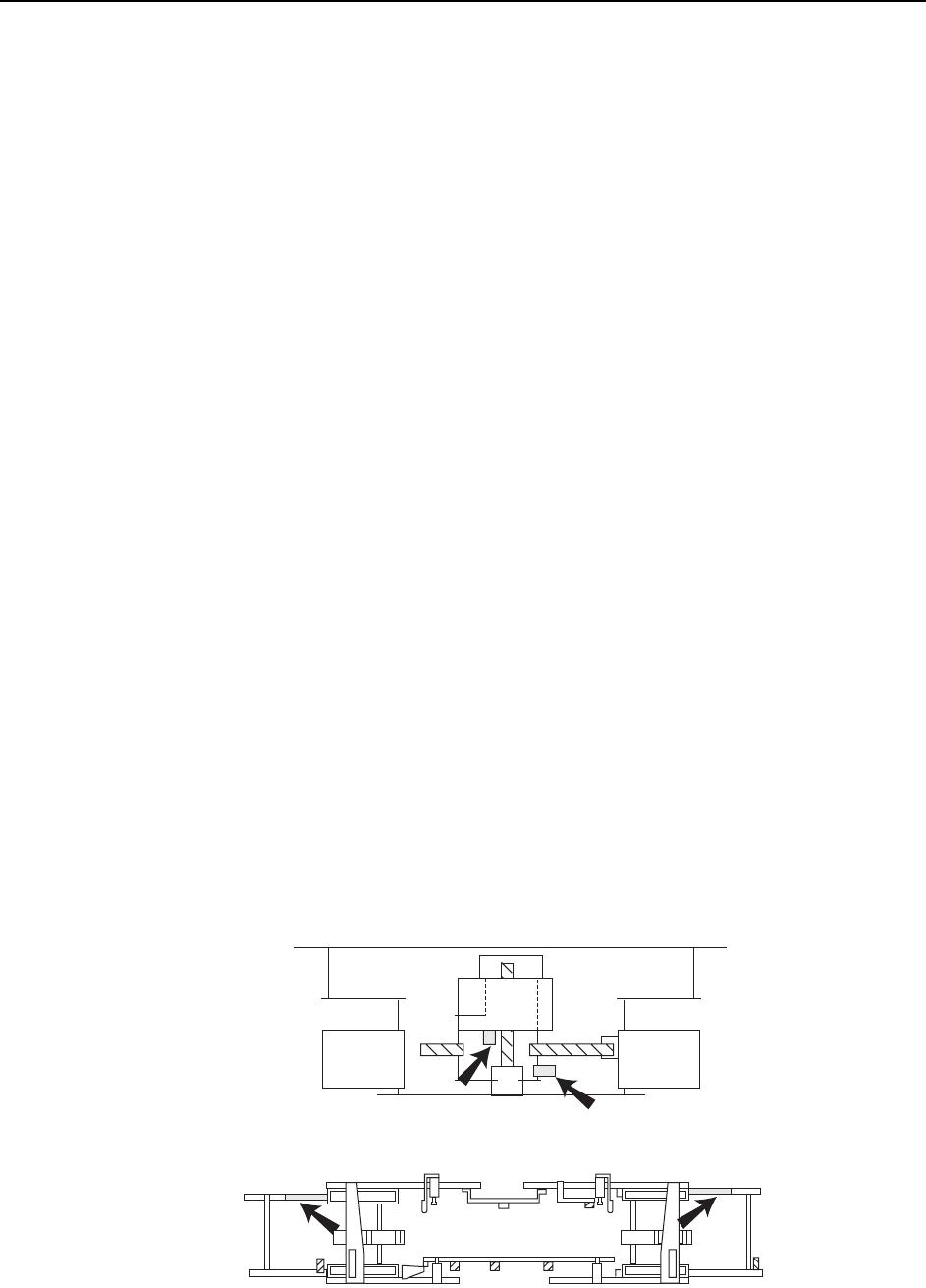
• Before moving the machine, attach the machine brackets (red) which were
attached when the machine was delivered. (Attach the brackets in the pre-
scribed positions.)
• Use a forklift (load capacity of 10 t or higher) that is approved for the weight of
the machine.
Machine weights: CP-842E Approx. 5,850 kg
CP-842ME Approx. 4,880 kg
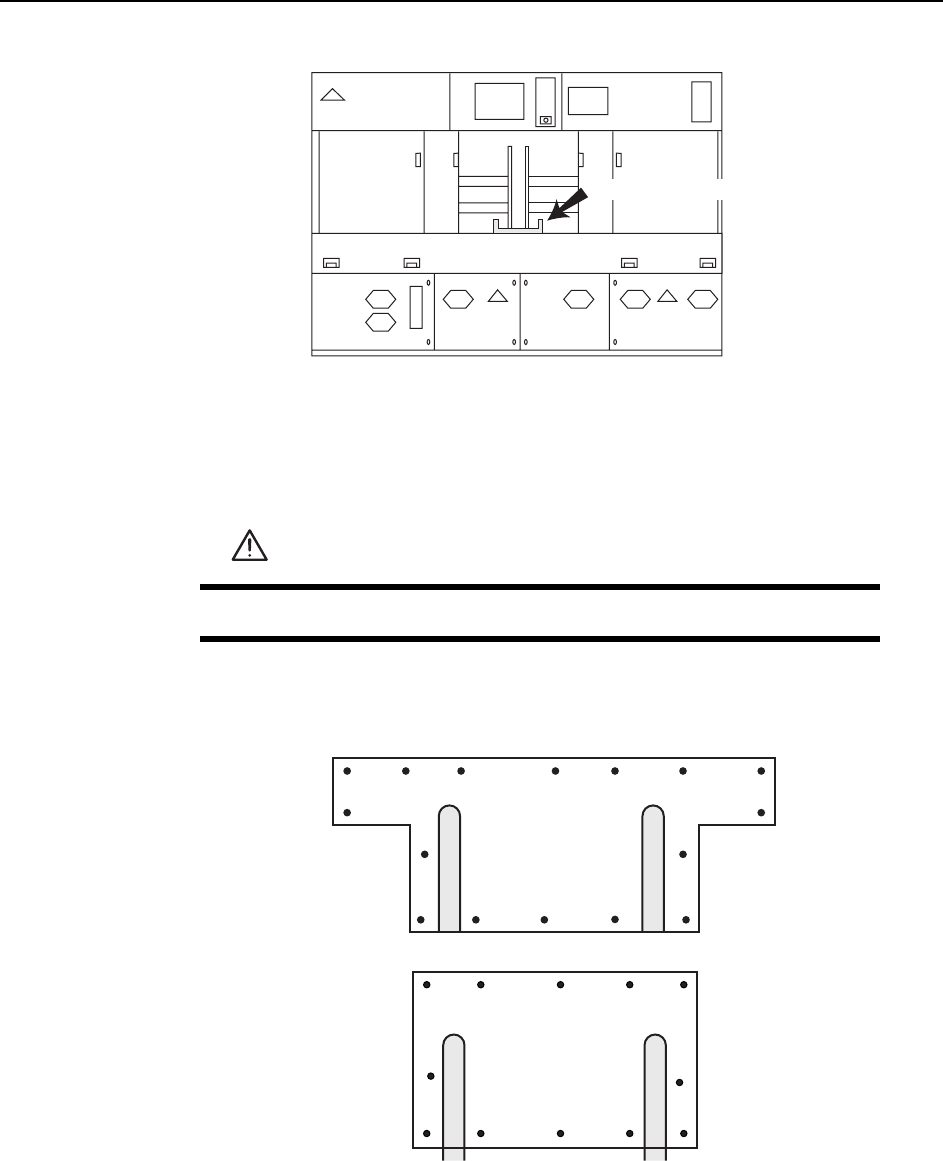
• Insert the forklift forks at the prescribed positions.
• Use care to avoid bending the leveling bolts.
• If the balance of a lifted machine is unstable, lower the machine immediately.
• Raise and lower the machine slowly to avoid subjecting the machine to shocks.
Transport Procedure
1 Remove all tape feeders, air hoses, and electrical wiring from the machine.
2 Use the machine brackets (red) to secure the XY-table, the in- and out-carriers,
and the D-axes.
Note: If there are no machine brackets available, use rope, etc., to secure the various parts of the
machine to avoid damaging them.
C746M6008
Carrier brackets
Y-axis bracket
X-axis bracket
Setup >> Moving the Machine
9-10 MEC-CP842-1.0E
3 Insert the forklift so that its left and right forks are the same distance from the
machine center. Moreover, the space between the left and right forks should be
set as wide as possible.
Note: The forklift should be operated in accordance with the manual provided by the forklift manu-
facturer.
4 Using the forklift, lift the machine to a height of 30 cm.
5 Transport the machine by forklift to its new location, then lower the machine
slowly onto the leveling sheets or leveling blocks. For details concerning level-
ing sheet or leveling block configurations, refer to 9.1 "Leveling The Machine".
DANGER
Do not attempt any tasks beneath the lifted machine.
C746M600
9
D-axis bracket
<CP-842ME>
<CP-842E>
C746M6010