MEC-CP842-1.0E.pdf - 第184页
Adjustments >> Station Adjustme nts 7-48 MEC-CP842-1.0E Checking the Sensor Reaction 1 Press the EMERGENCY STOP button to take the 200V down to 100V . 2 Manually rotate the rotary holder to select nozzle No. 6. At …
Adjustments >> Station Adjustments
MEC-CP842-1.0E 7-47
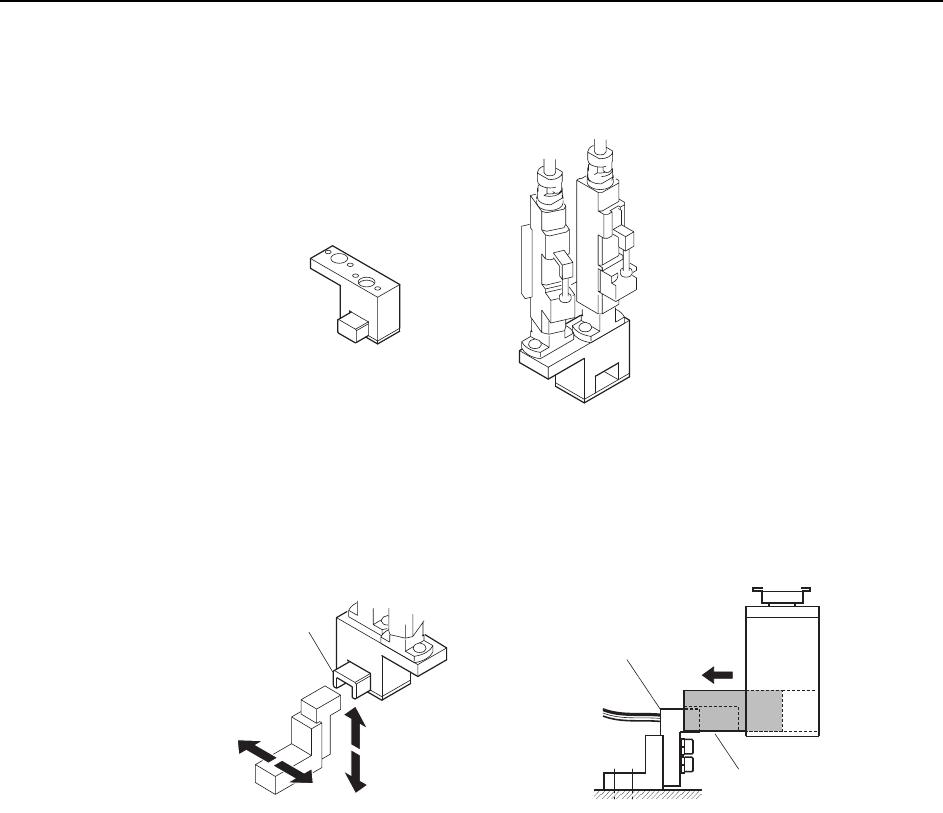
6 Attach the adjustment jig (for ST15) to the placing heads at ST15 and 16.
Note: Do not turn the cam with the jig attached to the placing heads; otherwise the heads might be
damaged.
7 Adjust the sensor bracket position so that the jig smoothly slides over the sensor
bracket.
C7SM4062
ST15
ST16
ST15
A
djustment jig
ADGPJ8050
Jig block
Jig block
Sensor bracket
C7SM4061
Adjustments >> Station Adjustments
7-48 MEC-CP842-1.0E
Checking the Sensor Reaction
1 Press the EMERGENCY STOP button to take the 200V down to 100V.
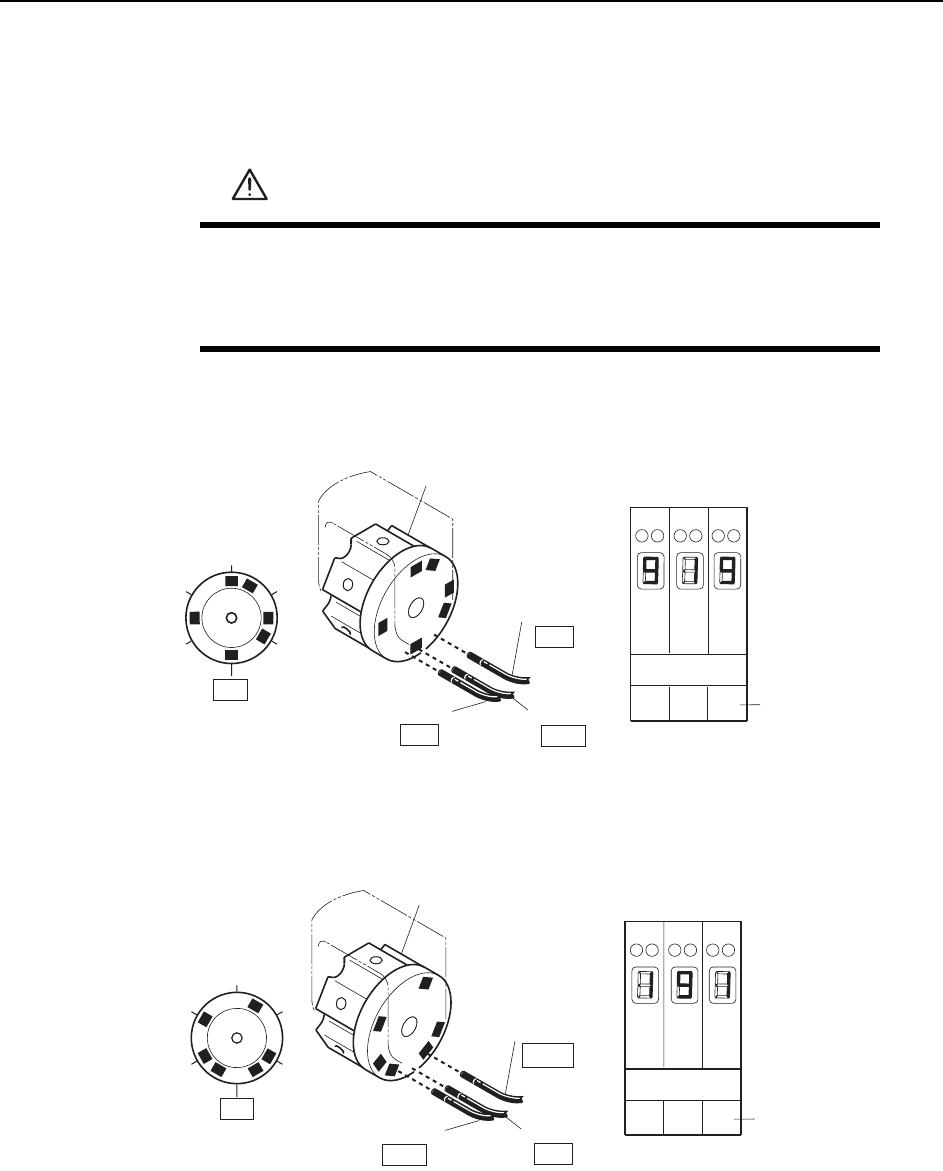
2 Manually rotate the rotary holder to select nozzle No. 6. At this time, the sensor
reactions should be the same as shown below.
3 Rotate the rotary holder to select nozzle No. 2. At this time, the sensor reactions
should be the same as shown below.
WARNING
• Press EMERGENCY STOP before performing this procedure.
• Exercise extreme caution when working on the machine if the cam
is not at its origin (0 deg.). Spring recoil can rotate the cam inde-
pendently.
123
Amp front view
Sensor 1
Nozzle
Sensor 2
OFF
Sensor 3
ON
Rotary holder
ON
1
2
3
4
5
6
Sensor No.
Digital display
0, 1 = Sensor OFF
8, 9 = Sensor ON
13ST
C7SM4044a
Sensor 1
Nozzle
Sensor 2
OFF
Sensor 3
Rotary holder
ON
C7SM4045a
1
2
3
4
5
6
OFF
123
Amp front view
Sensor No.
Digital display
0, 1 = Sensor OFF
8, 9 = Sensor ON
13ST

Adjustments >> Station Adjustments
MEC-CP842-1.0E 7-49
4 Ensure that the sensors display for the other nozzles as shown below.
Nozzle 1
Nozzle 2
Nozzle 3
Nozzle 4
Nozzle 5
Nozzle 6
Sensor 1
ON
OFF
OFF
ON
OFF
ON
Sensor 2
OFF
ON
OFF
ON
ON
OFF
Sensor 3
OFF
OFF
ON
OFF
ON
ON
T001
Digital display
0,1 = Sensor OFF
8,9 = Sensor ON