MEC-CP842-1.0E.pdf - 第74页
Maintena nce >> Cleaning 5-14 MEC-CP842-1.0E 5.1.12 Air Filter (Monthly) Point Filters are attached to each of the cooling fa ns on the machine. The air filters should be cleaned periodically to ensure smooth pa ss…
Maintenance >> Cleaning
MEC-CP842-1.0E 5-13
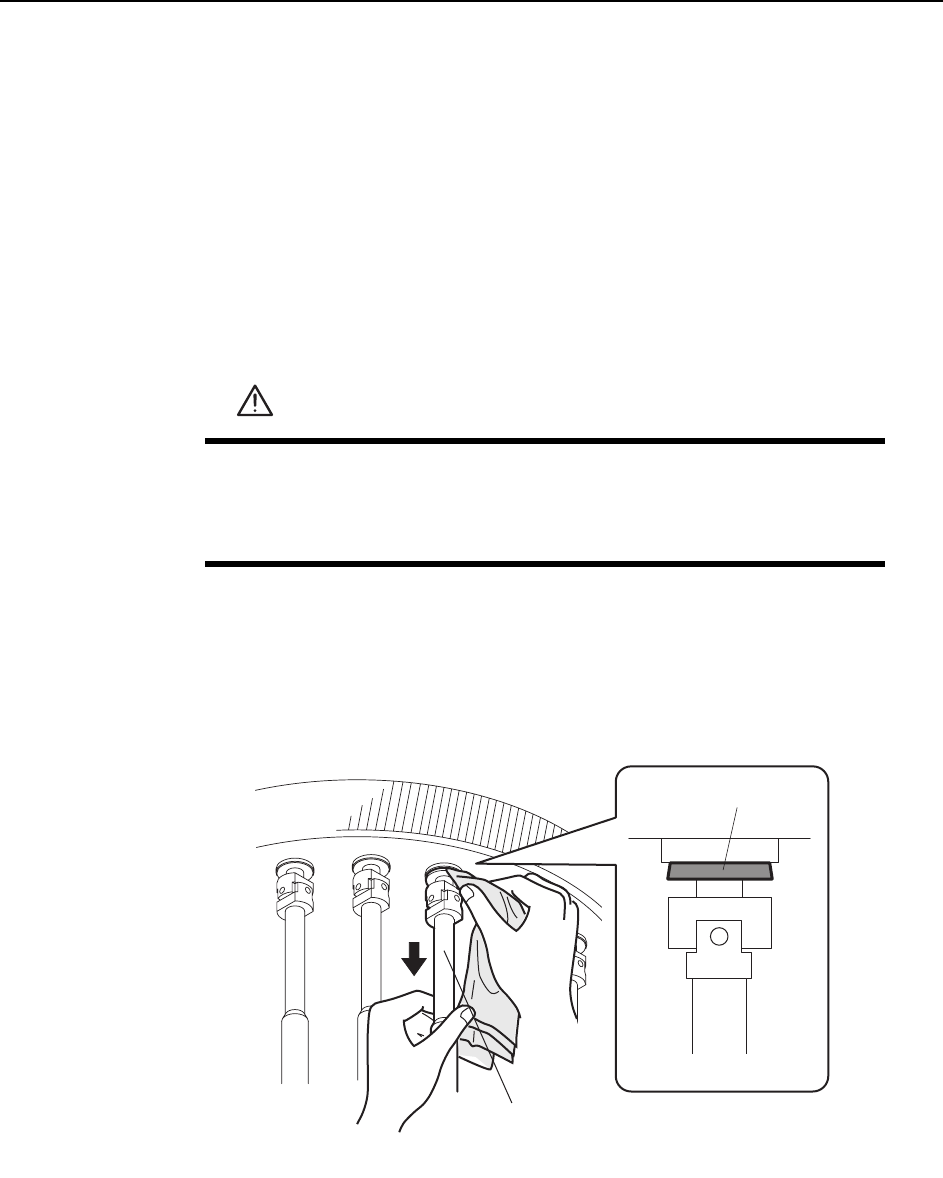
5.1.11 Tapered Clutch on the Nozzle Indexing Shaft
(Monthly)
Point
After extended periods of operation, grease may adhere to the tapered clutch of the
nozzle indexing shaft, causing the clutch to slip. This slippage prevents correct rota-
tion of the nozzle to its placing angle. Use the degreasing agent (ThreeBond 2706)
supplied with the machine to periodically clean the tapered clutches.
Procedure
Apply degreasing agent to a cloth, pull down the outer shaft, and wipe the entire cir-
cumference of the tapered clutch with the cloth.
Note: Do not spray the degreasing agent directly on the tapered clutch, because spraying is inaccu-
rate and will scatter the liquid to other machine components. (The degreasing agent may
remove needed lubricant from other machine components.)
WARNING
• Press EMERGENCY STOP before performing this procedure.
• Spring recoil may cause the cam to rotate suddenly if not at its ori-
gin position (0-degrees). Working inside the machine is danger-
ous and requires special care.
C746M3009
Tapered clutch
Outer shaft
Maintenance >> Cleaning
5-14 MEC-CP842-1.0E
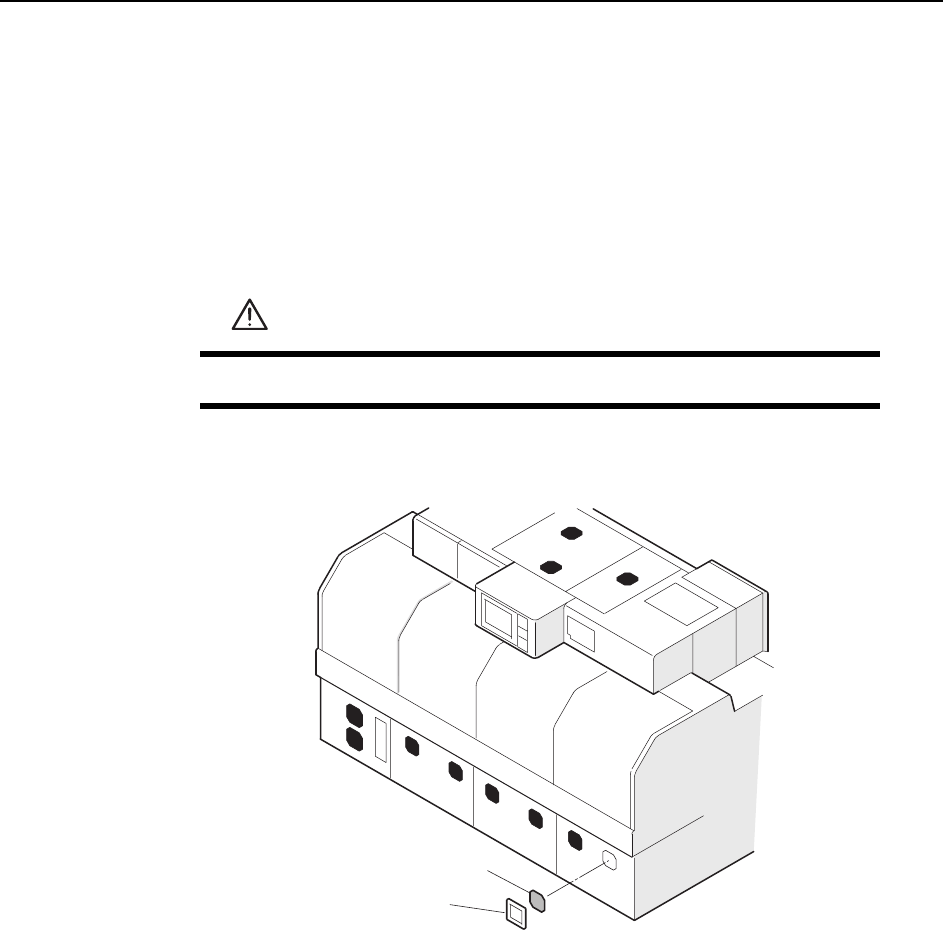
5.1.12 Air Filter (Monthly)
Point
Filters are attached to each of the cooling fans on the machine. The air filters should
be cleaned periodically to ensure smooth passage of air and thus prevent overheating.
Procedure
Remove the cover and the filter and then use a vacuum cleaner to clean the filter.
WARNING
Turn the main power off before performing this procedure.
C746M3010
Air filter
Filter cover
Maintenance >> Cleaning
MEC-CP842-1.0E 5-15
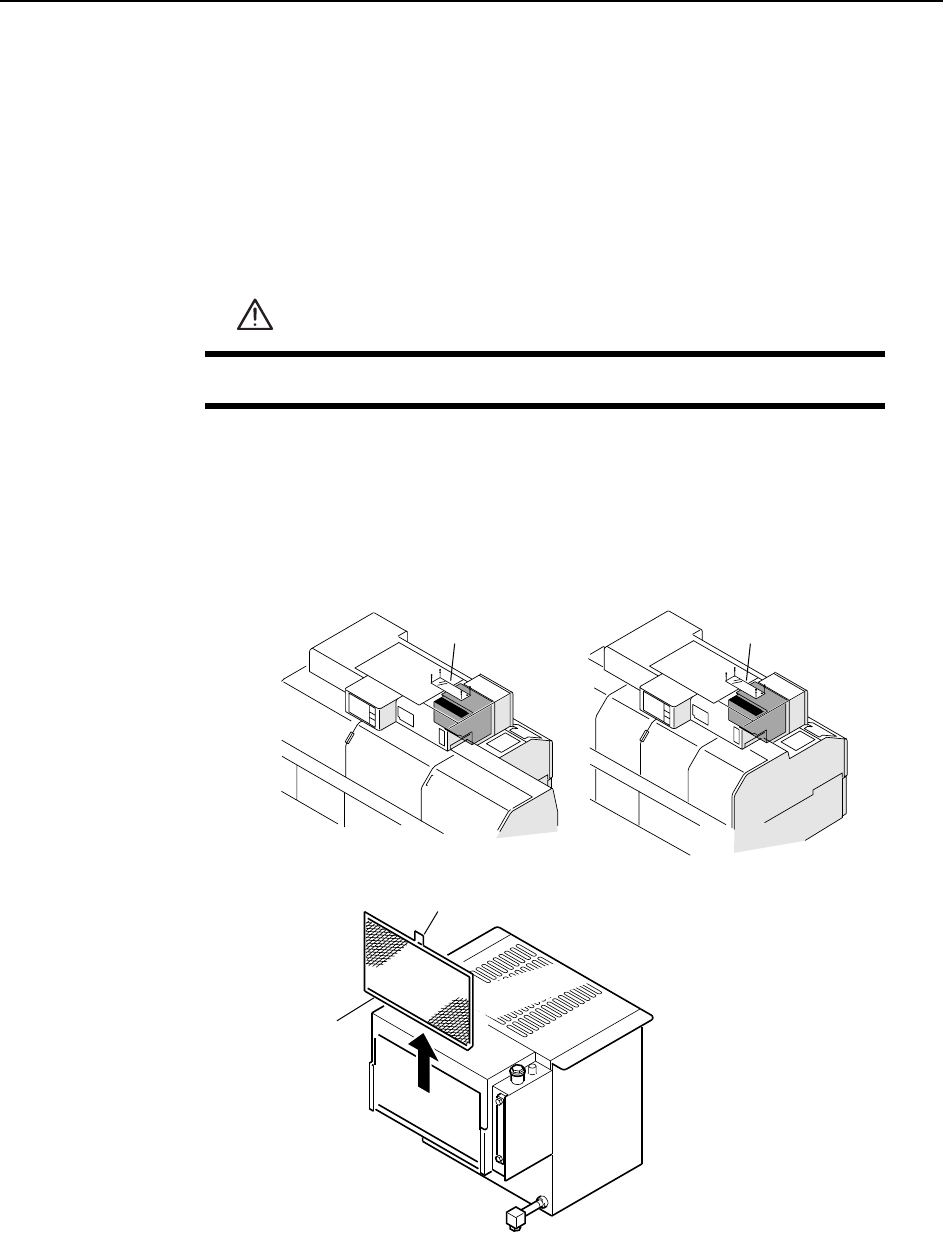
5.1.13 Oil Cooler Air Filter (Monthly)
Point
An air filter is attached to the exterior of the oil cooler unit. This filter should be
cleaned periodically to prevent damage to the oil cooler unit.
Procedure
1 Remove the acrylic cover from the top of the machine.
2 Hold the tab and lift the filter upwards to remove.
3 Clean the filter with a vacuum cleaner.
WARNING
Turn the main power off before performing this procedure.
C746M3012
<CP-842E> <CP-842ME>
Filter
Tab
Acrylic coverAcrylic cover