00198168-02_Technical_Training_TX-Series_EN.pdf - 第31页
3 Setting Up the Machine 3.1 Setting up the TX Machine Technical Training SIPLACE TX-Series 10/2016 31 Leveling the machine Please align the machine with 3 feet (1) and then fix the 4th foot (2) so that there is contact …
3 Setting Up the Machine
3.1 Setting up the TX Machine
30 Technical Training SIPLACE TX-Series 10/2016
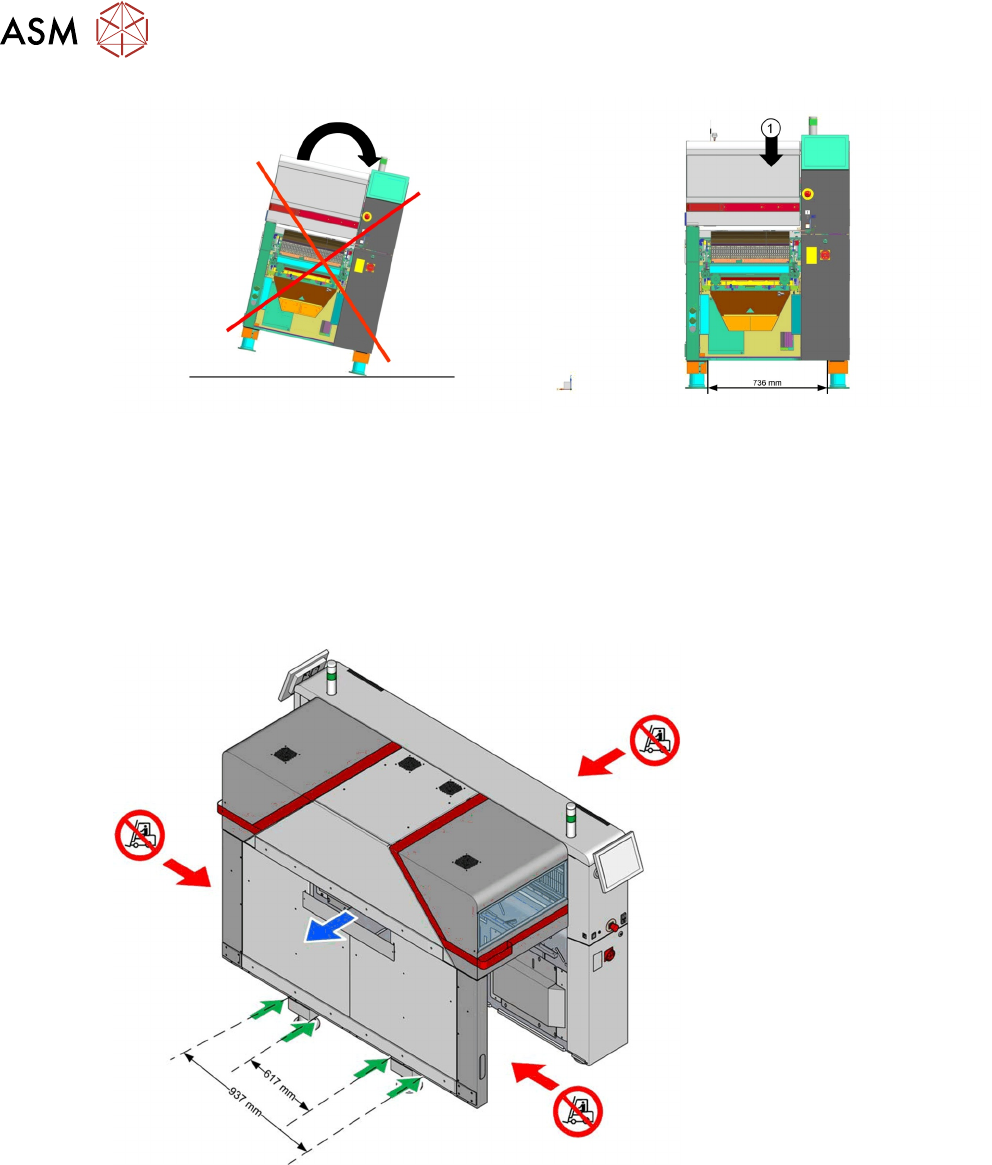
1. The balance point of the machine is not the center of the machine.
●
Attention: Don`t use the Input Side of the machine to lift up.
●
Please use the Output Side with a minimum fork of 617mm or with a distance between the
forks of 937mm.
●
Don`t move the machine outside of the center from the machine.
●
Move with fork next to the feet only; there is no other way to move the machine in line.
3 Setting Up the Machine
3.1 Setting up the TX Machine
Technical Training SIPLACE TX-Series 10/2016 31
Leveling the machine
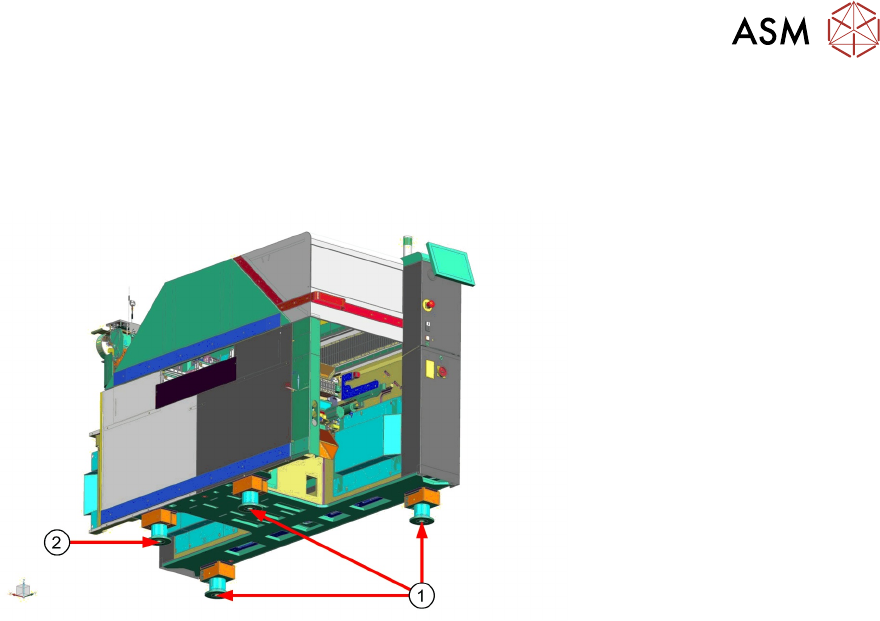
Please align the machine with 3 feet (1) and then fix the 4th foot (2) so that there is contact to the
ground.
It is easier to use the 2 feet at location 2 for leveling and fix last the 4th foot at location 1.
Base machine – Machine Setup/ Installation
●
Machine transport height: 900mm to 950mm +- 15 (Only 1 foot type required for all heights
with one adjustable screw).
●
Shaft spirit level should be put onto plate of lifting table.
●
Cover should be open in sector 1 and 2 to reach adjustable screw of feet.
3 Setting Up the Machine
3.2 Setting up the TX Machine - Calibrations
32 Technical Training SIPLACE TX-Series 10/2016
3.2 Setting up the TX Machine - Calibrations
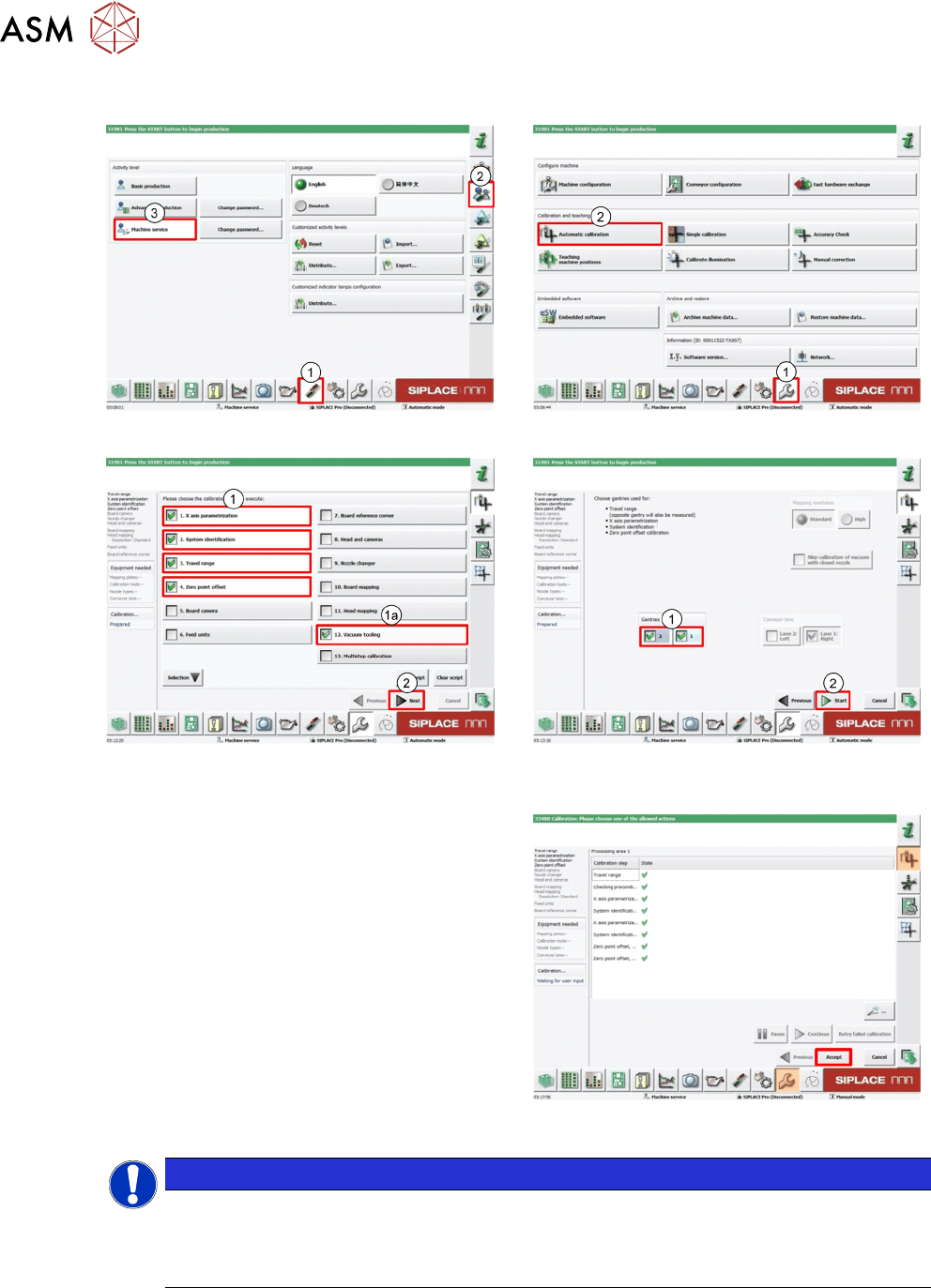
1. Log on as Machine service (1-3). 2. Select Automatic calibration.
3. Select calibration items 1-4(1).
For machines using the hardware option Va-
cuum tooling: Select also Vacuum tooling
(1a).
Click Next (2).
Note
Function Multistep calibration is only
available for TX micron 15µm and 20/25 µm
machines.
Multistep calibration replaces the previously
available board mapping and head mapping.
In this context Multistep calibration is not
required for setting up the machine.
4. Select both Gantries (1).
Click Start (2).
5. Click Accept to save data.
NOTICE
Accuracy of TX micron machines have to be checked
After TX micron machines are setup and calibrated, the accuracy of the machines have to
be checked using the ACT tool. For detailed information refer to the ACT tool manual (order
number 00196351-xx).