00197195-02-UG SetupCenter 5.1_en.pdf - 第10页
Introduction Online Help 10 User Guide SIPLACE Setup Center 5.1 1.3 Online Help Make use of the information p rovided in the Online Help! SIPLACE Setup Center allows the context-se nsitive access to the relevant subject …

Introduction
Document Purpose / Target Group
User Guide SIPLACE Setup Center 5.1 9
1Introduction
1.1 Document Purpose / Target Group
This manual describes SIPLACE Setup Center. This documents provides new users with an overview
of SIPLACE Setup Center. We recommend that you read through this manual even if you are already
familiar with the main Setup Center features. Here you will find all the key information needed for con-
figurations and applications, in order to help make your work with the SIPLACE Setup Center easier.
Practical examples guide you "step by step" through the basic functions of SIPLACE Setup Center. At
the end of this document, you will be able to master the main tasks with SIPLACE Setup Center. You
can then build upon this knowledge in training sessions and learn about further functions.
The contents of this manual address the following user groups:
▪ Operator
The operator has completed appropriate training and is authorized to carry out tasks on the machine
and line, such as the configuration and refilling of components, setup verification and production
preparation in the pre-setup area.
▪ The line engineer
The line engineer has completed special training and is authorized to carry out tasks such as the
creation of setup configurations and definition of inspection parameters etc.
▪ The service engineer
Persons of this class have been trained to carry out servicing work, to set up machines and to change
the setup of machines.
1.2 Symbols / Notes
Different symbols and notes have been used to make it easier to read and understand this document.
CAUTION
Work must be carried out by qualified personnel
Only people with the appropriate training for the specific software part may carry out tasks on
the machine. All tasks must be carried out by trained and qualified personnel. All warning, cau-
tion and danger notes MUST be observed!
CAUTION
Contents of this manual are not part of any legal agreement
We would like to draw your attention to the fact that the contents of these software instructions
are not part of a previous or existing agreement, commitment or legal contract, neither is this
intended to modify one of the above. All obligations of ASM Assembly Systems GmbH & Co.
KG may be taken from the appropriate sales contract, which also contains a complete and valid
warranty agreement. These contractual statements are neither extended nor restricted by this
software guide.
Words in bold/italic print These refer to dialogs, dialog fields, menu items, and commands.
Step ... Includes all actions to do with a particular dialog. A dialog may be
composed of several actions ().

Introduction
Online Help
10 User Guide SIPLACE Setup Center 5.1
1.3 Online Help
Make use of the information provided in the Online Help!
SIPLACE Setup Center allows the context-sensitive access to the relevant subject in the online help.
The online help provides all contents of the SIPLACE Setup Center.
SIPLACE Setup Center provides the following Online Help access options:
▪ You can access the online help of the current view via Help → Help in the menu bar or via the F1 key.
▪ You can access the online help of the opened dialog via the Help button.
▪ In addition, you will find all topics from the SIPLACE Setup Center User Manual in the Online Help.
Use Help => Contents, Index and Find from the menu bar to navigate to the individual topics.
► Action Requires an action (e.g. mouse click, open file)
Equivalent to a warning. The information is essential for successful
working.
Explanatory information.
Starting Setup Center
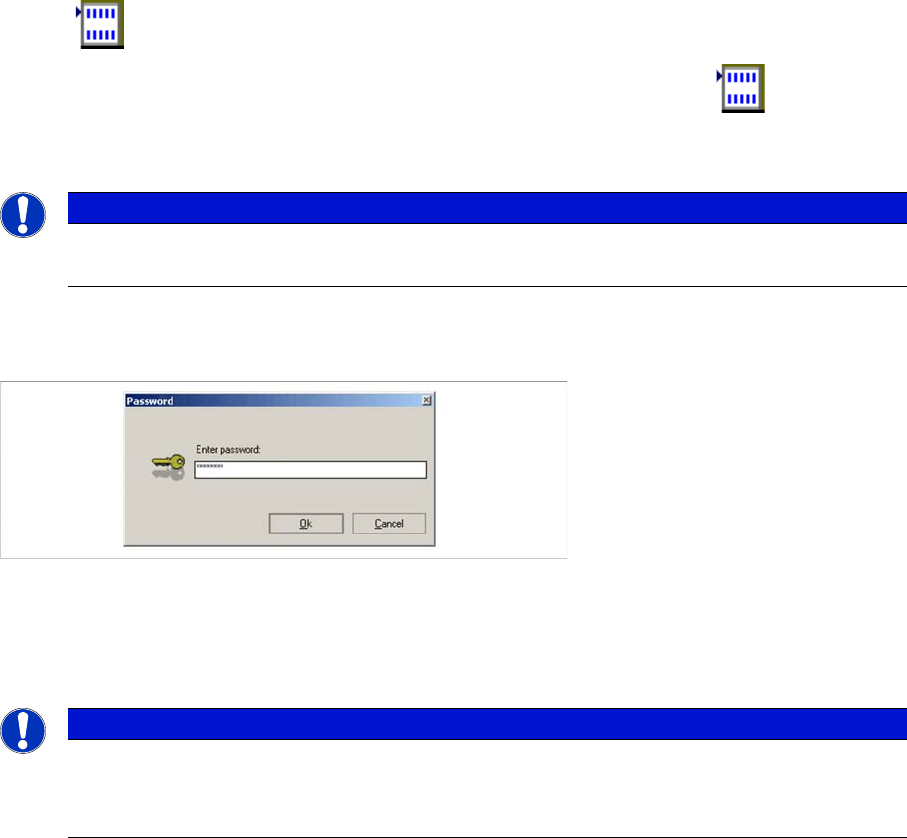
Password Request
User Guide SIPLACE Setup Center 5.1 11
2 Starting Setup Center
After successful installation of SIPLACE Setup Center, you will see the Windows Start menu
Start Programs with the entry Siemens SIPLACE Setup Center and
the icon Setup Center on the Desktop.
Start the SIPLACE Setup Center from the menu or by clicking on the relevant icon on the Desktop.
The system will open the SIPLACE Setup Center application and then connect to the SIPLACE Setup
Center Database.
2.1 Password Request
Several functions, e. g. the settings, the barcode label wizard or firmware functions can be locked by a
password request.
► For configuring the password select the Tools => Settings => Security function in the Setup Center
main menu.
2.2 The User Interface
The user interface is divided into the sections described below. These sections include all the functions
and editors needed to work with SIPLACE Setup Center. The following diagram shows the user interface
with a loaded setup.
NOTICE
Installation failed
Please consult your installation manual if the installation was unsuccessful.
NOTICE
Password
Please observe case-sensitivity.
► If no password has been configured, this dialog is skipped.