00197195-02-UG SetupCenter 5.1_en.pdf - 第138页
Working with the Setup Center Application Firmware Firmware Download 138 User Guide SIPLACE Setup Center 5.1 Table 7.10.3 Firmware Download ► In the main m enu op en Extras > Firmware > Download and the context men…
Working with the Setup Center Application
Automatic Check of the Firmware Version Firmware
User Guide SIPLACE Setup Center 5.1 137
7.10 Firmware
7.10.1 Automatic Check of the Firmware Version
Automatic Check of the Docking Stations
► Setup Center checks the firmware versions of the configured docking stations during start-up.
⇨ If an older firmware than currently required is detected, Setup Center issues a corresponding warn-
ing in the notifications window.
Automatic Check of X-Feeders/X-Adapters
► Setup Center checks the firmware versions of all X-feeders / X-adapters on the configured docking
stations during start-up.
⇨ If an older firmware than currently required is detected, Setup Center issues a corresponding warn-
ing in the notifications window.
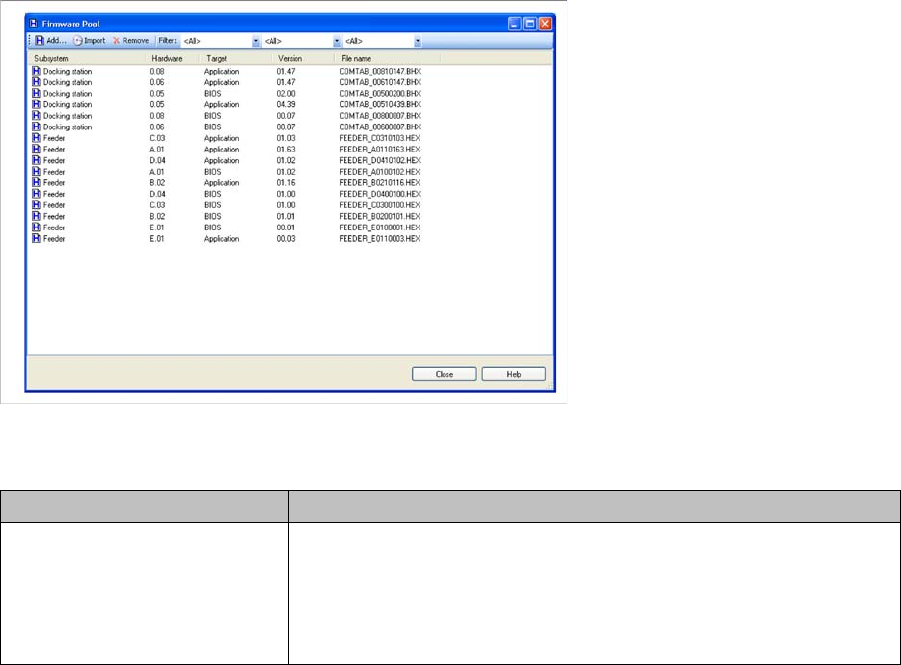
7.10.2 Firmware Pool
► In the main menu, open Tools > Firmware Pool… and the Firmware Pool dialog box will open.
This view shows you the present firmware versions, you can add new firmware and delete firmware that
is no longer required.
Menu bar
Parameter Description
Add... Allows selecting the firmware files (*.bhx, *.hex) on the file system of
your computer or network.
Select the required file and the firmware is added to the list of avail-
able firmware versions. These can then be installed on the relevant
sub-systems.
Working with the Setup Center Application
Firmware Firmware Download
138 User Guide SIPLACE Setup Center 5.1
Table
7.10.3 Firmware Download
► In the main menu open Extras > Firmware > Download and the context menu with the present tables
or docking stations is displayed.
► Select the required object from the context menu.
► The Firmware download dialog box is shown.
This view shows you the current firmware status for all feeders of the selected table or docking station.
You can load installed firmware versions to the X-feeders or docking stations.
Firmware Versions
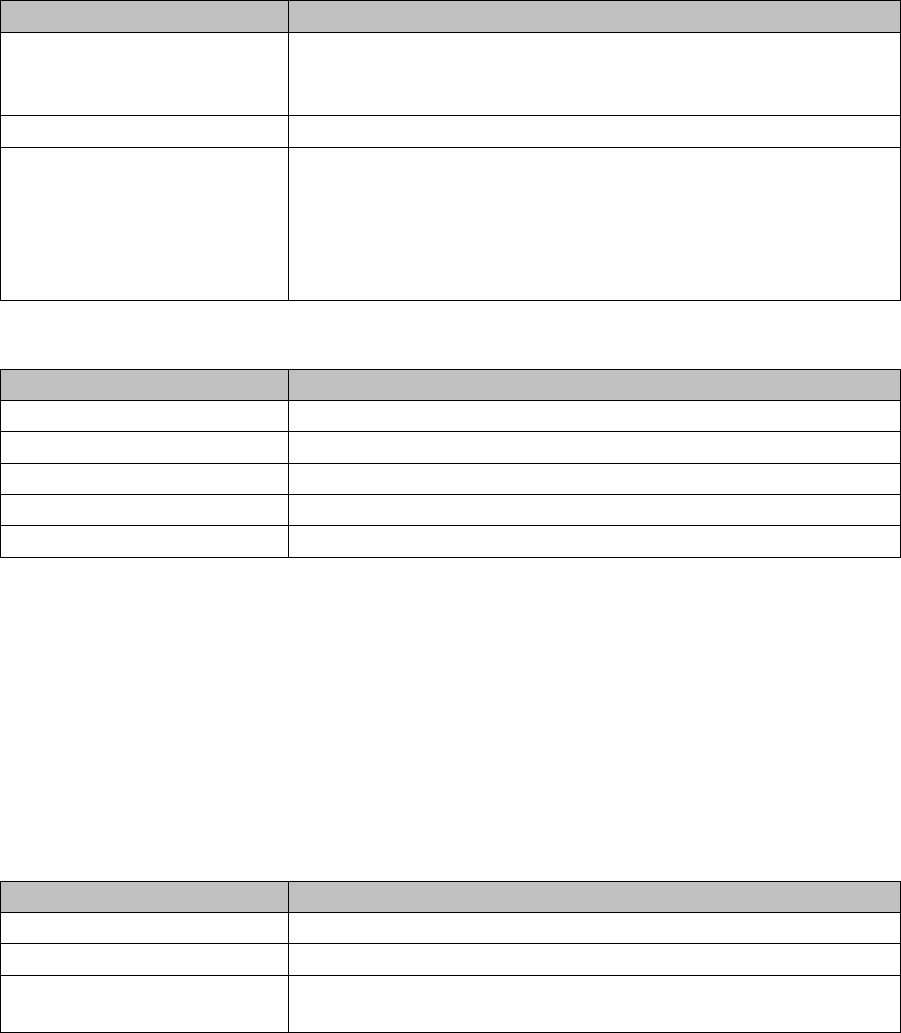
Import Import the firmware files directly from the data carrier (CD/DVD) for
the station software. From station software 605.05 and 705.01 these
firmware data are supplied on the installation CD/DVD.
Remove Removes selected firmware data from the list of available firmware.
Filter You can select different filters for a clearly arranged display of the
available firmware data.
▪ Docking station or Feeder
▪ According to Hardware version
▪ BIOS or Application
Parameter Description
Subsystem Shows the subsystem (Docking station or Feeder)
Hardware Shows the hardware version valid for this firmware.
Target Shows if this is a BIOS firmware or an application firmware.
Version Shows the firmware version.
File name Shows the file name of the firmware.
Parameter Description
Parameter Description
Hardware Shows the version of the hardware
BIOS Here, you can select the available BIOS versions for the download.
Application Here, you can select the available versions for the download of the
application.
Working with the Setup Center Application
Firmware Download Firmware
User Guide SIPLACE Setup Center 5.1 139
Menu Bar
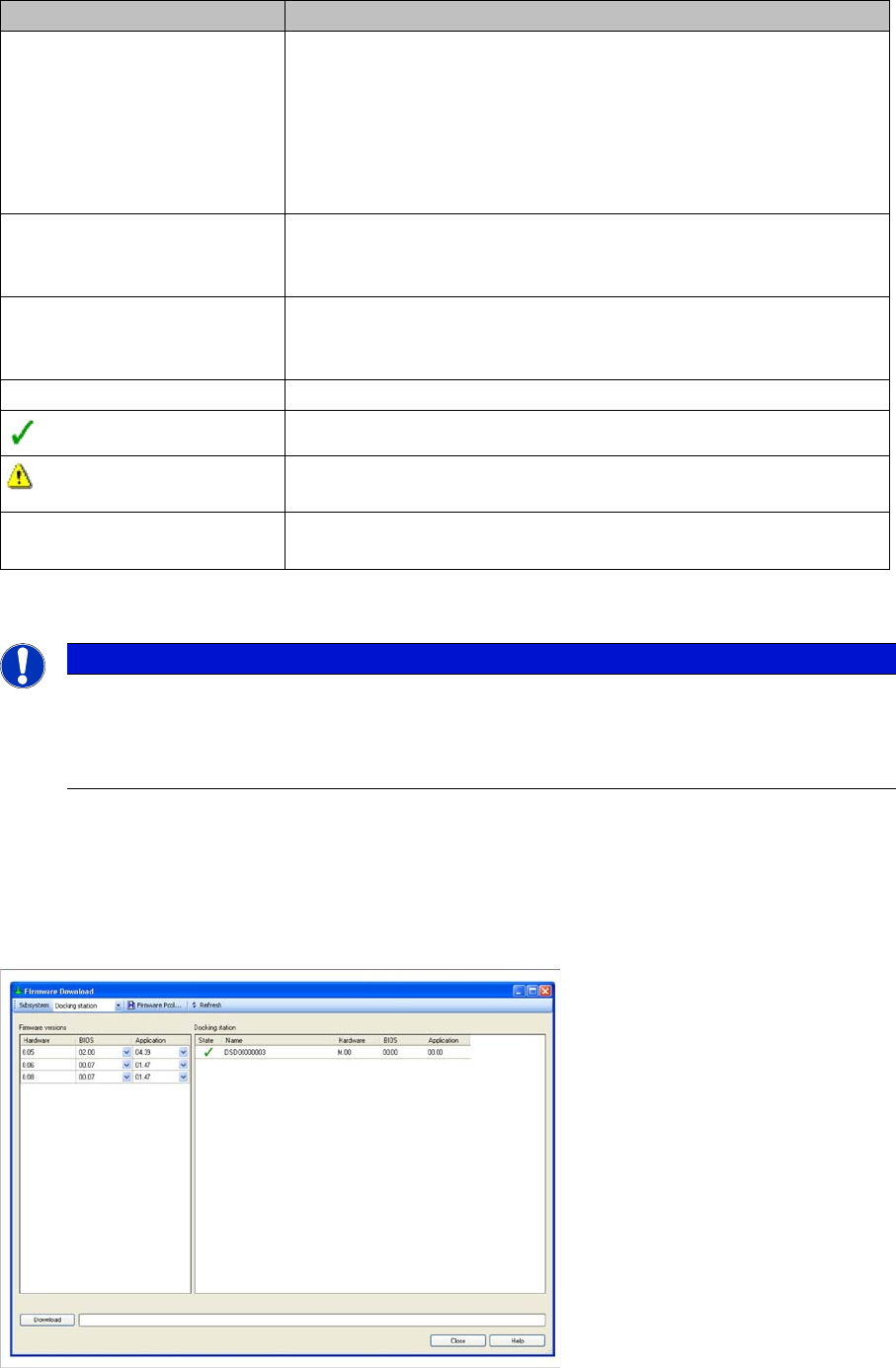
7.10.3.1 Firmware Download to the Docking Stations
► In the main menu open Extras > Firmware > Download and the context menu with the present tables
or docking stations is displayed.
► Select the relevant docking station from the context menu.
► The Firmware download dialog box is shown.
► Select Subsystem => Docking station.
Parameter Description
Subsystem Depending on the subsystem selected the relevant firmware versions
for the download are displayed.
Feeder Types
Shows the available firmware versions for the feeders.
Docking station
Shows the available firmware versions for the docking stations.
Firmware Pool… Opens the Firmware Pool dialog. This view shows you the installed
firmware versions, you can install new firmware and delete firmware
that is no longer required. See "7.10.2 Firmware Pool" [ ➙ 137].
Refresh Refreshes the view of the firmware versions for all X-feeders and
docking stations. This is useful, if you have set up or torn down feed-
ers later on.
Status
The status of the firmware is OK.
The status of the firmware is not OK. The corresponding firmware pa-
rameter is highlighted in red in the adjacent list.
Download The download is carried out for all feeders and docking stations with
data set under Firmware version.
NOTICE
Firmware download at docking station
The firmware download to the docking station can be accessed via the main menuExtras =>
Settings => Docking stations and from there via the context menu in the list of available docking
stations. See "3.8 Docking Stations" [ ➙ 42].