00197195-02-UG SetupCenter 5.1_en.pdf - 第47页
Configuring Setup Center Docking Station Dialog Box Logging User Guide SIPLACE Setup Center 5.1 47 Log settings Description A detailed description of the s elected paramet ers will be shown via the pur - pose. Column Nam…
Configuring Setup Center
Logging Docking Station Dialog Box
46 User Guide SIPLACE Setup Center 5.1
User management
Here, the settings for the user management of the scanners are set.
3.12 Logging
► In the main menu open Extras > Settings and the Settings window is opened.
► Select the category Logging and the settings will open.
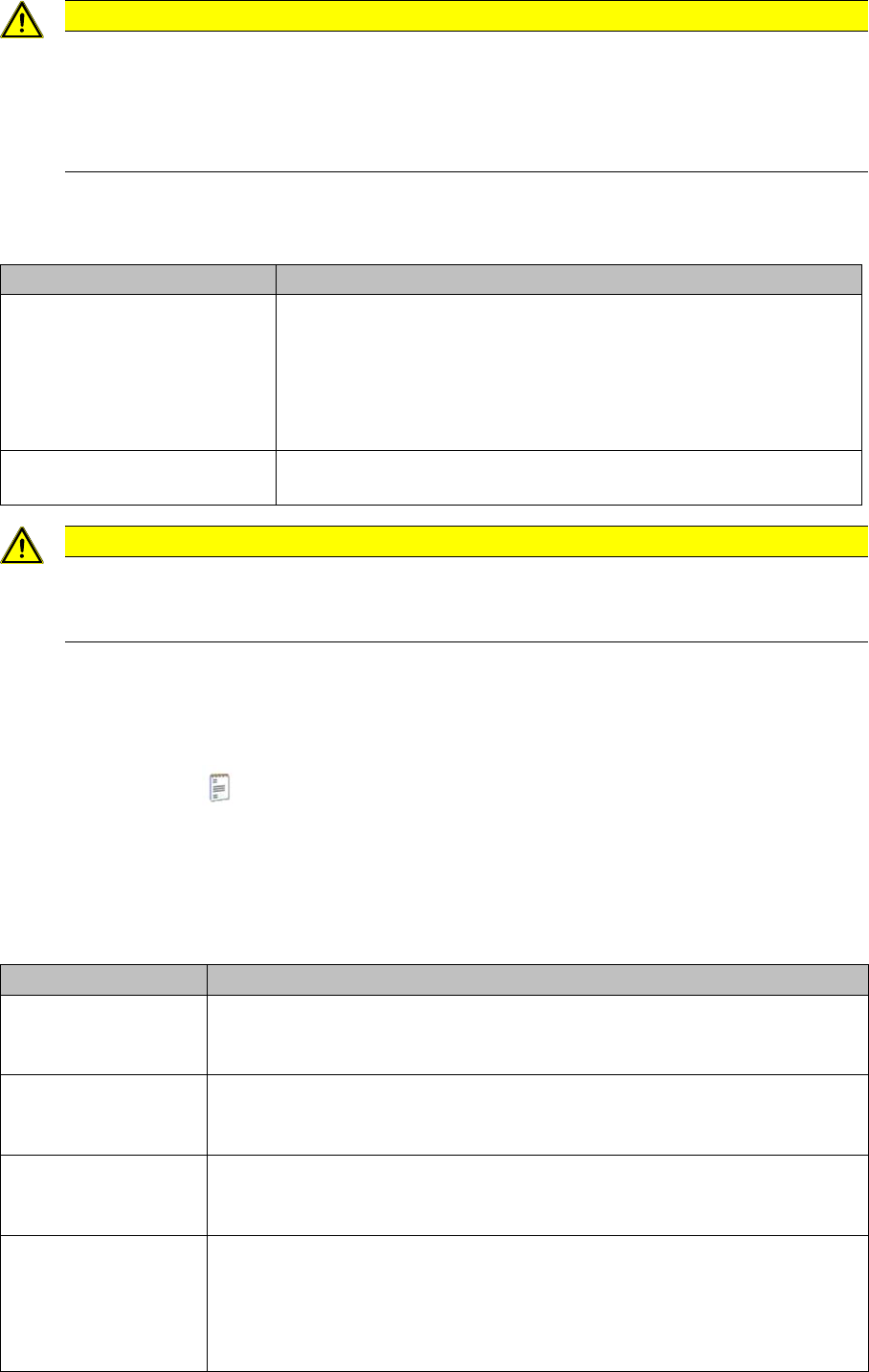
Verification log settings
This is where you can configure the verification logs. The verification log is a CSV file. A separate CSV
file is generated in the output folder for each line, each area (online, offline) and each day. Each com-
pleted (not including the canceled ones) scan run will be entered as a line in the log.
CAUTION
Encrypted password
The password is stored in encrypted form. If the password is forgotten, a complete re-installa-
tion with reentering the configuration settings is necessary.
If no password is set, data can be deleted by any user by means of the "Remove packaging
unit" dialog.
Parameter Description
Active If the user management was activated, a barcode scanner can only
be connected after a successful login. This is done by scanning the
"User ID" barcode which can be created and printed using the Bar-
code label assistant.
In addition, the user names will be added to the setup verification re-
port.
Automatic logout after If the user management is activated, the barcode scanner will be
logged out after the specified time.
CAUTION
Observe your in-house regulations.
The setup verification report can be used for employee monitoring. Please observe your in-
house regulations.
Settings Meanings
Create verification log
for online setup verifi-
cation
This specifies that the online setup verification actions are to be logged during
generation of the verification history.
Create verification log
for offline setup verifi-
cation
This specifies that the offline setup verification actions are to be logged during
generation of the verification history.
Output Folder During generation of the verification logs, the CSV files are saved in this folder
e.g. OnlineVerificationProtocol.Line2.20120924.csv or OfflineVerificationPro-
tocol.Line2.20120924.csv
Column Definition Specify which parameters are to be shown in the CSV file columns. Use the
right/left icons to drag the required parameters out of the available Columns
table into the Configured Columns table. The selected columns will then ap-
pear in the CSV file.
Use the up/down icons to change the order of columns.
Configuring Setup Center
Docking Station Dialog Box Logging
User Guide SIPLACE Setup Center 5.1 47
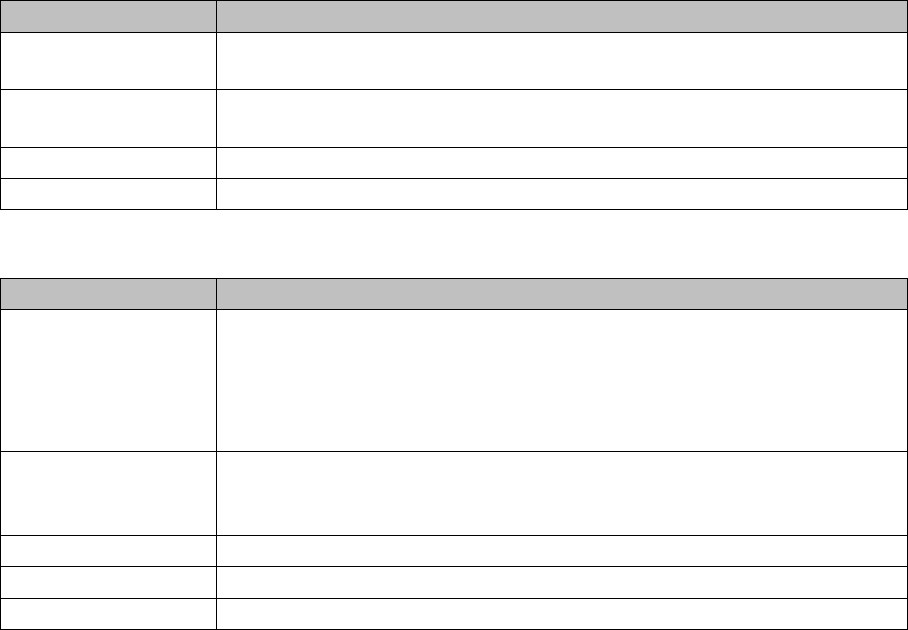
Log settings
Description A detailed description of the selected parameters will be shown via the pur-
pose.
Column Name The name of the parameters can be changed. The new name will then be
shown in the verification log.
Accept The changed column name will be applied.
Default Value If the parameter name was changed, the original name will be restored.
Settings Meanings
Logger This log is written in one or more text files. The amount of results generated
can be specified via the size and number of individual text files. Once the max-
imum limit (file size x number of files) has been reached, the oldest data is au-
tomatically removed, to make room for new information.
The list of logs is dynamic and can therefore vary.
Level This defines the level of detail (info., warning, error, debug) for the log data.
The more detailed the data is, the more capacity it will require. This means that
the time recorded will be shorter.
File size Defines the maximum size which an individual logger file may have.
Number of files Defines the number of log files which may be generated.
File name Defines the name of the log file.
Settings Meanings
Configuring Setup Center
Logging Docking Station Dialog Box
48 User Guide SIPLACE Setup Center 5.1