00197195-02-UG SetupCenter 5.1_en.pdf - 第60页
Setting System Components Station Software Settings (from Version 60x) Component Level Indicator 60 User Guide SIPLACE Setup Center 5.1 Color codin g of the mag azi nes in the status table: Legend 1. Magazine is empty, o…
Setting System Components
Component Level Indicator Station Software Settings (from Version 60x)
User Guide SIPLACE Setup Center 5.1 59
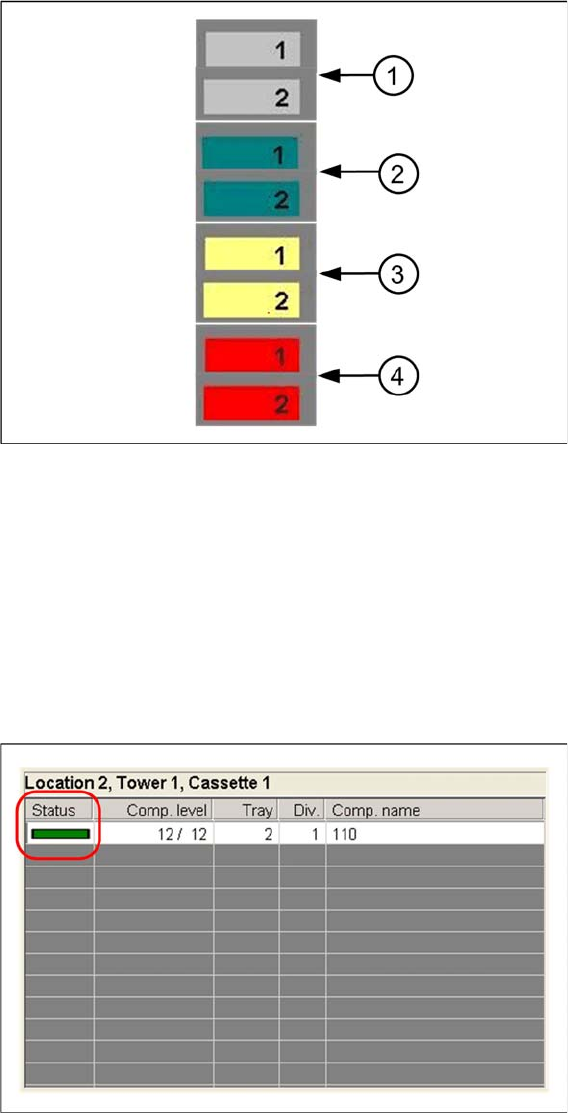
Legend
1. Tower has not been referenced.
2. Tower is ready for operation.
3. Tower is in refill position
4. Tower is out of operation
Component Level Indicator View
The view provides information about component levels and the status of all the checked levels in a se-
lected cassette.
Setting System Components
Station Software Settings (from Version 60x) Component Level Indicator
60 User Guide SIPLACE Setup Center 5.1
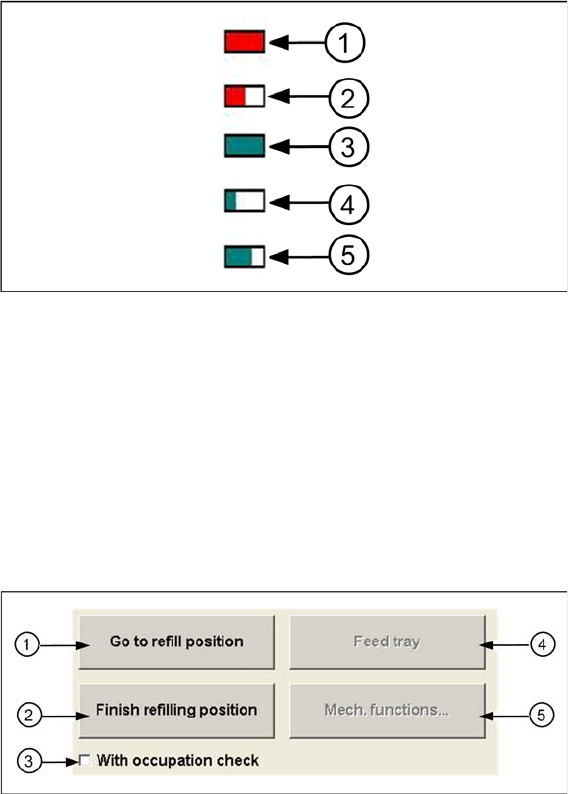
Color coding of the magazines in the status table:
Legend
1. Magazine is empty, out of operation
2. Magazine is not empty, but has been deactivated either by the machine or by the operator (e.g.,
wrong component in magazine).
3. Magazine is in operation and is full.
4. Magazine is in operation and 25 % full.
5. Magazine is in operation and 66 % full.
Selected Cassette
1. Go to refill position
Moves the selected tower into the refill position so that the selected cassettes can be replaced com-
pletely.
No components can be picked up from this tower.
2. Finish refill position
Moves the entire tower back into the processing position. Components can be picked up again.
3. With occupancy check
–Ticked:
The existing tray carrier is compared to the tray carrier specified in the setup.
– Not ticked:
The occupancy check is disabled.
4. Feed tray
Moves the selected level into the processing position.
5. Mech. functions...
Opens a dialog box in which the various functions can be started: Carrying out a reference run, mov-
ing the MTC to the transport position, feeding the tray.
Setting System Components
Component Level Indicator Station Software Settings (from Version 60x)
User Guide SIPLACE Setup Center 5.1 61
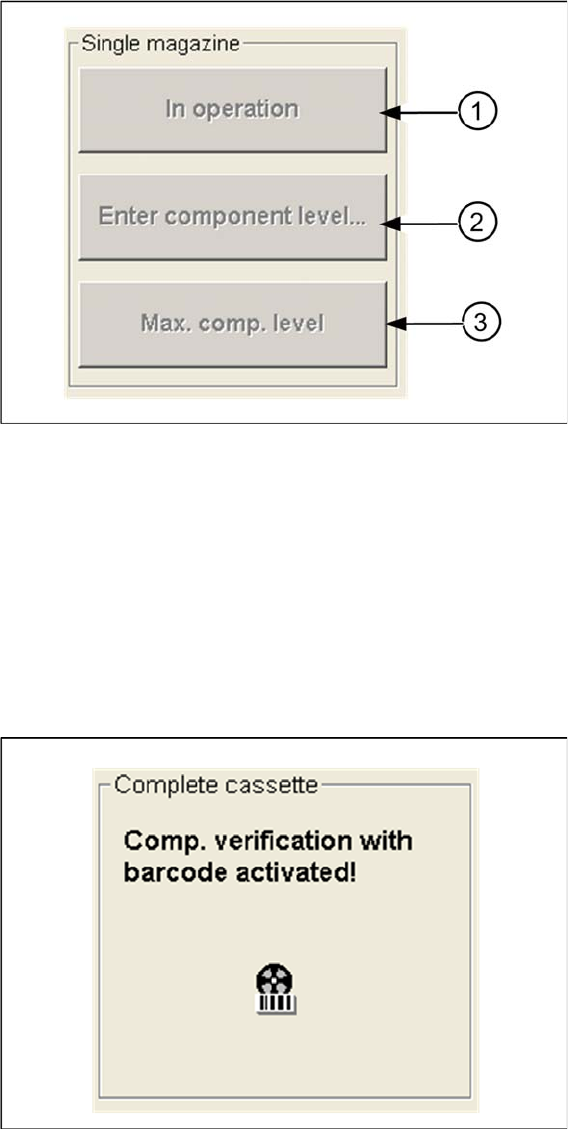
Single Magazine
Buttons for correcting the component levels:
1. In operation / out of operation
Depending on the state of the selected tray, it can now be enabled for pickup or disabled.
2. Enter component level...
Opens a dialog box, in which you can specify the number of components for the selected tray.
3. Max. comp. level
The maximum number of components is entered as the current component level and the tray is taken
back into operation.
Complete Cassette
On the MTC display you can see whether the system is working with setup verification or not.
Buttons for correcting the component levels: