00197195-02-UG SetupCenter 5.1_en.pdf - 第70页
Setting System Components Settings in the SIPLACE Pro Pr ogramming System Barcode Option in the Stations Editor 70 User Guide SIPLACE Setup Center 5.1 MTC - setup (table view) 4.3 Settings in the SIPLAC E Pro Programming…
Setting System Components
Component Level Indicator Station Software Settings (from Version 70x)
User Guide SIPLACE Setup Center 5.1 69
Waffle pack tray at position x
▪ Name of the component
▪ Component shape name
– Click on this button to open a dialog box in which all known information about the component is
shown.
▪ The complete Component Name plus the Component Shape Name will be shown with the corre-
sponding description (customized comment text stored in SIPLACE Pro).
Activate
Puts the waffle pack tray back into operation.
A waffle pack tray is automatically disabled if its description and the prescribed text in SIPLACE Pro do
not match.
As long as a waffle pack tray is disabled, its component level position can not be changed/corrected.
Set full
Confirms that the waffle pack tray has been filled with components.
Set empty
Confirms that the waffle pack tray has been emptied.
Change filling level...
Sets the number of components in the waffle pack tray
First mark the component up to which the waffle pack tray is filled, in the waffle pack tray diagram and
then select OK.
Position Correction (can only be enabled from operator level "Service").
▪ Position correction...
– Starts a dialog box for manual correction of the component pickup position.
– The table shows the deviation to the relevant prescribed value.
▪ Reset Correction
– Resets the pickup position to the prescribed value in the setup.
► Use the icon to switch over to the table view.
Setting System Components
Settings in the SIPLACE Pro Programming System Barcode Option in the Stations Editor
70 User Guide SIPLACE Setup Center 5.1
MTC - setup (table view)
4.3 Settings in the SIPLACE Pro Programming System
For setup verification and component level indication in SIPLACE Setup Center, the following must be
configured in SIPLACE Pro (for detailed Information about the settings, please see the operating instruc-
tions for SIPLACE Pro additionally).
4.3.1 Barcode Option in the Stations Editor
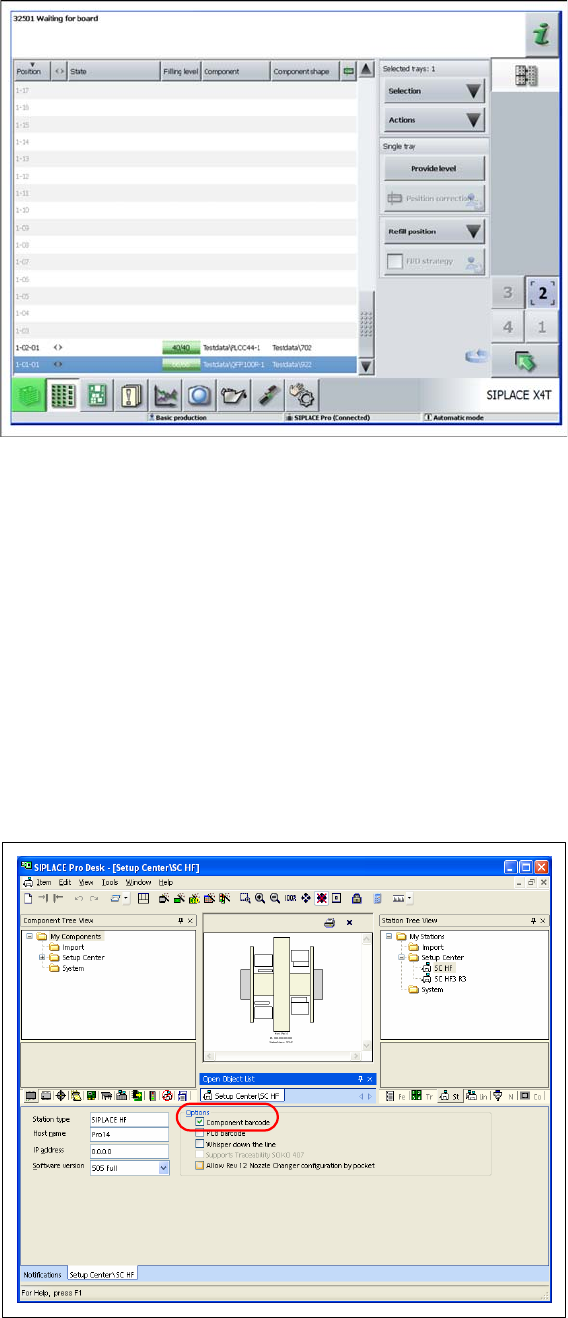
To operate Setup Center, enable the setting "Component Barcode". Make sure
that the barcode reader is parameterized in the programming system.
► Select the stations in the Station tree view.
► Go to Options and enable "Component Barcode".
Setting System Components
Setup Verification System in the Setup Editor Settings in the SIPLACE Pro Programming System
User Guide SIPLACE Setup Center 5.1 71
4.3.2 Setup Verification System in the Setup Editor
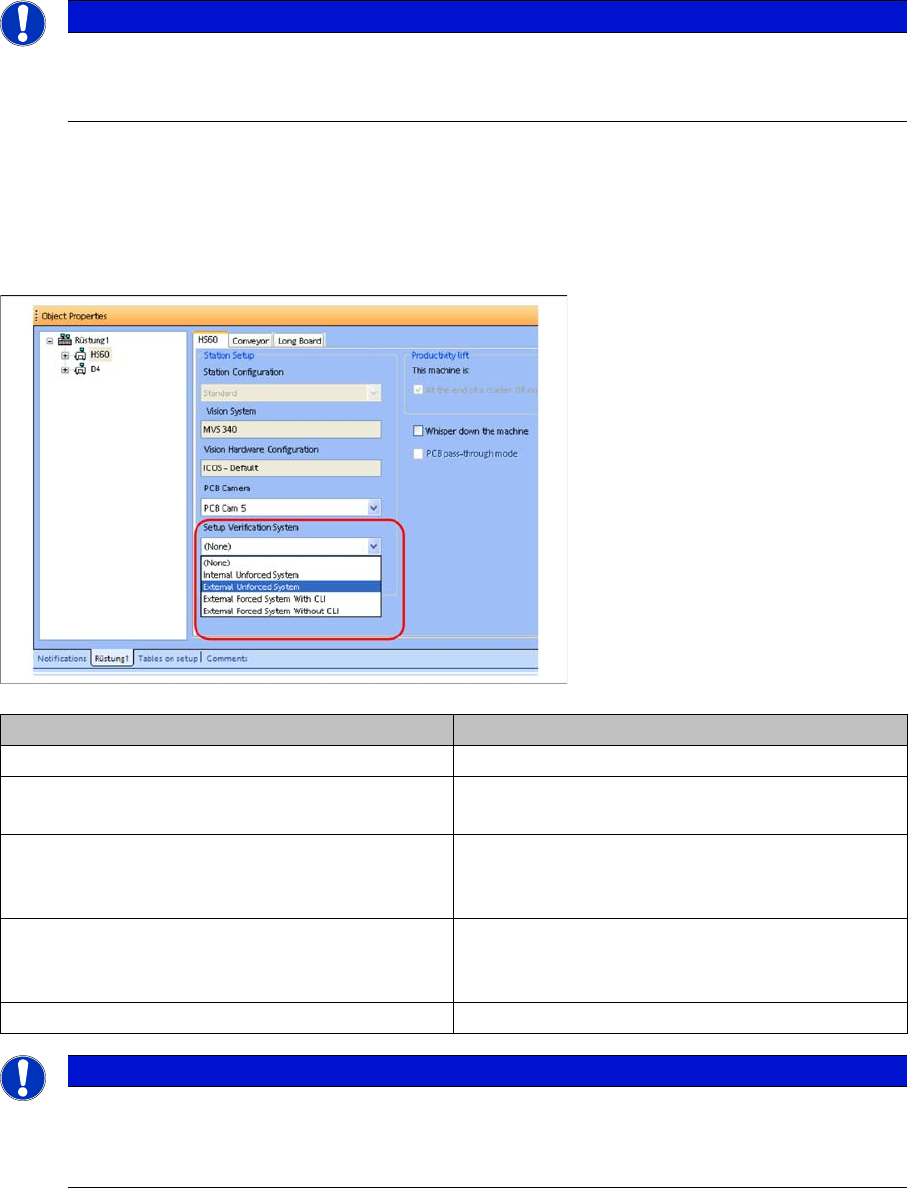
In the target setup, select the installed setup verification system for each station setup.
► Select the setup in the Setup Verification tree view.
► Select a suitable setup verification system in the Station setup.
4.3.3 Standard Packaging Unit Size
This value represents the quantity of components in a new packaging unit. The value can be created
globally as the characteristic of a package shape or a component.
NOTICE
Activating the "Supports Traceability SOKO 407" option
Up to SIPLACE Pro version 8.0 the option for support of Special design 407 Traceability has to
be activated in the station editor. This is no longer necessary from version 9.0
Setup verification system Meaning
None No setup verification system used
External Unforced Setup Verification SIPLACE Setup Center without communication to
the station (= unforced setup verification)
External Forced Setup Verification with CLI SIPLACE Setup Center with Component Level In-
dicator; i.e. with quantity barcode, splice sensor
available as option.
External Forced Setup Verification without CLI SIPLACE Setup Center without component level
indicator; i.e. without quantity barcode, splice sen-
sor available as option.
Internal Unforced Setup Verification SIPLACE handheld scanner
NOTICE
The Setup Verification option is licensed for the following types:
► External (forced setup without component level indicator)
► External (forced setup with component level indicator)