00197195-02-UG SetupCenter 5.1_en.pdf - 第76页
Setting System Components Configuring Forced and Unforce d Setup Verification Supplier Barcodes 76 User Guide SIPLACE Setup Center 5.1
Setting System Components
Supplier Barcodes Configuring Forced and Unforced Setup Verification
User Guide SIPLACE Setup Center 5.1 75
4.4 Configuring Forced and Unforced Setup Verification
SIPLACE Setup Center allows you to switch over between unforced and forced setup verification for a
configured system.
The configuration may differ, according to the version of SIPLACE Pro used.
NOTICE
Switchover between forced and unforced setup verification
A direct changeover from jobs with forced setup verification to jobs with unforced verification
(or vice versa) is not possible. The verification would be lost in this case. When changing from
forced verification to unforced verification (or vice versa), you need to completely tear down and
reconfigure the line.
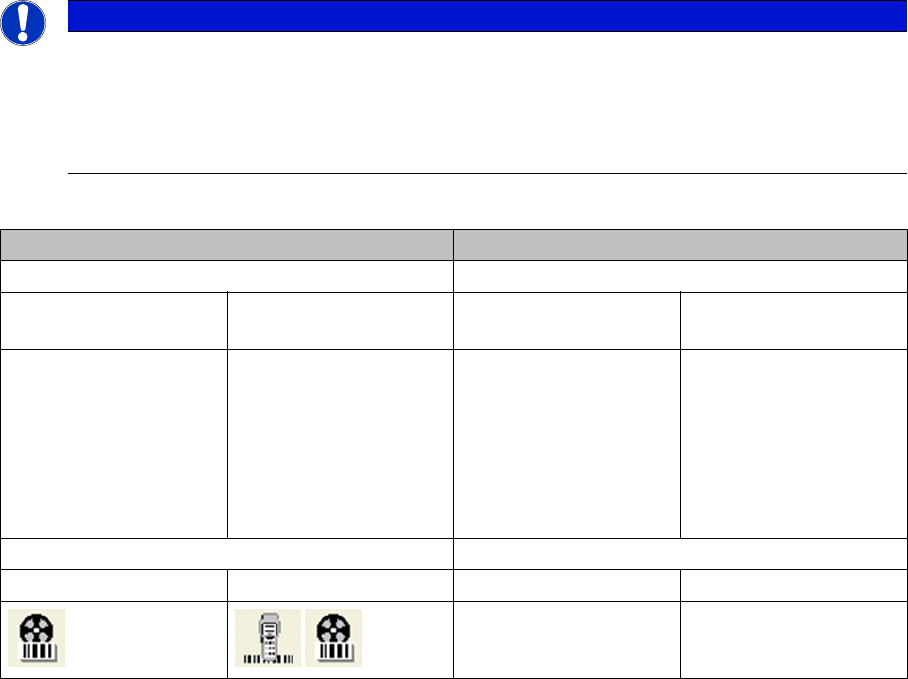
Forced setup verification Unforced setup verification
Settings Settings in:
In SIPLACE Pro (per
setup)
At the station In SIPLACE Pro (per
setup)
At the station
Open the folder Setup
→ Station → Setup Ver-
ification System → and
select External Forced
System with CLI or →
External Forced System
without CLI .
Go to Machine Options
and activate Setup veri-
fication with barcode.
Open the folder Setup
→ Station → Setup Ver-
ification System → and
select External Un-
forced System.
Go to Machine Options
and deactivate Setup
verification with bar-
code.
Display Display
In Setup Center At the station In Setup Center At the station
Setting System Components
Configuring Forced and Unforced Setup Verification Supplier Barcodes
76 User Guide SIPLACE Setup Center 5.1
Barcode
Barcode Example for a Regular Expression Barcode Labels
User Guide SIPLACE Setup Center 5.1 77
5Barcode
5.1 Barcode Labels
5.1.1 Barcode Example for a Regular Expression
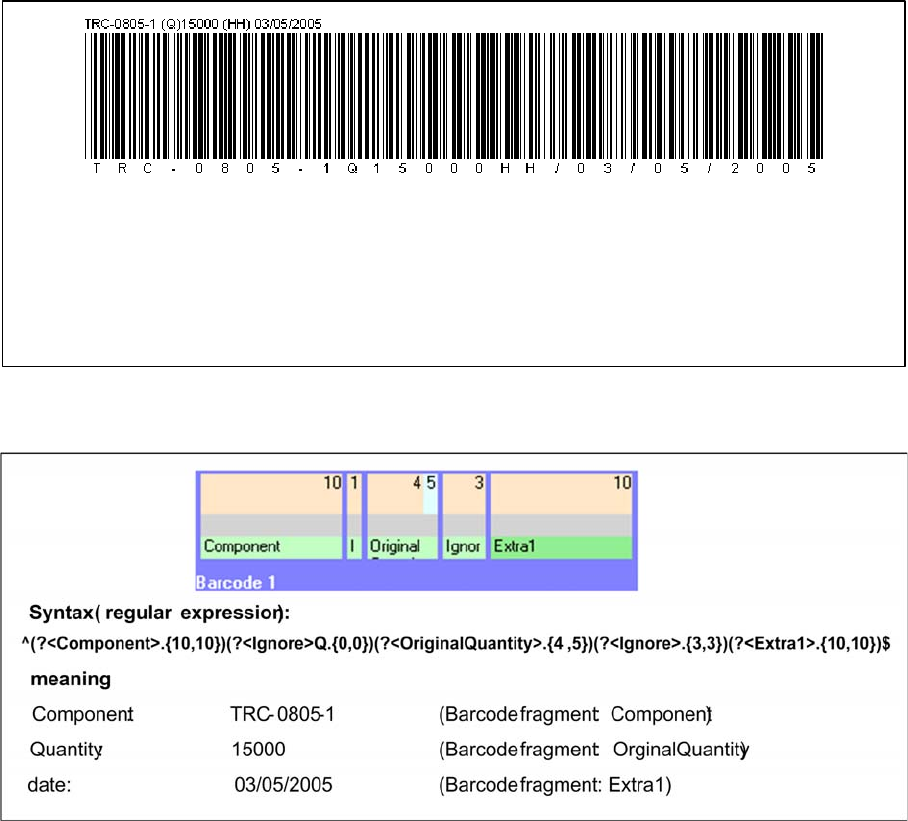
Packaging unit barcode with component, quantity and date:
Barcode label and regular expression with the fragments Component, OriginalQuantity and Extra1 in
Setup Center:
The date format used is not the same as that defined in Setup Center, which is why the fragment Extra1
has been selected.
barcode information: TRC-0805-1Q15000HH/03/05/2005
meaning: component: TRC-0805-1
quantity: 15000
date: 03/05/2005