00197195-02-UG SetupCenter 5.1_en.pdf - 第49页
Setting System Components Setup Verification at the Station Station Software Settings (fro m Version 60x) User Guide SIPLACE Setup Center 5.1 49 4 Setting System Components 4.1 Station Software Settings (from Version 60x…
Configuring Setup Center
Logging Docking Station Dialog Box
48 User Guide SIPLACE Setup Center 5.1
Setting System Components
Setup Verification at the Station Station Software Settings (from Version 60x)
User Guide SIPLACE Setup Center 5.1 49
4 Setting System Components
4.1 Station Software Settings (from Version 60x)
4.1.1 Setup Verification at the Station
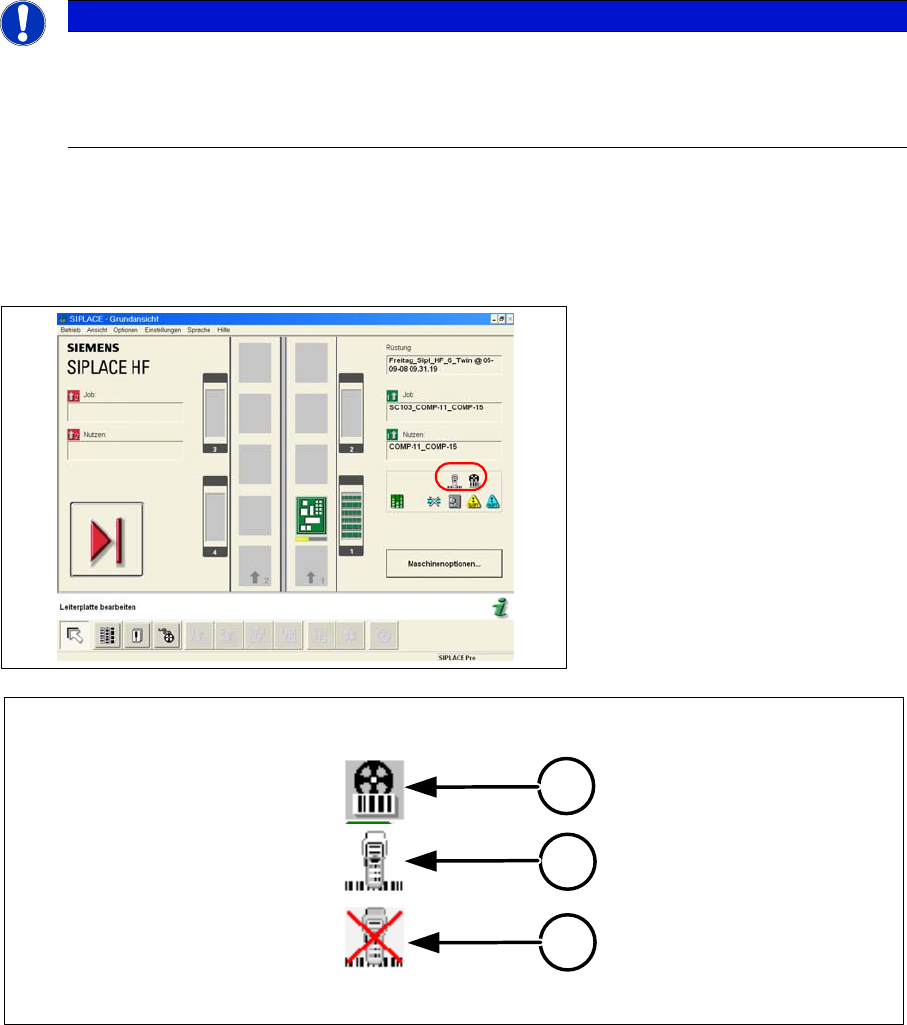
The main view of the station shows whether you are working in forced setup verification mode. In this
case the machine blocks tracks used in the product until setup verification data from SIPLACE Setup
Center have been received.
Meaning of the Icons
1. Setup verification is switched on and at least one track is being monitored.
2. There is a connection to the Setup Center.
3. There is no connection to the Setup Center.
4.1.1.1 Activation
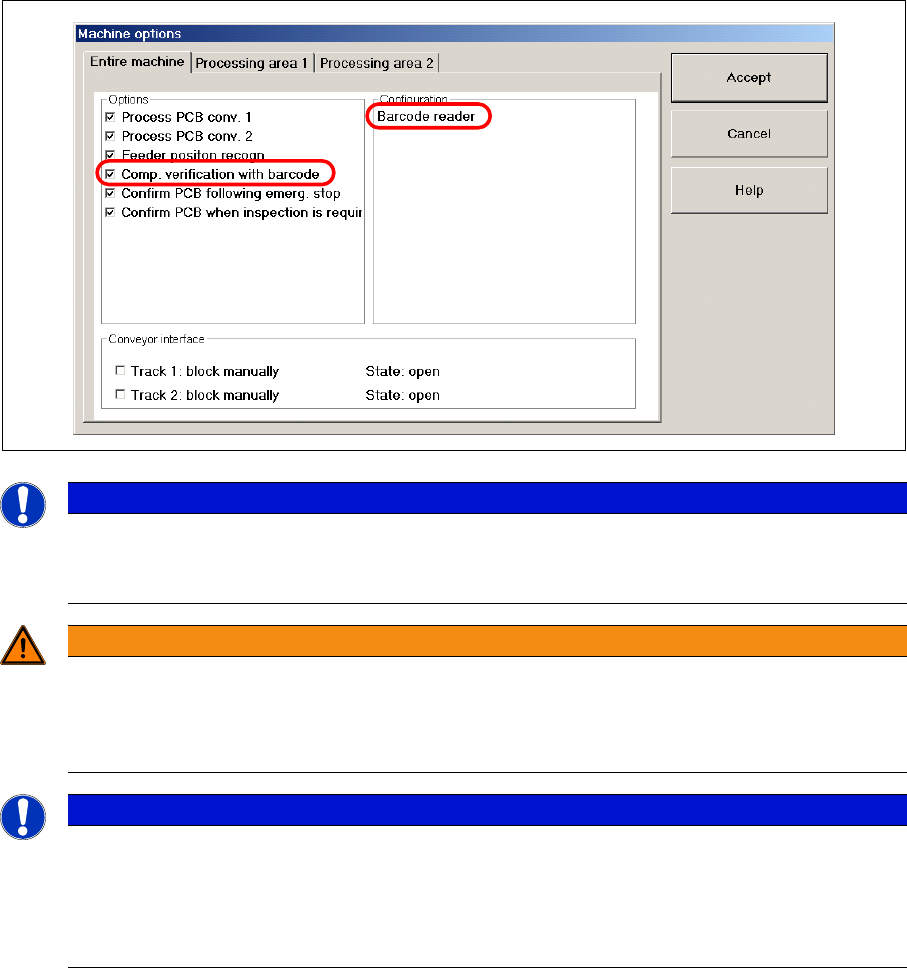
To operate the machine in forced setup verification mode, you must activate the Component verification
with barcode setting in the machine options. In order to do this, the operator level "Line Engineer" must
be set.
NOTICE
For more detailed information, refer to the station software Online Help.
This section describes the key settings and functions in the station software in conjunction with
Setup Center e.g. filling levels and refilling. For a complete and detailed description, refer to the
station software Online Help.
1
2
3
Setting System Components
Station Software Settings (from Version 60x) Component Level Indicator
50 User Guide SIPLACE Setup Center 5.1
4.1.2 Component Level Indicator
With the setup verification data, SIPLACE Setup Center can supply the original packaging unit size
(component quantity) for the component level indicator. Then throughout the entire placement process
the component level indicator shows when individual feeders are running empty and need to be refilled.
When the threshold values in the component level indicator are activated, a warning is given to indicate
that a track is going to run empty. If the operator reacts promptly to this warning, the machine can be
prevented from coming to a standstill as a result of a "Track empty" error.
In the main view of the station you can see whether the system is working with the component level in-
dicator or not. Configuration is performed during release and is displayed in the "Component Level Indi-
cator" view at the station.
NOTICE
Activating forced setup verification
After a new installation of the station software, forced verification will always be disabled.
Please activate it manually.
WARNING
Only disable the setup verification at the station computer in emergencies
If you want to disable the setup verification, always do this in SIPLACE Pro. The setting in the
station software may only be used in absolute emergencies, as the station software, SIPLACE
Pro and Setup Center systems will then no longer be synchronized.
NOTICE
Defining the forced setup verifications settings
There are currently no technical means for SIPLACE Setup Center to determine whether forced
setup verification for the machine is enabled or disabled.
For this reason it is always necessary to ensure manually that the settings for setup verification
are the same at the station and in Setup Center!