3OM-1751-002w_G5S.pdf - 第167页
3OM-1751 1303-001 2-A Chapter 2 System Setting This chapter describes the functions and operations related to the machine system data, the nozzle data, etc. 1. Menus for System Setting 2. "Of fset Data" Window …
3OM-1751
1-1121303-001
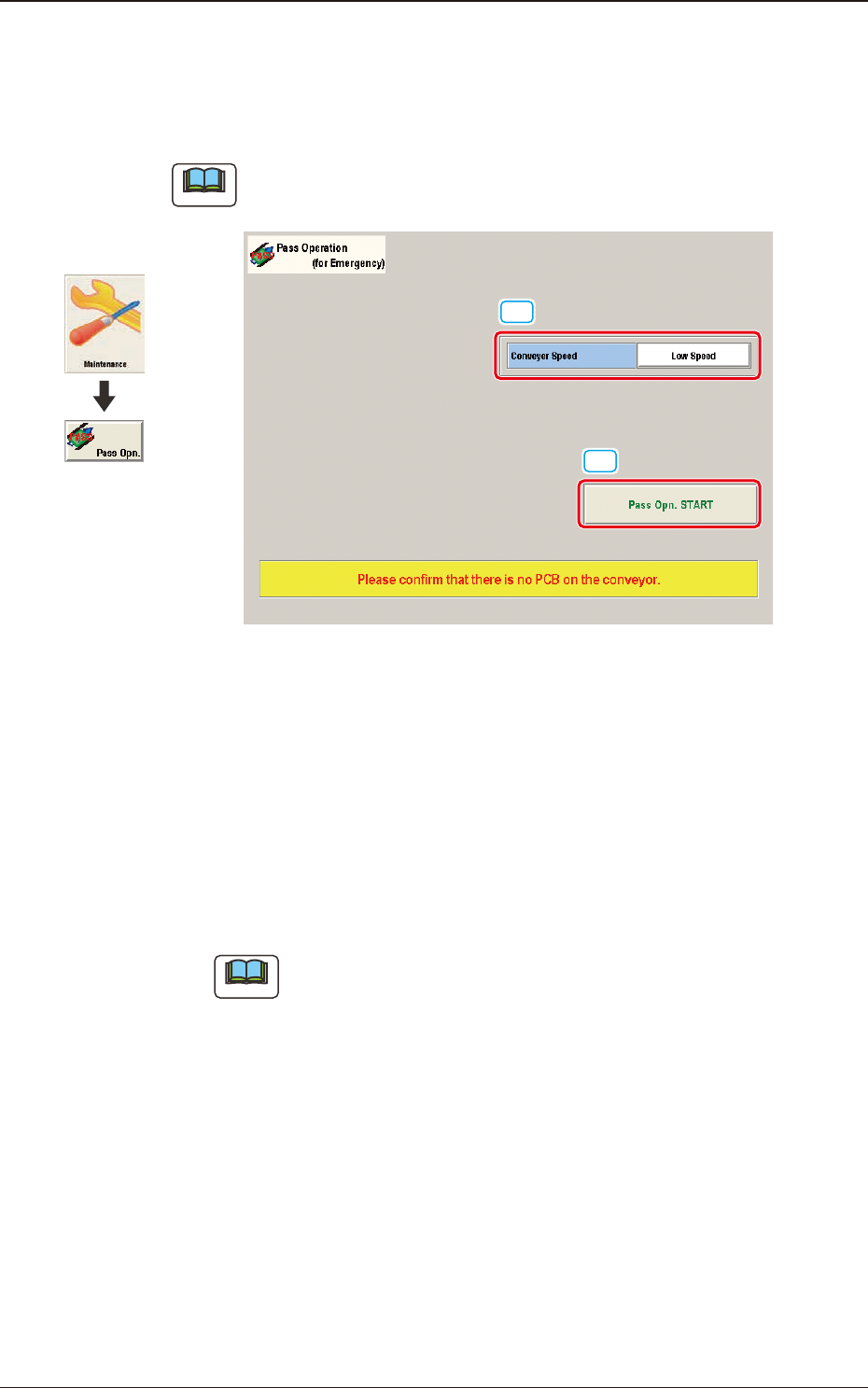
8. Pass Operation (for Emergency)
This function enables the operator to continue the production operation without
rearranging the line when the machine is broken down.
Note
The setting is available only when the login is performed with the access
authority of "Supervisor".
[1]
[2]
F3A91
[1] Conveyer Speed
The conveyor operation speed in the pass operation, is selected from "Low"
or "High" in this selection box.
[2] [Pass Opn. START] Button
When the [Pass Operation Start] button is pressed, and within 10 seconds
the [START] button is pressed on the operation panel, the pass operation is
started up and the window is locked.
Note
It can be selected in the "Stop" or "Pause" mode of the machine.
Graphic
Development
8. Pass Operation (for Emergency)

3OM-1751
1303-001 2-A
Chapter 2
System Setting
This chapter describes the functions and operations related to the
machine system data, the nozzle data, etc.
1. Menus for System Setting
2. "Offset Data" Window
3. "Auto Operation" Window
4. "MACH SETUP" Window
5. "Password Setting" Window
6. "Mon. Adj" Window

3OM-1751
1303-001 2-B