3OM-1751-002w_G5S.pdf - 第241页
3OM-1751 2-73 1303-001 3.1 "Auto Ope. Set-up" T ab Sheet [1] [2] F3B72 [1] Set-up Change Button When press the window is changed over from "Set-up 1", "Set-up 2" and "Set-up 3" or …
3OM-1751
2-721303-001
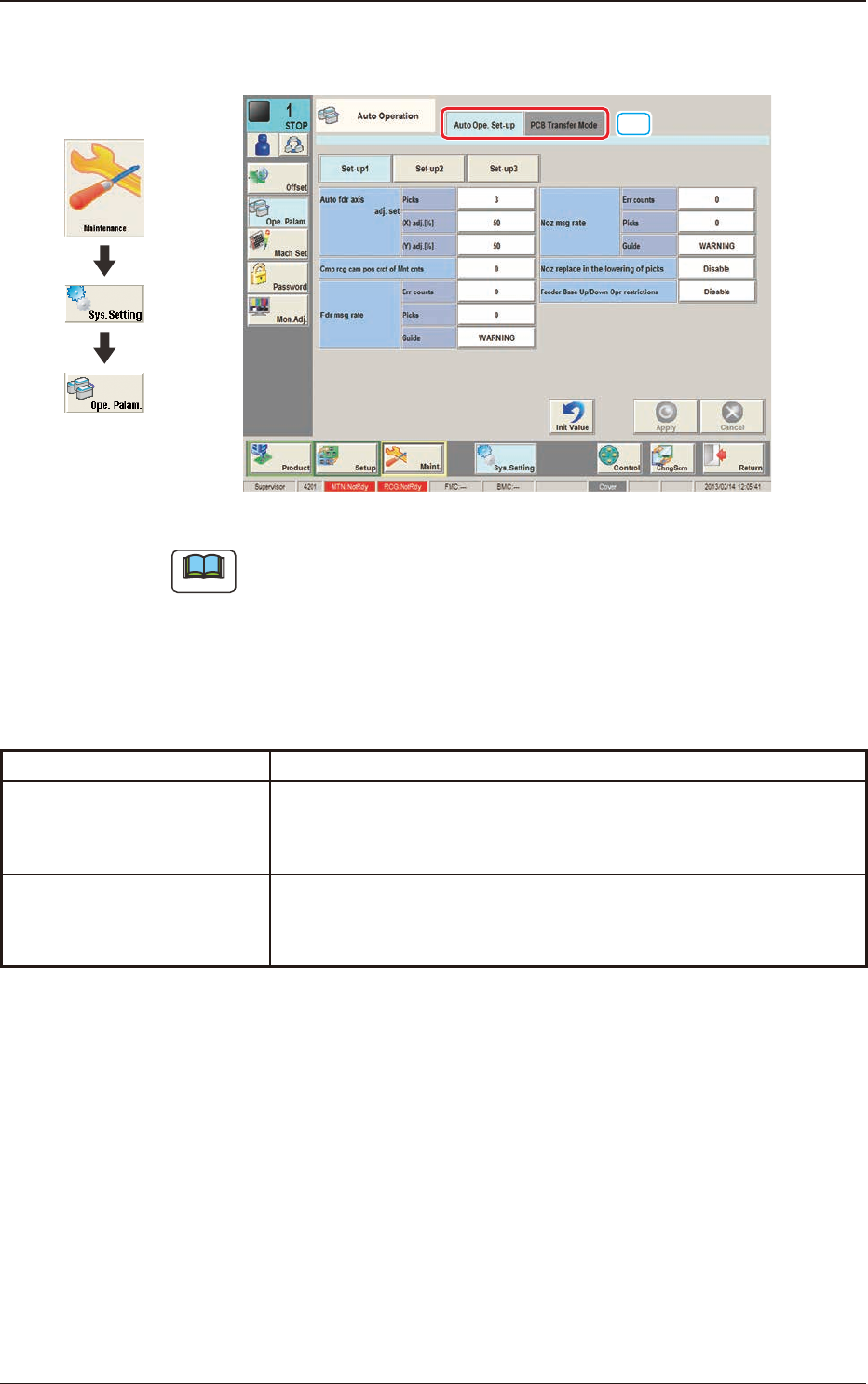
3. "Auto Operation" Window
[1]
F3B71
Note
The tab sheet may look different, depending on which options are selected.
[1] Tab sheet
The "Auto Operation" window is provided with the following two tabs.
When each tab is pressed, the corresponding tab sheet appears.
Tabs Description
Auto Ope. Set-up
Set various types of parameters related to the automatic operation of
the machine.
PCB Transfer Mode
Set the operation mode of the input and output machines and
the requirements for PCB transfer and positioning operations.
T3B3
3. "Auto Operation" Window
Graphic
Development
3OM-1751
2-731303-001
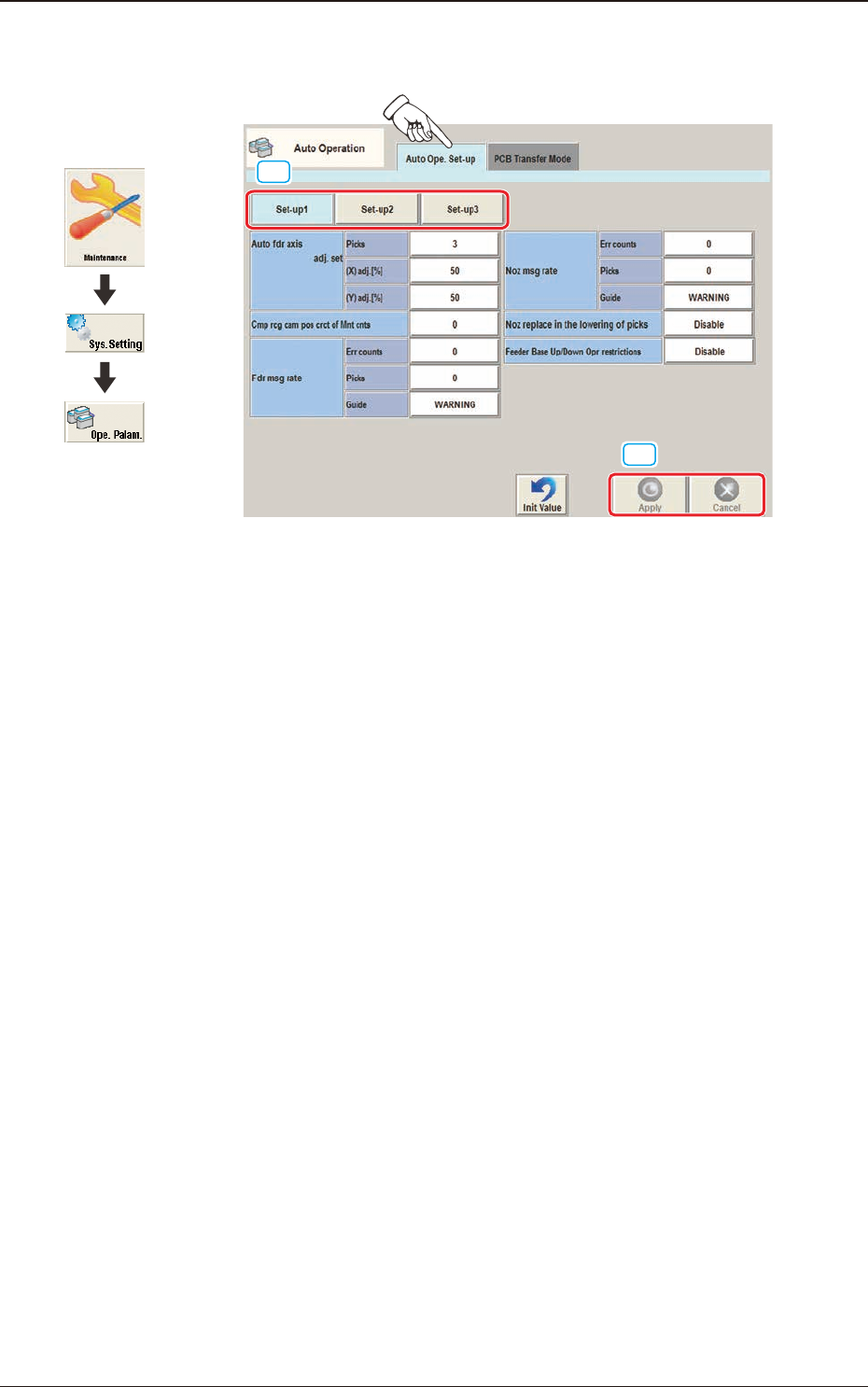
3.1 "Auto Ope. Set-up" Tab Sheet
[1]
[2]
F3B72
[1] Set-up Change Button
When press the window is changed over from "Set-up 1", "Set-up 2" and
"Set-up 3" or vice versa.
[2] [Apply] button
When this button is pressed, the input data is applied.
[Cancel] button
When this button is pressed, the input data is cancelled and the save data is
returned.
3.1 "Auto Ope. Set-up" Tab Sheet
Graphic
Development
3OM-1751
2-741303-001
·
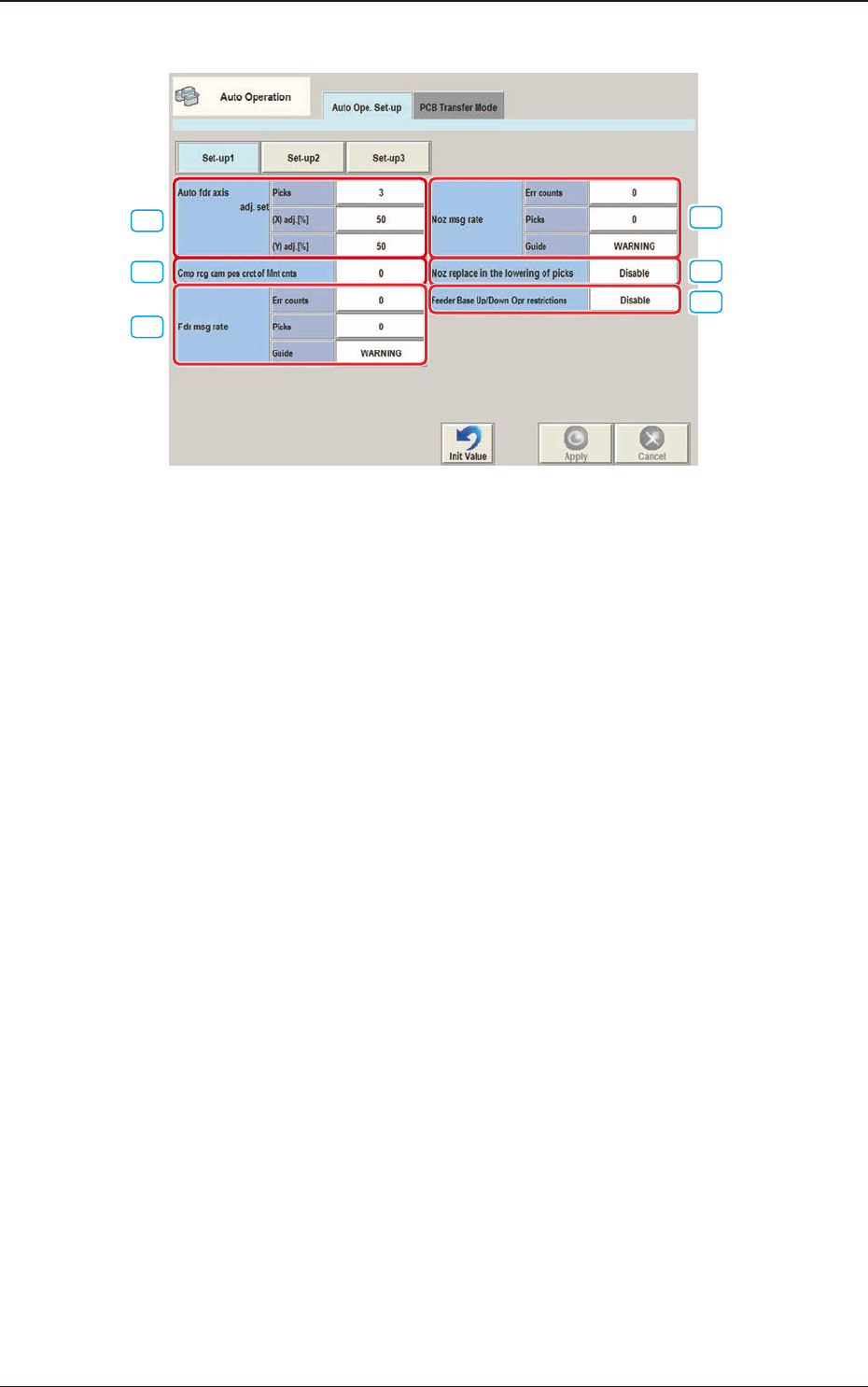
Set-up 1
[1]
[2]
[3]
[4]
[5]
[6]
F3B73
[1] Auto fdr axis adj. set
picks [times]
Set the total number of collected samples when data is updated or changed.
(X) adj. [%]
Set the feedback coefcient of the mean of the X-direction deviation in this
data box.
Set Value Range: 10 to 90
(Y) adj. [%]
Set the feedback coefcient of the mean of the Y-direction deviation in this
data box.
Set Value Range: 10 to 90
3.1 "Auto Ope. Set-up" Tab Sheet