3OM-1751-002w_G5S.pdf - 第262页
3OM-1751 2-94 (4) Select the proper time zone from the "T ime Zone" list pane. (5) When the [Application] button is pressed, the settings are determined. 1303-001 4.4 "Data & T ime" T ab Sheet
3OM-1751
2-931303-001
4.4 "Data & Time" Tab Sheet
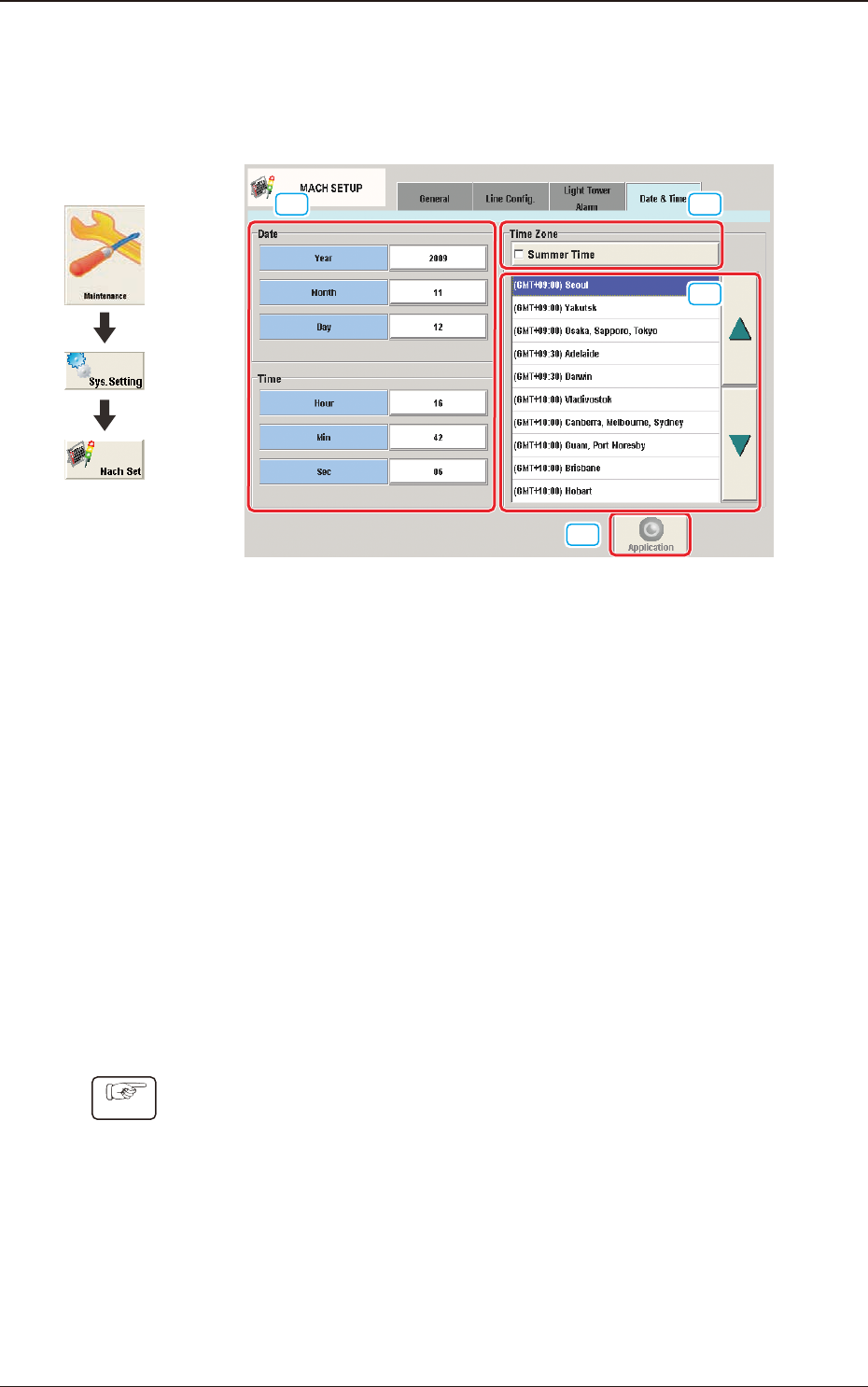
The system clock (year, month, day, hours, minutes, and seconds) can be adjusted
and a time zone can be selected.
[1]
[2]
[3]
[4]
F3B85
[1] Edit Buttons
When one of these buttons is pressed, the corresponding edit window opens.
[2] "Summer Time" Check Box
Tick this button to specify the summer time. A check mark appears inside
the box, indicating that the summer time is selected.
[3] "Time Zone" List
Select the proper time zone from this list.
[4] [Application] button
The data adjusted with the edit buttons is conrmed and set in the machine
by means of this button.
·
How to specify the date and time
Procedure
(1) When the [Year] button is pressed, the "Year" edit window opens.
(2) Enter a year in the entry eld of the "Year" edit window and press the [Set]
button.
The entered year appears in the corresponding text box.
(3) Follow the same procedure to specify a month, a day, hours, minutes, and
seconds.
4.4 "Data & Time" Tab Sheet
Graphic
Development

3OM-1751
2-94
(4) Select the proper time zone from the "Time Zone" list pane.
(5) When the [Application] button is pressed, the settings are determined.
1303-001
4.4 "Data & Time" Tab Sheet
3OM-1751
2-951303-001
5. "Password Setting" Window
5.1 "Password" Tab Sheet
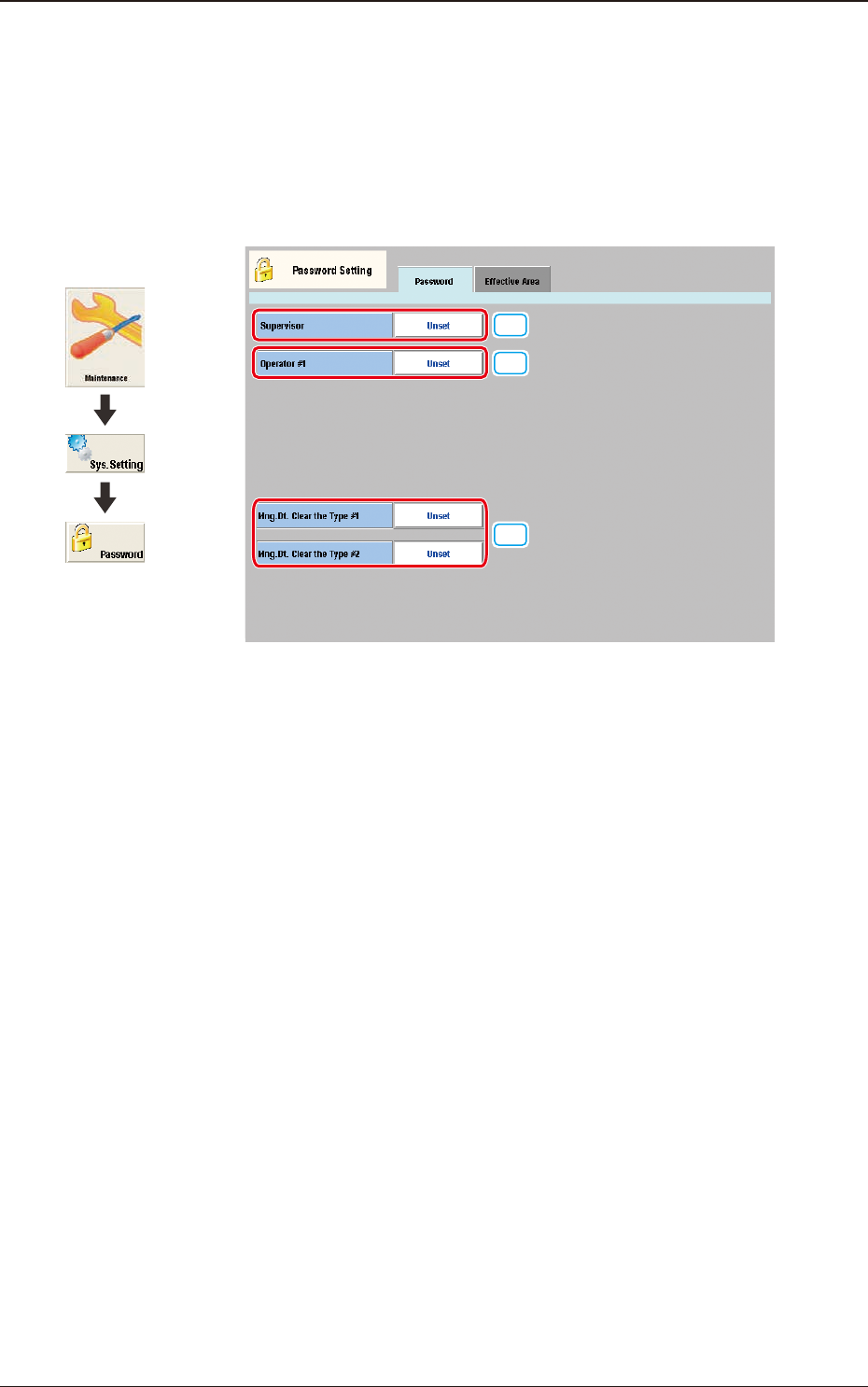
This window enables the operator to set a password according to the given
authority.
[1]
[2]
[3]
F3B86
[1] Supervisor
A password can be set in this group box for the user who has the scope of
authority as "Supervisor".
[2] Operator #1
A password can be set in this group box for the user who has the scope of
authority as "Operator #1".
[3] Mng. Dt. Clear the Type #1
Mng. Dt. Clear the Type #2
A password can be set in this group box for the user who has the scope of
authority for clearing the management data type 1 and type 2 (totalization
data).
5. "Password Setting" Window
Graphic
Development