3OM-1751-002w_G5S.pdf - 第89页
3OM-1751 1-35 1303-001 5.3 "Shute L V" Window (Shipment/exchange) This teaching function enables the operator to calculate the head up/down offset in this window, by means of measuring the chute level when the …
3OM-1751
1-341303-001
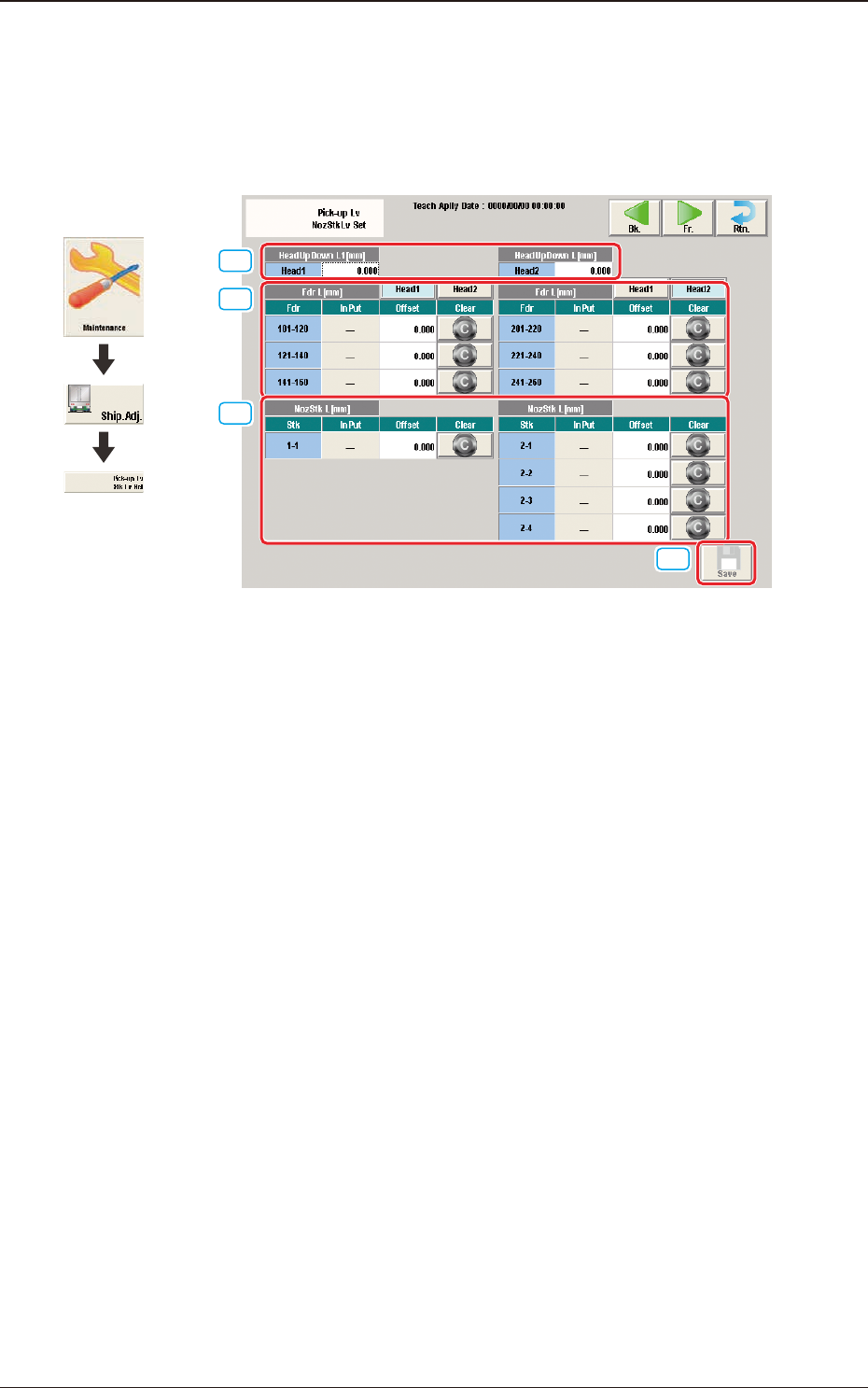
5.2 "Pick-up Lv NozStkLv Set" Window
This window enables the operator to input the offset data to correct the deviation
from the feeder setup position, out of the offset data items related to the
component loading operation to the tape feeder on the feeder base.
[1]
[2]
[3]
[4]
F3A25
[1] Head Up Down L [mm]
Head 1 and Head 2
Displayed are the offset values in head up/down operation for each head.
[2] Fdr L [mm]
The offset values for each feeder are entered in this area.
When the [Clear] button is pressed, the previous values before the data entry
are returned.
[3] NozStk L [mm]
The offset values for each stocker are entered in this area.
When the [Clear] button is pressed, the previous values before the data entry
are returned.
[4] [Save] Button
When this button is pressed, the input offset values are saved.
Graphic
Development
5.2 "Pick-up Lv NozStkLv Set" Window
3OM-1751
1-351303-001
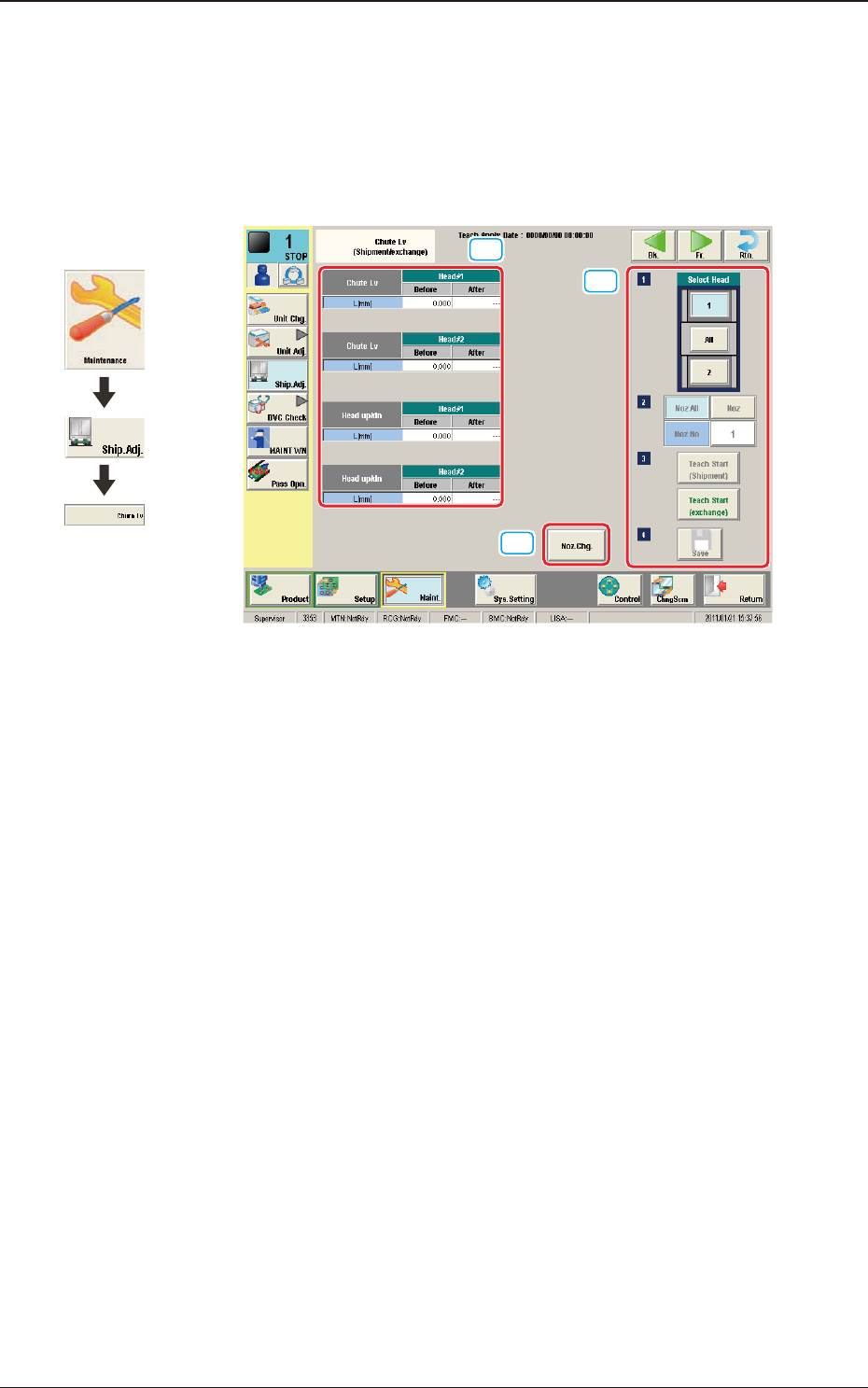
5.3 "Shute LV" Window (Shipment/exchange)
This teaching function enables the operator to calculate the head up/down offset
in this window, by means of measuring the chute level when the head is changed,
and calculating a difference between the values before the head change and after
head change.
[1]
[2]
[3]
F3A26
[1] Teaching Data Display Section
Shute Lv Head Up Down
The data measured before the machine delivery is displayed in the "Before"
data box.
[2] [Noz. Chg.] Button
When pressed, the nozzle is changed.
[3] Select Head
Using these buttons, the head for which the teaching operation is performed,
is selected.
[Noz All] Button
When pressed, the teaching for all the nozzles is performed.
[Noz] Button
Using this button, the nozzle where the teaching is to be performed is
selected.
When the [Nozzle] button is pressed, the data input window appears.
[Teach Start] Button
When the [Teach start (exchange)] button is selected, the teaching is
performed.
[Save] Button
When this button is pressed, the teaching results are saved.
Graphic
Development
5.3 "Shute LV" Window (Shipment/exchange)
3OM-1751
1-361303-001
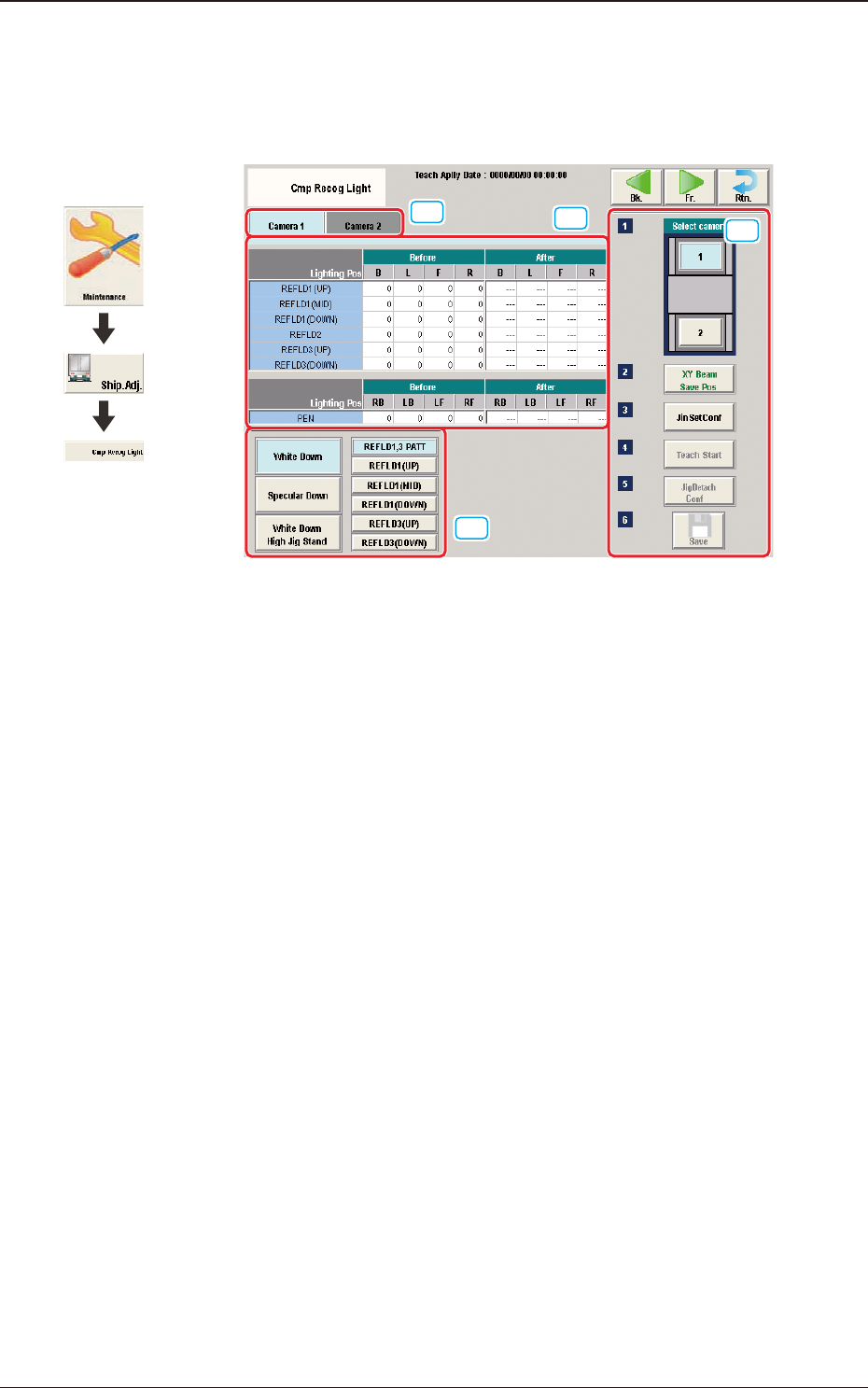
5.4 "Cmp Recog Light" Window
The corresponding window enables you to perform a teaching operation on the
lighting of the component recognition camera.
[1]
[2]
[4]
[3]
F3A27
[1] Camera Selection Tab
When either of the tabs is selected, the camera to be taught is selected.
[2] Teaching Data Display Section
Displayed are offset data items for each lighting pattern for the designated
camera.
[3] Lighting Pattern Selection
The lighting pattern is selected from the following items.
[White Down] Button
"REFLD 1,3 PATT", "REFLD 1 (UP)", "REFLD1 (MID)", "REFLD 1
(DOWN)", "REFLD 3 (UP)", "REFLD 3 (DOWN)"
[Specular Down] Button
"REFLD 2"
[White Down High Jig Stand] Button
"PEN"
Graphic
Development
5.4 "Cmp Recog Light" Window