3OM-1751-002w_G5S.pdf - 第210页
3OM-1751 2-42 1303-001 [2] ON [sec] The specied parameter is used to adjust the timing to turn the vacuum on while the NL-axis is descending for component pick. When "+0.000" is specied in the "ON" …
3OM-1751
2-411303-001
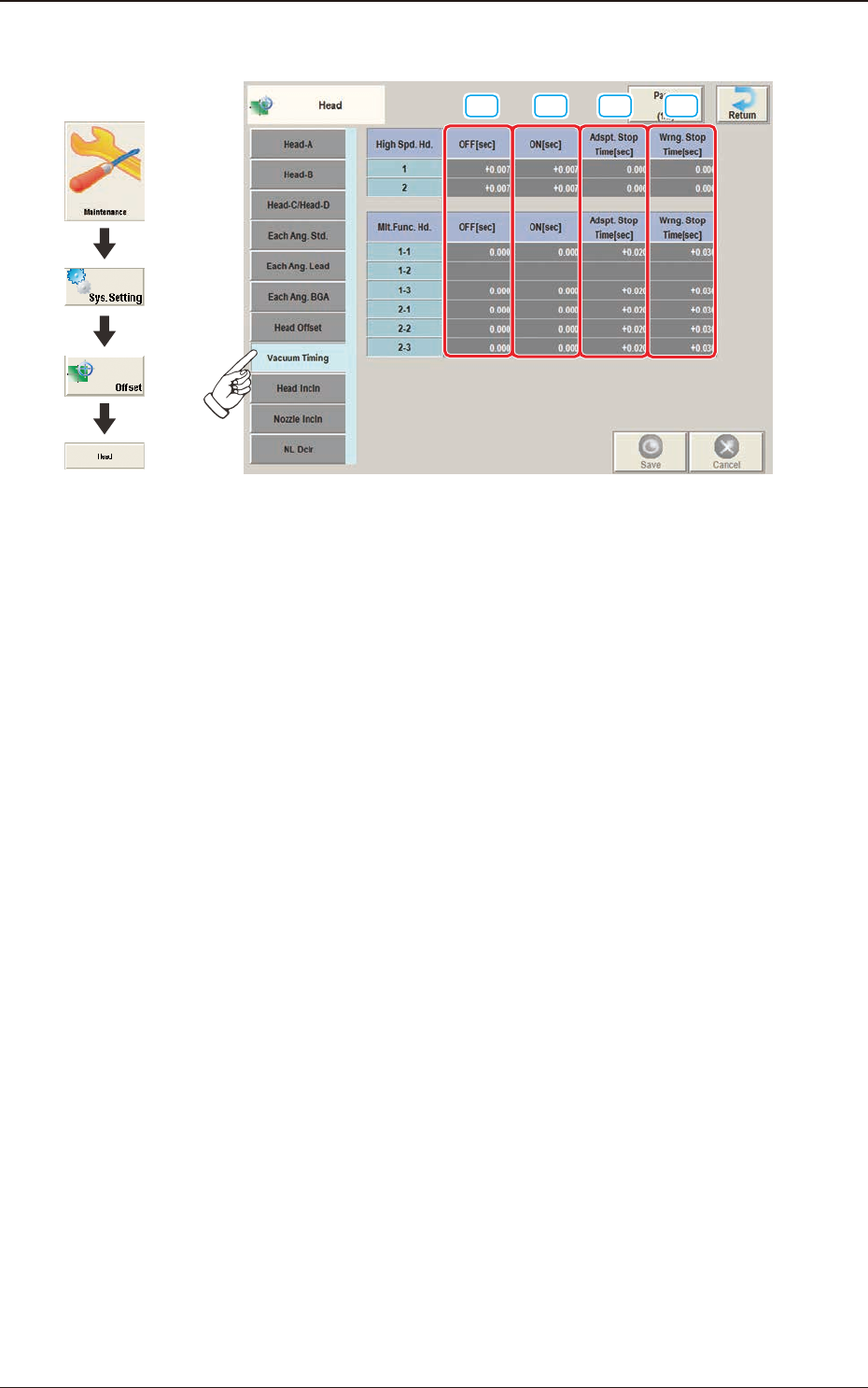
2.5.8 "Vacuum Timing" Tab Sheet
[1] [2] [3] [4]
F3B40
[1] OFF [sec]
The specied parameter is used to adjust the timing to turn the vacuum off
while the NL-axis is descending for component placement.
When "+0.000" is specied in the "OFF" text box, the vacuum is turned off
when the NL-axis has reached 10 ms away from the bottom arrival point.
Base on the point 10 ms away from the NL-axis bottom arrival point, a plus
value in the "OFF" text box means that the timing to turn off the vacuum will
be delayed. A minus value means that the timing will be quickened.
2.5 "Head" Window
Graphic
Development
3OM-1751
2-421303-001
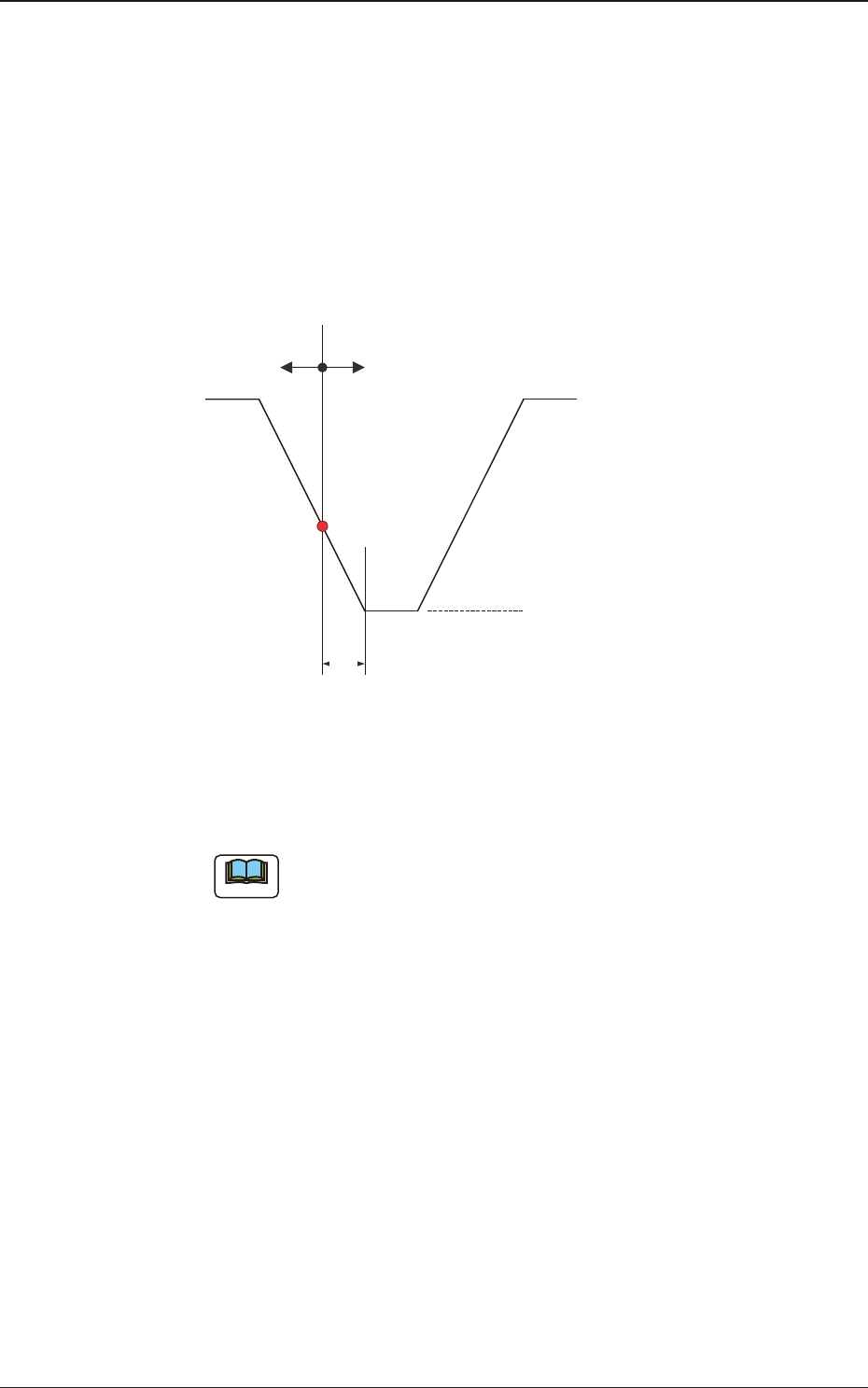
[2] ON [sec]
The specied parameter is used to adjust the timing to turn the vacuum on
while the NL-axis is descending for component pick.
When "+0.000" is specied in the "ON" text box, the vacuum is turned on
when the NL-axis has reached 10 ms away from the bottom arrival point.
Base on the point 10 ms away from the NL-axis bottom arrival point, a plus
value in the "ON" text box means that the timing to turn on the vacuum will
be delayed. A minus value means that the timing will be quickened.
NL-Axis Bottom Arrival Point
NL-Axis Descending
10ms
(+)(-)
NL-Axis Ascending
Vacuum ON/OFF Timing Reference
F3B41
[3] Adspt. Stop Time [sec]
The parameter to specify the time when the nozzle must be stopped at the
lower limit is set for al component picks, in this data entry area.
Note
This function is used when components cannot be picked up in stable
condition due to the inuence of the component pick-up surface and the
compatibility with the selected nozzle.
[4] Wmg. Stop Time [sec]
The parameter to specify the time when the nozzle must be stopped at the
lower limit is set for the placement of all components, in this data entry area.
2.5 "Head" Window
3OM-1751
2-431303-001
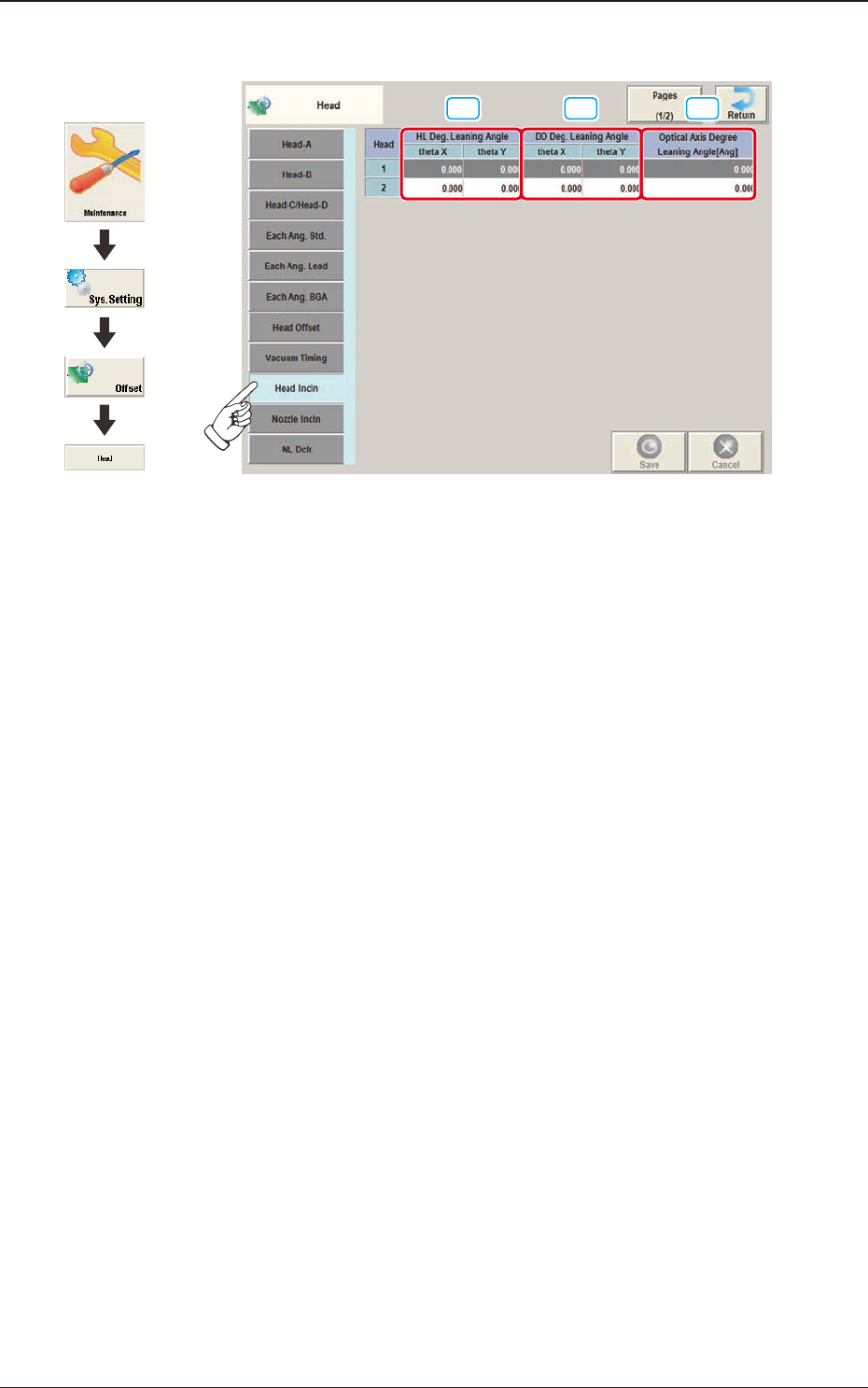
2.5.9 "Head Incln" Tab Sheet
[1] [2] [3]
F3B42
[1] HL Deg. Leaning Angle
theta X [deg], theta Y [deg]
The set parameter is used to correct the deviations in the X and Y direction
that will be caused while the HL-axis is moving down if the axis is tilted.
[2] DD Deg. Leaning Angle
theta X [deg], theta Y [deg]
The set parameter is used to correct the deviations in the X and Y direction
that will be caused while the HL-axis is moving down if the DD-axis is
tilted.
[3] Optical Axis Degree Leaning Angle [Ang]
The set parameter is used to correct the angle of the component recognition
camera shot.
2.5 "Head" Window
Graphic
Development