00198442-01_UM_TX-V2_EN.pdf - 第191页
User manual SIPLACE TX V2 4 Setting up and commissioning From software version 711.1 04/2018 4.5 Setting up the placement machine 191 4.5.7.4 Fitting the floor bra ce (optional) Item no. 00588122- xx floor brace set for …
4 Setting up and commissioning User manual SIPLACE TX V2
4.5 Setting up the placement machine From software version 711.1 04/2018
190
4
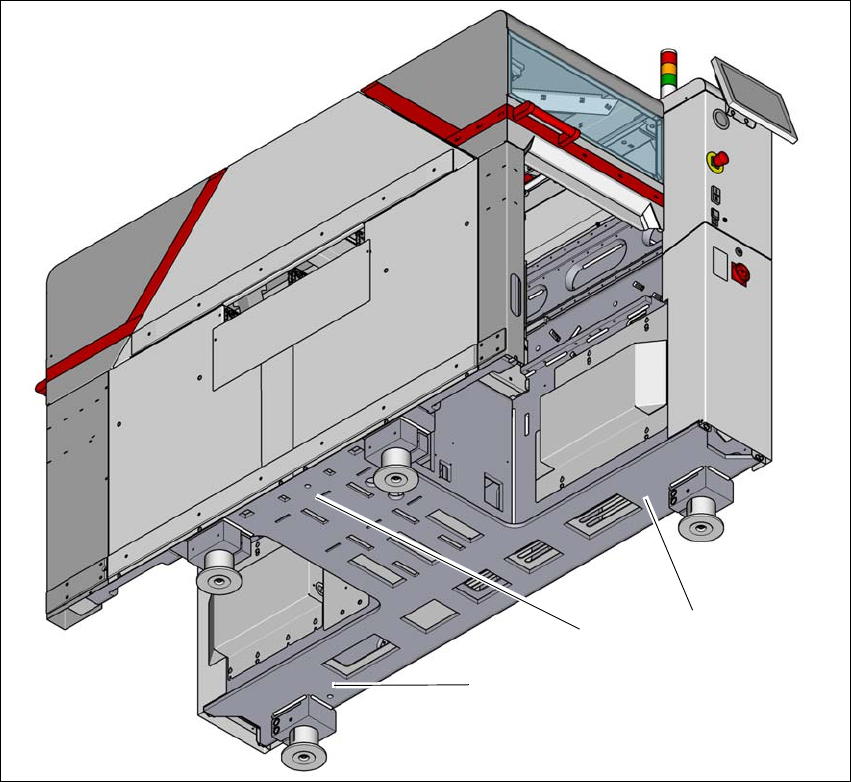
Fig. 4.5 - 7 Contact positions for the air cushion transport system
(1) Three contact points for the air cushion transport system
(1)
(1)
(1)
User manual SIPLACE TX V2 4 Setting up and commissioning
From software version 711.1 04/2018 4.5 Setting up the placement machine
191
4.5.7.4 Fitting the floor brace (optional)
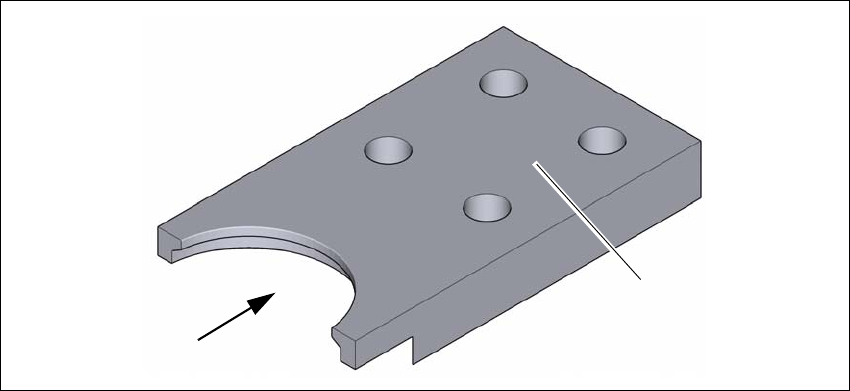
Item no. 00588122-xx floor brace set for TX
The placement machine can be secured against sliding in the event of strong vibrations (e.g.
earthquakes) with a floor brace, if required.
Fit a floor brace to each placement machine foot.
4
Fig. 4.5 - 8 Floor brace
Place the floor brace (1) over the placement machine foot.
Attach the floor brace to the ground with suitable fixtures, at the four holes (2) provided.
(1)
(2)
4 Setting up and commissioning User manual SIPLACE TX V2
4.5 Setting up the placement machine From software version 711.1 04/2018
192
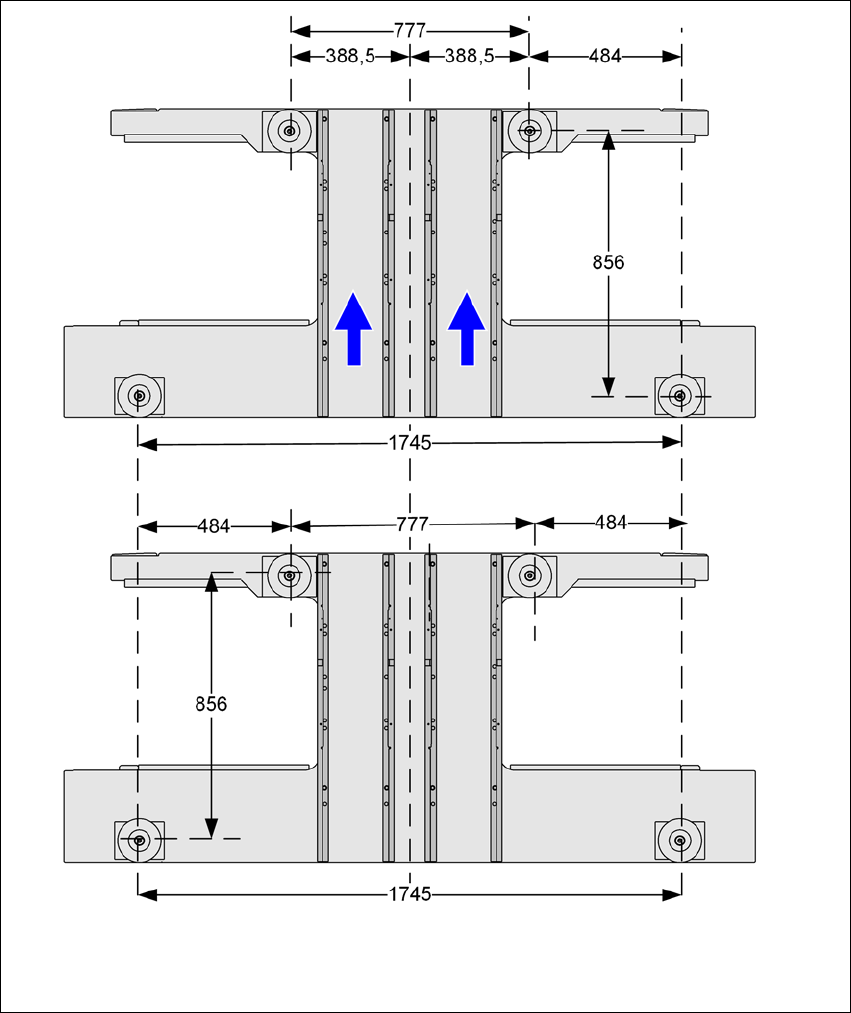
4.5.8 Placement machine foot clearances and the stationary PCB conveyor edges
4.5.8.1 Placement machine foot clearances
4
Fig. 4.5 - 9 Placement machine foot clearances in millimeters