00190802-02.pdf - 第204页
6 Product / Package Form User’s Manual Line Computer UNIX 6.1 Package Form Editor Software Version 402.xx Edition 03/97 6 - 30 6.1.2.10 Pa ckage Form Editor Command Area - "Handling data" Displa y In the com ma…

User’s Manual Line Computer UNIX 6 Product / Package Form
Software Version 402.xx Edition 03/97 6.1 Package Form Editor
6 - 29
- External Centering
The component is centered externally by means of the
optical or mechanical centering station.
(Not possible on Siplace 80S).
optical The component is centered using the (external) optical
centering station.
mechanical The component is centered using the (external) mechanical
centering station.
(At present not operational)
Rotate before centering The component is turned (by 90° or 270°) prior to being
placed in the centering station.
Selection field "Reduced acceleration"
When the setting "Special handling" is activated in the selection field you can reduce the speed at which the
placement head moves when performing pick-up, centering or placement operations along the x, y, z and
d-axes. It is thus possible to handle and and place also large components (e.g. PLCC's 84) securely.
- Special handling
"Special handling" is defined for the pick-up, centering and
placement cycles of a component.
Z during pick-up reduced acceleration in z-direction when component
is picked up from its pick-up position
X during centering reduced acceleration in x-direction when component is
centered (at present not operational)
Y during centering reduced acceleration in y-direction when component is
centered (at present not operational)
D during centering reduced acceleration in d-direction (turning) when
component is centered
X during placement reduced acceleration in x-direction when component is
placed (deposited)
Y during placement reduced acceleration in y-direction when component is
placed (deposited)
6 Product / Package Form User’s Manual Line Computer UNIX
6.1 Package Form Editor Software Version 402.xx Edition 03/97
6 - 30
6.1.2.10 Package Form Editor Command Area - "Handling data" Display
In the command area (see Fig. 6.1.4) two different tools can be selected from (nozzle or sensor type) that can
be created or deleted by means of the corresponding commands. The desired tool type desired is selected by
clicking on the button adjacent to its name.
COMMANDS
The procedures to be followed for the execution of the commands are described in the following.
-
Create
This command can be used to create the nozzles and sensor types required for the current package
form.
●
Activate the button of the desired tool type.
●
Click on Create.
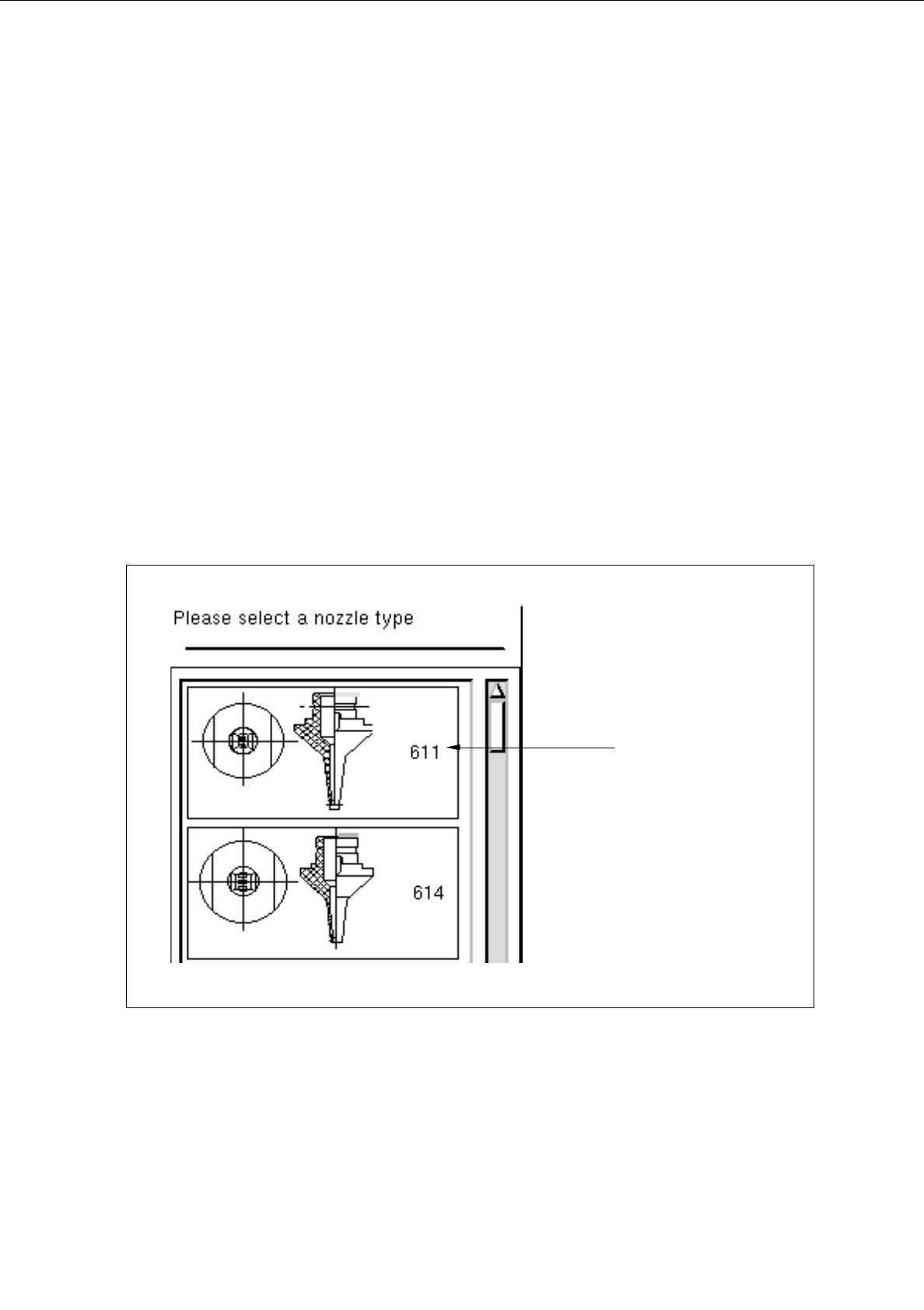
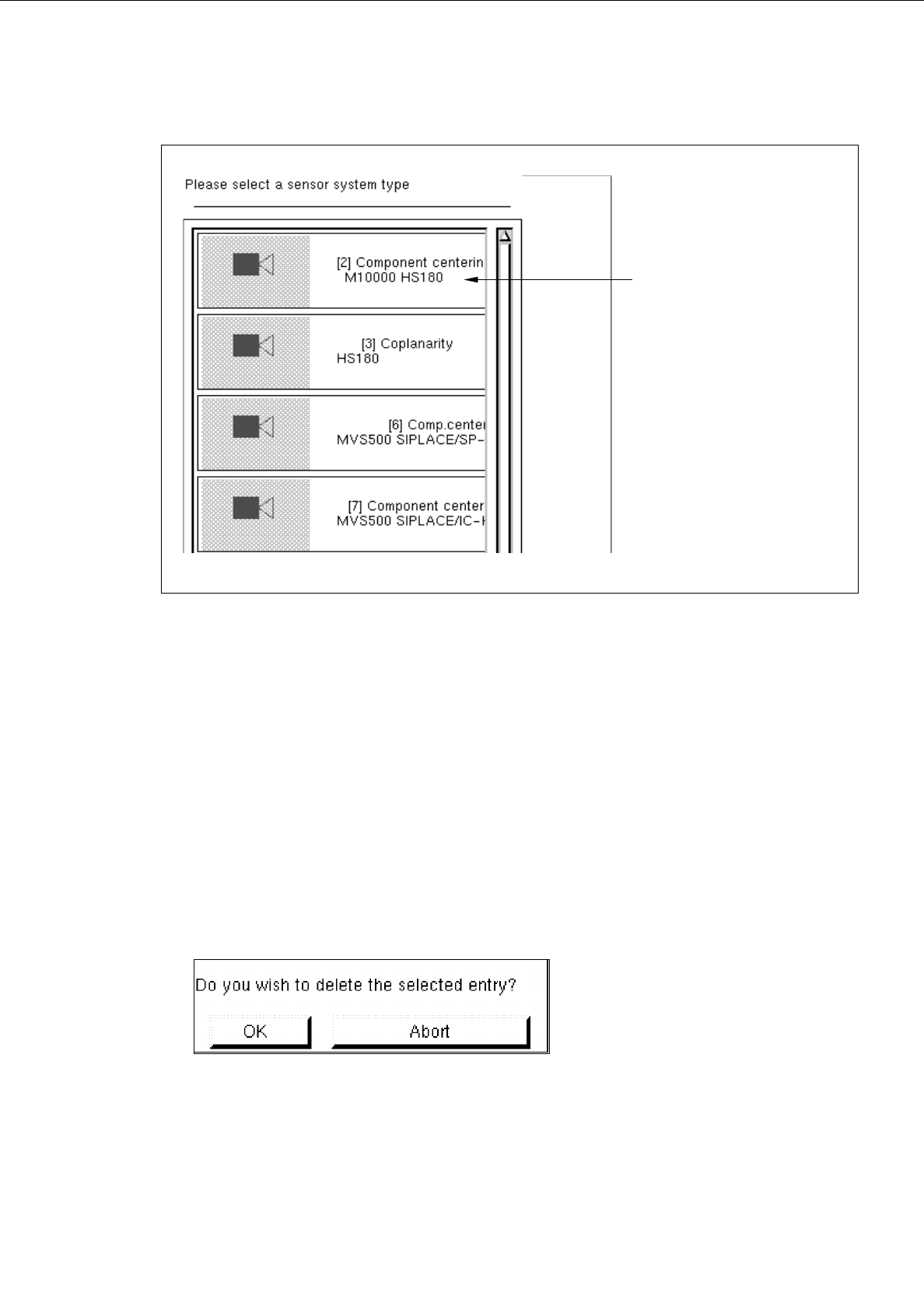
The selection window containing a list of all defined types of the selected tool type is opened.
Fig. 6.1.13 Selection Window of the "Nozzle Type"
nozzle type
User’s Manual Line Computer UNIX 6 Product / Package Form
Software Version 402.xx Edition 03/97 6.1 Package Form Editor
6 - 31
Fig. 6.1.14 Selection Window of the "Sensor Type"
●
Click on desired type.
The selection window is closed. The symbol of the selected tool type together with the number of
the created tool type is displayed in the display area of the main window.
-
Deleting
An existing tool can be deleted.
●
Click on button of the desired tool type.
All existing tools of the selected type are displayed.
●
Select tool from the display area.
●
Click on
Delete
.
The following dialog box is opened.
●
Click on
OK
in the dialog box.
The dialog box is closed.
The symbol of the selected tool is no longer displayed in the display area.
sensor type