00190802-02.pdf - 第375页
13 Production Tools / Set-Up User’s Manu al Line Computer UNIX 13.1 Set-Up Editor (Feeder Part and W PC Editors) Software Version 402.xx Edition 06/96 13 - 26 Identification Field The iden tification f ield con tains the…

User’s Manual Line Computer UNIX 13 Production Tools / Set-Up
Software Version 402.xx Edition 06/96 13.1 Set-Up Editor (Feeder Part and WPC Editors)
13 - 27
Selection Field "Nozzle"
This selection field contains a listing of all factory-defined nozzles. This list cannot be changed. Nozzles are
described as follows:
Example:
t_Pip~617 t
= default nozzle
Pip
= nozzle
617
= nozzle type
13.1.6 EDIT Menu
The EDIT menu which is available on the menu bar of both editors contains the following option:
-
° RI-File
The option is preceded by a small circle (°) indicating that the option is not activated. As soon as it is
selected, the circle is displayed with an "X" through it (
¤
) indicating that the option is activated. By
clicking on the RI-File again, the file is deactivated.
13.1.6.1 RI-File
Clicking on the "RI-File" option on the EDIT menu causes the Set-up info file to be activated. This file is part of
the Feeder Editor and contains the allocations of components and package forms to specific feeders and waffle-
pack trays. The Feeder Part Editor and WPC Editor will access these allocations when the "RI-File" option is
activated.
Upon creating the set-up, it then suffices to allocate the component to a track or level, respectively. The program
then automatically sets the feeder defined for the component, or the defined waffle-pack tray together with the
particular component onto this track or level, respectively. All existing correction values are adopted.
If no allocation can be found for a particular component, a corresponding error message is displayed which
must be acknowledged. The component must then be set up with the aid of the feeder list, or an appropriate
allocation must be newly defined in the Feeder Editor.
If changes are made in the Set-up infor file with the "RI-File" option activated, these changes will not be
automatically accepted. The "RI-File" option must be turned off and then turned on again for the current changes
to be able to be accepted.
The "RI-File" option permits an effective and error-free creation of set-ups and its use should be given
preference.
13 Production Tools / Set-Up User’s Manual Line Computer UNIX
13.1 Set-Up Editor (Feeder Part and WPC Editors) Software Version 402.xx Edition 06/96
13 - 26
Identification Field
The identification field contains the following data which cannot be edited:
-
Station:
Name of the current station including Overall system/sub-
line/line/set-up/
station name
-
Mach.opt.:
Name of the Nozzle Changer
-
Location:
Name of the location where the machine option is set up
Command area
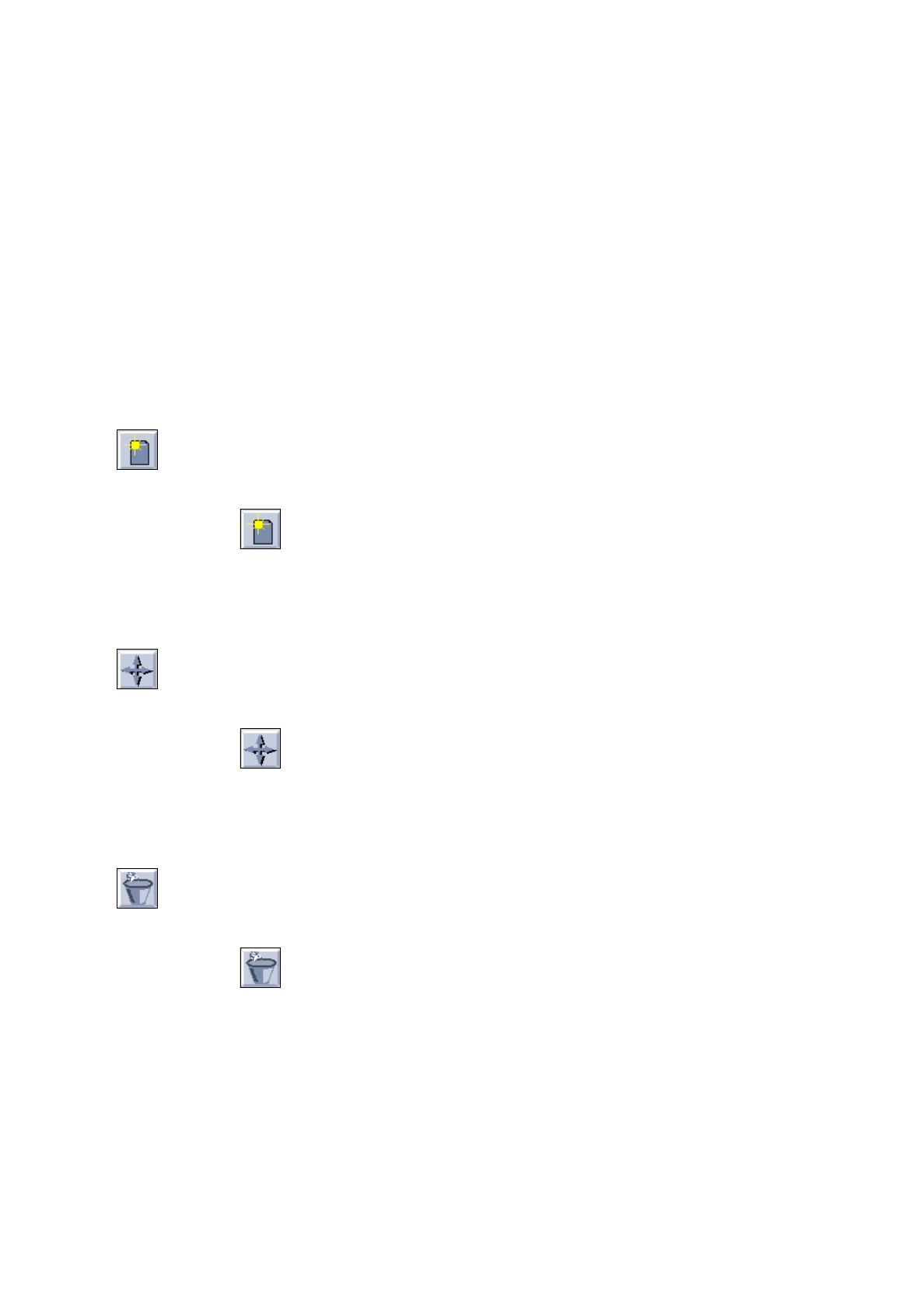
Commands are available in the command area by means of which nozzles can be allocated, moved and deleted.
For a commond to be executed, it must be clicked on. The icon turns gray then.
-
Create
If this icon is active, a nozzle can be allocated to a location in the Nozzle Changer.
●
Click on icon in the command area.
●
Click on the target location in the Divisions selection field.
●
Click on a nozzle in the Nozzle selection field.
The number of the nozzle is then entered in the target location.
-
Move
If this icon is active, a nozzle can be moved to another location within a Nozzle Changer.
●
Click on icon in the command area.
●
Click on the target location in the Divisions selection field.
●
Click on the nozzle you wish to move.
The moved nozzle is displayed in the target location (division).
-
Delete
If this icon is active, a nozzle can be deleted from a location in the Nozzle Changer.
●
Click on icon in the command area.
●
Click on the nozzle at the particular location.
The nozzle is deleted from the location without any verification query being displayed.
Selection Field "Divisions"
This selection field contains a listing of all Nozzle Changer locations in numerical sequence. Nozzles can be
allocated to empty locations as required. If nozzles were assigned to nozzle changer locations upon setting up
the station configuration, such allocations cannot be changed in the Feeder Part Editor.
User’s Manual Line Computer UNIX 13 Production Tools / Set-Up
Software Version 402.xx Edition 06/96 13.1 Set-Up Editor (Feeder Part and WPC Editors)
13 - 25
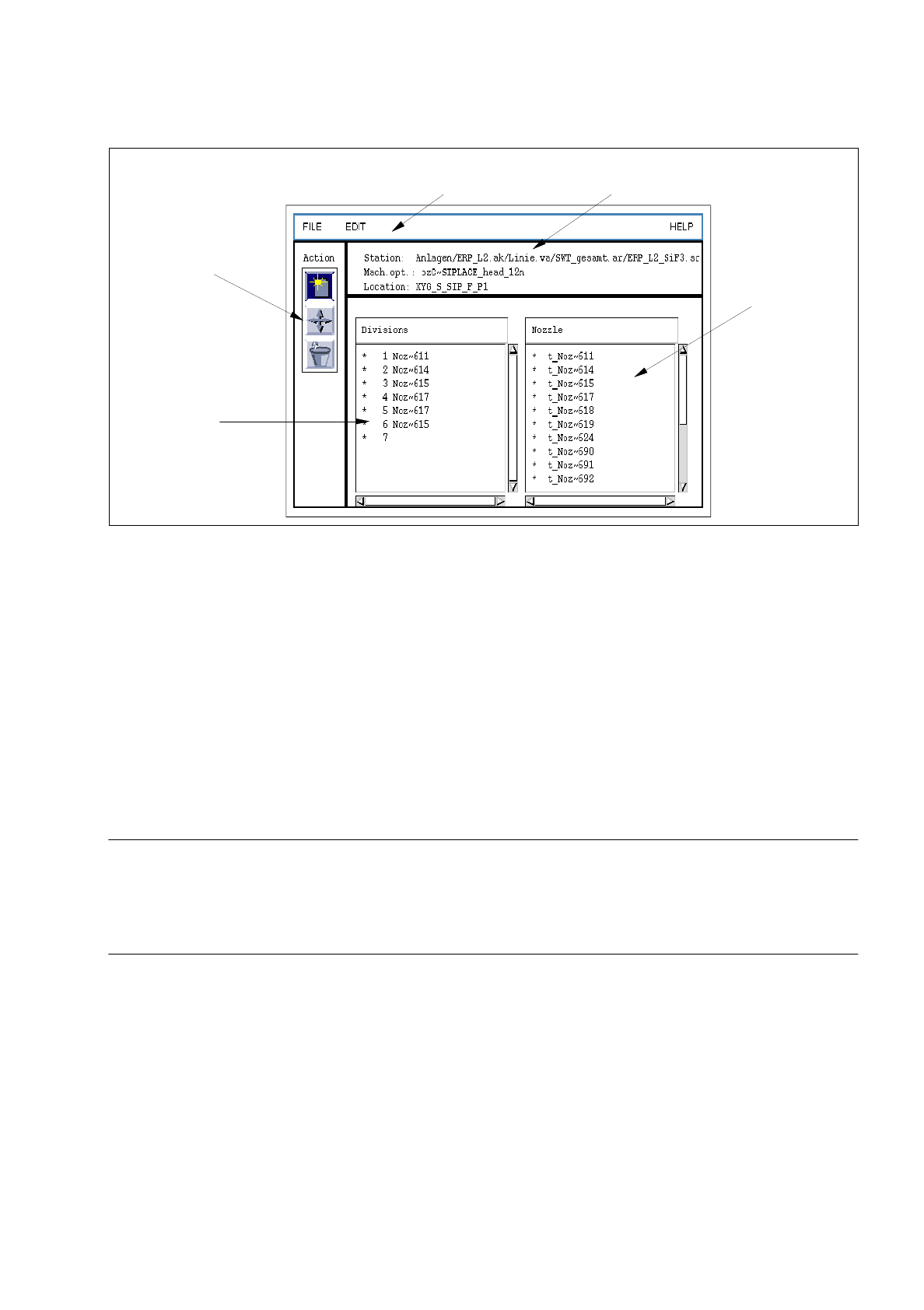
Fig. 13.1.19 Machine Opt. Data Editor
The Machine Opt. Data Editor is subdivided into the following areas:
-
Menu bar
-
Identification field
-
Command area
-
Selection field "Divisions"
-
Selection field "Nozzle"
Menu Bar
The menu bar contains the menus "FILE", "EDIT" and "HELP".
☞
NOTE
The functions and the operation of the menus "FILE" and "HELP" are similar to those in other application
programs of the line computer and are described in detail in chapter 2 "General Information on Using the
Program".
EDIT
Menu
The EDIT menu contains the following option:
-
Reset
This function cannot be executed as of yet.
menu bar identification field
selection field
"Nozzle"
command
selection field
"Divisions"
area