00190802-02.pdf - 第268页
9 Production Tools / Feeders User’s Manual Line Computer UNIX 9.1 Feeder Editor Software Version 402.xx Edit ion 06/96 9 - 8 Calling u p the lis t of packa ge forms not alloc ated to any feede rs yet: ● Select th e menu …
User’s Manual Line Computer UNIX 9 Production Tools / Feeders
Software Version 402.xx Edition 06/96 9.1 Feeder Editor
9 - 7
9.1.3.1 SERVICES Menu
The SERVICES menu contains the menu options described in the following:
-
Lists
This menu option contains functions by means of which the current allocations of package forms or
components to a selected feeder or waffle-pack tray can be displayed in the form of listings. More-
over, the possibility exists to call up a list containing all defined package forms that have not been allo-
cated to a given feeder yet.
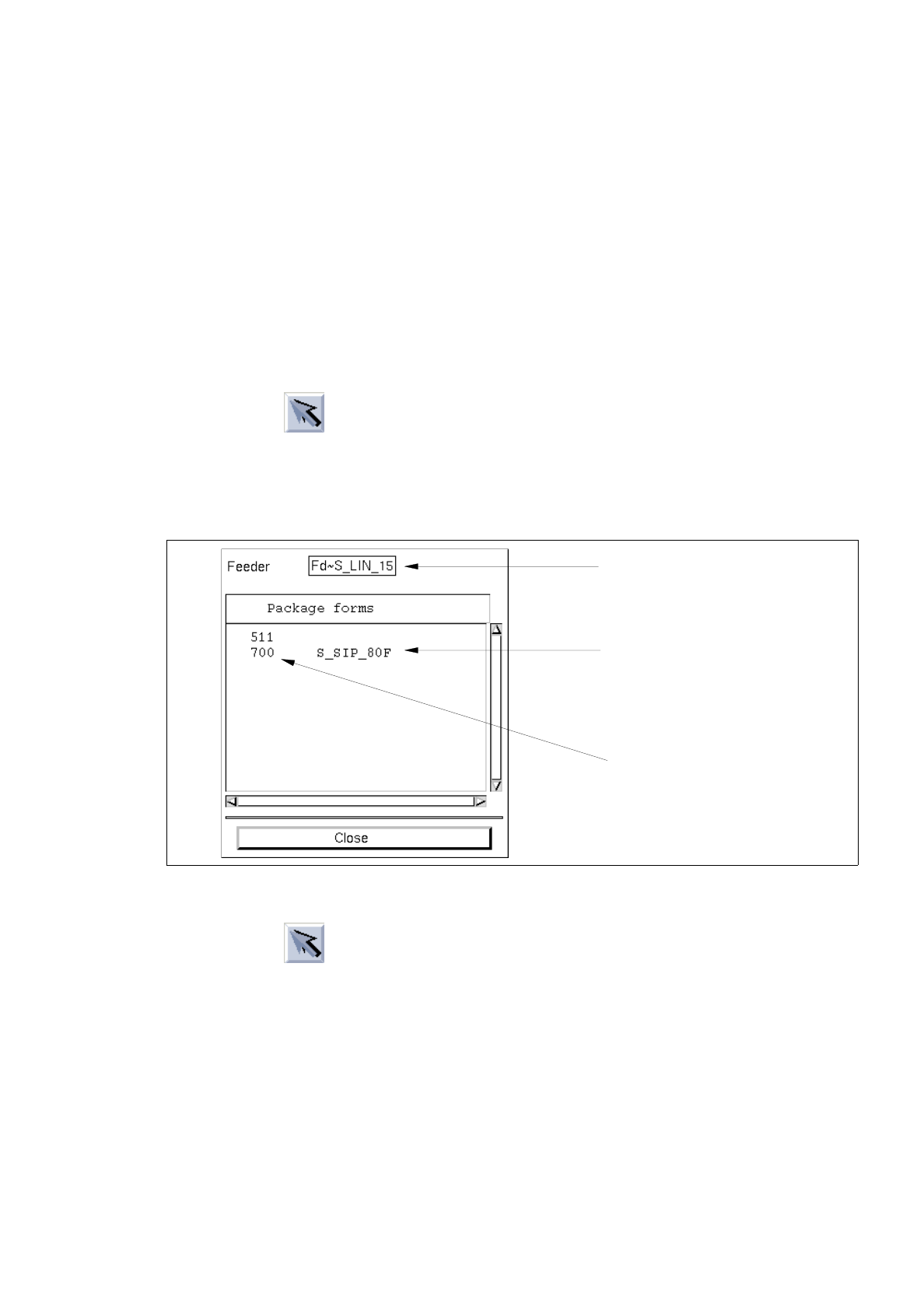
Calling up the list of allocated package forms:
●
Click on icon in the command area (see section 9.1.3.4).
●
Select a feeder or a waffle-pack tray from the selection field "Placeable feeders".
●
Select the menu option SERVICES --> Lists --> GFs on feeders.
The list with the package form allocations for the selected feeder is opened.
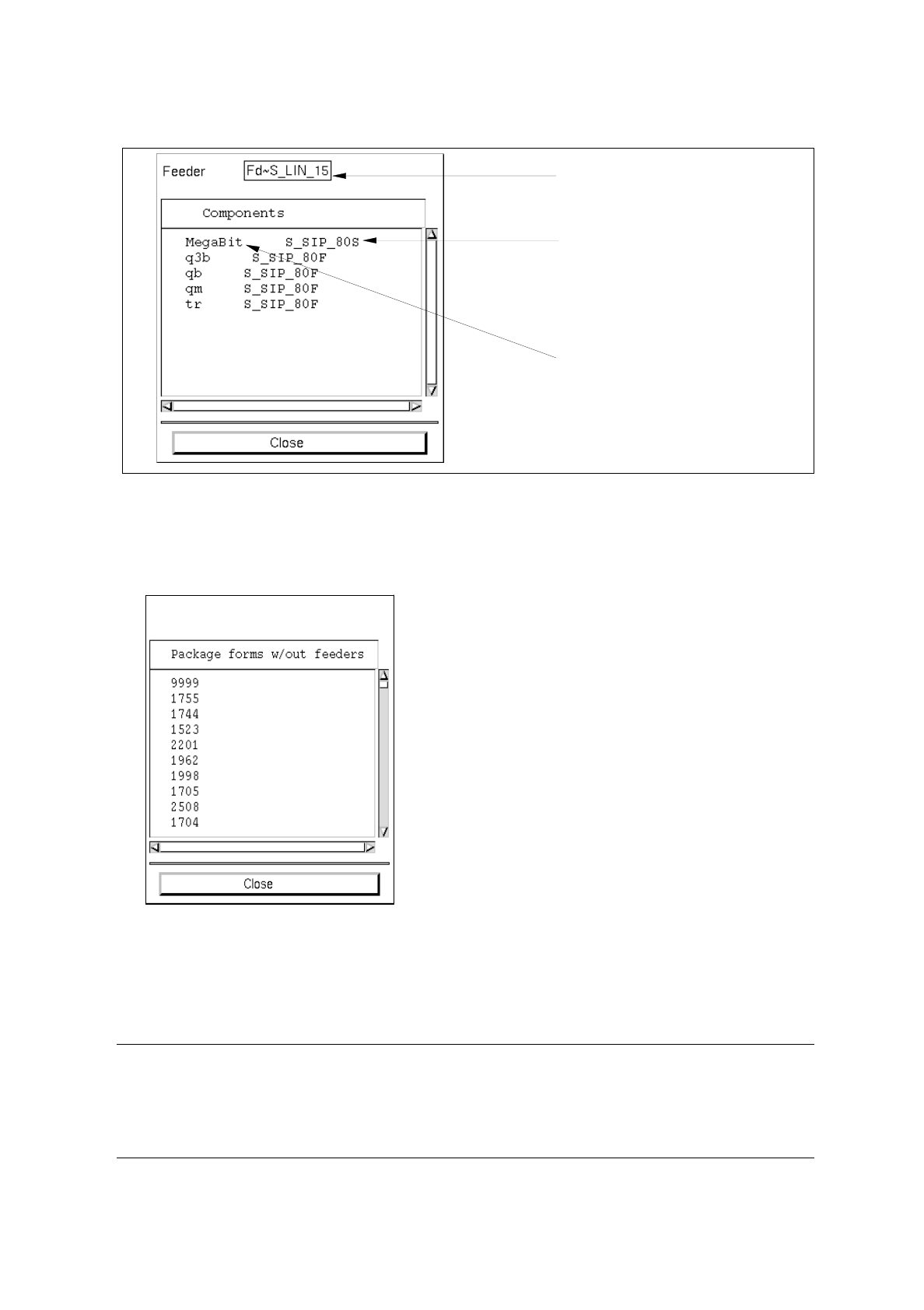
Calling up the list of the allocated components:
●
Click on icon in the command area.
●
Select a feeder or waffle-pack tray from the selection field "Placeable feeders".
●
Select the menu option SERVICES --> Lists --> Comps. on feeders.
The list with the component allocations for the selected feeder is opened.
selected feeder
machine type (location)
allocated package form
9 Production Tools / Feeders User’s Manual Line Computer UNIX
9.1 Feeder Editor Software Version 402.xx Edition 06/96
9 - 8
Calling up the list of package forms not allocated to any feeders yet:
●
Select the menu option
SERVICES
-->
Lists
-->
GFs w/out allocat.
All package forms are displayed that have not been allocated to any feeders yet.
-
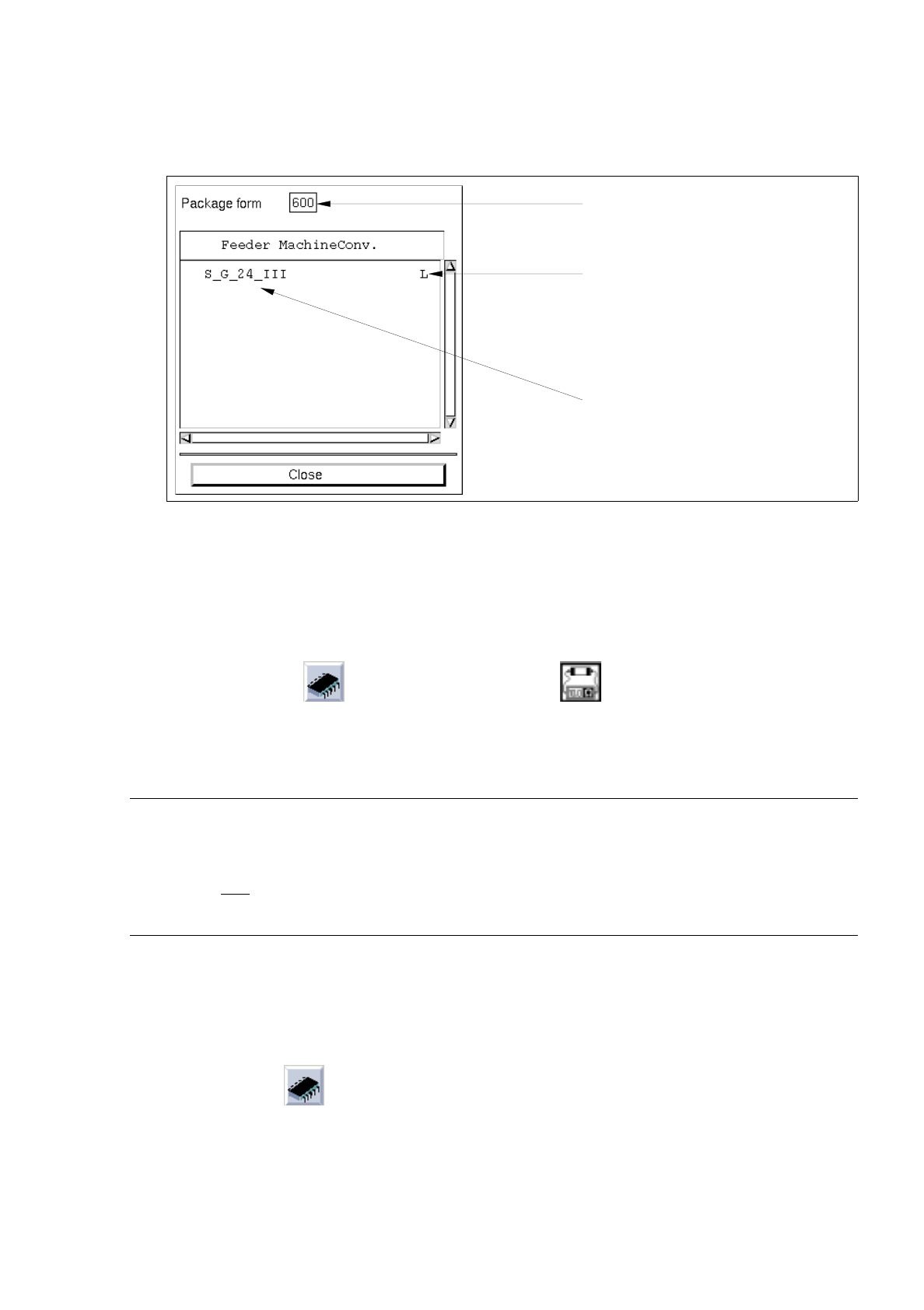
Allocations to GF
This function enables a list of the feeders or waffle-pack trays to be displayed that were allocated to
the current package form.
☞
NOTE
The display of the list is useful if the user has selected a component (see section 9.1.3.2) and wishes
to inform himself of the allocations that have already been defined with respect to the package form of
this component.
Calling up the list:
●
Select the menu option
SERVICES
-->
Allocat. to GF
.
selected feeder
machine type (location)
allocated component
User’s Manual Line Computer UNIX 9 Production Tools / Feeders
Software Version 402.xx Edition 06/96 9.1 Feeder Editor
9 - 9
The list containing the allocations for the current package form is opened.
●
Click on the
Close
button to close the window containing the respective list.
9.1.3.2 Selection Area "Package Form/Component"
This area contains the icons (symbol for package form) and (symbol for component) by means of
which it is possible to switch to a different package form or to a different component within the Feeder Editor.
The procedure for switching from package form --> component or from component --> package form is the same.
☞
NOTE
Switching to a different component/package form can also be accomplished by entering the component
name or the package form number into the appropriate editing field (see Fig. 9.1.2). This variant,
how-ever, is only
possible for a changeover within the same type (package form --> package form or
component --> component).
Example: Changing from component "BESO24" to package form "704"
Procedure:
●
Click on icon
The FSB containing a selection of the files of all previously defined package forms is opened:
number of the
conveyor side and machine type
allocated feeder
current package form