80S-20贴片机.pdf - 第410页
12 Vision s ystems SIPLA CE 80S-20/F4/F5 Service Manual 12.6 Coplanarity Option Edition 09/99 12 - 58 12.6.19.3 Error Message: PLACEMENT PLANE NOT FOUND 1. Cause: Component extreme ly slan ted (see also Run Data Pr otoco…
SIPLACE 80S-20/F4/F5 Service Manual 12 Vision systems
Edition 09/99 12.6 Coplanarity Option
12 - 57
Continuation of Error message.- LEAD TOO MANY
3. Cause:
Erroneous package form description
Analysis:
Count the leads
4. Cause:
Poor reflection properties
Analysis:
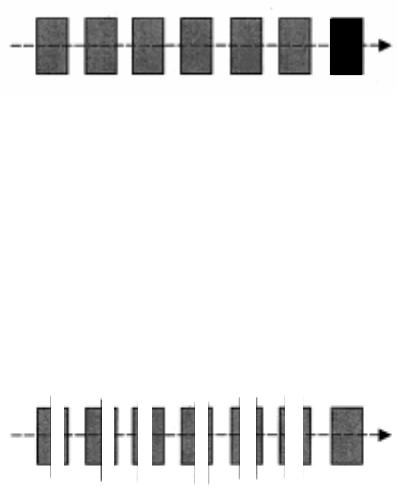
Test command 3+8 (ADP.OUT):
Does one row of leads exhibit wide (-1)-gaps on lead?
12 Vision systems SIPLACE 80S-20/F4/F5 Service Manual
12.6 Coplanarity Option Edition 09/99
12 - 58
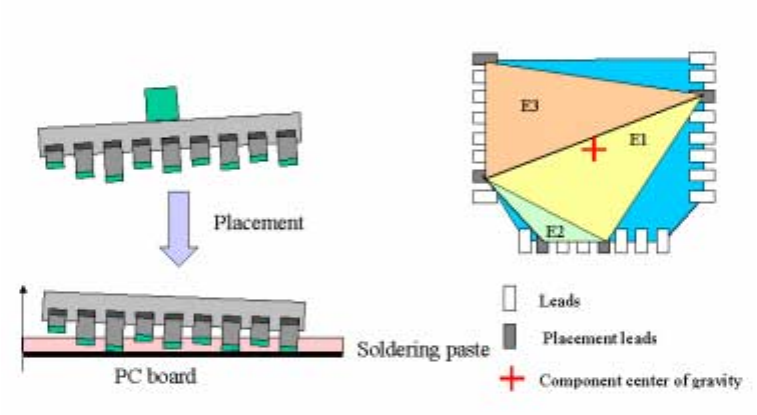
12.6.19.3 Error Message: PLACEMENT PLANE NOT FOUND
1. Cause:
Component extremely slanted (see also Run Data Protocol, Section 12.6.18.2, Page 30)
12.6.19.4 Error message: COMPONENT POOR
Cause:
Coplanarity tolerance exceeded (not an error!! )
SIPLACE 80S-20/F4/F5 Service Manual 12 Vision systems
Edition 09/99 12.6 Coplanarity Option
12 - 59
12.6.19.5 Error message "Measurement error! Coplanarity cannot execute
command"
Check whether a bright spot is visible in the area of the nozzle edge.
- Bright spot present:
Possible causes:
- Reflecting location in the slot of the nozzle (looking at the nozzle from the bottom of the IC head).
-> Place a piece of black adhesive tap on this point under the nozzle.
- Reflecting location on the nozzle -> Use a new nozzle of this type.
- No bright spot present
- Lead was described like a PLCC lead (lead length = placement lenght) / striking point of laser
beam, therefore at the incorrect location -> Correct description of component at line computer.
- Rotation error between camera and coplanarity sensor/Compon. shifted position->Error IC head.
- Component slanted at nozzle -> Check suction surface of nozzle and surface of component.
- Lead very glossy -> Use new component.
- Speed during component scanning is too slow -> Speed factor is <200.
12.6.19.6 Error message: Component outside of measurement tolerance
Possible causes:
- Individual leads too long (stretched) / too short (compressed) = placement plane outside of toler-
ances -> Use a new component.
12.6.19.7 Error message: Lead not found
Possible causes:
- Fiber on/between the leads -> Blow off component or use a new one.
q
❒