00197385-03_SR70x_FeatureDescription_DE_EN.pdf - 第127页
SIPLACE Statio n Softw are 70x / Feature D esc ription Ausgabe 05/2014 Edit ion 127 Tray e ditor The selec ted set up positio n and the waff le - pack tra y name in SIPL ACE Pro are di spla yed on the left side of the T …
SIPLACE Station Software 70x / Feature Description Ausgabe 05/2014 Edition
126
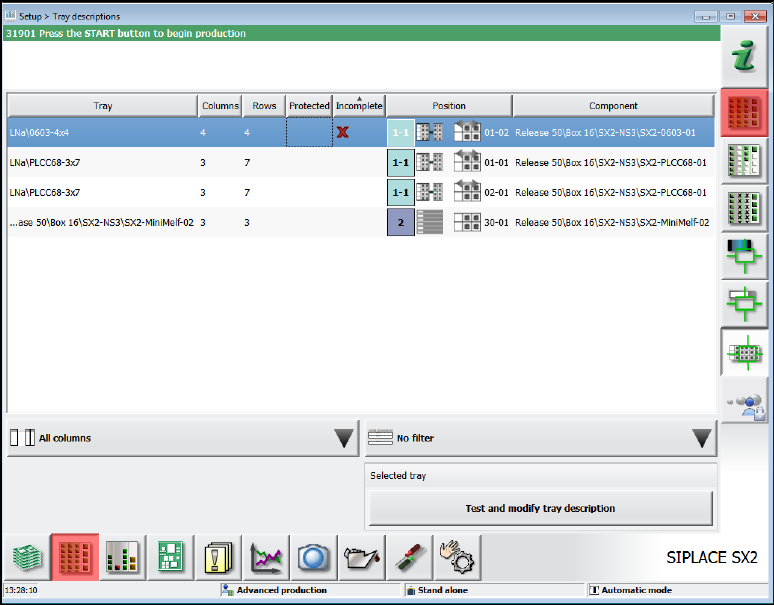
All available waffle-pack trays in the currently defined setup are listed in the Setup view.
Figure 8-6: Waffle-pack tray descriptions
The following information is displayed for the available waffle-pack tray descriptions:
– Waffle-pack tray name
– Number of columns and rows
– Tag if editable or protected (if SIPLACE Pro security is enabled).
– Tag if the waffle-pack tray description is incomplete.
– Waffle-pack tray position in the current setup.
– Waffle-pack tray component at the position in the current setup.
The list may be sorted by any column, columns may be hidden and the displayed entries filtered.
After a waffle-pack tray description has been selected with the Test and modify tray description
button, the Tray editor opens in which the waffle-pack tray description can be checked or
changed.
Preconditions before starting the Tray editor:
– A setup position must have been selected at which the waffle-pack tray is provided for the
image recording.
– The waffle-pack tray dimensions (length/width/height) must have been roughly measured (by
SIPLACE Pro or manually by creating the waffle-pack tray) in order to scan the waffle-pack tray
safely for the image recording.
SIPLACE Station Software 70x / Feature Description Ausgabe 05/2014 Edition
127
Tray editor
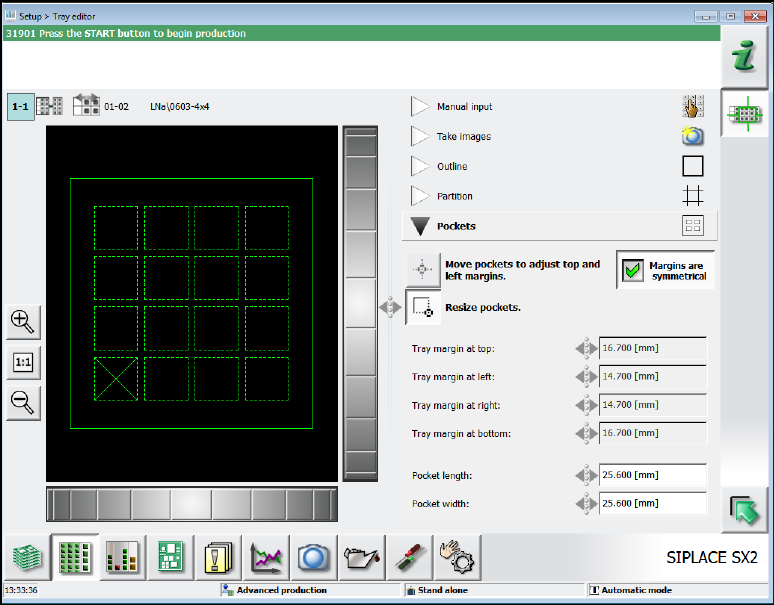
The selected setup position and the waffle-pack tray name in SIPLACE Pro are displayed on the
left side of the Tray editor.
The right part of the Tray editor contains the numeric waffle-pack tray description.
Figure 8-7: Tray editor
The description is divided into five areas that may be opened respectively.
Manual input
In this area the numeric values for the number of columns and rows and the waffle-pack tray
height (= height of the component support base) are entered.
Take images
In this area the images are recorded to adapt the waffle-pack tray description to the actual facts
in the following areas.
Outline
In this area the waffle-pack tray position and size are entered and adjusted.
Partition
In this area the distance between the single waffle-pack tray columns and rows are measured.
Additionally, the pickup sequence can be defined by selecting the edge of the first pickup
division.
Pockets
In this area the position and size of the component pockets on the waffle-pack tray are
calibrated.
SIPLACE Station Software 70x / Feature Description Ausgabe 05/2014 Edition
128
8.10 Position Detection of Waffle-Pack Trays
In SIPLACE Pro fiducials may be defined for waffle-pack trays. The measurement is performed
after each movement of the waffle-pack tray before the next repick.
The pickup positions are corrected using the measured fiducial positions.
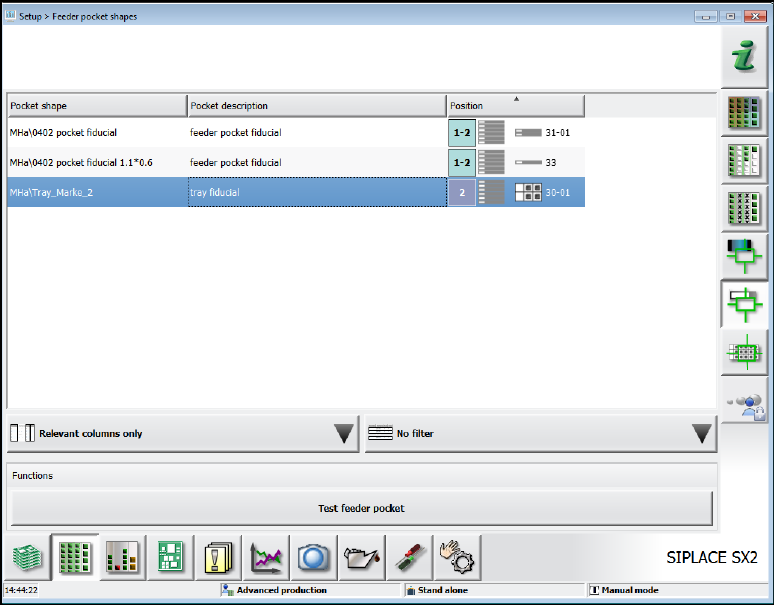
If waffle-pack trays with fiducials are defined in the setup, the fiducials are displayed in the Setup –
Feeder pocket shapes view.
Figure 8-8: Fiducials for waffle-pack trays
By selecting a fiducial and clicking on the Test feeder pocket button the fiducial is selected for
teaching.