00197385-03_SR70x_FeatureDescription_DE_EN.pdf - 第72页
SIPLACE Statio n Softw are 70x / Feature D esc ription Ausgabe 05/2014 Edit ion 72 If the bo ard is canc eled th e oper ator c an decid e from where t he board s hall b e rem oved (outp ut section or last sta tion in the…
SIPLACE Station Software 70x / Feature Description Ausgabe 05/2014 Edition
71
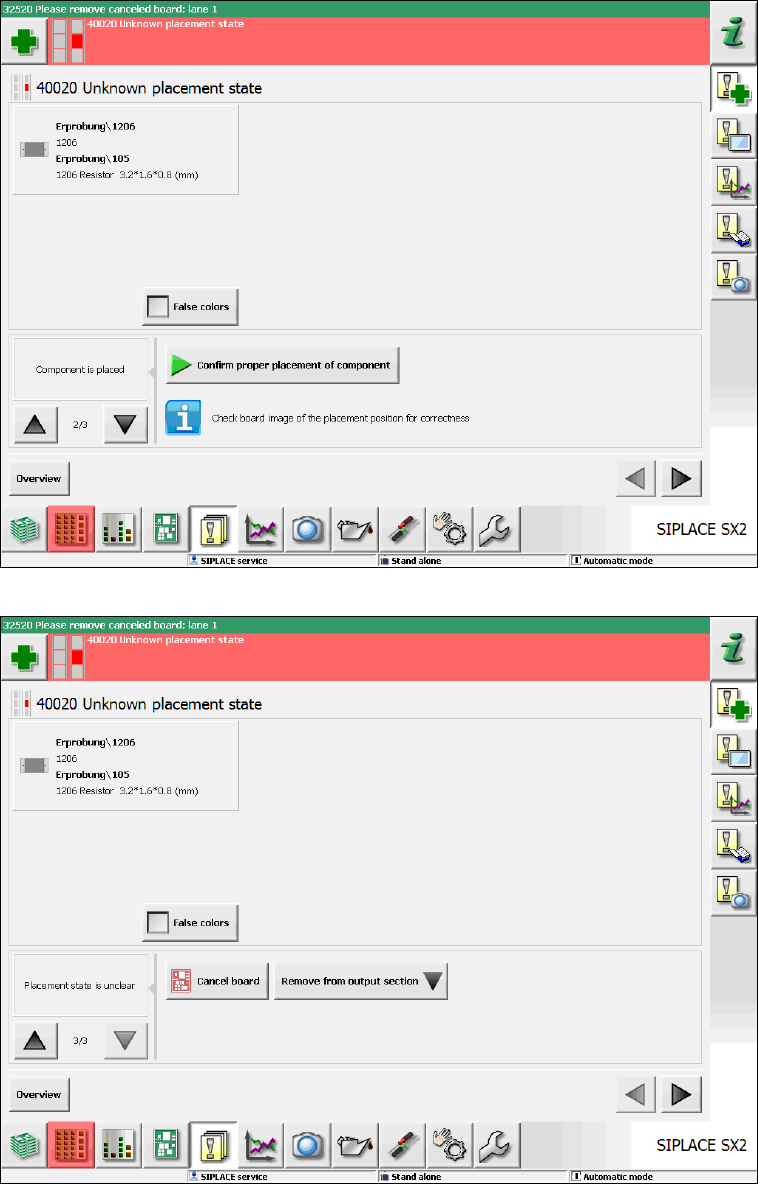
Figure 7-11: Unknown placement state – Component successfully placed
Figure 7-12: Unknown placement state – Cancel board
SIPLACE Station Software 70x / Feature Description Ausgabe 05/2014 Edition
72
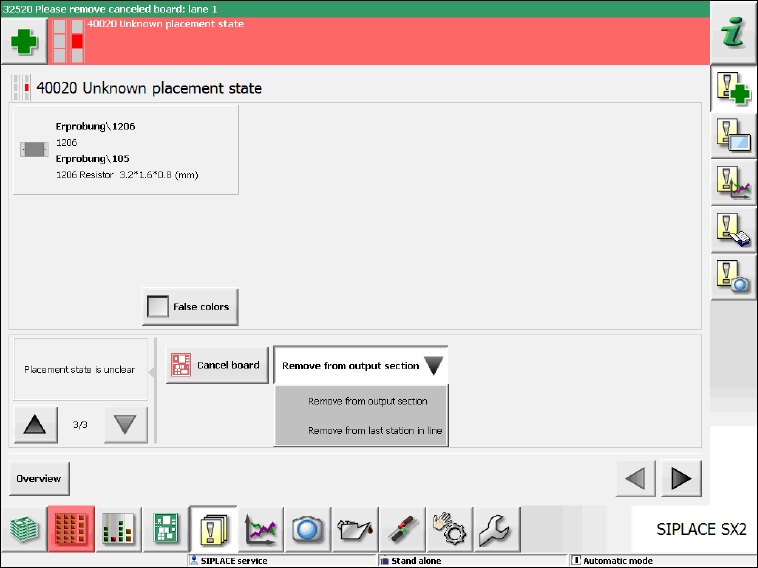
If the board is canceled the operator can decide from where the board shall be removed (output
section or last station in the line):
Figure 7-13: Unknown placement state – Remove board
7.19 Defragmenting Original Setup When Using SIPLACE Random
Setup
When using the SIPLACE Random Setup function, the original setup gradually gets fragmented
and is spread on the tracks, i.e. more and more feeders are no longer available on the tracks on
which they should be according to the downloaded setup.
As of this station software version, assistance is available on the GUI to bring back the feeders
onto the correct tracks.
Whenever the operator exits the Random Setup mode via the Clear Random Setup button in the
dual table view under Setup – Locations, feeders which are not located on the original tracks are
highlighted in orange color. If a highlighted feeder is selected in the Current grahic via the orange
arrow buttons, the corresponding feeder gets selected in the Expected graphic as well.
Now the operator has to remove the first highlighted feeder. In the Expected graphic the feeder is
then marked as missing (red color). The red feeder shows the correct track for the removed feeder
onto which the operator shall put the feeder back. After that, the red highlighting disappears and
the operator can continue with the next feeder highlighted in orange color.
SIPLACE Station Software 70x / Feature Description Ausgabe 05/2014 Edition
73
Example
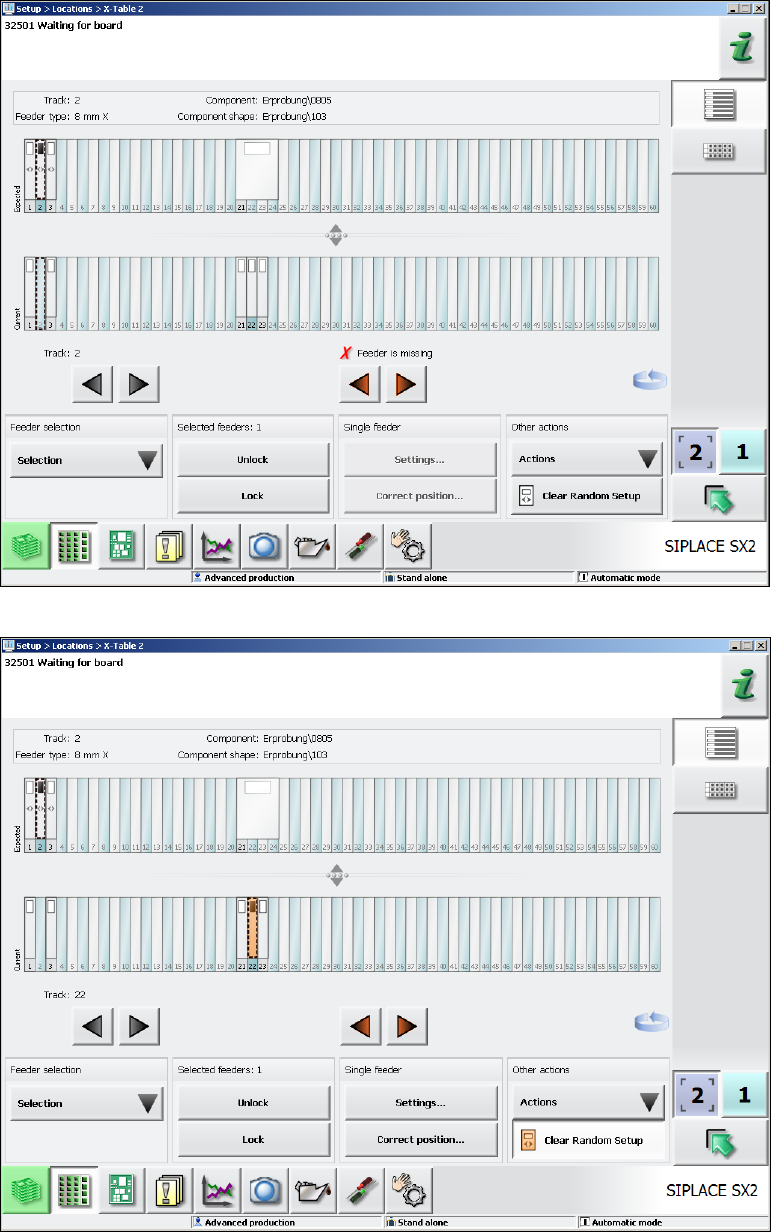
In the following Random Setup scenario the components on Track 1, 2 and 3 may have dynamic
alternatives on the Tracks 1, 22 and 23 respectively. The feeder on Track 21 (32mm) is not
required for the current product. When the feeder has been removed from Track 2, the feeder on
Track 22 shall be put back onto Track 2.
Figure 7-14: Feeder was removed from Track 2
Figure 7-15: Feeder on Track 22 shall be put back onto Track 2