00197385-03_SR70x_FeatureDescription_DE_EN.pdf - 第83页
SIPLACE Statio n Softw are 70x / Feature D esc ription Ausgabe 05/2014 Edit ion 83 If the chai n is em pt y, this is disp la yed by a track em pty error and f las hing lam p indicators. Figure 7- 26 : Chain empty 7.23 A …
SIPLACE Station Software 70x / Feature Description Ausgabe 05/2014 Edition
82
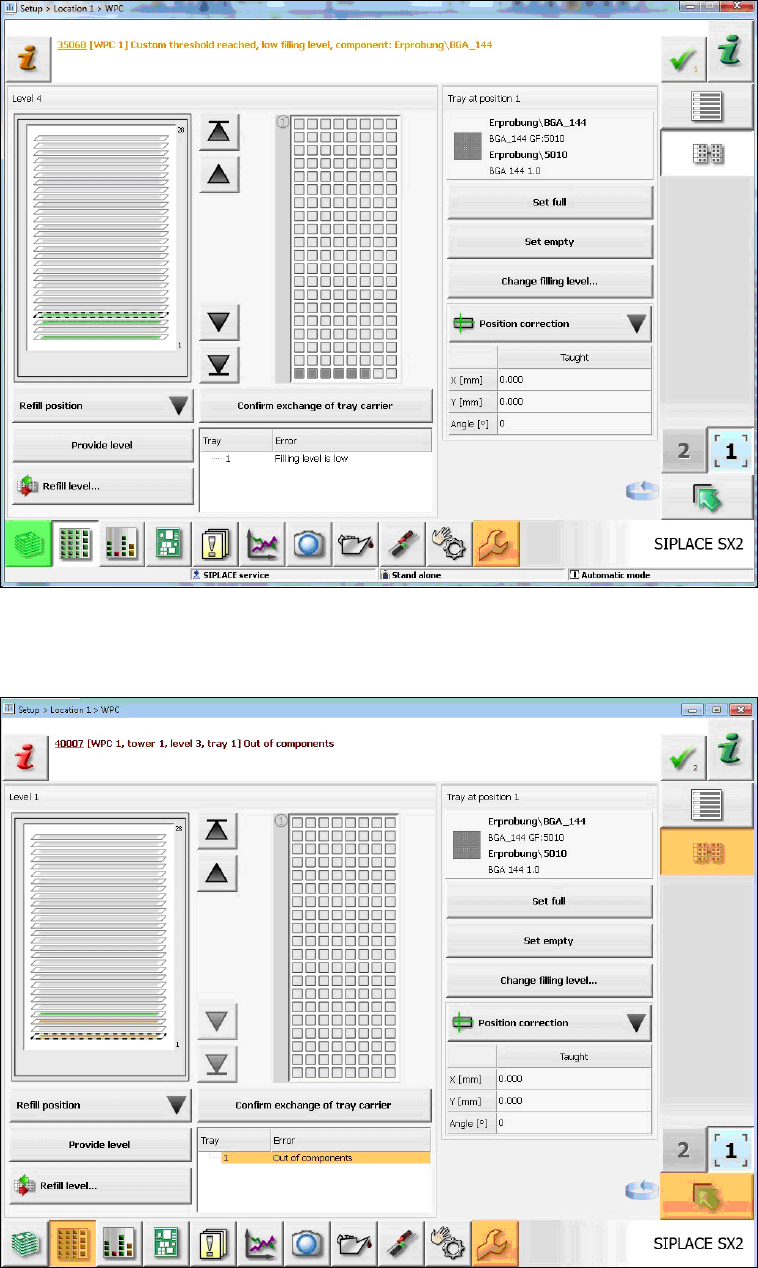
If the defined time threshold is reached, an error message is displayed on the GUI and the
corresponding lamp indicator is activated. This happens whether the trays are empty or not.
Figure 7-24: Threshold value reached
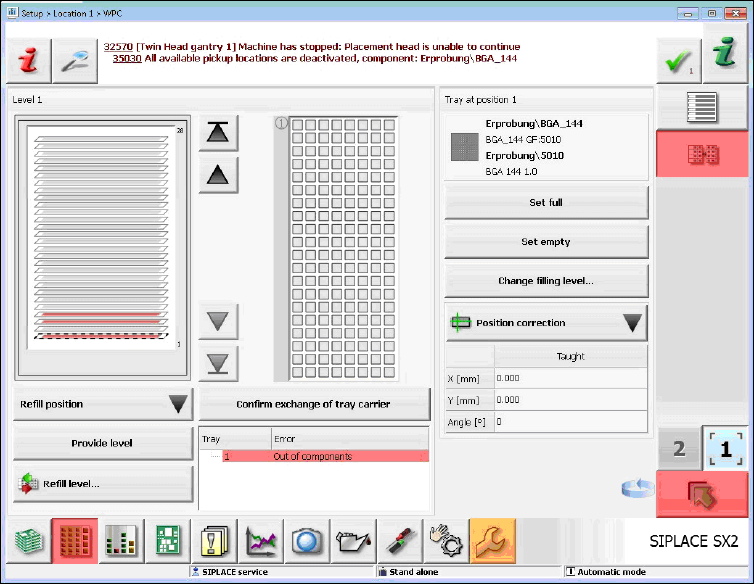
If a single tray is empty, this is only displayed by an error message and orange-marked tray level
on the GUI. The lamp indicators are not activated.
Figure 7-25: Single tray empty
SIPLACE Station Software 70x / Feature Description Ausgabe 05/2014 Edition
83
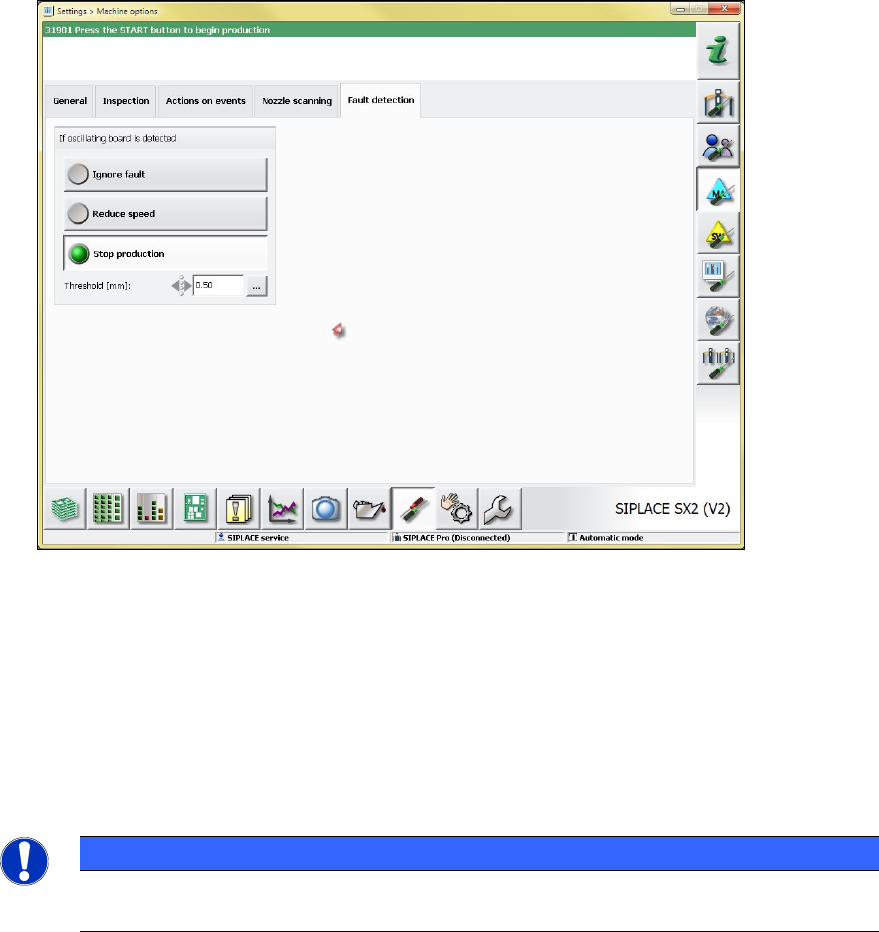
If the chain is empty, this is displayed by a track empty error and flashing lamp indicators.
Figure 7-26: Chain empty
7.23 Automatic Recognition and Compensation of Increased
Component Thickness
The component sensor automatically detects an increased component thickness after a batch
change in order to enable the possibility to automatically correct the Z-axis position at the
placement position.
SIPLACE Station Software 70x / Feature Description Ausgabe 05/2014 Edition
84
7.24 Automatic Recognition and Compensation of Oscillating Boards
Figure 7-27: Error recognition of oscillating board
If an oscillating board is recognized, the following configuration alternatives exist to define the
machine behavior:
– Ignore fault: no display or warning on the GUI; the error is only visible in the Maintenance
view.
– Reduce speed: the placement automatically runs slowly.
– Stop production: an error message is displayed; after pressing the START button,
production continues as usual.
NOTICE
In the case of oscillation boards, board support should be used or the support pin
positions should be modified.