00197385-03_SR70x_FeatureDescription_DE_EN.pdf - 第74页
SIPLACE Statio n Softw are 70x / Feature D esc ription Ausgabe 05/2014 Edit ion 74 7.20 Changed User Guidance at Pick up Errors As of this s tation softwar e vers ion the us er guida nce at pick up errors and the cor res…
SIPLACE Station Software 70x / Feature Description Ausgabe 05/2014 Edition
73
Example
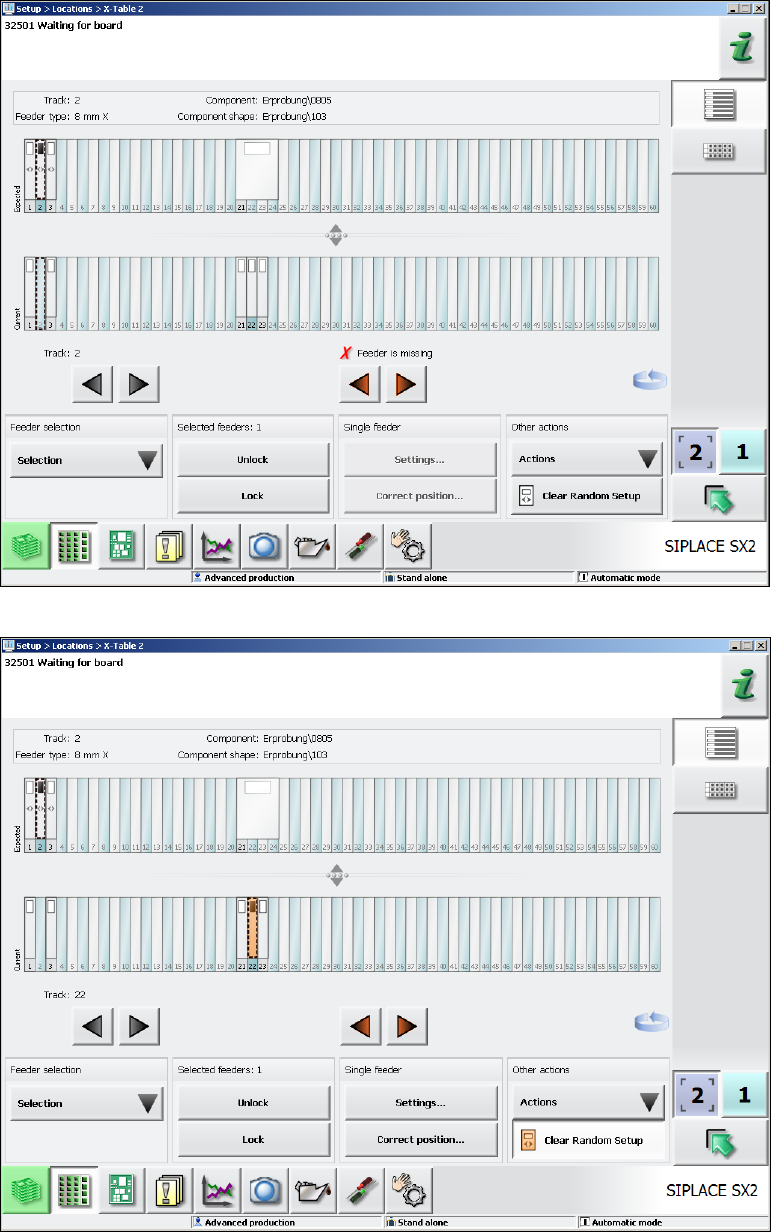
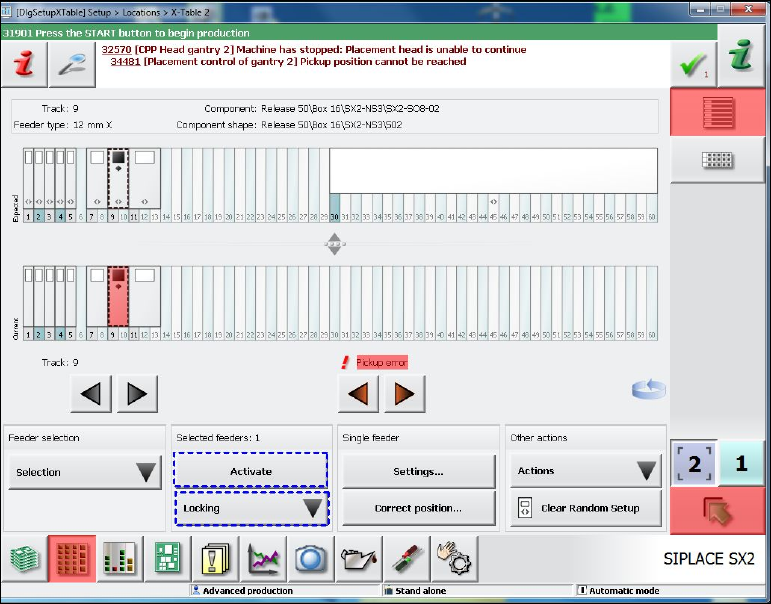
In the following Random Setup scenario the components on Track 1, 2 and 3 may have dynamic
alternatives on the Tracks 1, 22 and 23 respectively. The feeder on Track 21 (32mm) is not
required for the current product. When the feeder has been removed from Track 2, the feeder on
Track 22 shall be put back onto Track 2.
Figure 7-14: Feeder was removed from Track 2
Figure 7-15: Feeder on Track 22 shall be put back onto Track 2
SIPLACE Station Software 70x / Feature Description Ausgabe 05/2014 Edition
74
7.20 Changed User Guidance at Pickup Errors
As of this station software version the user guidance at pickup errors and the corresponding
deactivation of the feeders has been changed.
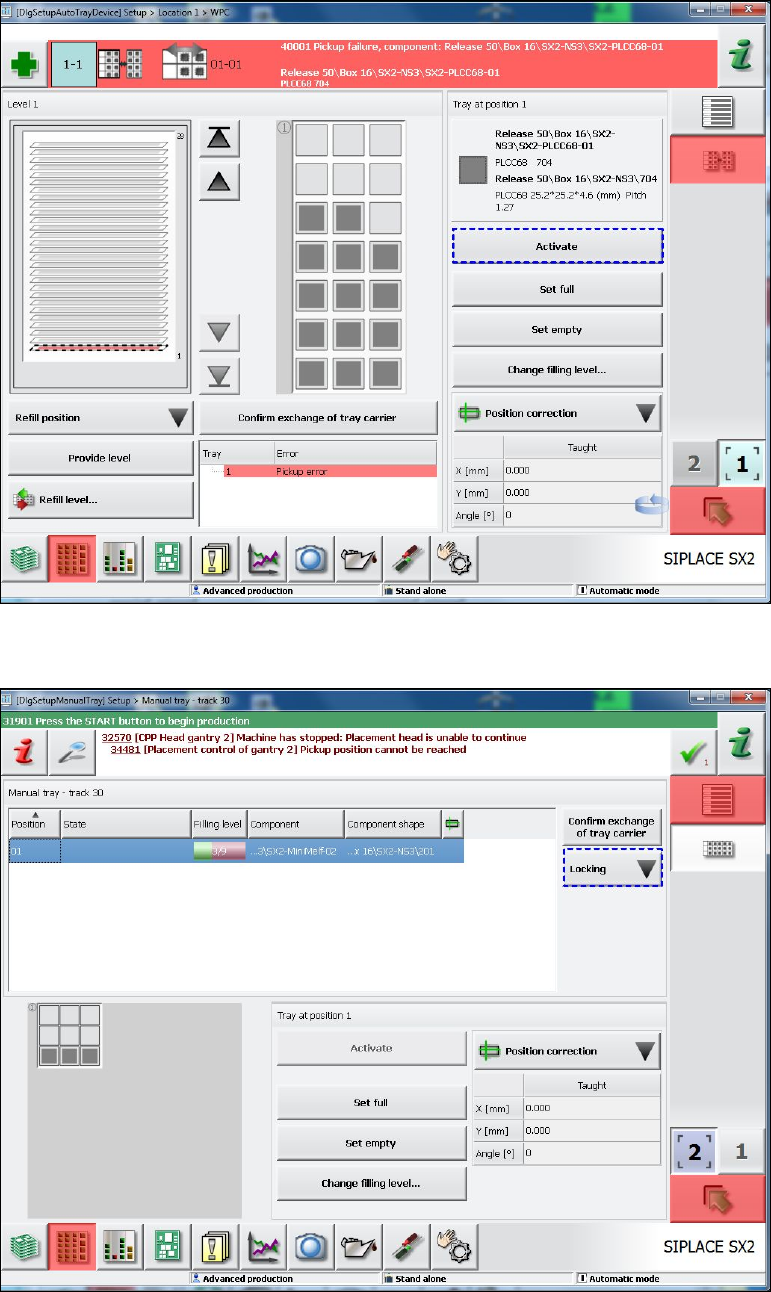
At pickup errors (i.e. for every deactivation reason) the colored marks now lead up to the setup
views and no longer to the Deactivated tracks view. For this, the Activate button has been added
to some views in order for the operator to handle the error in these views. The changes apply to the
following views:
Figure 7-16: Setup view for X-table
– The Locking menu with the selection Lock/Unlock.
– The Activate button is new and is activated if the operator can activate the selected track (in
the Current graphic).
SIPLACE Station Software 70x / Feature Description Ausgabe 05/2014 Edition
75
Figure 7-17: Setup view for MTC / WPC
– The Activate button is new and is activated if the operator can activate the selected tray.
Figure 7-18: Setup view for manual ray
– The Locking menu with the selection Lock/Unlock.