c921199.R00_EN.pdf - 第27页
1-7 1 Handling 0 Reel the top tape to take up the slack. Pull the top tape lightly in the direction of the arrow and the sag wil l be taken up automatically. T aking up the slack of the top tape T op tape 63107-9L-00 c C…
1-6
1
Handling
8
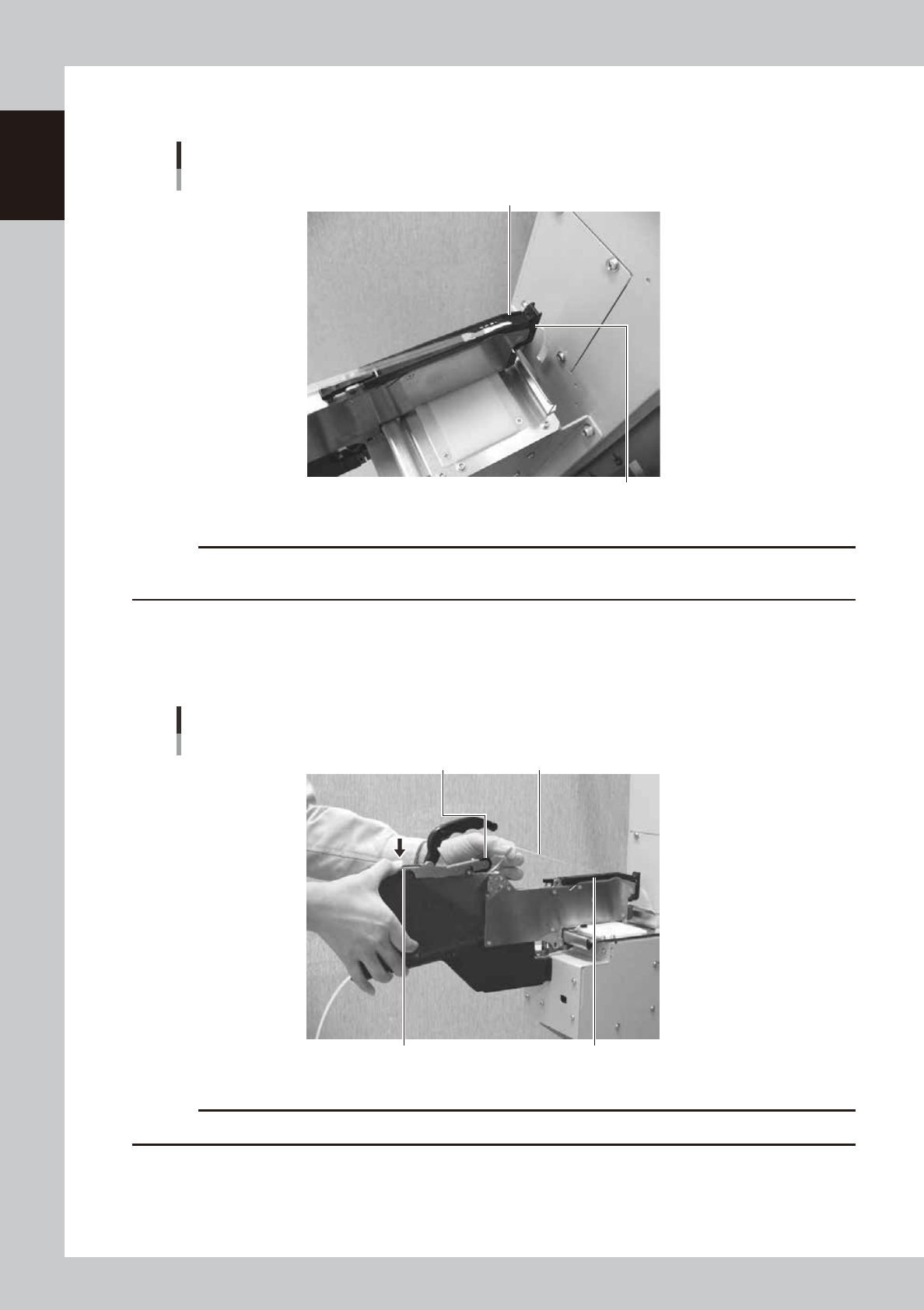
Secure the tape guide assembly.
Set the carrier tape so that it engages with the sprocket teeth.
Securing the tape guide
Tape guide assembly
Tape guide front lever
63124-9L-00
c
CAUTION
Secure the tape guide assembly while pulling the top tape so that the top tape will not sag in the tape guide
assembly.
9
Set the top tape on the winding roller.
Hold a portion of the winding roller lever shown in the figure to make a clearance around the winding
roller, pass some length of the top tape into the clearance and release the winding roller lever to pinch
the top tape.
Setting the top tape
Top tapeWinding roller
Winding roller lever Tape guide assembly
63105-9L-00
c
CAUTION
Check that the top tape between the tape guide assembly and the winding roller is not twisted.
1-7
1
Handling
0
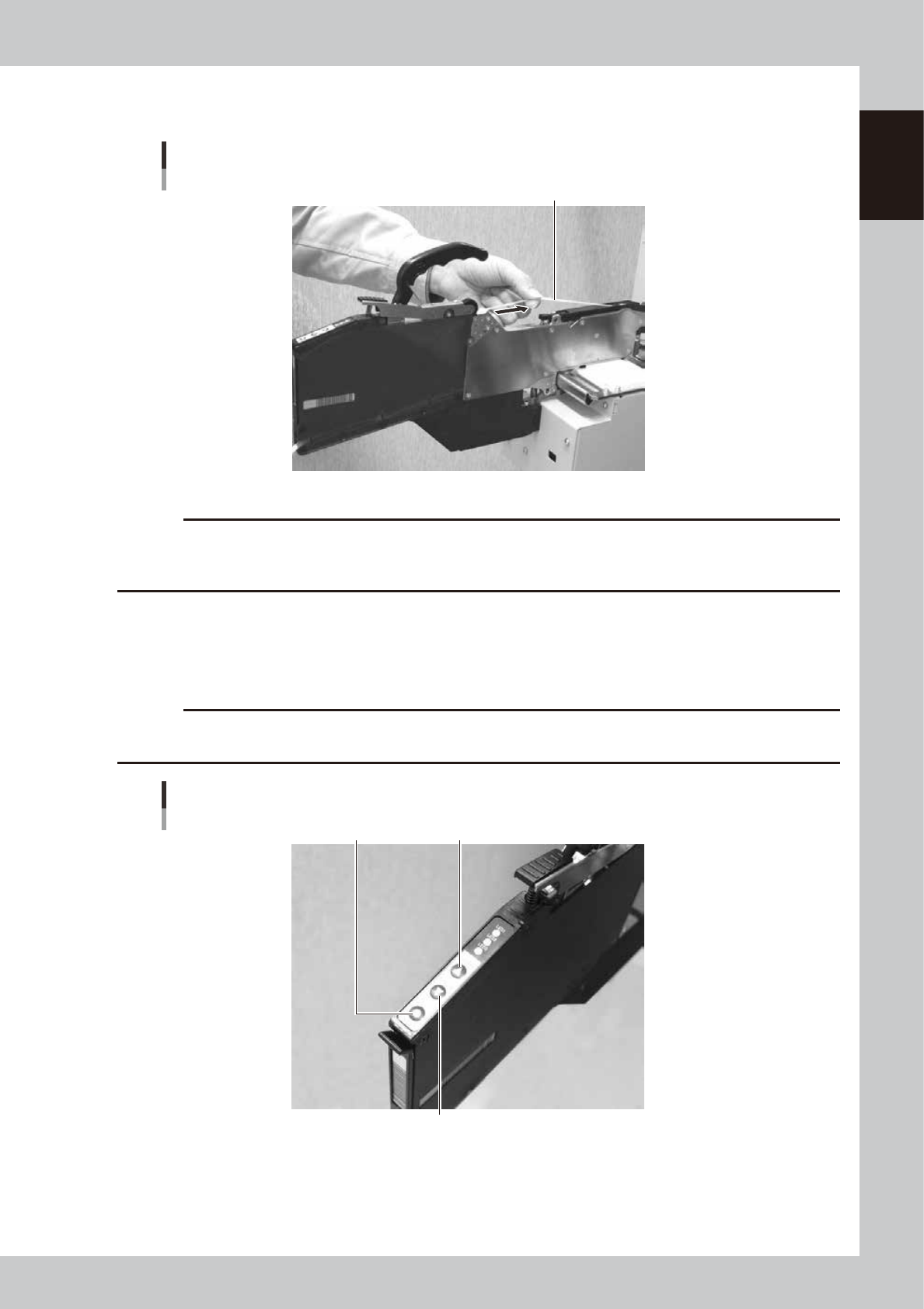
Reel the top tape to take up the slack.
Pull the top tape lightly in the direction of the arrow and the sag will be taken up automatically.
Taking up the slack of the top tape
Top tape
63107-9L-00
c
CAUTION
· Let the top tape slide between your fingers so that it is taken up straight.
· Repeat the step until the slack is taken up.
· Take care not to hurt your hand when taking up the top tape.
q
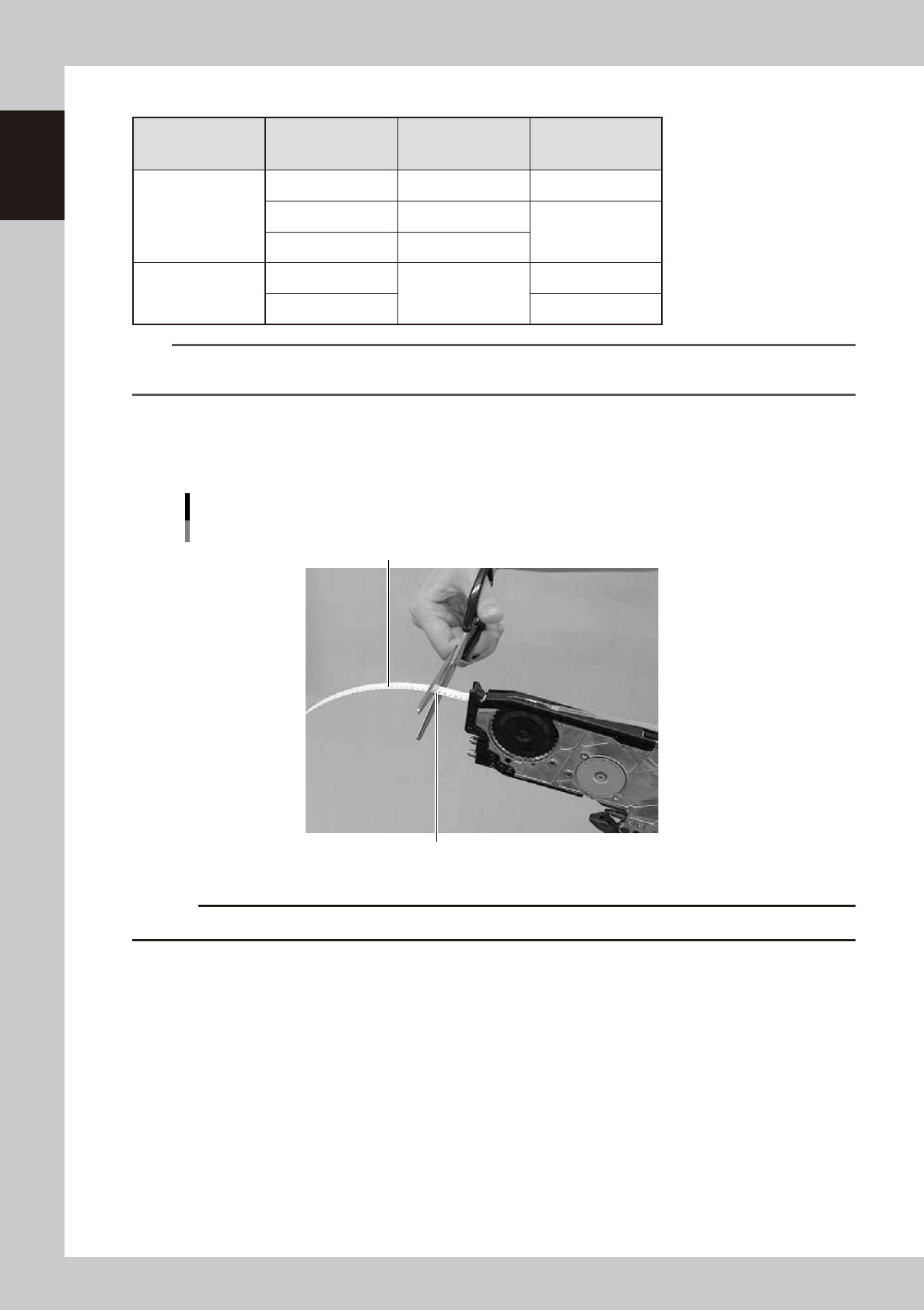
Feed components to the pickup position.
Press the ”FEED” button of the feeder to feed components to the pickup position. If you want to move
components backward, press the ”BACK” button of the feeder. Refer to the table for the feed pitches
which correspond to each button operation.
c
CAUTION
When feeding the components to the pickup position, do not use the [BACK] button. Always use the [FEED] button to
advance the carrier tape.
“FEED” button, “BACK” button, “FUNC” button
“BACK” button
“FEED” button“FUNC” button
63108-9L-00
1-8
1
Handling
n
Button operations & corresponding feed pitches
Feeder Type Pitch Setting
[Feed], [BACK]
pressed 1 time
[FUNC+FEED],
[FUNC+BACK]
pressed 1 time
F3-8
0 2mm 1mm
1 1mm
Pitch setting
2 and higher 2mm
F3-1216, 24,
32, 44, 56,
72, 88, 104
0
2mm
2mm
4 and higher Pitch setting
TIP
· Continuous feed mode is possible by pressing and holding the [FEED / BACK] button.
· There is no continuous feed mode for the [FUNC + FEED] and [FUNC + BACK] buttons (even if pressed and held).
w
Cut the carrier tape.
After feeding the components to the pickup position, cut the carrier tape at a point 15mm or less from
the tape exit before setting the feeder to a machine.
Cutting the carrier tape
Carrier tape
Cut at 15mm or less from feeder
63146-9L-20
c
CAUTION
If using the carrier tape without cutting the excess part, it could block the path way for discharging the tape.