c921199.R00_EN.pdf - 第33页
1-13 1 Handling 3.1.2 Setting to the station T he following describes how to install a feeder to a set-up station on machine or an Offline setup station. 1 Clean the surface of the feeder plate. Components or debris caug…
1-12
1
Handling
3
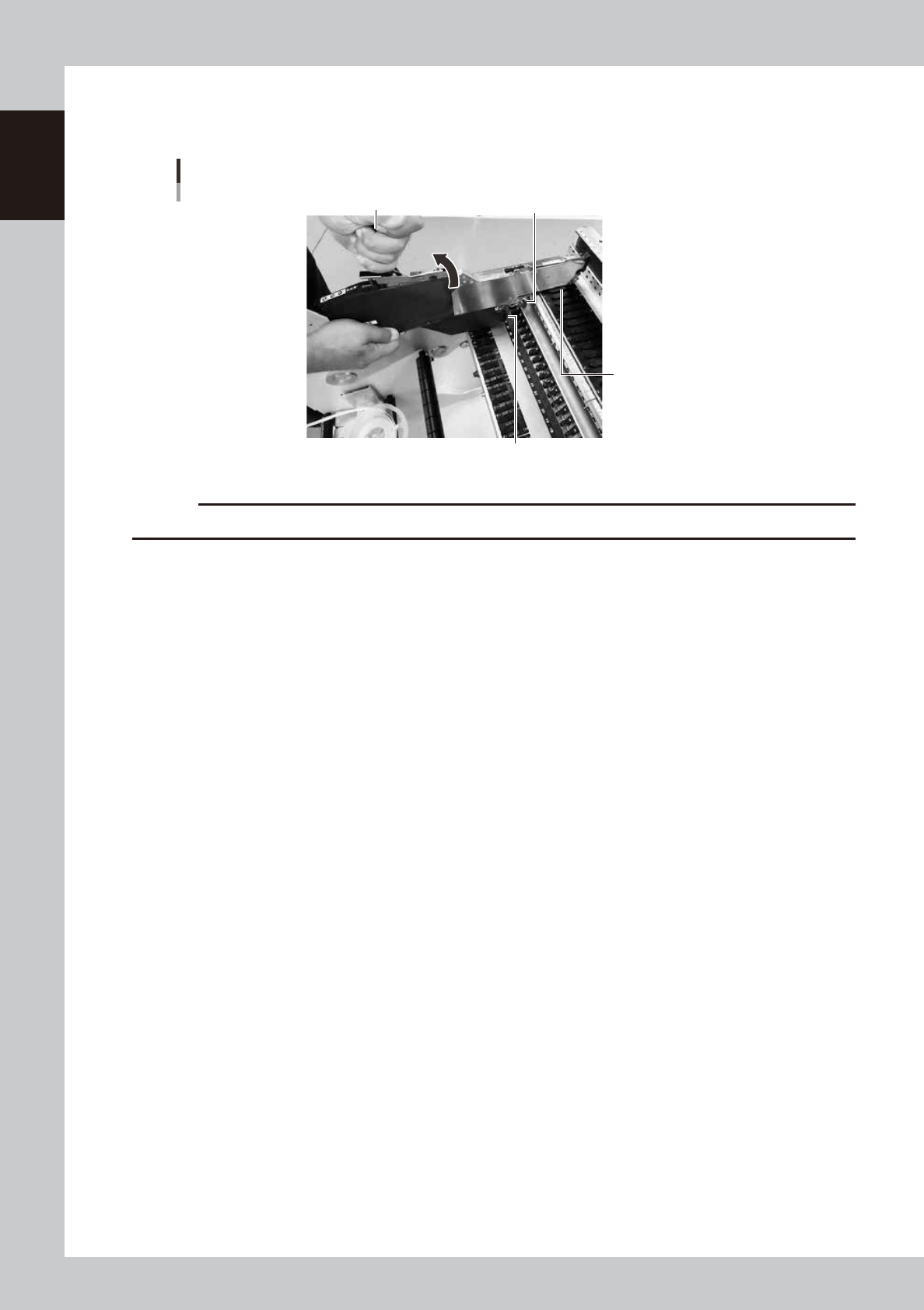
Set the feeder.
Lift the handle, align the under rail, tail pin and connector on the lower part of the feeder, and insert all
the way.
Setting the feeder
Handle Tail pin
Connector
Under rail
63111-F3-00
c
CAUTION
The clamping lever assembly does not fully open if the handle is not fully opened.
4
Lock the clamping lever assembly.
Lower the handle and lock the clamping lever assembly to a mounter or a changeable feeder bank. If
it is not properly set, the assembly may come off during installation or operation.
1-13
1
Handling
3.1.2 Setting to the station
The following describes how to install a feeder to a set-up station on machine or an Offline setup station.
1
Clean the surface of the feeder plate.
Components or debris caught in the machine may cause damage to the feeder plate or under rail.
Set-up station on machine
63112-F3-00
2
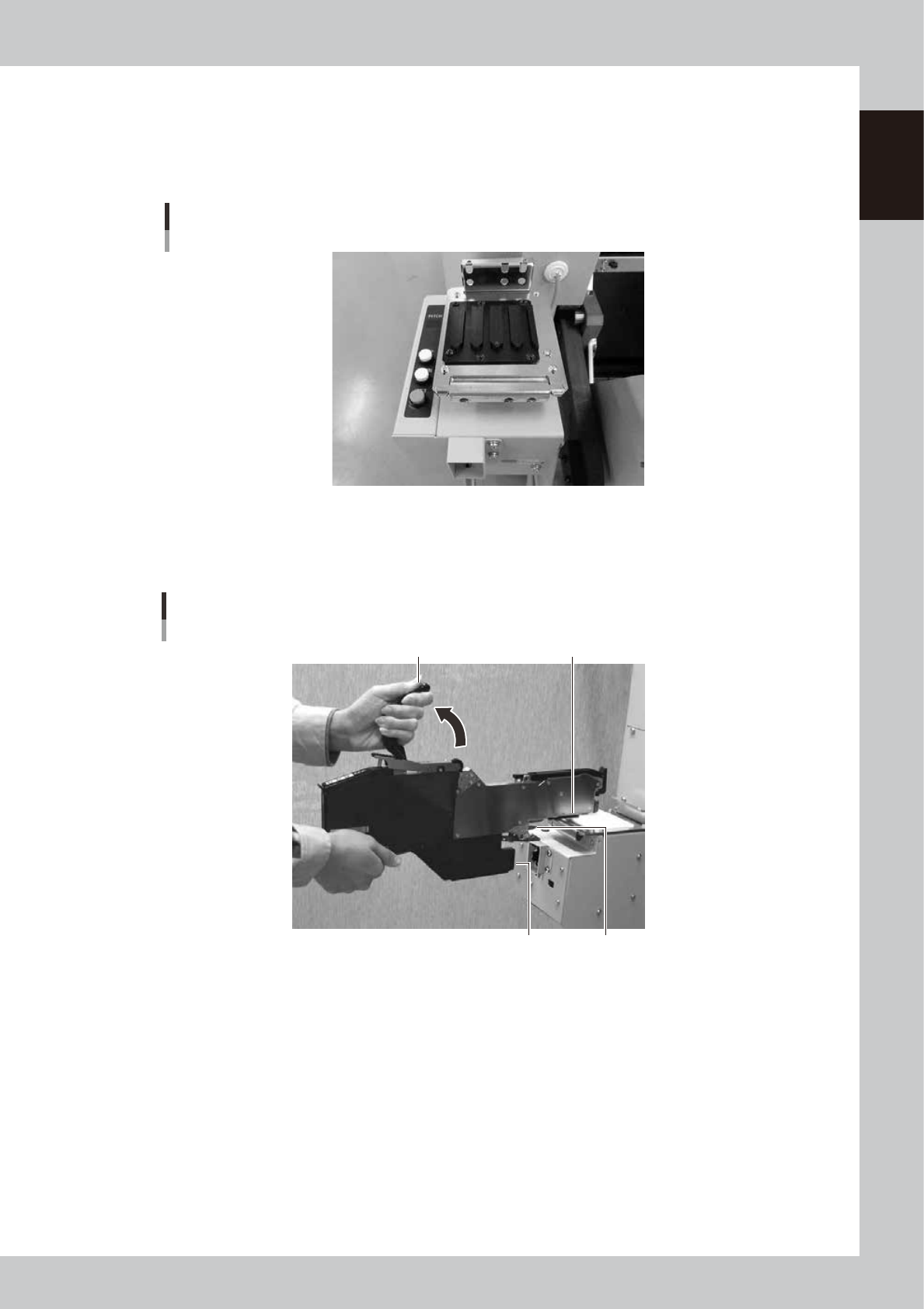
Set the feeder.
Lift the handle, align the under rail, tail pin and connector on the lower part of the feeder, and insert all
the way.
Setting the feeder
Handle
Connector Tail pin
Under rail
63113-9L-10
3
Lock the clamping lever assembly.
Lower the handle and lock the clamping lever assembly to a set-up station on machine or an Offline
setup station.
1-14
1
Handling
4. Adjusting the tape feed pitch
4.1 Adjusting on the mounter
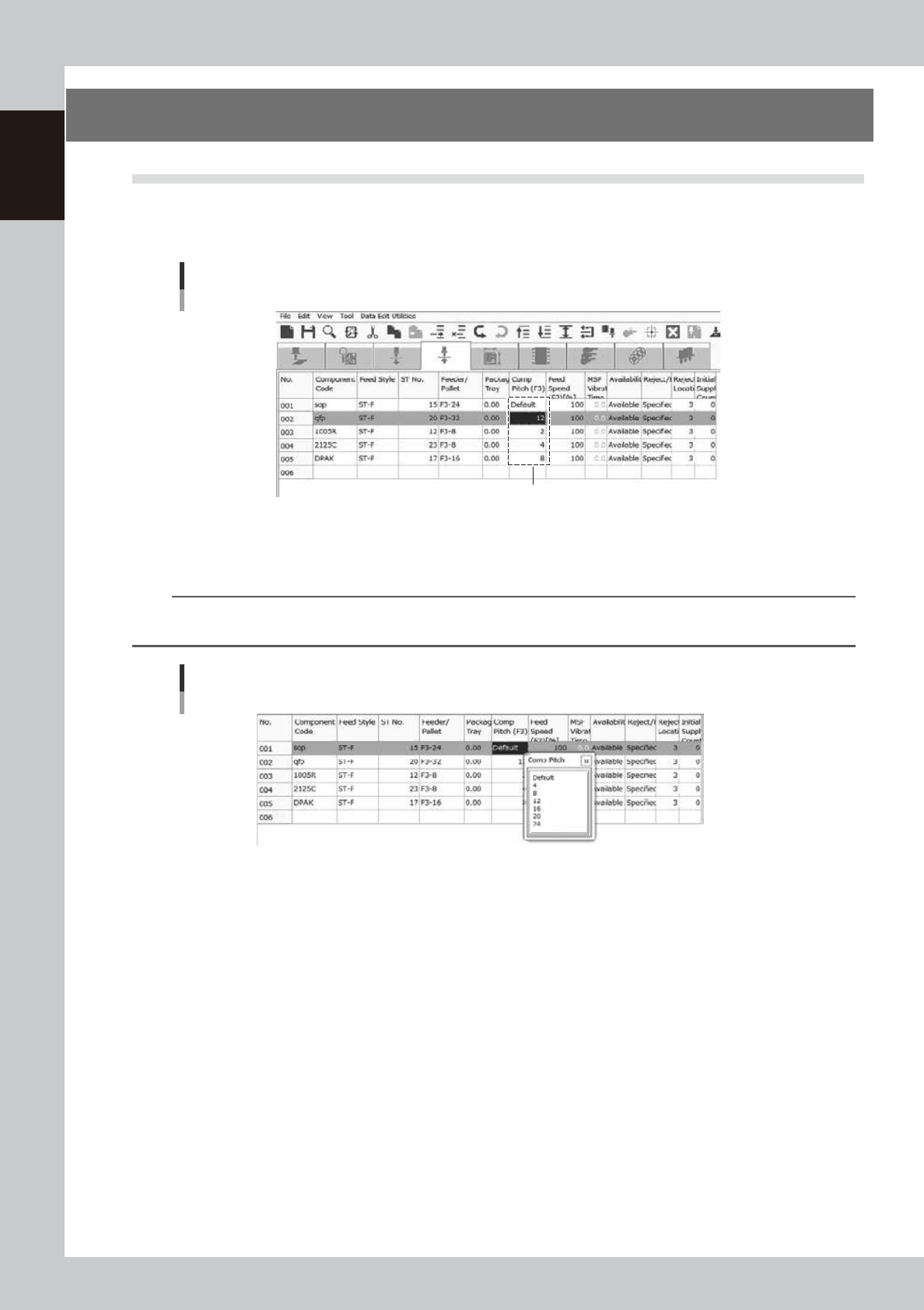
1
Open the pickup data screen.
Select a feeder to adjust the tape feed pitch.
Pickup data screen
Select here
64102-F3-00
2
Set the tape feed pitch.
Right click a mouse and select a feed pitch in the menu.
TIP
The feeder works with the pitch individuallly set by setup station on a machine or an offline setup station when
"Default" is selected.
Adjusting the tape feed pitch
64103-F3-00